
توضیحات
Social Media Card Generator creates branded Open Graph/social sharing images directly from the WordPress post editor. Choose a background template, configure your typography, generate the card, and save it automatically to the WordPress Media Library.
Version 1.5.4 refines AIOSEO integration for WordPress.org Plugin Check compliance while retaining WordPress 7.1-compatible title synchronization and backwards-compatible editor behavior.
Features
- Generate social sharing images from the WordPress post editor.
- Use a custom Media Library image as the card template.
- Configure title and description fonts independently, with one-click controls to return either layer to bundled Open Sans.
- Upload administrator-only TrueType (.ttf) fonts without enabling arbitrary font uploads across the Media Library.
- Adjust font size, text color, vertical position, and left/center/right alignment.
- Configure an optional text shadow; it is disabled by default.
- Save generated cards as JPEG or PNG Media Library attachments.
- Set JPEG quality.
- Show a success message with the generated filename after saving.
- Optionally set the generated card as both the AIOSEO Facebook and Twitter/X custom image when a compatible AIOSEO version is active.
- Remember the AIOSEO social-image checkbox preference separately for each WordPress user.
- Render locally with PHP GD; no remote rendering service is required.
The default typography matches the plugin’s previous hardcoded card style: title color #F0F8FF, description color #E0E0E0, and no text shadow.
عکسهای صفحه
نصب
- Upload the plugin ZIP from Plugins > Add New > Upload Plugin, or copy the
social-media-card-generatorfolder to/wp-content/plugins/. - Activate Social Media Card Generator.
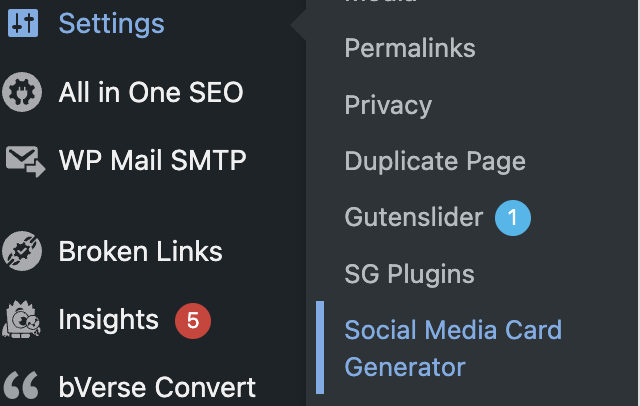
- Go to Settings > Social Media Card Generator.
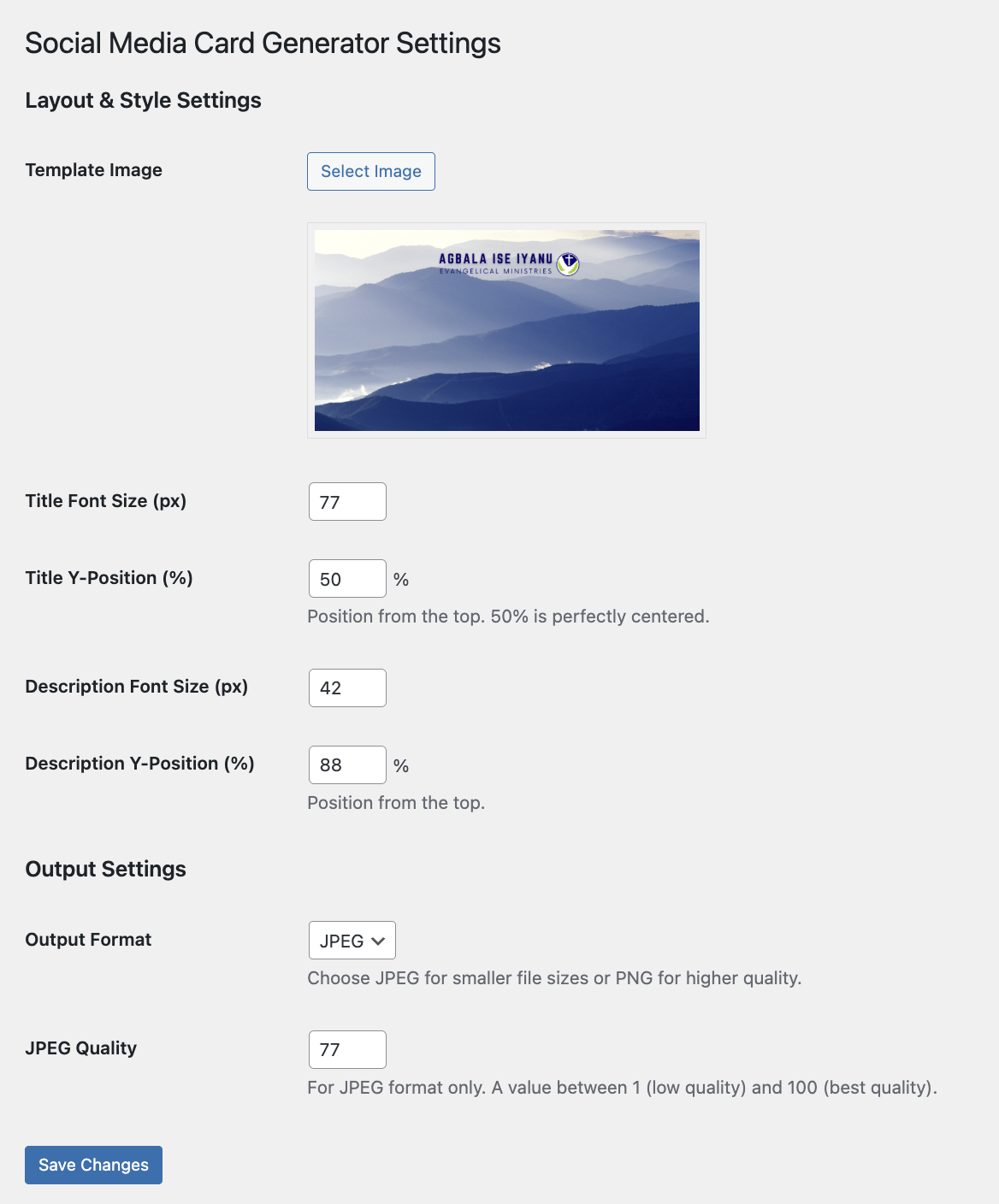
- Choose a template image. A 1200 x 630 px image is recommended.
- Configure the title, description, shadow, fonts, alignment, and output options.
- Save the settings.
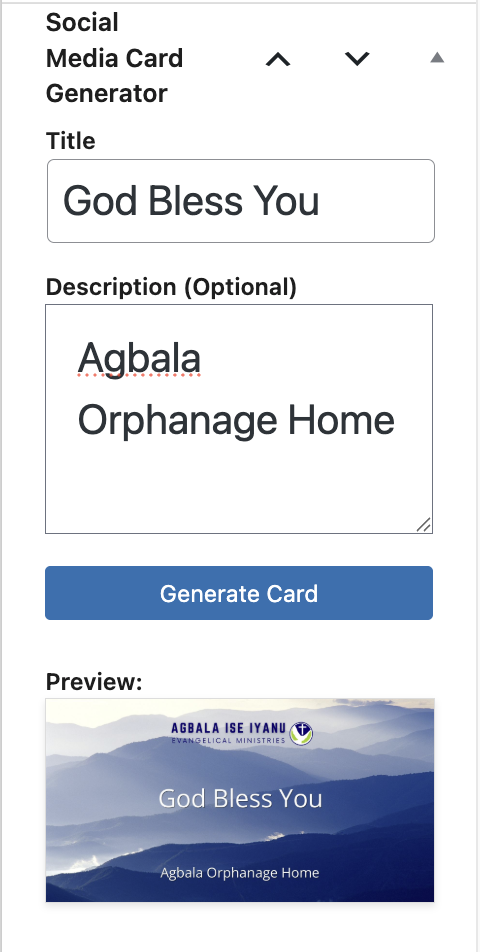
- Edit a post, open the Social Media Card Generator panel, and click Generate Card.
New posts must be saved as a draft once before generation so WordPress has a post ID for the generated Media Library attachment.
سوالات متداول
-
What server features are required?
-
The plugin requires PHP GD with FreeType support. The functions
imagettftext()andimagettfbbox()must be available. The WordPress uploads directory must also be writable. -
What template size should I use?
-
1200 x 630 px is recommended for the common Open Graph 1.91:1 image ratio. Template source files are limited to 5 MB.
-
Which font formats can I upload?
-
TrueType
.ttffiles are supported for custom fonts. Version 1.5.2 accounts for server-specific TTF MIME detection while keeping the temporary MIME allowance limited to the plugin’s authenticated font-upload request. Uploaded files are checked for a TrueType signature and validated with the server’s GD/FreeType implementation before being added to the font selectors. -
Where are custom fonts stored?
-
Custom fonts are stored in
wp-content/uploads/social-media-card-generator/fonts/. They are not added to the Media Library and the plugin does not globally enable font MIME types for other WordPress uploads. -
Can the title and description use different fonts?
-
Yes. The Title Typography and Description Typography sections each have their own font selector. Click Use Open Sans beside either selector to return that text layer to the bundled default, then save the settings.
-
What are the default text colors?
-
The title defaults to
#F0F8FFand the description defaults to#E0E0E0. Text shadow is disabled by default. These defaults match the previous hardcoded version of the plugin. -
Does this plugin send data to an external service?
-
No. Cards are rendered locally on the WordPress server. Custom fonts remain on the site. The optional AIOSEO integration communicates only with the locally installed AIOSEO plugin.
-
How does the AIOSEO integration work?
-
When a compatible, active version of AIOSEO is detected, the post editor shows an optional checkbox above Generate Card. If checked, the newly generated Media Library image is saved as both the post’s AIOSEO Facebook and Twitter/X Custom Image. The checkbox preference is remembered per WordPress user. Version 1.5.2 also synchronizes AIOSEO’s live post-editor state so the current-page social fields update immediately without a page reload. The image-generation result and AIOSEO-update result are reported separately.
-
AIOSEO must be active and expose the supported post-model API. If it is inactive or too old, Social Media Card Generator displays a notice instead of the checkbox.
-
Who is responsible for custom font licensing?
-
Site administrators are responsible for making sure they have permission to use uploaded fonts. Open Sans is bundled under the SIL Open Font License 1.1, and its license is included with the plugin.
نقد و بررسیها
نقد و بررسیای برای این افزونه یافت نشد.
توسعه دهندگان و همکاران
“Social Media Card Generator” نرم افزار متن باز است. افراد زیر در این افزونه مشارکت کردهاند.
مشارکت کنندگان
ترجمه “Social Media Card Generator” به زبان شما.
علاقه مند به توسعه هستید؟
کد را مرور کنید، مخزن SVN را بررسی کنید، یا از طریق RSS در گزارش توسعه مشترک شوید.
گزارش تغییرات
1.5.4
- Removed the redundant direct invocation of AIOSEO’s internal
aioseo_insert_postaction after social-image updates. - Kept the verified AIOSEO model save and metadata-cache invalidation path, avoiding duplicate save side effects while satisfying WordPress Plugin Check hook-prefix requirements.
1.5.3
- Added iframe-safe card-title synchronization for the WordPress 7.1 block editor by reading the edited post title from the WordPress data store.
- Kept the existing DOM-based title listener as a backwards-compatible fallback for Classic Editor and older editor implementations.
- Added the WordPress
wp-datascript dependency only on post-edit screens. - Updated WordPress compatibility metadata through 7.1.
1.5.2
- Restored the full Social Media Card Generator meta-box title and native WordPress header spacing.
- Synced AIOSEO’s current-page Facebook and Twitter/X fields after successful generation without requiring a page reload.
- Fixed valid TTF uploads on servers that report alternate font MIME types while keeping font MIME handling scoped to the plugin upload request.
- Added TrueType signature and FreeType readability validation before storing custom fonts.
- Added Use Open Sans controls for both title and description typography.
1.5.1
- Improved the post-editor meta-box header for narrow WordPress sidebars.
- Fixed AIOSEO social-image updates by preserving the existing AIOSEO post model instead of sending a partial full-save payload.
- Added Twitter/X custom-image updates alongside Facebook.
- Added a per-user remembered AIOSEO social-image preference.
- Added verification and cache invalidation after AIOSEO social-image updates.
1.5.0
- Added independent title and description font selection.
- Added administrator-only TrueType font uploads stored in WordPress uploads.
- Added title and description color controls with hardcoded-version defaults.
- Added left, center, and right alignment.
- Added optional configurable text shadow, disabled by default.
- Redesigned the settings page and post-editor generator UI.
- Added a success message containing the generated Media Library filename.
- Fixed HTML entities showing in the title field.
- Added optional AIOSEO Facebook-image integration.
- Improved per-post permissions, sanitization, validation, and escaping.
- Added the Open Sans license and refreshed documentation artwork.
- Removed development-only files from the release package.
1.4.2
- Initial release.