
توضیحات
ThinkCaptcha adds a simple, effective captcha to the WordPress and WooCommerce forms that get attacked the most, so you can stop spam registrations, brute-force login attempts, and junk submissions.
It uses Google’s familiar “I’m not a robot” checkbox (reCAPTCHA v2) and turns it on with a single toggle — no coding needed. The captcha only loads on the pages that actually use it, so it stays light on performance.
Free features
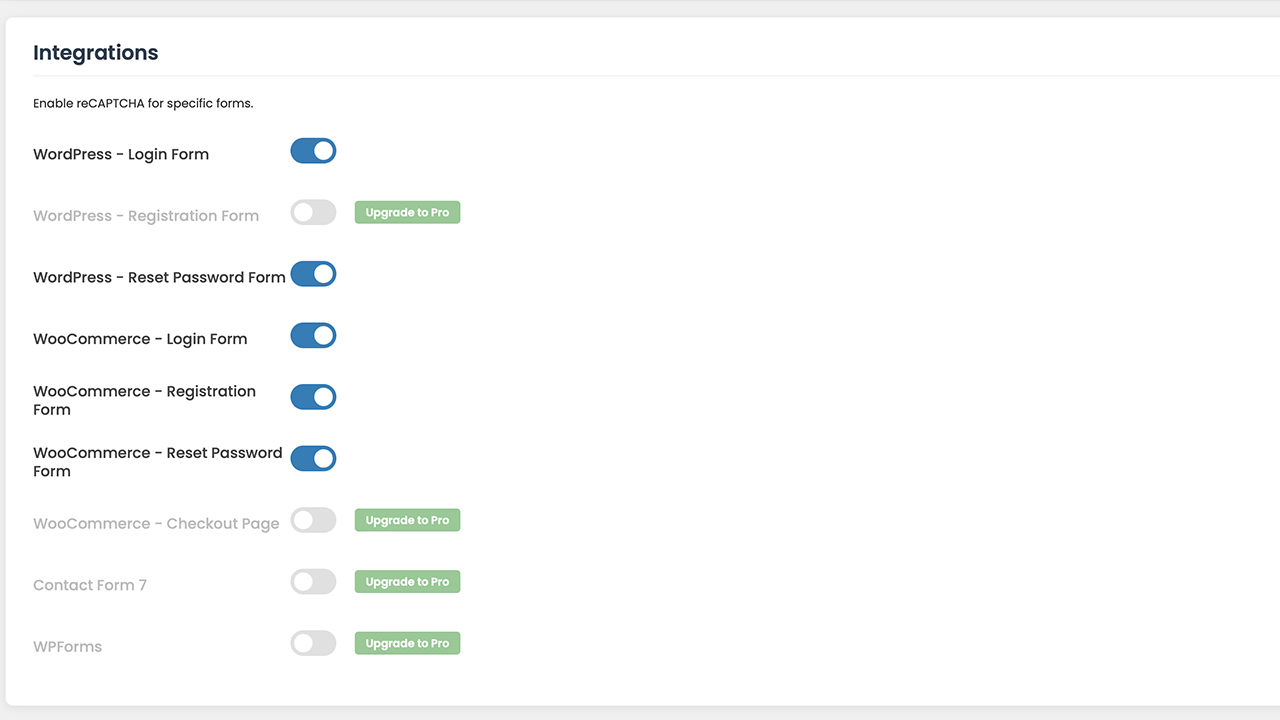
- Captcha on the WordPress login form to slow down brute-force attacks.
- Captcha on the WordPress registration and password-reset forms.
- Captcha on the WooCommerce login, registration, and password-reset forms.
- Loads asynchronously and only where it’s needed.
ThinkCaptcha Pro
Want to protect the rest of your site? ThinkCaptcha Pro extends the same captcha to:
- The WooCommerce checkout, to help prevent fraudulent and spam orders.
- Contact Form 7 and WPForms submissions.
- The default WordPress registration form.
Third-Party Service Disclosure
This plugin connects to the Google reCAPTCHA service to tell humans and bots apart.
- Service used: Google reCAPTCHA (provided by Google LLC).
- What is sent: to verify a visitor is human, the service collects and sends device and application data, along with the visitor’s IP address, to Google.
- When it is sent: whenever a protected form is displayed and submitted.
- Policies: use of Google reCAPTCHA is subject to Google’s Privacy Policy and Terms of Service.
عکسهای صفحه

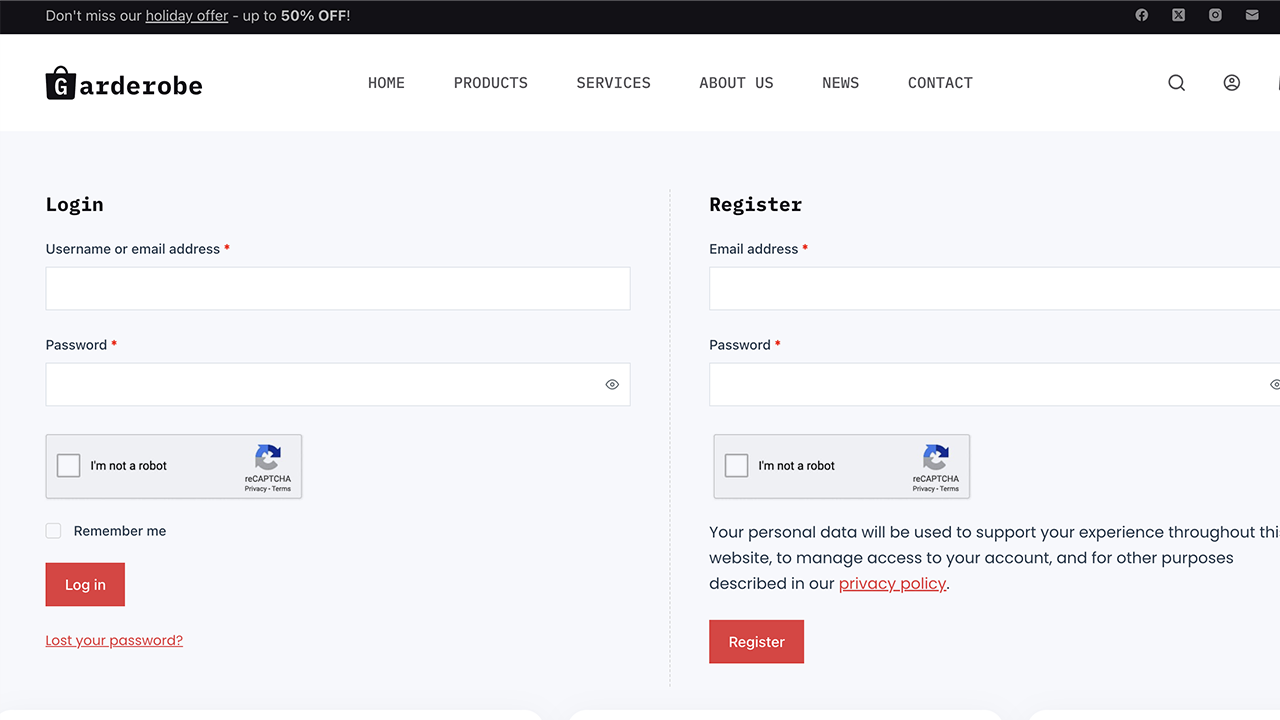
نصب
- Upload the
thinkcaptchafolder to the/wp-content/plugins/directory. - Activate the plugin through the ‘Plugins’ menu in WordPress.
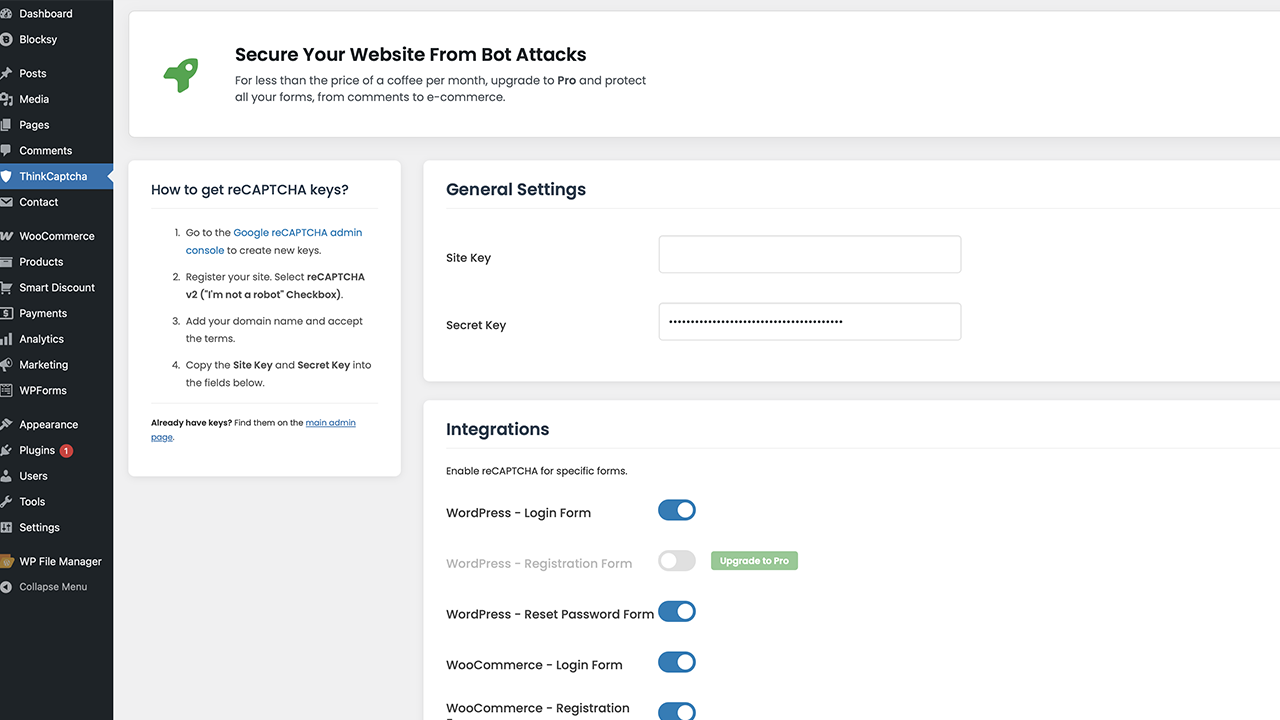
- Open the “ThinkCaptcha” menu in your WordPress admin dashboard.
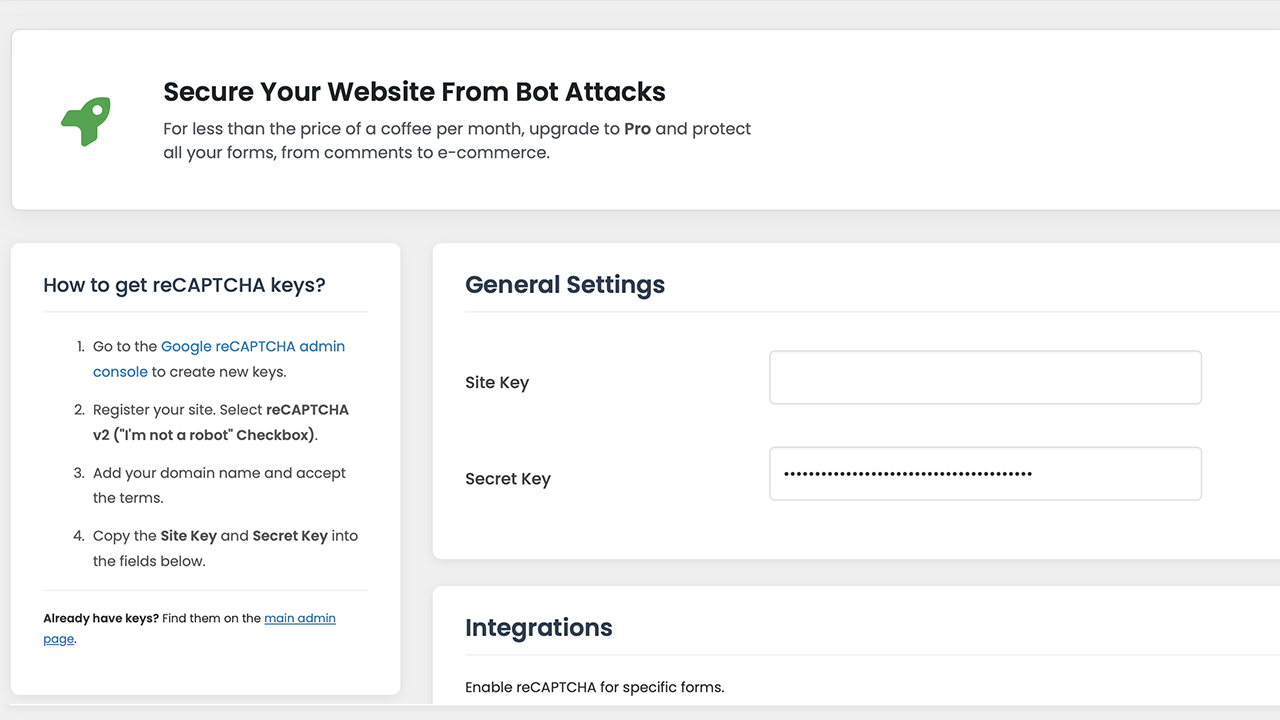
- Get a Site Key and Secret Key for reCAPTCHA v2 (“I’m not a robot” checkbox) from the Google reCAPTCHA admin console.
- Paste your keys into the plugin’s settings page.
- Use the toggles to enable the captcha on the forms you want to protect.
- Save your changes — protection is now active.
سوالات متداول
-
How do I add a captcha to the WordPress login form?
-
After adding your Google reCAPTCHA keys, open the ThinkCaptcha settings page and enable “WordPress – Login Form”. The captcha is added to your login page automatically, which helps protect against brute-force attacks.
-
Can I add a captcha to my WooCommerce forms?
-
Yes. You can enable the captcha on the WooCommerce login, registration, and password-reset forms from the settings panel. The WooCommerce checkout is available in the Pro version.
-
Does the plugin support Contact Form 7 or WPForms?
-
Contact Form 7 and WPForms are supported in the Pro version.
-
What is the difference between a captcha and reCAPTCHA?
-
“Captcha” is the general term for a test that tells humans and bots apart. reCAPTCHA is Google’s version of it, which uses risk analysis for a smoother experience. ThinkCaptcha uses reCAPTCHA v2.
-
Does the plugin slow down my site?
-
No. The script loads asynchronously and only on pages where the captcha is active, so it does not block your pages from loading.
نقد و بررسیها
نقد و بررسیای برای این افزونه یافت نشد.
توسعه دهندگان و همکاران
“ThinkCaptcha – Captcha for Login, Register and WooCommerce” نرم افزار متن باز است. افراد زیر در این افزونه مشارکت کردهاند.
مشارکت کنندگان
ترجمه “ThinkCaptcha – Captcha for Login, Register and WooCommerce” به زبان شما.
علاقه مند به توسعه هستید؟
کد را مرور کنید، مخزن SVN را بررسی کنید، یا از طریق RSS در گزارش توسعه مشترک شوید.
گزارش تغییرات
1.1.9
- FIX: The WooCommerce login captcha now blocks login on failed verification (moved to the woocommerce_process_login_errors filter).
- FIX: Removed an unreliable page check during wp_loaded that could stop WooCommerce login verification from running.
- FIX: The captcha script now loads with proper async/defer attributes via the script_loader_tag filter.
- TWEAK: Rewrote the readme and plugin title for clarity and to follow WordPress.org guidelines (removed keyword stuffing).
- TWEAK: Updated tested-up-to values (WordPress 7.1, WooCommerce 11.0).
- TWEAK: Removed a leftover Poppins font reference from the admin styles.
1.1.6
- TWEAK: Tested up to WordPress 6.9.
1.1.5
- FIX: Resolved a short-description length warning in readme.txt.
- FIX: Resolved a “Tested up to” tag validation error.
- FIX: Resolved a translation-loading notice by optimizing text domain calls.
- FIX: Added missing translator comments for better I18n compliance.
- TWEAK: Removed the Google Fonts dependency for better GDPR compliance; switched to native WordPress admin fonts.
- TWEAK: Improved IP detection for sites behind Cloudflare or a proxy.
1.1.2
- FIX: Switched to wp_enqueue_script for loading external JavaScript.
- FIX: Added nonce checks to all form submissions (CSRF protection).
- FIX: Added sanitization and unslashing for all $_POST and $_SERVER inputs.
- FIX: Added versioning to enqueued scripts and styles.
- FIX: Added isset checks for $_SERVER variables to prevent notices.
1.1.1
- FIX: Bundled the Font Awesome library locally to remove external dependencies.
1.1.0
- Initial public release.