

توضیحات
It just works.
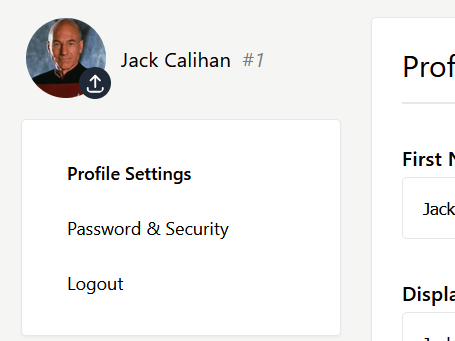
ChargeWP Avatar Upload gives users a clean, intuitive way to update their profile photo without opening the dashboard.
It’s built for modern WordPress sites: secure, lightweight, and theme-friendly.
Key Features
- Instant front-end upload — update your avatar right on the page or in WooCommerce “My Account.”
- SmartCrop.js built in — automatically centers faces for perfect, professional results.
- Gutenberg Block and Shortcode — add the avatar uploader anywhere you want.
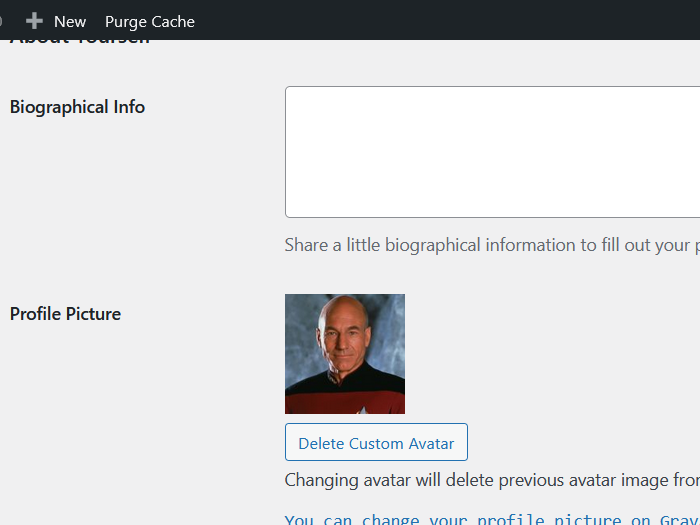
- Gravatar friendly — keeps existing Gravatars in place and simply takes priority when a custom image is uploaded.
- Automatic cleanup — replaces old avatars so your media library stays tidy.
- Lightweight and native — no complex settings, no setup screens, and no bloat.
Why You’ll Love It
- Works straight out of the box.
- Looks and feels like part of WordPress and WooCommerce.
- Secure uploads with smart cropping and optimized JPEG output.
- Supports all image types WordPress allows (JPG, PNG, WebP, and more).
- Translation ready and developer friendly.
Usage
Shortcode example:
[chargewp_avatar type="0" check_page_author="false"]
Attributes:
– type — 0 = avatar only, 1 = avatar + name + ID, 2 = avatar + name + ID + profile link. Default: 0
– check_page_author — true or false. When true, shows the page or post author’s avatar instead of the current user. Default: false
– classes — Optional extra CSS classes for custom styling.
Block:
– Insert the ChargeWP Avatar block in the editor.
– Adjust display type and author options from the block sidebar.
Developer Notes
- Template overrides are supported. Copy files from
plugins/chargewp-avatar/templates/ toyourtheme/templates/cwpa/. - Filters to disable automatic placement:
add_filter('cwpa_auto_inject_wc_account', '__return_false');add_filter('cwpa_auto_inject_cwpd_sidebar', '__return_false');
- Filters to change display type:
cwpa_avatar_type_wc_accountcwpa_avatar_type_cwpd_sidebar
عکسهای صفحه
بلوکها
این افزونه 1 بلوک ارائه میدهد.
- ChargeWP Avatar Display a user's avatar with upload and management capabilities.
نصب
- Upload to
/wp-content/plugins/chargewp-avataror install from Plugins Add New. - Activate the plugin.
- The avatar uploader automatically appears above the WooCommerce “My Account” menu.
- Or use the ChargeWP Avatar Block or shortcode anywhere you want.
سوالات متداول
-
Does it replace Gravatar?
-
No. If a user doesn’t upload their own image, WordPress still uses Gravatar by default.
-
What image types can be uploaded?
-
Any format WordPress supports, including JPG, PNG, GIF, and WebP. SmartCrop automatically converts and optimizes the upload to JPEG for performance.
-
Can I style it differently?
-
Yes. You can override templates in your theme or use the
classesattribute for custom styles. -
Is it secure?
-
Yes. Uploads use WordPress’s built-in media handling, nonces, and capability checks. Old avatars are safely removed to save space.
نقد و بررسیها

توسعه دهندگان و همکاران
“ChargeWP – Front End Avatar Upload” نرم افزار متن باز است. افراد زیر در این افزونه مشارکت کردهاند.
مشارکت کنندگان
ترجمه “ChargeWP – Front End Avatar Upload” به زبان شما.
علاقه مند به توسعه هستید؟
کد را مرور کنید، مخزن SVN را بررسی کنید، یا از طریق RSS در گزارش توسعه مشترک شوید.
گزارش تغییرات
2.0.2
- Updated plugin to support new 6.9 WordPress
2.0.1
- Fixed an issue that could prevent the Avatar block from showing the upload icon to users on the frontend.
2.0.0
- First release under the ChargeWP brand.
- Added Gutenberg block and refined front-end experience.
- Optimized SmartCrop.js for lighter face detection and cropping.
- Improved upload validation, rate limiting, and feedback messages.
- Removed jQuery and Tailwind CSS dependancy.
ChargeWP Front End Avatar Upload makes changing your profile picture simple, fast, and natural.