
توضیحات
BookPod Author Tools allows authors and publishers to connect their WooCommerce store directly to the BookPod print-on-demand service.
With this plugin, you can:
* Upload book content (PDF) and cover files directly to BookPod.
* Automatically sync product metadata (prices, dimensions, paper type).
* Send orders automatically to BookPod for printing and shipping.
* Offer specific shipping methods (Home Delivery or Pickup Points) fully integrated with BookPod’s logistics.
Important: This plugin is an integration tool for the BookPod service. A BookPod account is required to use this plugin.
Service Description
This plugin relies on the BookPod service to function. It acts as a bridge between your WordPress site and BookPod’s manufacturing and logistics systems.
- Service Name: BookPod
- Service URL: https://bookpod.co.il/
- Data Sent: When you create a book or an order is placed, the plugin sends product details (PDFs, metadata), order details (shipping address, customer name), and store credentials to BookPod’s servers via API.
- Terms of Use: https://bookpod.co.il/%d7%aa%d7%a7%d7%a0%d7%95%d7%9f-%d7%90%d7%aa%d7%a8/
- Privacy Policy: https://bookpod.co.il/%d7%9e%d7%93%d7%99%d7%a0%d7%99%d7%95%d7%aa-%d7%a4%d7%a8%d7%98%d7%99%d7%95%d7%aa/
This plugin relies on the BookPod service to function. It acts as a bridge between your WordPress site and BookPod’s manufacturing and logistics systems.
عکسهای صفحه


نصب
- Upload the plugin files to the
/wp-content/plugins/bookpod-author-toolsdirectory, or install the plugin through the WordPress plugins screen directly. - Activate the plugin through the ‘Plugins’ screen in WordPress.
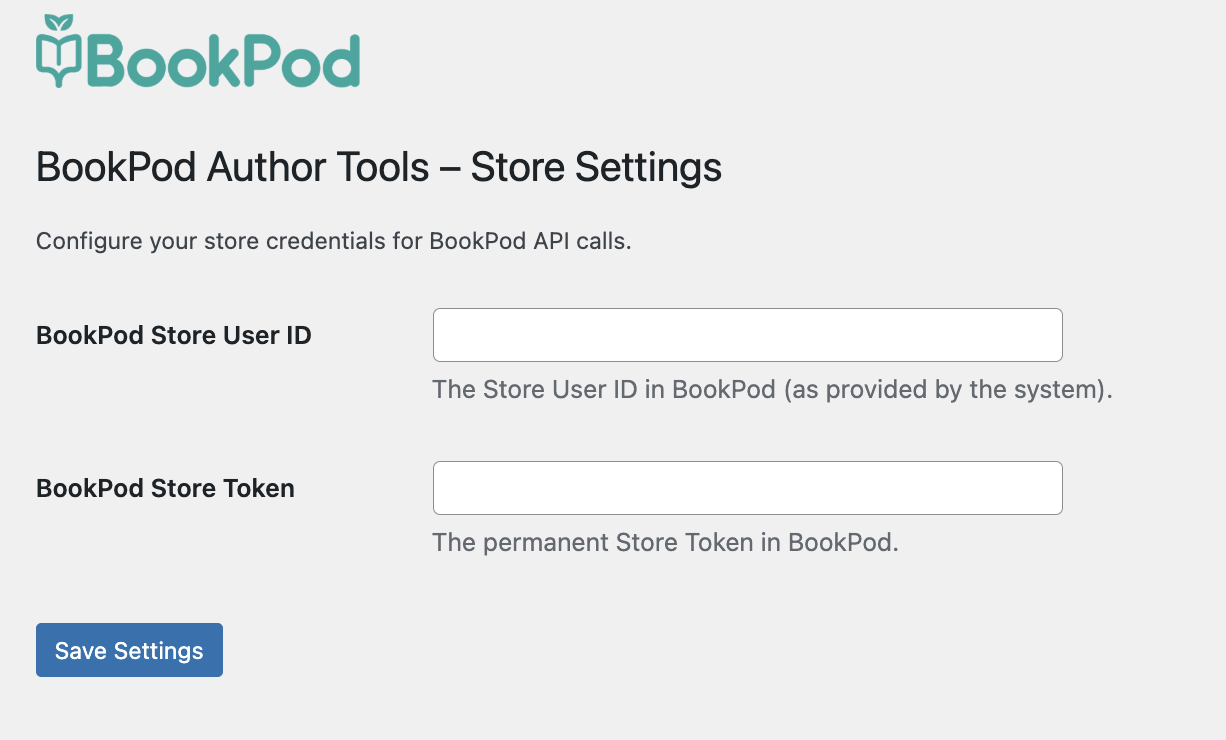
- Go to the “BookPod Author Tools” settings page and enter your Store User ID and Token (provided by BookPod).
- Navigate to a WooCommerce product to link it or create a new book.
سوالات متداول
-
Do I need a BookPod account?
-
Yes, you must have an active publisher account with BookPod to use this plugin.
-
Is this plugin compatible with the latest WooCommerce?
-
Yes, the plugin is designed to work with the latest version of WooCommerce.
نقد و بررسیها
نقد و بررسیای برای این افزونه یافت نشد.
توسعه دهندگان و همکاران
“BookPod Author Tools” نرم افزار متن باز است. افراد زیر در این افزونه مشارکت کردهاند.
مشارکت کنندگان

ترجمه “BookPod Author Tools” به زبان شما.
علاقه مند به توسعه هستید؟
کد را مرور کنید، مخزن SVN را بررسی کنید، یا از طریق RSS در گزارش توسعه مشترک شوید.
گزارش تغییرات
2.2.2
- Fix: some customers could not complete checkout — after filling the address they still got a “please enter street name/building number” error and were stuck. The checkout script is now cache-busted by file modification time so browsers always load the current version, and home-delivery validation now falls back to the standard WooCommerce address field when the custom BookPod fields are unreachable (e.g. a theme/plugin JS conflict).
2.2.1
- New: optional “fulfill via BookPod” checkbox in the Sync tool, so linked products can default to BookPod fulfillment instead of opt-in. Off by default (unchanged behavior).
- Sync report now states whether linked products will be marked for BookPod fulfillment.
2.2.0
- New: “Sync BookPod Products by Title” tool in settings. Scans unlinked products, matches them by title to your BookPod books, and links unique matches. Ambiguous or unmatched products are left untouched.
- Preview (dry-run) mode shows what would be linked without making changes.
- Title matching is per-user only and normalizes dashes, quotes, Hebrew niqqud, invisible characters, and HTML entities for accurate comparison.
2.1.9
- Always include book format in order items sent to BookPod API (print or epub).
1.0.0
- Initial release.