

توضیحات
Grafucci Folders helps you organize WordPress pages, posts, WooCommerce products, and the media library with virtual folders — without moving uploads or changing public URLs.
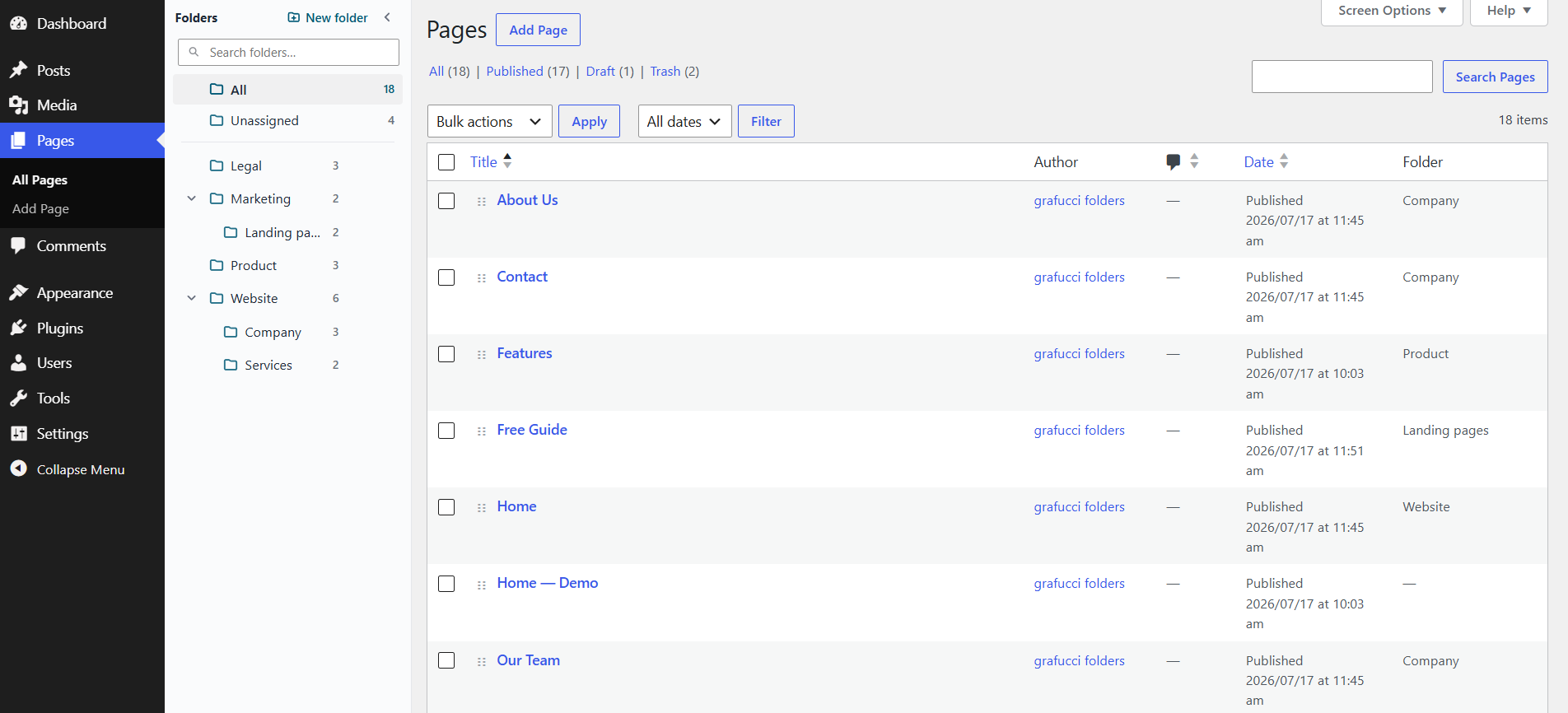
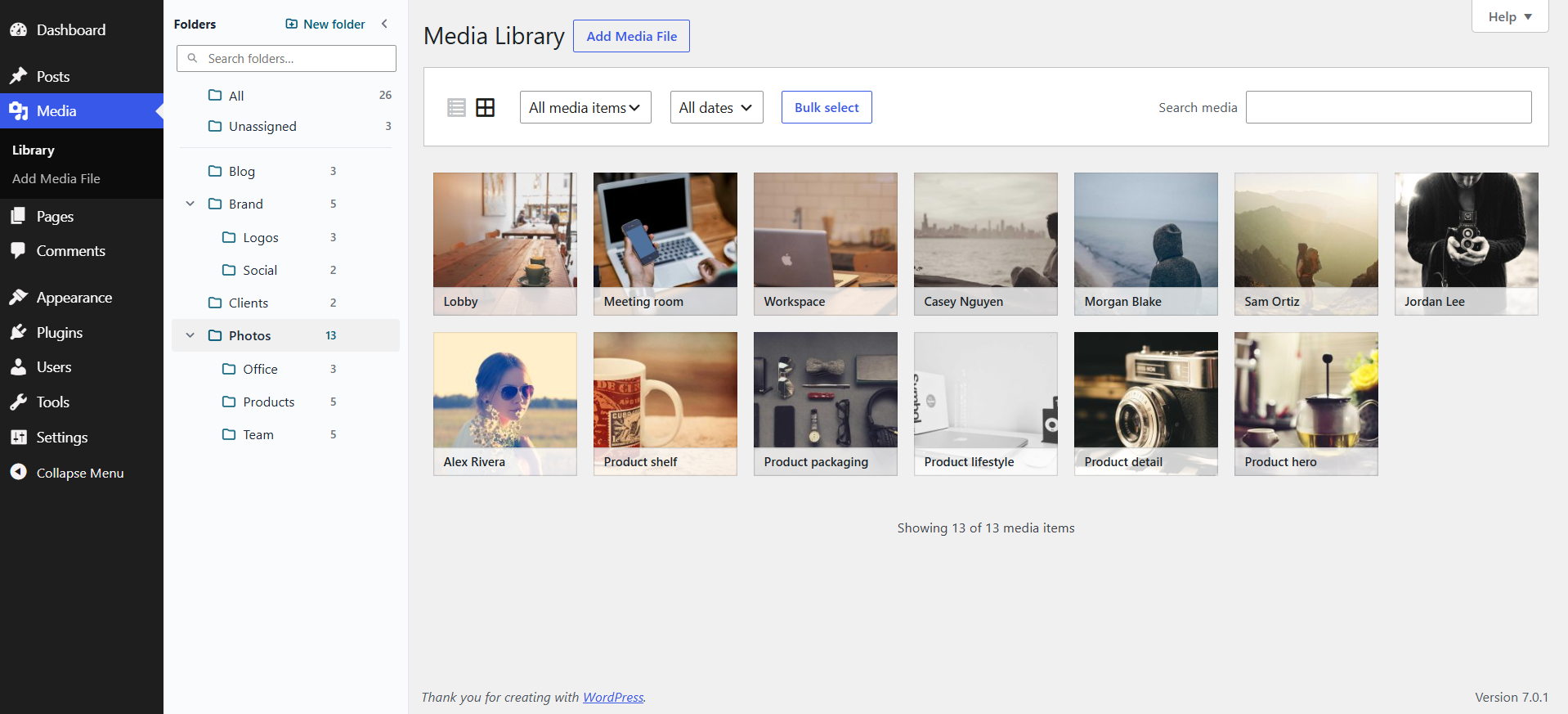
Create folders, nest them, drag items in, and filter the list. A calm sidebar that feels at home in WordPress admin.
Features
- Pages folders — organize pages from the Pages screen sidebar
- Posts folders — organize posts from the Posts screen sidebar
- Product folders — organize WooCommerce products the same way
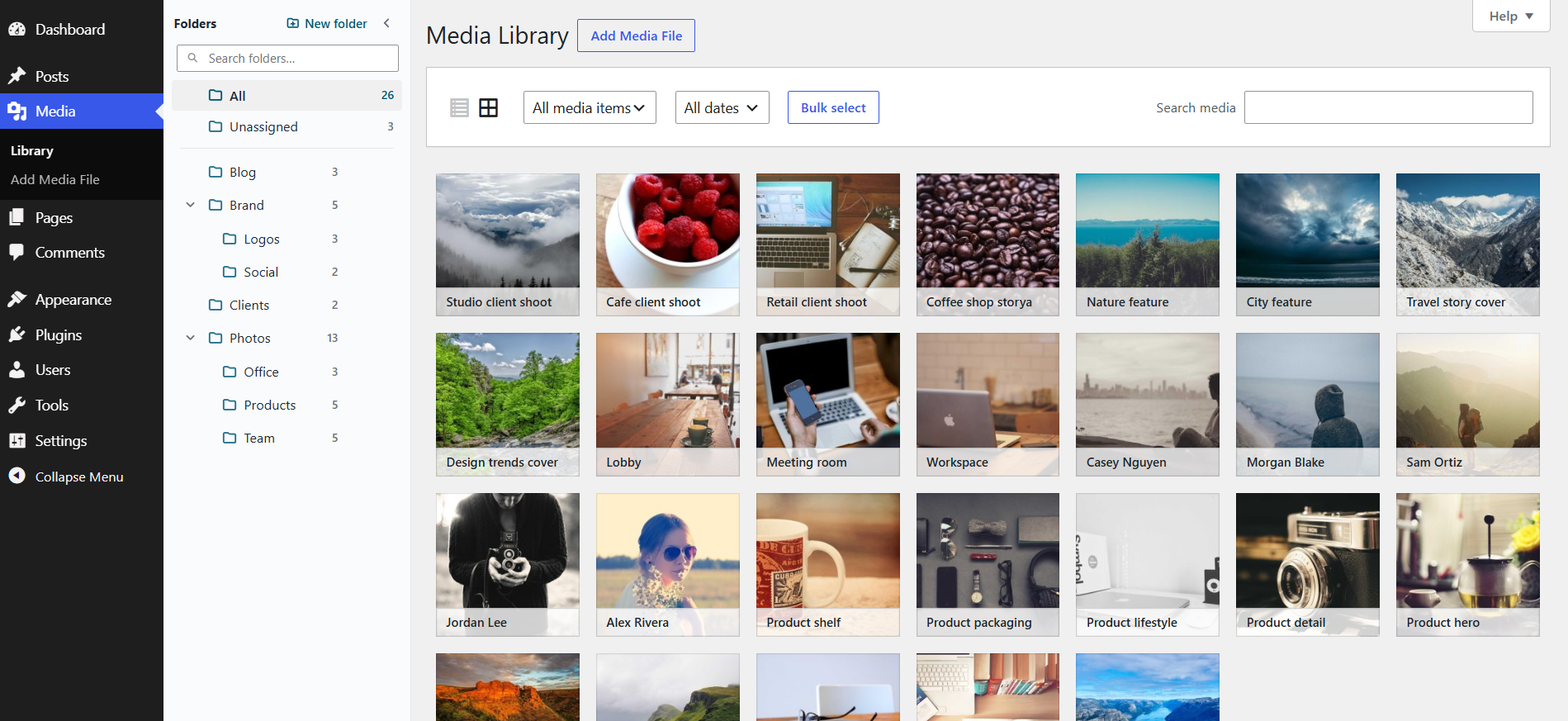
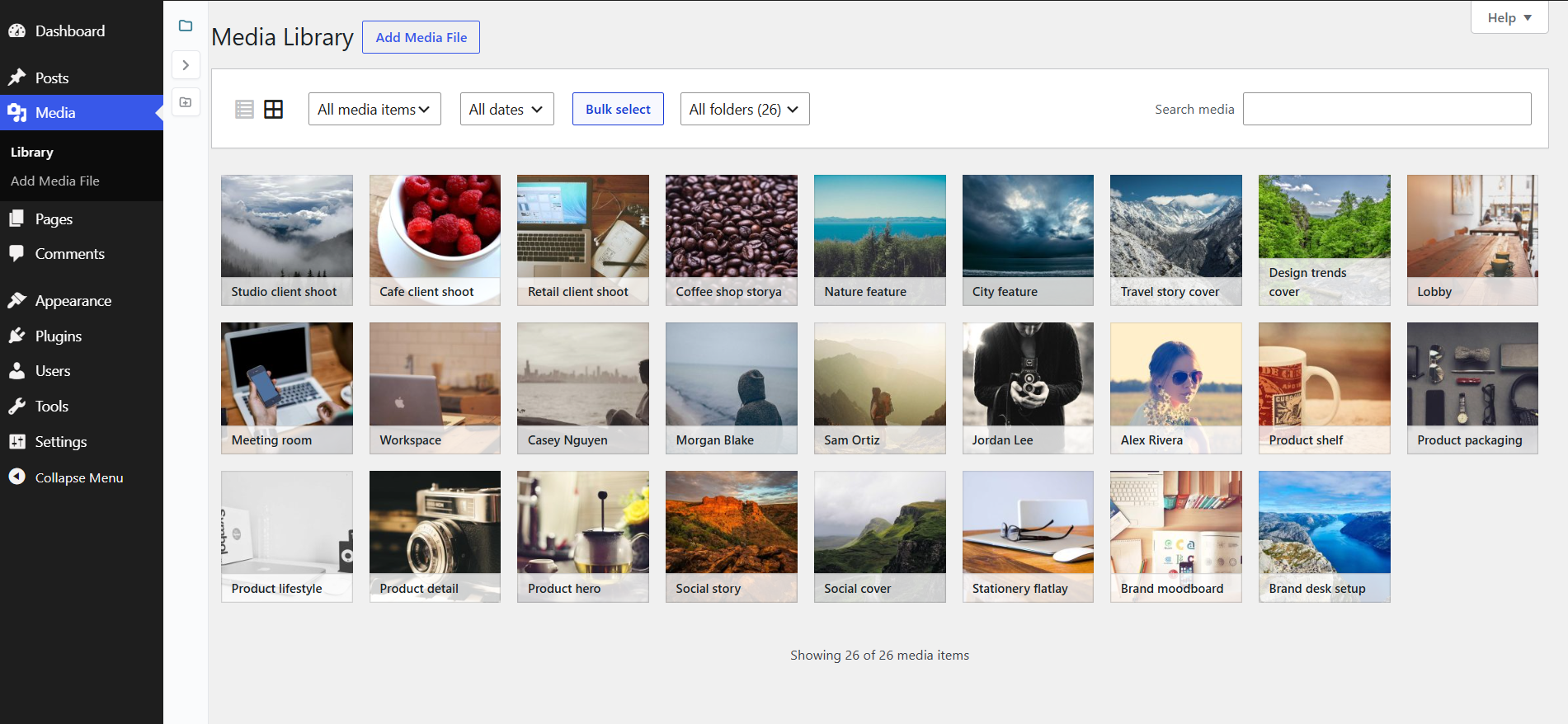
- Media library folders — works in both grid and list views
- Media picker folders — same folders when setting a featured image or choosing media in the editor, Elementor, or ACF
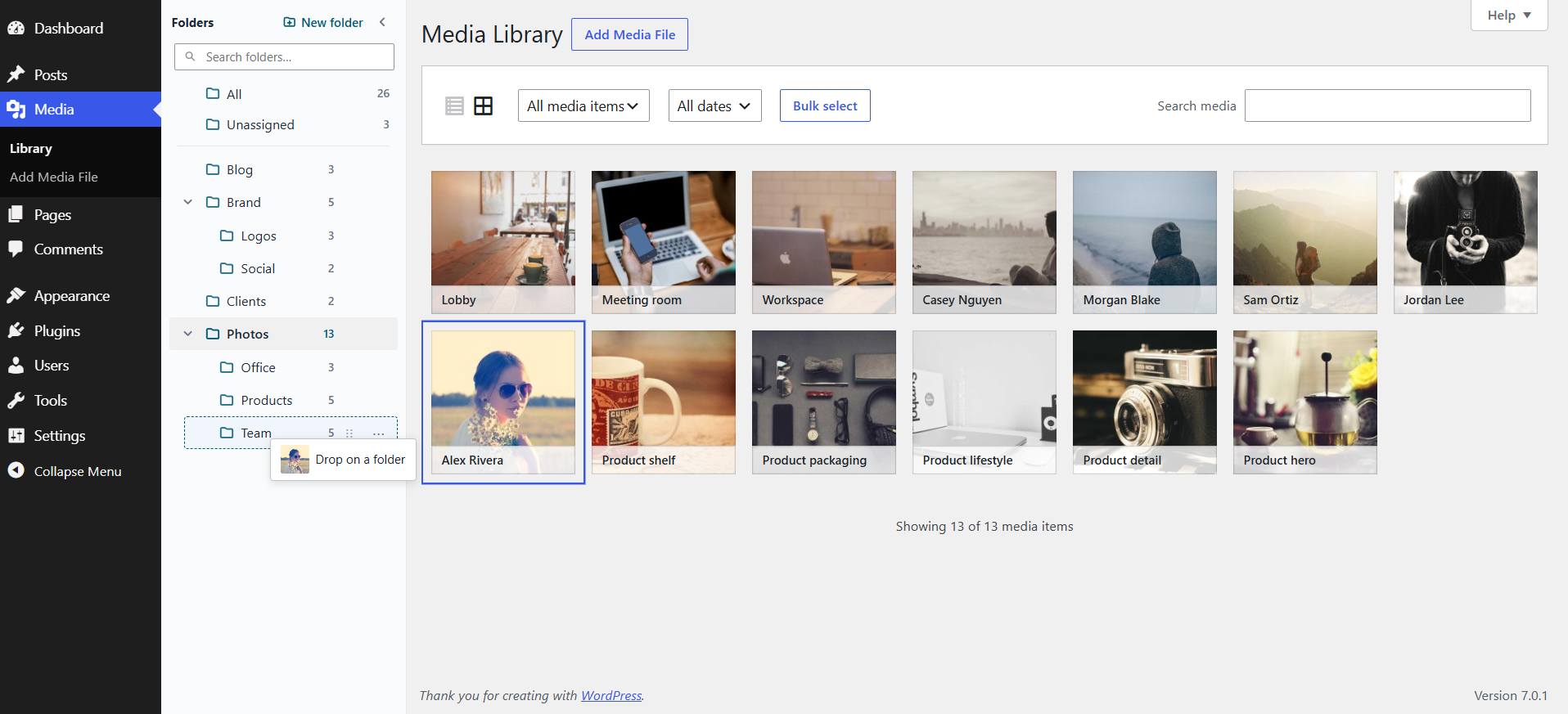
- Drag and drop — move pages, posts, products, or media into folders in one gesture
- Nest folders — build a tree that matches how you work
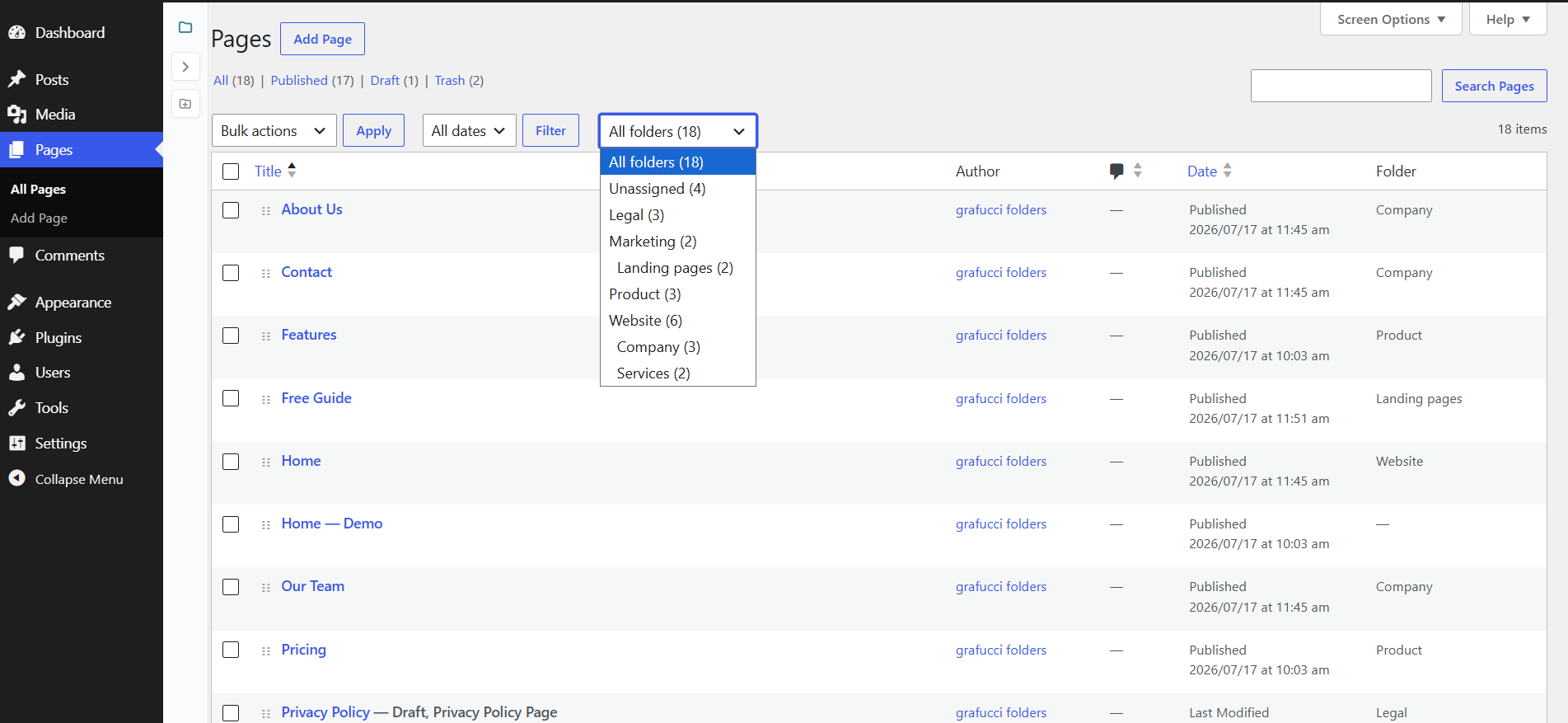
- Filter fast — click a folder (or Unassigned) to focus the list
- Upload into a folder — new media lands in the selected folder
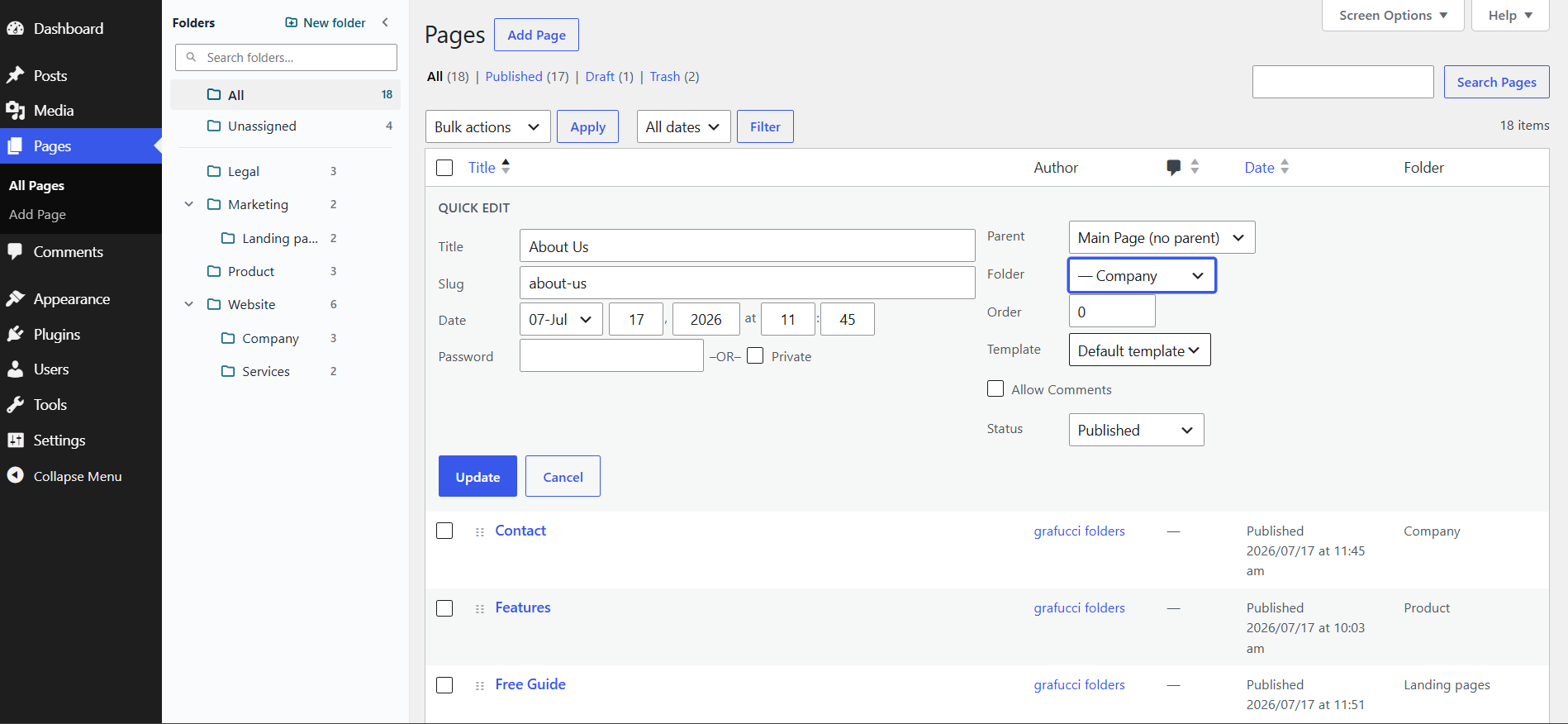
- Gutenberg panel — assign a folder while editing a page, post, or product
- Import existing media folders — bring folders in under Tools Grafucci Folders
- Backup — download and restore folder trees as JSON
- Safe by design — virtual only; permalinks and file URLs stay intact
Why virtual folders?
- Moving files on disk can break image links across your site
- Grafucci Folders only organizes in admin — visitors never notice
- Uninstall removes folder data and keeps your pages and media
Privacy
No tracking, no phone-home, no external APIs. No separate account required.
Need help? Email support@grafucci.com.
عکسهای صفحه
نصب
- Go to Plugins Add New and search for “Grafucci Folders”.
- Click Install Now, then Activate.
- Open Posts, Pages, Products, or Media Library to use the folder sidebar. Backup, recount, and folder import are under Tools Grafucci Folders.
سوالات متداول
-
Do folders change my page or media URLs?
-
No. Folders are virtual. Page permalinks and media file URLs stay the same.
-
Does it move files on the server?
-
No. Files stay in your uploads folder. Nothing is moved on disk.
-
Does it work with Gutenberg?
-
Yes. Assign a folder from the document sidebar while editing a page, post, or product. When inserting or selecting media in the block editor, the folder sidebar also appears in the media modal.
-
Does it work when setting a featured image or in Elementor?
-
Yes. The folder sidebar appears in the WordPress media modal — featured image, Gutenberg media pickers, Elementor image controls, ACF image/gallery/file fields, and similar flows.
-
Does it work with WooCommerce products?
-
Yes. When WooCommerce is active, the Products list gets the same folder sidebar as Posts and Pages.
-
Can I import folders from FileBird?
-
Yes. Go to Tools Grafucci Folders. If FileBird media folders are found, import them, then deactivate FileBird so only one folder plugin is running.
-
Can I back up my folders?
-
Yes. Download a JSON backup from Tools Grafucci Folders and restore it on the same site or a staging copy that uses the same content IDs. Folder counts that look wrong can be fixed with Recount folders on that page.
-
Does it work in Media Library grid and list view?
-
Yes. Media folders work in both views.
-
Can I nest folders and drag items into them?
-
Yes. Nest folders for pages, posts, products, and media, then drag items onto a folder (or Unassigned).
-
What happens when I uninstall?
-
Pages, posts, products, and media stay intact. Folder terms and assignments are removed. Content and file URLs are not deleted.
-
Does this track usage or call external services?
-
No. No telemetry, analytics, or remote API calls.
-
Is it compatible with other media folder plugins?
-
Use one folder plugin at a time. You can import FileBird media folders into Grafucci Folders, then deactivate FileBird.
-
How do I get support?
-
Email support@grafucci.com, or open a topic on the WordPress.org support forum.
نقد و بررسیها
نقد و بررسیای برای این افزونه یافت نشد.
توسعه دهندگان و همکاران
“Grafucci Folders – Media Library Folders” نرم افزار متن باز است. افراد زیر در این افزونه مشارکت کردهاند.
مشارکت کنندگان
ترجمه “Grafucci Folders – Media Library Folders” به زبان شما.
علاقه مند به توسعه هستید؟
کد را مرور کنید، مخزن SVN را بررسی کنید، یا از طریق RSS در گزارش توسعه مشترک شوید.
گزارش تغییرات
1.2.9
- harden FileBird import database queries
- fix sanitization of bulk Move to folder request values
1.1.4
- fix folder icons drawing oversized in the sidebar
- fix the folder options menu so clicking the three dots again closes it
- fix the new folder Inside list being cut off at the bottom of the sidebar
- fix rename save and cancel icons looking empty
- improve the sidebar scrollbar so it is thin and unbranded
- change nested folders to a real open-folder icon
- improve outline and files icon styles
- improve settings so Folder and Has folders sit on one row
1.1.3
- restore appearance settings in the folder sidebar — icon style, color, and size
- change backup, import, and recount from Settings to Tools Grafucci Folders
- add filled, outline, and files folder icon styles
- improve the folder sidebar scrollbar
1.1.2
- fix bulk Move to folder on Pages so Apply actually moves the selected pages
- change empty folders and folders with subfolders to two clearly different icons
- improve rename, new folder, pin, color, and delete icons in the folder menu
- remove the sidebar appearance settings gear
1.1.1
- hide the import card on Settings until another folder plugin is found
- improve rename so the folder name edits on the same row
- improve the new folder form with a title and Create button
- improve the folder options menu with icons
- change folder icons so folders with subfolders use a distinct open icon
- remove outline and duo icon styles from settings
- change the plugin directory name to Grafucci Folders – Media Library Folders
1.1.0
- fix folder sidebar so it appears in ACF image, gallery, and file popups
- improve folder tree speed by caching counts instead of rebuilding on every page load
- add WooCommerce product folders with the same sidebar, filter, and drag-and-drop as posts
- add FileBird media folder copy under Settings Grafucci Folders
- add JSON backup download and restore for folder trees
- add Recount folders on the tools page when counts look wrong
1.0.6
- fix folder search so typing no longer jumps into rename or new-folder fields
- fix custom hex colors so they save and persist after refresh
- fix hex color input so values with or without # both apply correctly
- fix settings panel so choosing icon style or color no longer closes instantly
- fix new folder while searching so the search text stays and the form still appears
- improve sidebar chrome — remove Folders title, icon-only new folder, taller search
- improve collapse and expand — edge pill below settings, expand-only when collapsed
- improve create and rename form with a cleaner card and smaller Inside icons
- improve icon styles — Outline, Filled, and Duo look clearly different
- improve parent folder icons so folders with subfolders look more filled
- remove unused sort / custom-order control from the sidebar
1.0.5
- fix custom color picker so settings stay open and the color UI does not jump to the top-left
- fix per-folder custom color so clicking the custom swatch opens the color picker like settings
- fix pages bulk move and bulk edit so the folder field saves correctly
- fix folder drag indicators so All and Unassigned no longer show invalid drop lines
- improve sidebar layout — search with sort control, quieter new folder button, and collapsed-rail spacing
- improve folder appearance settings with custom hex colors and clearer icon styles
- add pin and unpin so important folders stay at the top of the list
- add per-folder colors from the folder menu
- add sort modes for custom order, name, newest, and oldest
1.0.4
- fix media grid drag so selected items move into a folder without the upload overlay
- fix folder nest and reorder drops in the sidebar
- fix list table drag handles so pages and media drag reliably into folders
- improve delete folder confirm with a clear in-plugin dialog
- improve new-folder form with name field and Inside parent picker
- improve folder dragging so you can drag a folder from the whole row, not only the grip
- add posts folders with the same sidebar, filter, drag-and-drop, and editor panel as pages
- add folder appearance settings in the sidebar — icon style, color, and size
- add folder sidebar in media pickers — featured image, Gutenberg, and Elementor
1.0.3
- fix media library filter so clearing a folder filter fully resets the query
- improve folder sidebar so it appears immediately on Pages and Media
- improve nested folder expand and collapse so closed folders stay closed after refresh
- add Folder field to Pages bulk edit for moving many pages at once
- add resizable folder sidebar width
- add folder sidebar in media pickers — featured image, Gutenberg, and Elementor image controls
- allow dragging multiple selected pages or media into a folder
1.0.2
- change short gf prefixes to grafucci_folders for WordPress.org naming rules
- improve folder sidebar counts to include items in nested subfolders
- fix media library grid so WordPress filename overlays are not overridden
1.0.1
- fix Plugin Check sanitization warnings for WordPress.org review
- add Author URI pointing to grafucci.com
1.0.0
- add pages folders with create, rename, delete, nest, drag-and-drop, and filter
- add media library folders for list and grid views, including upload into a selected folder
- add Gutenberg page editor folder panel
- add modern admin folder sidebar UI
- confirm uninstall removes folder terms while keeping pages and media
- confirm no external API calls or tracking
0.2.0
- add pages folders MVP with taxonomy folders, sidebar tree, CRUD, drag-and-drop, and list filter
- add media library folders for list and grid, including upload into the selected folder
0.1.0
- add initial plugin scaffold