
توضیحات
The Generic WP Shortcode Editor plugin gives to TinyMCE the ability to create or edit shortcodes in a visual way, instead of editing the code directly.
عکسهای صفحه

نصب
- Upload the entire folder
shortcode-editorto the/wp-content/plugins/directory - Activate the plugin through the ‘Plugins’ menu in WordPress
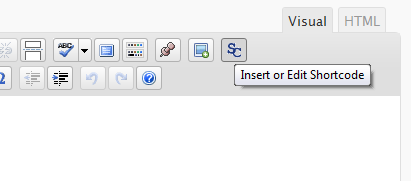
- Search for the [SC] button in TinyMCE toolbar
سوالات متداول
- There are other plugins that adds buttons to manipulate shortcodes. Is this a problem?
-
Some plugins that work with shortcodes adds their own buttons to TinyMCE and we try to respect it, using a lower priority when adding the TinyMCE hooks.
- When editing, we can see the`sc_id` property in all shortcodes. What is this?
-
This property is used internally by the plugin and it is removed from all shortcodes when you submit the form.
نقد و بررسیها
نقد و بررسیای برای این افزونه یافت نشد.
توسعه دهندگان و همکاران
“TinyMCE Generic WP Shortcode Editor” نرم افزار متن باز است. افراد زیر در این افزونه مشارکت کردهاند.
مشارکت کنندگان
ترجمه “TinyMCE Generic WP Shortcode Editor” به زبان شما.
علاقه مند به توسعه هستید؟
کد را مرور کنید، مخزن SVN را بررسی کنید، یا از طریق RSS در گزارش توسعه مشترک شوید.
گزارش تغییرات
1.0
First release.