
توضیحات
This is a (very) simple plugin for embedding a Google Analytics (GA) tracking code in your site. It has two features:
- It stores the GA code as a site setting. This means no modifying theme files, which is especially useful in a Multisite context;
- The GA code is NOT inserted for logged-in users, meaning you won’t run up your visitor counts as you administer your site;
And that’s it! It works with Google’s “Asynchronous” tracking code, which goes in the page’s head.
عکسهای صفحه
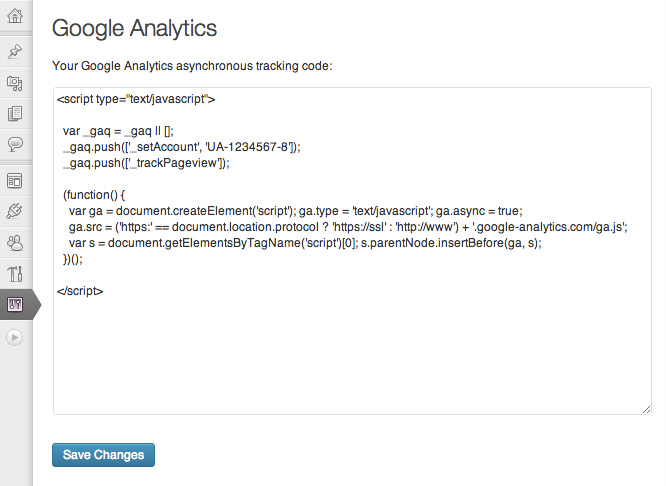
Paste your Google Analytics tracking code into the box
نصب
- Install and activate the plugin, in the normal way;
- Go to Google Analytics and follow the various steps to generate your tracking code. Copy the entire tracking code to your clipboard;
- From your site’s Dashboard, navigate to Settings -> Google Analytics;
- Paste your tracking code into the large box and click “Save Changes”;
That’s it!
نقد و بررسیها
نقد و بررسیای برای این افزونه یافت نشد.
توسعه دهندگان و همکاران
“Carolyn Google Analytics” نرم افزار متن باز است. افراد زیر در این افزونه مشارکت کردهاند.
مشارکت کنندگان
ترجمه “Carolyn Google Analytics” به زبان شما.
علاقه مند به توسعه هستید؟
Browse the code, check out the SVN repository, or subscribe to the development log by RSS.