

توضیحات
RankReady is a WordPress plugin built for the AI search layer, the answers ChatGPT, Perplexity, Claude, Gemini, and Google AI Overviews show before anyone reaches a blue link. Drop it in alongside your existing SEO plugin (Rank Math, Yoast, AIOSEO, any of them) and give those engines a clean, readable copy of everything you publish. No conflicts. No replacement. Zero frontend bloat.
Visit the official RankReady page
Traditional SEO plugins optimize for Google’s classic results. RankReady adds the layer above them. Google’s Open Knowledge Format (OKF), llms.txt, FAQ schema, Markdown endpoints, WebMCP and AI crawler controls all decide how easily AI engines can find, read and understand your content. This is LLM SEO and AI search optimization for WordPress, covering generative engine optimization (GEO) and answer engine optimization (AEO), built to work with the WordPress SEO plugin you already use.
An honest note, because a lot of plugins in this space are not. RankReady cannot promise you rankings, citations or traffic. No plugin can, and anyone who says otherwise is guessing. What it does is remove every reason an AI assistant would skip or misread your pages. Whether it then quotes you comes down to your content.
AI SEO tools for WordPress — AEO, GEO and LLM SEO in one plugin
- llms.txt and llms-full.txt. The AI-native sitemap. An index of your best content, written for LLMs
- Markdown endpoints on every page. Clean
.mdyour words, without the theme wrapped around them - AI summaries and FAQ schema. Key Takeaways and FAQPage JSON-LD, generated on your click with your own LLM key
- Google’s Open Knowledge Format (OKF). Your whole site as one clean bundle
- WebMCP and MCP. A card telling AI agents and LLM clients exactly what they may read
- AI crawler control in robots.txt. Allow the AI bots you want, block the ones you don’t, plus Content Signals
- Author, Article, Speakable and FAQPage schema. E-E-A-T structured data merged into your SEO plugin, never duplicated
- AI visibility insights. Which AI crawlers visited, and who arrived from ChatGPT, Perplexity, Claude or Gemini
Your WordPress SEO plugin handles Google. RankReady handles what comes after. That is ChatGPT SEO, AEO (answer engine optimization), GEO optimization (generative engine optimization) and LLM SEO, all from one plugin.
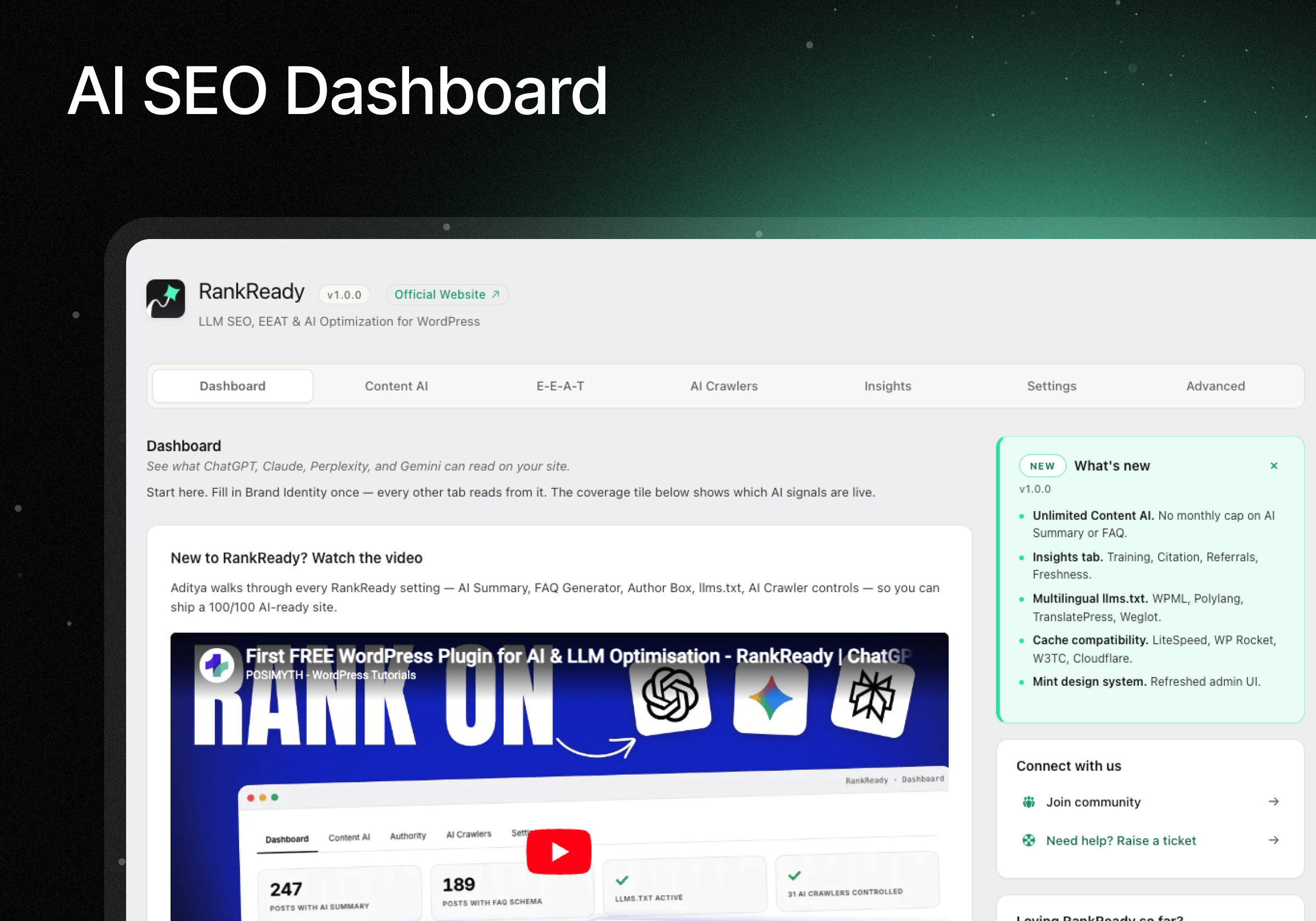
A quick walkthrough of the whole plugin.
Built by HostMyBlog.
Works alongside your WordPress SEO plugin — Yoast, Rank Math, AIOSEO, SEOPress and more
RankReady is not a WordPress SEO plugin and does not replace one. It is the LLM SEO layer that sits on top of the SEO plugin you already run, handling AEO (answer engine optimization) and GEO (generative engine optimization). Compatible with Yoast SEO, Rank Math, AIOSEO, SEOPress, The SEO Framework, Slim SEO and Squirrly SEO. Every release is tested against all seven.
- Yoast SEO
- Rank Math
- All in One SEO (AIOSEO)
- SEOPress
- The SEO Framework
- Slim SEO
- Squirrly SEO
In every one of those combinations:
- No duplicate schema. RankReady merges its structured data into theirs instead of printing a second block.
- One canonical tag. Never two.
- Your titles, meta descriptions and sitemaps stay theirs. RankReady does not touch them.
If your SEO plugin already handles something, RankReady steps aside.
AI SEO that coexists with your SEO plugin — zero frontend impact, no duplicate schema
Install RankReady, optionally pick an LLM provider (OpenAI, Anthropic Claude, Google Gemini, or DeepSeek) for the AI Summary and FAQ schema generators, and you’re set. RankReady auto-detects your active SEO plugin and never emits duplicate schema.
- No JavaScript on your front end. Ever.
- One small stylesheet, loaded only on pages actually showing a summary, FAQ or author box
- No API calls on page load. All AI generation runs in the WordPress admin, on your click
- Core Web Vitals unaffected
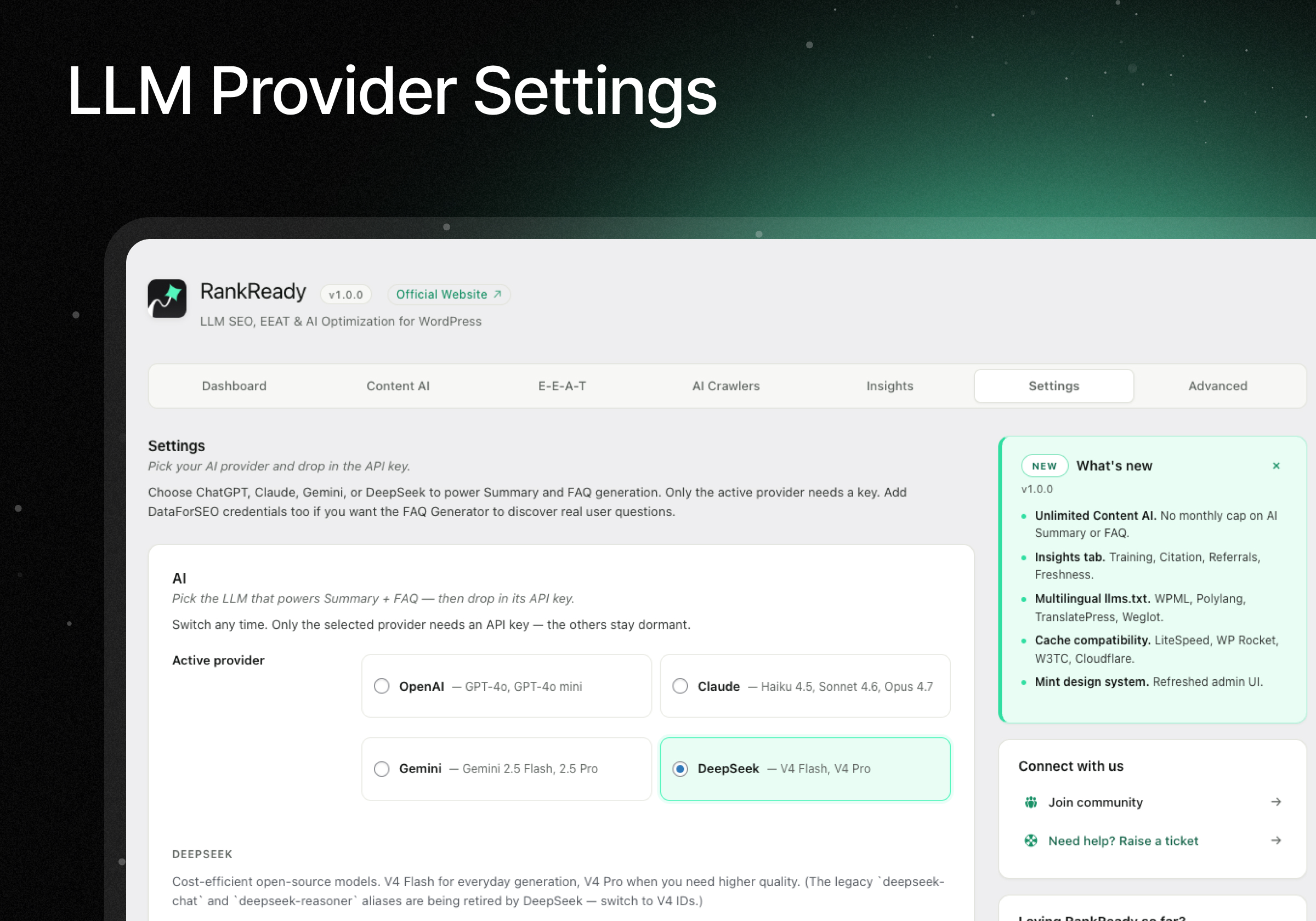
- Bring your own LLM key. OpenAI, Anthropic, Google Gemini or DeepSeek
llms.txt and llms-full.txt — the AI-native sitemap for LLMs
RankReady serves the llmstxt.org standard at /llms.txt (a curated index of your best content) and /llms-full.txt (the full content concatenated as Markdown). LLMs and AI crawlers read these files first to understand your site. It is the single highest-leverage AI SEO file you can publish. Configurable post types, max post count, category and tag exclusions, and a per-domain brand identity you control from the AI Crawlers tab.
/llms.txt. A curated index of your best content/llms-full.txt. Your full content as one Markdown file- You choose what goes in. Post types, maximum count, category and tag exclusions
- Your brand, stated once. Site name, summary and about section, set from the AI Crawlers tab
- Multilingual ready. Emits hreflang discovery links when WPML, Polylang, TranslatePress, Weglot or GTranslate is detected
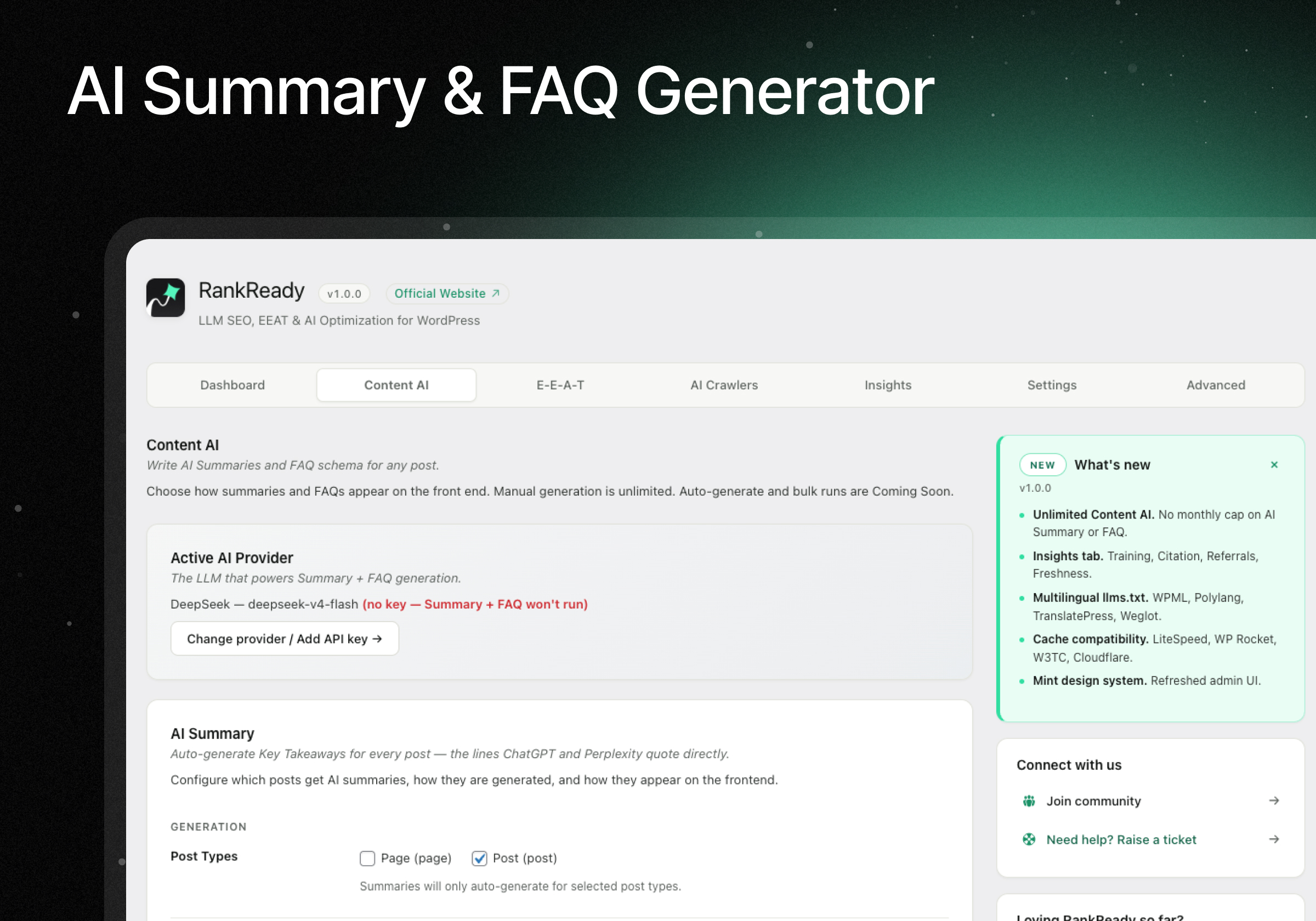
AI Summary generator — Key Takeaways with Speakable schema, any LLM
Generate “Key Takeaways” for any post or page using your chosen LLM. Short, quotable AI summaries are what an answer engine lifts when it builds a response.
- Sits above your content as a styled block your readers see too
- Carries Speakable schema, the JSON-LD that voice assistants read aloud
- Generate from anywhere. The Regenerate button in the post editor, the Gutenberg block, or the Elementor widget
- OpenAI, Anthropic Claude, Google Gemini or DeepSeek
- Unlimited manual generations. No caps, no counters
FAQ schema generator — FAQPage JSON-LD from real questions
A strong signal for AI Overviews. RankReady can query DataForSEO for the real “People Also Ask” questions ranking for your post’s focus keyword, then has your chosen LLM write the answers. Output is FAQPage JSON-LD, the structured data Google AI Overviews, ChatGPT, Perplexity and other AI search engines can read directly, instead of inferring Q&A pairs from plain article text. Don’t use DataForSEO? Type your own questions and let the LLM answer them.
- Pulls real “People Also Ask” questions ranking for your focus keyword, via DataForSEO
- Writes the answers with your chosen LLM
- Outputs FAQPage JSON-LD, a documented schema.org type
- No DataForSEO? No problem. Type your own questions and let the AI answer them
- Unlimited manual generations
Setup guide is in the FAQ section below.
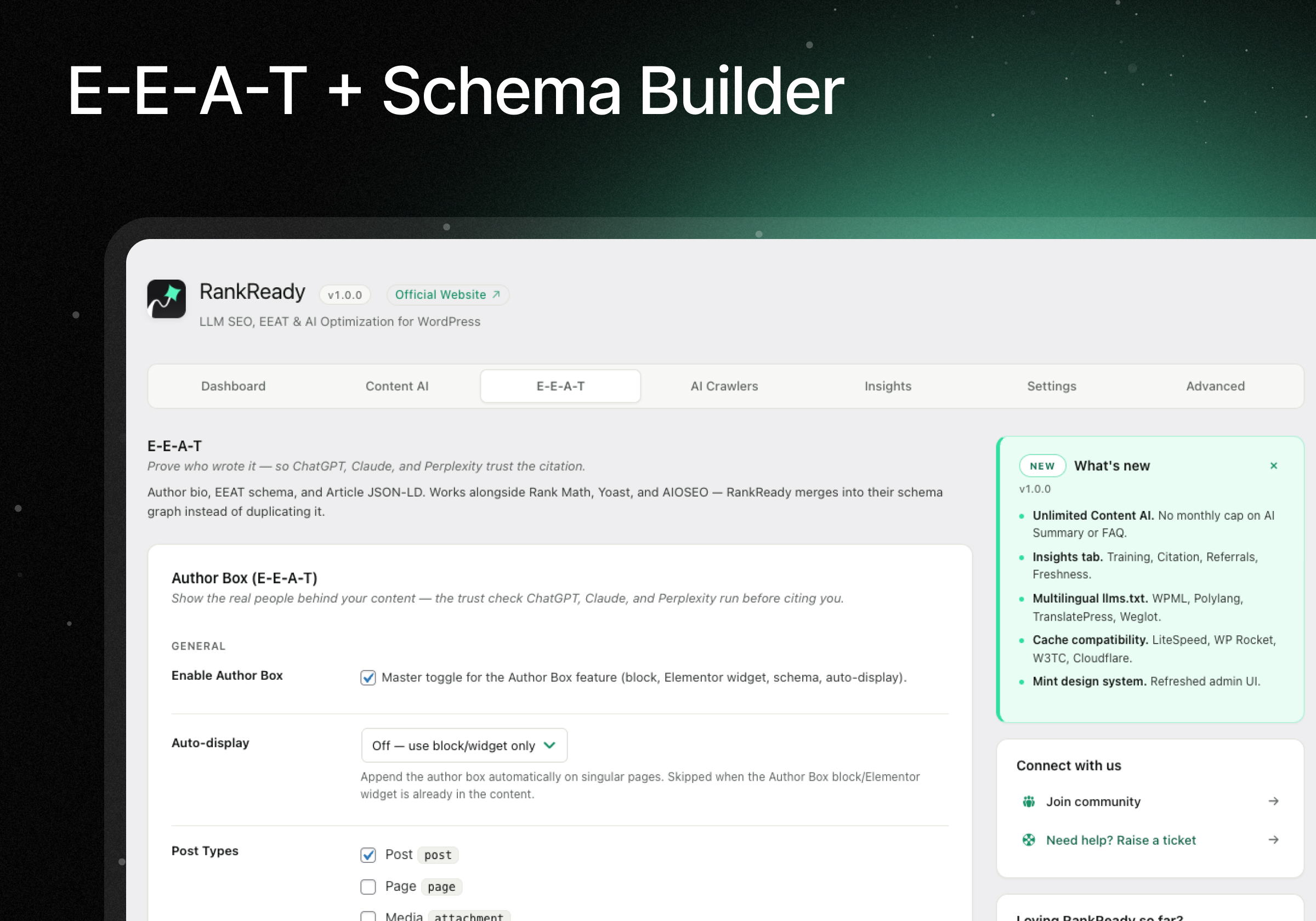
Author Box with E-E-A-T schema and Person JSON-LD
E-E-A-T (Experience, Expertise, Authoritativeness, Trustworthiness) is how search engines and AI models judge which sources to trust. It is the framework Google sets out in its Search Quality Rater Guidelines. RankReady ships a basic Author Box with name, job title, employer, bio, headshot and basic sameAs links, published as Person JSON-LD alongside Article, Speakable and FAQPage schema, so AI search engines and LLMs can attribute your content to a real author. It auto-detects Rank Math, Yoast and AIOSEO and skips duplicate output.
- Author details. Name, job title, employer, bio, headshot
- sameAs links connecting the author to their profiles elsewhere
- Article, Speakable and FAQPage JSON-LD included
- Never doubles up. Detects Rank Math, Yoast and AIOSEO and defers to their E-E-A-T output
- Place it anywhere. Gutenberg block or Elementor widget
Markdown endpoints — clean .md pages for AI agents and LLMs
Every published post and page is served as clean Markdown at /post-slug.md with YAML frontmatter (title, author, dates, language, description, categories, tags). AI agents and LLM clients such as Claude Desktop, Claude Code, Cursor, GitHub Copilot, ChatGPT and custom clients all work far more cheaply with clean Markdown than with a full HTML page. Content negotiation via Accept: text/markdown lets crawlers fetch the format they prefer with no URL changes.
- Add
.mdto any URL.yoursite.com/your-post.md - Or ask by header. Agents sending
Accept: text/markdownget Markdown at your normal URL - Your visitors are unaffected. Browsers still get the normal page
- Frontmatter included. Title, author, dates, language, description, categories and tags
The size difference is the point. A normal page carries your theme, sliders, popups and scripts. The Markdown version carries your words. On our own site a page drops from 4.7 MB to 18 KB, roughly 260 times smaller, so an AI reaches your actual content instead of running out of room before it gets there.
Which AI agents and LLMs read Markdown today
- They ask for Markdown: Claude Code, GitHub Copilot Chat and CLI, Cursor, Microsoft Copilot, OpenCode
- Halfway: OpenAI’s Codex CLI reads your page first, then follows the Markdown link RankReady adds
- Not yet: ChatGPT browsing, Gemini and Perplexity still request the normal page
That last line is why RankReady never relies on Markdown alone. llms.txt, the .md pages and your schema all cover the tools that have not caught up.
Open Knowledge Format (OKF) — Google’s AI agent standard for your whole site
Google’s Open Knowledge Format (OKF v0.1) hands your whole site to AI agents as one clean bundle of Markdown, instead of making them scrape your HTML. It is vendor neutral, so it works for Google AI Overviews and every other engine alike. Turn it on from the AI Crawlers tab and RankReady serves a complete bundle at /okf/:
/okf/index.md, a manifest of every page on your site, grouped by type, each linked to its concept file/okf/{slug}.md, one Markdown concept per post, tagged with type, description, canonical URL and tags/okf/log.md, a dated change history so an agent sees what is new- One-click
.zipexport for upload to Google Cloud Knowledge Catalog or a Git repository
Built entirely on your own server. Nothing is sent to Google or anyone else. It refreshes when you publish or edit, and anything set to noindex stays out of it.
WebMCP and MCP — let AI agents discover your content
RankReady publishes a WebMCP card on your site: a short file telling an AI agent exactly what it may read, so it can ask properly instead of scraping. WebMCP and MCP are how AI agents are learning to discover a site’s content programmatically.
- Nothing extra to run. No bundled server, no separate service
- Read only. Agents can look. They can never change anything
- Public content only. Users, settings, plugins and themes are never listed
It also registers those abilities with the Model Context Protocol through the WordPress Abilities API, so on WordPress 7.0 the official MCP Adapter picks them up automatically.
Insights — AI visibility, AI crawler activity and referrals
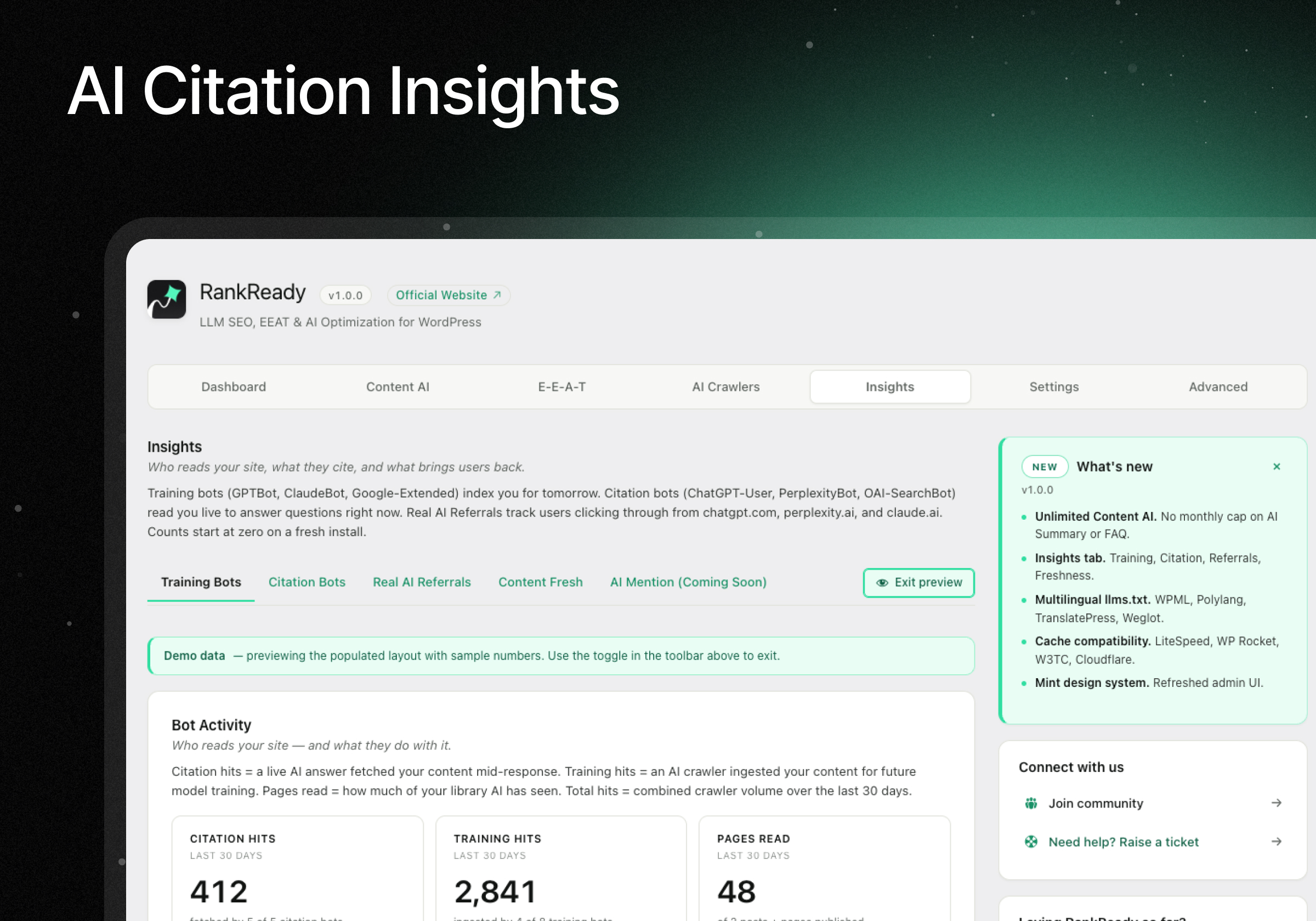
The Insights tab is your AI visibility dashboard: real, server-side AI SEO analytics on AI crawler activity and AI referral traffic from ChatGPT, Perplexity, Claude, Gemini and Microsoft Copilot, with no third-party scripts.
- Training and citation bots. Which AI crawlers fetched which pages: GPTBot, ClaudeBot, PerplexityBot, OAI-SearchBot, Google-Extended and more, split into training crawlers and the ones that fetch a page while answering someone. A visit means your page was read, not that you were quoted.
- Real AI referrals. Real people clicking through from chatgpt.com, perplexity.ai, claude.ai, gemini.google.com and copilot.microsoft.com, tracked from the HTTP referer.
- Content freshness scanner. Buckets your posts into Fresh, Going stale and Stale, with a one-click dateModified refresh to signal recency to AI crawlers.
All counts are stored on your own server. Nothing is sent to HostMyBlog.
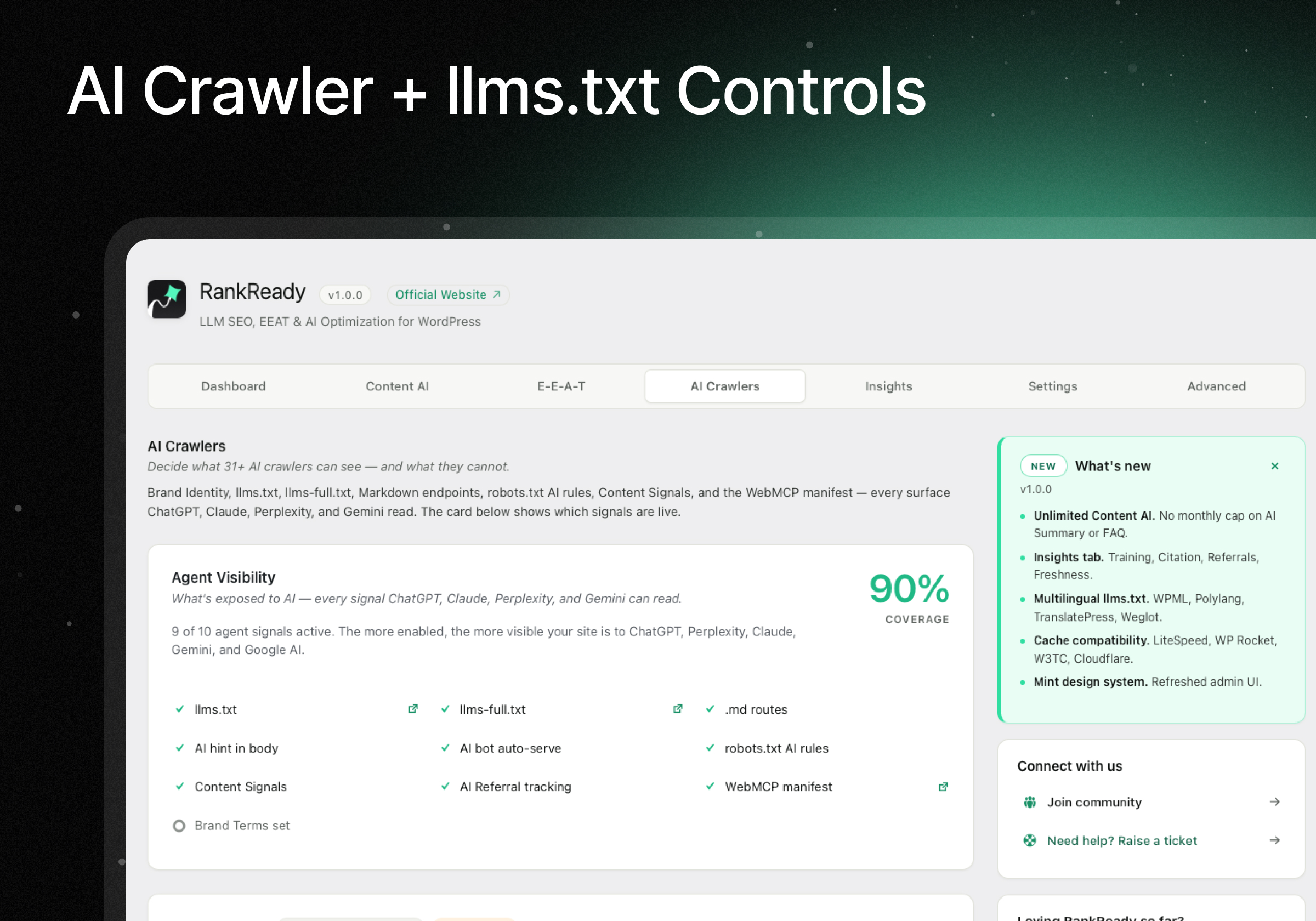
AI crawler control — allow or block 29 AI bots in robots.txt
Most AI SEO plugins only let you invite AI crawlers. RankReady also lets you block them, per bot, straight from your robots.txt.
- Allow or block, bot by bot. 29 AI crawlers listed by name, including GPTBot, ChatGPT-User, OAI-SearchBot, ClaudeBot, Claude-Web, anthropic-ai, PerplexityBot, Google-Extended, GoogleOther, Applebot-Extended, Bingbot, Meta-ExternalAgent, FacebookBot, MistralAI-User, Bytespider, Amazonbot, cohere-ai, DuckAssistBot, YouBot, PhindBot, CCBot, AI2Bot, Diffbot and PetalBot
- Stop a scraper hammering your server. Bytespider and CCBot are the usual suspects
- Let search in, keep training out
- Block always wins. If a bot is ticked in both lists, blocking is what happens
- Nothing changes until you ask. Leave the block list empty and your robots.txt stays exactly as it was
Your choices are written straight into your robots.txt, both the WordPress virtual robots.txt and a physical robots.txt file if another plugin has taken that URL over. It also adds Content Signals, the newer standard that lets you state what your content may be used for. You control the ai-train, search and ai-input directives separately.
Compatible with your caching plugin, CDN and host
Caching is the number one reason llms.txt, Markdown and robots.txt quietly stop working. RankReady writes the right bypass rules into your caching plugin’s own settings, so they hold at server level.
Compatible with: WP Rocket, LiteSpeed Cache, W3 Total Cache, WP Super Cache, WP Fastest Cache, Breeze, SG Optimizer, Hummingbird, Cache Enabler, Comet Cache, Swift Performance, NitroPack, Perfmatters, Cloudflare APO, Pantheon, Kinsta and WP Engine.
On Cloudflare it can create the cache rule for you from the Settings tab.
Diagnostics — 22 live checks
- Tests every file live. Not a checklist. It actually fetches them
- Spots conflicts with your active SEO plugins and caching plugins, and checks rewrite rules and REST routes
- Every failure comes with a one-line fix
- One-click report you can paste into a support ticket
Coming soon in RankReady AI SEO
Everything above is free AI SEO, with no caps on manual generation. These are in development:
- Auto-generate on publish. AI Summaries and FAQs written automatically as you publish
- Bulk-generate AI Summaries and FAQs across your whole library
- HowTo and ItemList schema
- Deeper author schema. Credentials, education, certifications, memberships, awards, Wikidata, ORCID, Google Scholar, LinkedIn, editorial and fact-check policies
- Custom post types beyond posts and pages
- Headless and WPGraphQL for decoupled front ends
You will see these marked “Coming soon” inside the plugin. They are not available yet.
Privacy & Third-Party Services
Your post content never leaves your site unless you ask for it. Your API keys stay in your own database, and every AI service below runs on your own key.
Plugin usage data (Freemius). Terms · Privacy. RankReady uses the Freemius SDK to understand how the plugin is being used, so we know what to fix and build next. It is opt-in. On activation you are asked to connect, and you can skip it. If you allow it, Freemius receives your site URL, your WordPress and PHP versions, your name and email address, your active plugins and theme, and plugin activation and deactivation events. Your post content, your AI API keys and your visitor data are never sent. If you change your mind later, an “Opt Out” link appears next to RankReady on your Plugins page.
AI providers. Pick one. When you click Generate, that post’s title and text go to your chosen provider and the reply is saved on your site. Nothing else is shared.
- OpenAI. Terms · Privacy
- Anthropic Claude. Terms · Privacy
- Google Gemini. Terms · Privacy
- DeepSeek. Terms · Privacy
Optional extras. These only run if you set them up.
عکسهای صفحه
بلوکها
این افزونه 3 بلوک ارائه میدهد.
- AI Summary — RankReady
- Author Box — RankReady
- FAQ — RankReady
نصب
Easy install (recommended)
- In WordPress admin, go to Plugins Add New.
- Search for “RankReady”.
- Click Install Now, then Activate.
- Visit RankReady in the admin menu.
- Add your AI provider API key (OpenAI, Anthropic, Gemini, or DeepSeek) in the Settings tab.
- Optionally enable llms.txt, Markdown endpoints, and AI crawler controls in the AI Crawlers tab.
Manual install
- Download the plugin zip from WordPress.org.
- Go to Plugins Add New Upload Plugin and select the zip.
- Activate, then follow steps 4 to 6 above.
After install
- Visit your site at
/llms.txtto confirm the llms.txt file is being served. - Open any post and use the AI Summary meta box to generate your first summary.
- Add the RankReady Author Box Gutenberg block (or Elementor widget) to a post to display the author bio.
سوالات متداول
-
Will RankReady conflict with Rank Math, Yoast, or AIOSEO?
-
No. RankReady is designed to work alongside Rank Math, Yoast, All in One SEO, SEOPress, SEO Framework, and Slim SEO. Before injecting any schema, it checks if another schema-generating plugin is active. If yes, it skips its own output or merges fields into the existing schema graph via documented filters. Verifiable with Google’s Rich Results Test, no duplicate Article, Person, or FAQPage nodes.
-
How does RankReady actually work?
-
Three layers: (1) it serves discovery files (
/llms.txt,/llms-full.txt,/post-slug.md) that AI crawlers read to find your content faster; (2) it adds AI-specific schema (FAQPage, Speakable, Article JSON-LD) that AI engines cite; (3) it gives you controls over which AI bots see your content, plus Insights analytics on which ones already do. It also registers read-only MCP abilities through the WordPress Abilities API so AI agents can discover your content. -
What is Answer Engine Optimization (AEO)?
-
Answer Engine Optimization (AEO) means optimizing your content so AI answer engines, ChatGPT, Perplexity, Claude, Gemini and Google AI Overviews, can read, understand and cite it. RankReady handles the technical AEO signals for WordPress: llms.txt, Markdown endpoints, FAQ and Article schema, and AI crawler controls, alongside the SEO plugin you already use.
-
What is Generative Engine Optimization (GEO)?
-
Generative Engine Optimization (GEO) is the same goal as AEO, making your site a preferred source for generative AI engines. RankReady is a GEO and AEO plugin: it exposes your content in the machine-readable formats generative engines rely on (llms.txt, Markdown, Open Knowledge Format and schema) so they can quote you accurately.
-
Will this slow down my site?
-
No. All AI generation happens in the WordPress admin (not on page load). Schema and discovery headers add a few hundred bytes per page. Your llms.txt and robots.txt files are cached for an hour by default, and rebuild themselves the moment you publish or edit, so they are never stale and never cost a visitor a page load. Page Speed Insights and Core Web Vitals: unaffected.
-
Do I need an AI provider API key?
-
Only if you want to use the AI Summary or FAQ generators. The llms.txt generator, Markdown endpoints, AI crawler controls, Article schema, Author Box, AI referral tracking, content freshness scanner, and MCP abilities all work without any API key.
-
Are there usage limits or monthly caps?
-
No caps. Manual AI Summary generation and FAQ generation are unlimited. You pay only your own LLM API usage (typically $0.001 to $0.01 per generation). All features in the free build work with no limits.
-
Which AI provider should I pick?
-
All four work great. Practical guidance:
- OpenAI (
gpt-4o-mini,gpt-5), Best all-rounder, widest model choice, predictable output. Recommended default. Pay-as-you-go at platform.openai.com. - Anthropic Claude (
claude-sonnet-4,claude-opus-4), Strongest at long-form summaries and faithful citations. Recommended for long posts (3,000+ words). Console at console.anthropic.com. - Google Gemini (
gemini-2.5-flash,gemini-2.5-pro), Generous free tier (up to 1,500 requests/day on Flash). Recommended to test before paying. Get a key at aistudio.google.com. - DeepSeek (
deepseek-v4-flash,deepseek-v4-pro), Cheapest paid option, open-source models. Recommended for high-volume sites. Sign up at platform.deepseek.com.
You can switch providers at any time without losing existing summaries or FAQs.
- OpenAI (
-
How do I set up DataForSEO for the FAQ Generator?
-
The FAQ Generator uses DataForSEO to discover real “People Also Ask” questions for each post’s focus keyword. Setup walkthrough:
- Create a DataForSEO account at dataforseo.com/register. The first $1 of credit is free for new sign-ups, enough for ~200 keyword lookups.
- After confirming your email, log in to the DataForSEO dashboard.
- Go to Settings API Access. Copy your Login (your account email) and Password (an API password DataForSEO generates separately from your dashboard login).
- In WordPress, go to RankReady Settings. Scroll to the DataForSEO card.
- Paste the Login and Password fields. Click Verify credentials, RankReady performs a live test query and shows your remaining account balance.
- Open any post, scroll to the RankReady FAQ meta box, enter a focus keyword, and click Generate questions. DataForSEO returns 5 to 10 real Google “People Also Ask” questions for that keyword.
- Pick which questions to keep, then click Generate answers to have your chosen LLM write the answers. Final FAQPage JSON-LD is auto-injected into the post.
Cost per FAQ: about $0.002 per keyword lookup at DataForSEO (the typical 5-question pull), plus your LLM cost for the answer generation. A 5-question FAQ usually costs under one cent total.
Don’t want to use DataForSEO? You can manually enter FAQ questions in the meta box and skip the DataForSEO step entirely, the answer generation works with any LLM provider on its own.
-
What is an “llms.txt” file?
-
llms.txt is an emerging standard (llmstxt.org) that lets AI models like ChatGPT, Perplexity, and Claude understand your site’s structure faster. Think of it as an “AI sitemap”, a curated index of your most important content optimized for LLM consumption. RankReady generates both
/llms.txt(index) and/llms-full.txt(full content) automatically. -
What is MCP and how does RankReady use it?
-
Model Context Protocol (MCP) is an open standard for letting AI agents discover and read your site’s structured content. RankReady registers read-only abilities (read posts, list authors, fetch FAQs, query categories) through the WordPress Abilities API. On WordPress 7.0 these are surfaced by the official MCP Adapter, there is no bundled MCP server to run.
-
How does the freshness scanner work?
-
In Insights Content Fresh, click Scan Content Freshness. RankReady reads every post’s
post_modifieddate and buckets them into Stale (60+ days), Going stale (30-59 days), and Fresh (under 30 days). Tick the boxes next to stale posts, click Refresh dateModified, and RankReady updates the modified timestamp without changing your content. This signals recency to AI crawlers on their next visit. -
Does this work with my caching plugin or Cloudflare?
-
Yes. RankReady is tested with WP Rocket, LiteSpeed Cache, W3 Total Cache, WP Super Cache, WP Fastest Cache, Breeze, SG Optimizer, Hummingbird, Comet Cache, Cache Enabler, Swift Performance, NitroPack, Perfmatters, Cloudflare APO, Pantheon, Kinsta, and WP Engine. The plugin persists cache-bypass entries to each cache plugin’s stored configuration so server-level caches honour the bypass before PHP runs. If your CDN still caches stale
/llms.txt, copy the.htaccessornginxsnippet from Advanced Diagnostics Server bypass snippets and add it to your server config. -
Why is my Cloudflare edge serving a stale `/llms.txt`?
-
If you’re on Cloudflare (especially with APO or a “Cache Everything” page rule), the edge can hold
/llms.txtfor up to 30 days. RankReady v1.0.0 setss-maxage=600,CDN-Cache-Control, andCloudflare-CDN-Cache-Controlheaders so the edge respects a 10-minute TTL. After updating, purge/llms.txtonce in Cloudflare Caching Custom Purge by URL to flush any previously-cached version. Future updates auto-purge. -
Where is my data stored?
-
Everything stays on your own WordPress site. Your API keys, DataForSEO credentials, generated summaries, FAQs, and author profiles all live in your own
wp_optionsandwp_postmetatables. HostMyBlog does not see, collect, or transmit any of your data. -
How do I check if it is actually working?
-
Open Advanced Diagnostics and click Run Diagnostics. RankReady runs 22 live checks, fetches
/llms.txt,/llms-full.txt,/.well-known/mcp.json, every Markdown route, detects active SEO plugins, checks rewrite rules, tests REST routes, scans for cache-plugin conflicts, and inspects edge cache headers. Every failure ships with a one-line fix. Click Copy Diagnostic Report for a full plain-text bundle you can paste into support requests. -
How do I uninstall it cleanly?
-
By default, RankReady preserves your data on uninstall, your settings, API keys, summaries, FAQ data, and author profiles all survive. If you want a complete wipe, enable the “Delete all data on uninstall” toggle in the Advanced Tools tab before uninstalling.
-
Is the source code available?
-
Yes. RankReady is open source under GPL-2.0-or-later. The complete source ships in the plugin zip on WordPress.org, and product info lives at hostmy.blog.
نقد و بررسیها


توسعه دهندگان و همکاران
“RankReady – AI SEO, Schema, llms.txt, AEO and GEO for ChatGPT, Gemini and Perplexity” نرم افزار متن باز است. افراد زیر در این افزونه مشارکت کردهاند.
مشارکت کنندگان


“RankReady – AI SEO, Schema, llms.txt, AEO and GEO for ChatGPT, Gemini and Perplexity” به 1 زبان ترجمه شده است. با تشکر از مترجمین برای همکاری و کمکهایشان.
علاقه مند به توسعه هستید؟
کد را مرور کنید، مخزن SVN را بررسی کنید، یا از طریق RSS در گزارش توسعه مشترک شوید.
گزارش تغییرات
1.3.0, 2026-08-24
- Improved: Settings are reorganized into focused tabs, Dashboard, AI Visibility, AI Content, Insights, and Settings, with subtabs so Brand Identity, robots.txt, llms.txt, Markdown, WebMCP, OKF, Summary, FAQ, Author Box, and Schema are easier to find.
- Improved: The post-edit RankReady UI is three metaboxes (AI Summary, AI FAQ, AI Visibility) instead of one combined box. Each box only appears on post types that use that feature, and saves are isolated so hiding a box cannot clear another feature’s settings.
- New: Generate Summary and Generate FAQ right in the post editor, no block or widget required. Same REST endpoint and 60-second cooldown as the block.
- New: Classic Editor shortcodes [rankready_summary], [rankready_faq], and [rankready_author]. If a matching block or shortcode is already in the post, auto-display stays out of the way.
- New: Enable toggles for HTML summaries and FAQs, plus a single auto-display placement control (before / after / both / off). Turn the on-page box off and the generated text still feeds Markdown, OKF, and WebMCP.
- New: Homepage and blog-index Markdown as their own surfaces (/index.md and your Posts page .md), on by default and independent of the Pages post type.
- New: Site-wide AI Snippet default (max-snippet:-1) on AI Visibility robots.txt, with the same control on the dashboard. Each post can still override it.
- Improved: Summaries, FAQs, and the Author Box only output on the post types you selected, including schema, Markdown, and WebMCP.
- Improved: Dashboard AI Content tiles show Disabled/Off when no post types are set, and counts only published posts of those types. The posts-list RankReady column spells out Summary/FAQ and flags posts excluded from AI.
- Improved: In the block editor, RankReady metaboxes start collapsed and follow the document sidebar. Classic Editor is unchanged.
- Improved: Physical robots.txt stays in sync on the first save of crawler, llms/Markdown, and Content Signals settings, not only later updates. RankReady no longer writes an empty managed block when crawler rules and Content Signals are both off, and deactivation strips the same block formats as a re-sync.
- Fixed: Turning off llms.txt, Markdown, or OKF no longer leaves a raw 404 Not Found on those URLs. Stale rewrite rules are cleared so WordPress handles the request again (llms-full.txt follows the master llms.txt toggle).
- Fixed: Exclude from AI applies to Markdown and WebMCP as well as llms.txt and OKF.
- Fixed: WebMCP is off until you turn it on (including skip-onboarding). Sites that already saved it on are unchanged.
- Fixed: The setup wizard will not show Congratulations until setup is actually finished.
- Several bug fixes and stability improvements.
1.2.1, 2026-07-20
- New: Block AI crawlers, a “Block Crawlers” list on the AI Crawlers tab adds Disallow rules to robots.txt for the bots you choose. Off by default, so your robots.txt is unchanged until you use it.
- New: Connect Cloudflare with a scoped API token and RankReady creates the Markdown cache-bypass rule for you automatically.
- New: Googlebot and Facebook’s link crawler now get their own robots.txt entry that repeats the rules your site already applies. They are listed for tools that check crawler access, and what they are allowed to reach does not change.
- Improved: AI Summaries and FAQs now generate in your site’s language instead of English (a German site gets German content), section headings included; question research uses your language and country too.
- Improved: llms.txt, Markdown, WebMCP and OKF endpoints resolve more reliably across server and SEO-plugin setups, with clearer nginx guidance when /.well-known/ is blocked.
- Fixed: robots.txt no longer collects a duplicate Content-Signal line every time you save settings. Any duplicates already in the file are removed on the next save.
- Several bug fixes and stability improvements.
1.2.0, 2026-07-09
- Added: AI SEO tips by email, opt in from the setup wizard or the dashboard for practical AI SEO tips and product updates. Optional and one-time; nothing is sent unless you tick the box, and it never appears again once you subscribe. See “Privacy & Third-Party Services”.
- Fixed: AI provider keys (OpenAI, Claude, Gemini, DeepSeek) now save exactly what you enter, every time.
- Fixed: the “Saved” confirmation now reflects the real result, if a save cannot complete, you are prompted to reload instead of seeing a false success.
- Fixed: Markdown (.md) versions of your pages stay out of Google’s index even when served from a page cache (WP Rocket, LiteSpeed, W3 Total Cache, WP Super Cache). CDN and browser caching are unaffected.
- Fixed: no more duplicate robots meta tag on sites without a third-party SEO plugin, and the snippet-preview control now applies correctly alongside All in One SEO.
- Fixed: WebMCP resource toggles now match what is actually served, public content is available to AI agents out of the box and stays enabled after saving, while private resources stay off until you enable them.
- Improved: llms.txt and llms-full.txt stay out of search results while remaining fully readable by AI agents.
- Improved: Nginx sites that block /.well-known/mcp.json now get the exact one-line fix inside Diagnostics.
- Improved: serving Markdown to AI agents that request it now works out of the box, including on Cloudflare, with no effect on site speed.
- Improved: Open Knowledge Format settings and bundle download are now in one card, and manual cache-flushing is gone, the cache refreshes automatically when you publish or edit.
- Fixed (security): password-protected posts are never included in the OKF bundle (/okf/), they were previously readable there without the password.
- Fixed (security): the WebMCP author lookup now returns only authors with published content, preventing anonymous user enumeration.
- Fixed: AI Summary and FAQ generation on OpenAI (the request now uses the parameter current GPT models require, so generation no longer fails).
- Fixed: “Verify Key” for OpenAI now runs a real generation check, so it can no longer report success while generation would fail.
- Fixed: the setup-wizard email opt-in is unchecked by default (explicit opt-in).
- Improved (hardening): AI-crawler log flood throttle collapses by path so query-string noise can’t bypass it; “Delete all data” now removes every RankReady option; the WebMCP manifest advertises only resources with a real ability; internal HTTPS probes verify TLS by default.
1.1.2, 2026-06-17
- Google Open Knowledge Format, serve an AI-readable OKF bundle of your content at /okf/. One click, auto-synced on publish.
- Several bug fixes and improvements for a better experience.
1.1.1, 2026-06-02
- Fixed: API keys (OpenAI, Claude, Gemini, DeepSeek, DataForSEO) would not save on first entry, the key verified but saved blank. The first save now stores it correctly.
- Fixed: pages could show raw Markdown to visitors behind Cloudflare APO or other caches that ignore Vary: Accept. Markdown is now served only at the distinct .md URLs (e.g. /post-slug.md, /index.md), which are cache-safe; same-URL negotiation is an opt-in toggle.
- Fixed: updating the plugin no longer resets your AI Summary post-type / CPT selection back to the default, the onboarding step only seeds defaults for settings that were never saved.
- Added: full multilingual support, Turkish, CJK, Arabic, Hindi, Cyrillic and other non-Latin scripts render correctly in Summaries, FAQs, and Author profiles (stored as real UTF-8). One-time silent migration of existing content.
- Added: Squirrly SEO compatibility, AI schema merges into Squirrly’s JSON-LD graph instead of emitting a duplicate block.
- Added: SWIS Performance compatibility, shows the exact wp-config exclusion snippet so AI endpoints (llms.txt, .md, mcp.json) stay fresh.
- Added: EWWW Image Optimizer detected (images only, no conflict with RankReady’s text endpoints).
1.1.0, 2026-06-01
- Consistent block/widget names and a dedicated “RankReady” group in Gutenberg and Elementor; smart Generate/Regenerate button on any post type.
- All four AI providers (OpenAI, Claude, Gemini, DeepSeek) detected everywhere, with automatic migration of retired model IDs.
- Lighter front end, assets load only on pages using a RankReady block or widget; no front-end JavaScript. No data loss on update.
1.0.1, 2026-05-27
- Fixed homepage Markdown URL on static-front-page sites (was emitting example.com.md; now /index.md).
- Fixed AI Summary settings not saving (settings-group mismatch).
- WP-Cron diagnostic now accepts external system cron (no false warnings on managed hosts).
- Cache headers audited to RFC 9110/9111 with CDN content-negotiation fixes and a Cloudflare APO auto-detect notice.
- Removed the extra “Enable” step on togglable cards, tick the toggle and Save.
1.0.0, 2026-05-26
First public release. The AI-search layer for WordPress: unlimited manual AI Summaries and FAQ schema, llms.txt + llms-full.txt, Markdown endpoints, 29 AI-crawler controls with robots.txt sync, E-E-A-T + Article/Speakable schema (coexists with Rank Math / Yoast / AIOSEO without duplicate output), content freshness, Insights, broad cache-plugin compatibility, multilingual llms.txt, and a Diagnostics suite.