
توضیحات
TPLeo APAP is a setup assistant that centralizes access to the most important WordPress configuration pages and recommended tools for launching a new website.
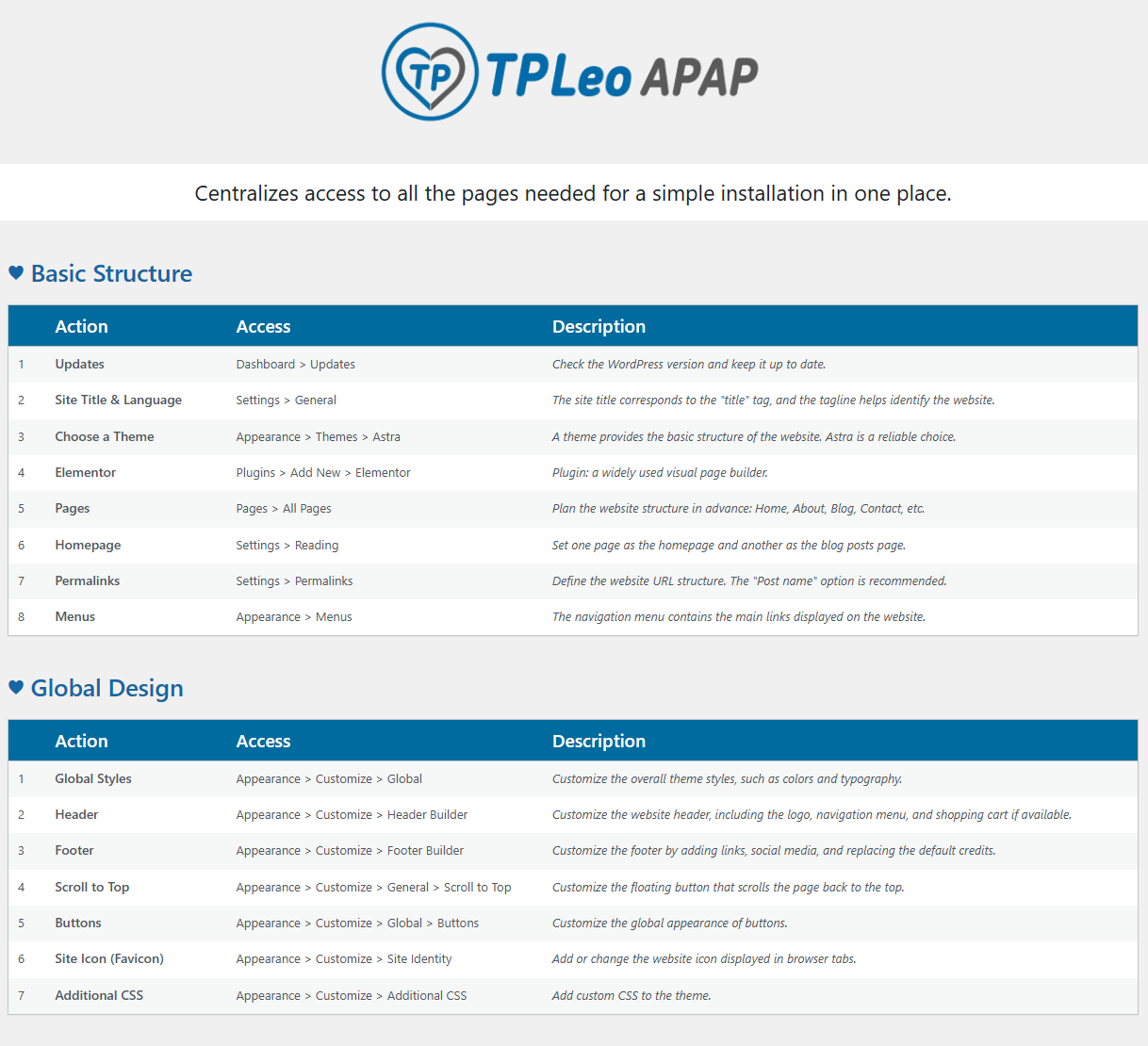
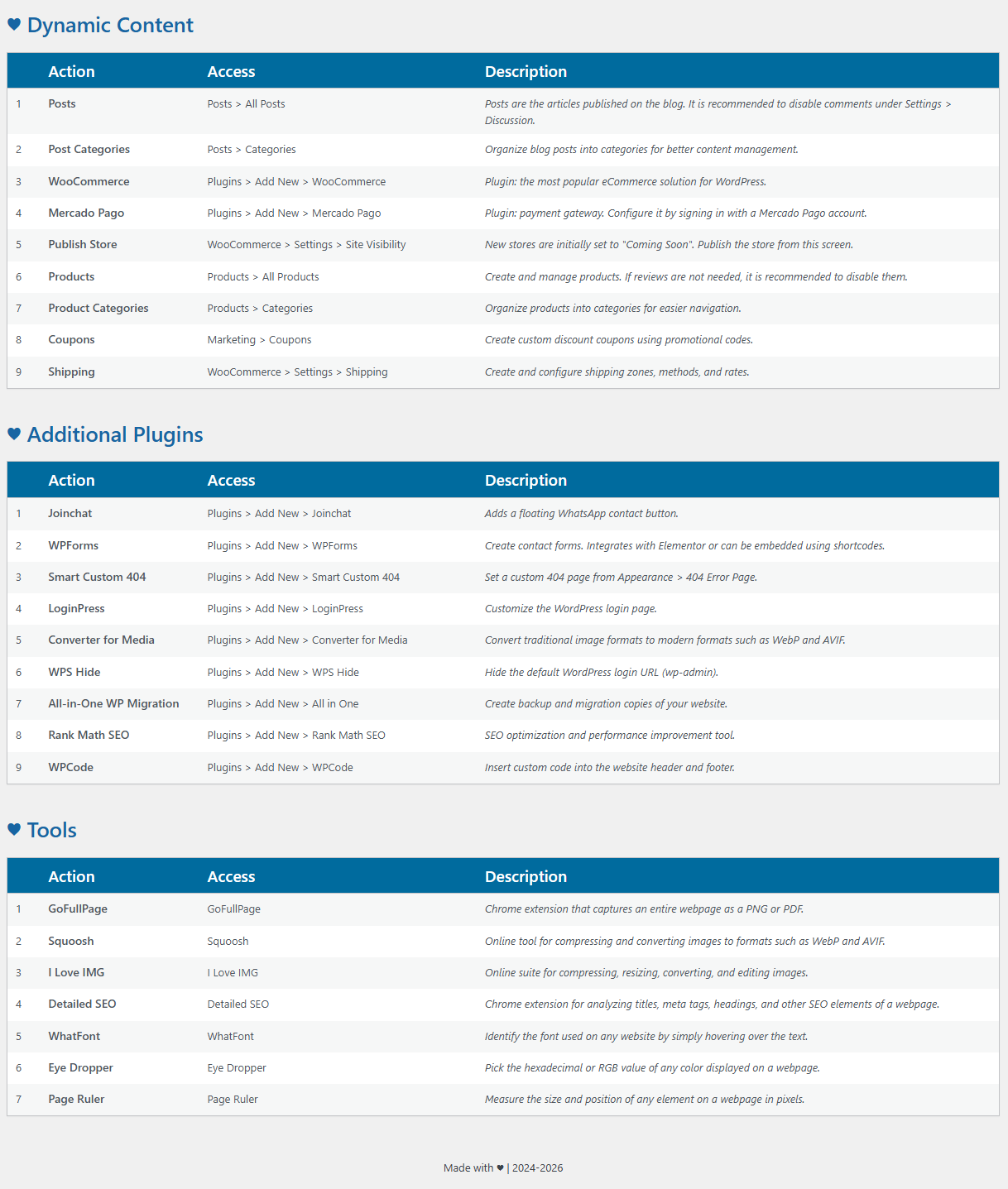
It provides an organized checklist covering:
- Basic WordPress settings
- Global design options
- Dynamic content configuration
- Recommended plugins
- Useful web tools for designers and developers
The plugin does not modify your website automatically. Instead, it guides you through each configuration step by providing direct access to the appropriate WordPress admin pages and external resources.
Features
- Organized setup checklist
- Quick access to WordPress settings
- Direct links to recommended plugins
- Useful tools for SEO, design and optimization
- Lightweight and easy to use
- No automatic changes to your website
عکسهای صفحه
نصب
- Upload the plugin folder to the
/wp-content/plugins/directory. - Activate the plugin through the Plugins screen in WordPress.
- Open TPLeo APAP from the WordPress admin menu.
سوالات متداول
-
Does this plugin install other plugins automatically?
-
No. TPLeo APAP only provides quick access to the installation pages of recommended plugins and useful configuration screens.
-
Does this plugin modify my website settings?
-
No. The plugin does not change any settings automatically. It simply helps you navigate the configuration process more efficiently.
نقد و بررسیها
نقد و بررسیای برای این افزونه یافت نشد.
توسعه دهندگان و همکاران
“TPLeo APAP” نرم افزار متن باز است. افراد زیر در این افزونه مشارکت کردهاند.
مشارکت کنندگان
ترجمه “TPLeo APAP” به زبان شما.
علاقه مند به توسعه هستید؟
کد را مرور کنید، مخزن SVN را بررسی کنید، یا از طریق RSS در گزارش توسعه مشترک شوید.
گزارش تغییرات
2.1.1
- Improved code structure.
- Improved output escaping and security.
- Minor UI improvements.