

توضیحات
Answyr is AI-powered customer support for WordPress, end to end — from
self-serve AI chat that deflects common questions to AI-assisted replies that help
your agents respond faster. It all runs on one shared AI core, grounded in a
knowledge base you own and control.
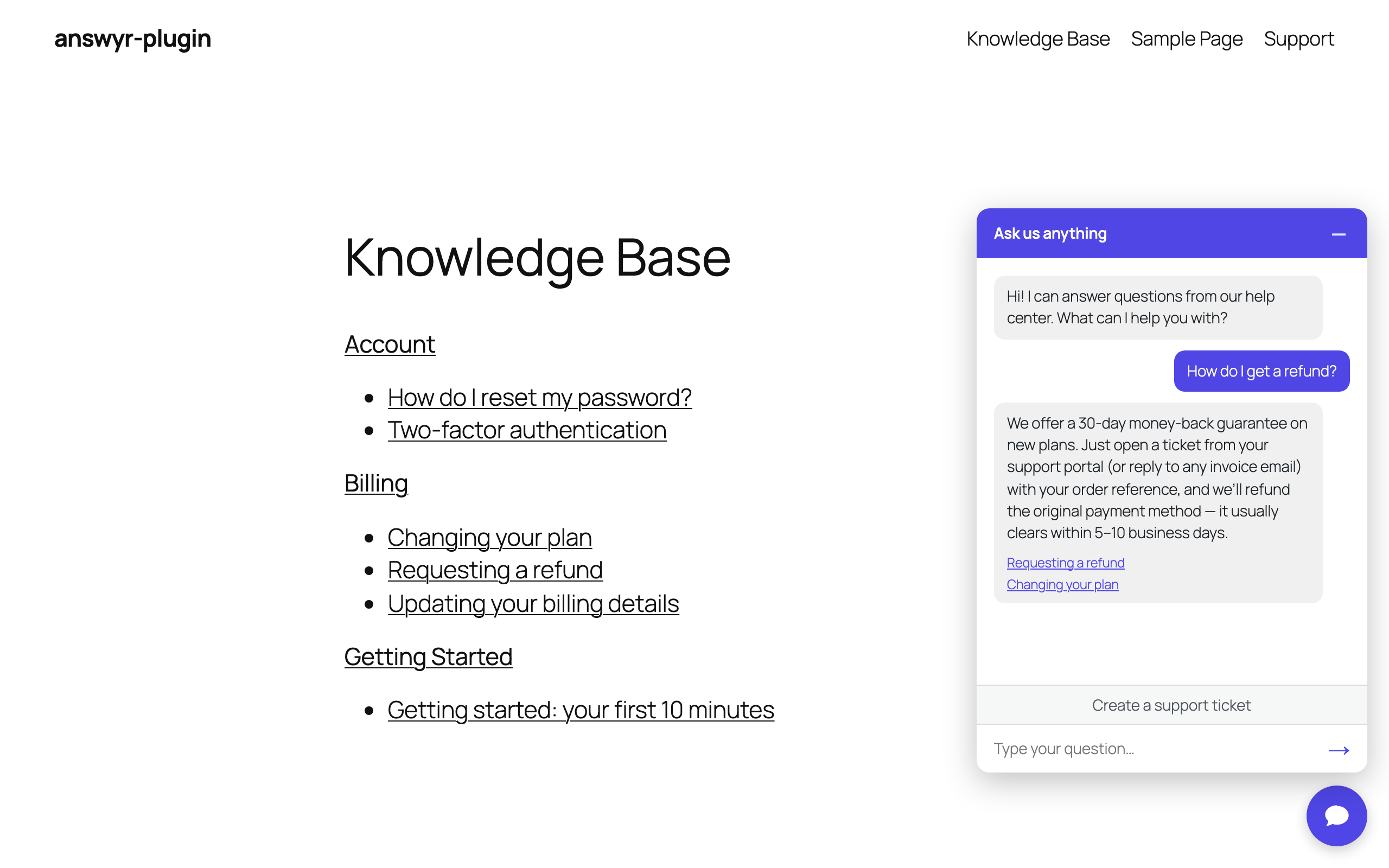
- AI Chat — a front-end deflection widget that answers visitors from your knowledge base (with source links) and escalates into a ticket when a human is needed.
- Knowledge Base — a built-in, customizable knowledge base that grounds every AI answer. Keep it internal for the AI and your agents, or publish it for customers with a shortcode.
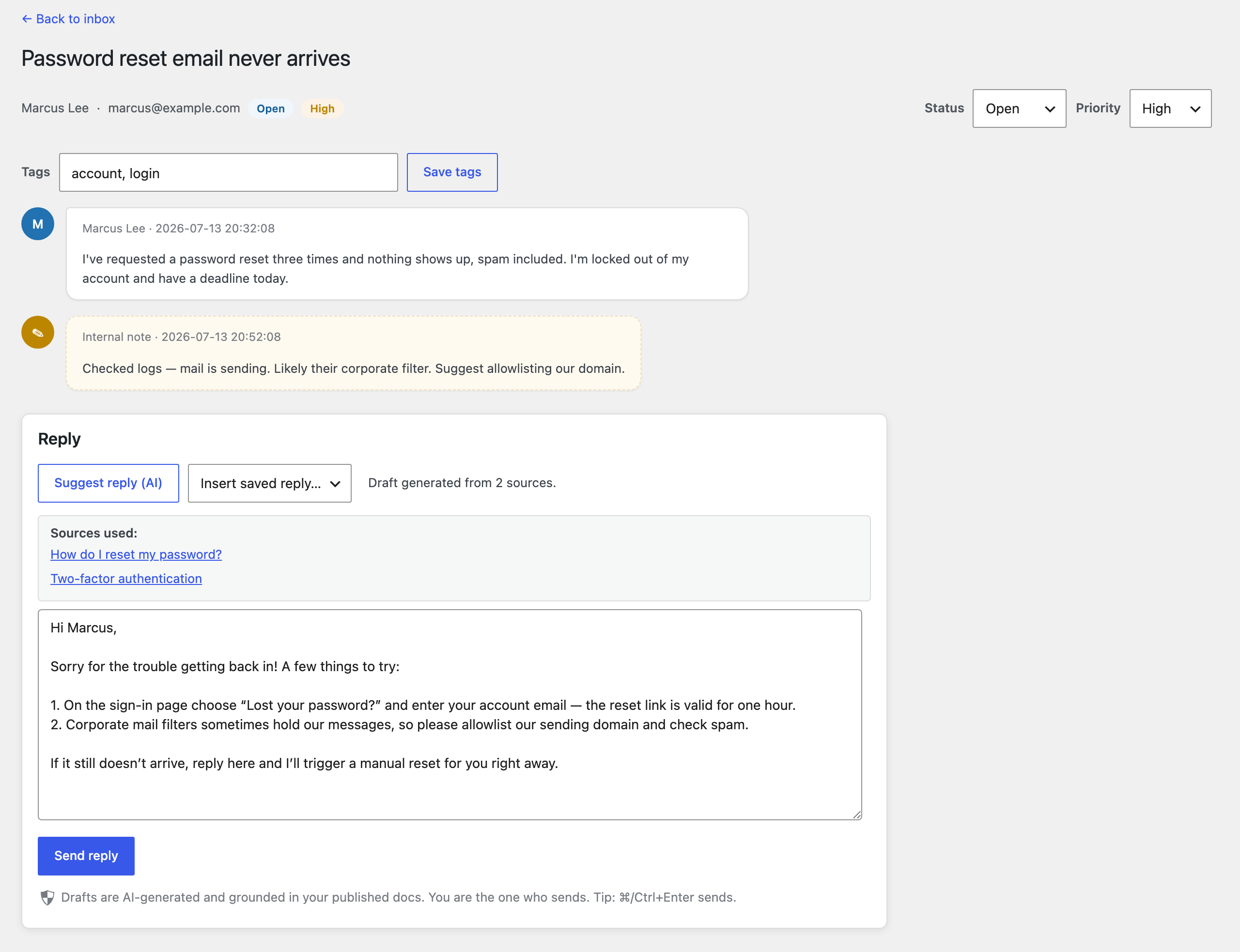
- AI-assisted agent replies — an AI ticket inbox (Desk) that drafts replies grounded in your knowledge base, with a full ticket lifecycle and a customer portal.
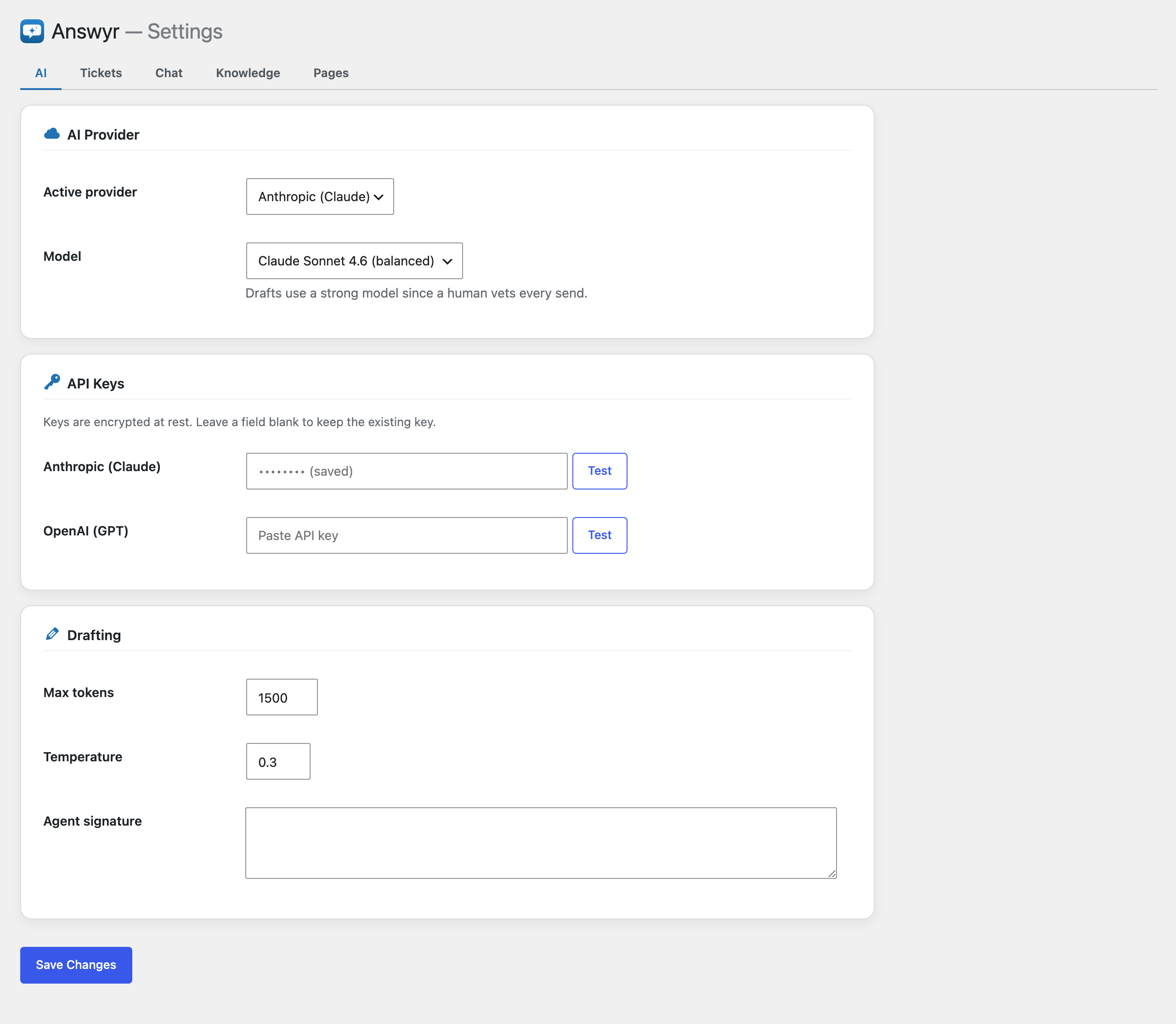
Bring your own AI provider key (Anthropic or OpenAI). Keys are encrypted at rest.
Features
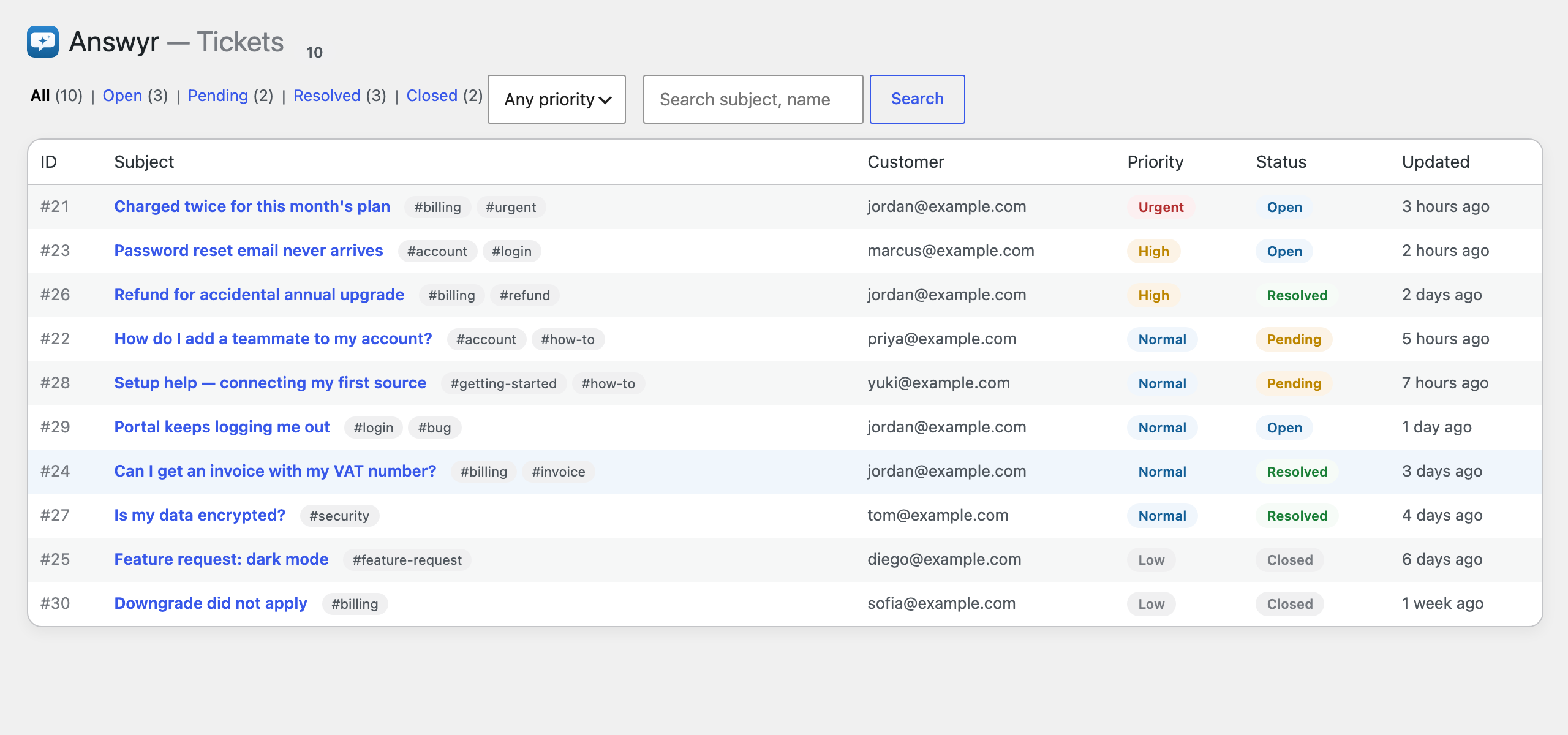
- Ticket lifecycle — open pending resolved closed. Agent replies auto-set pending; customer replies reopen; customers can resolve or reopen from the portal.
- Triage — priority (low/normal/high/urgent), free-form tags, status/priority/tag filters, keyword search, pagination. The inbox is ordered urgent-first.
- Productivity — AI draft-and-vet, saved (canned) replies, internal team-only notes, ⌘/Ctrl+Enter to send.
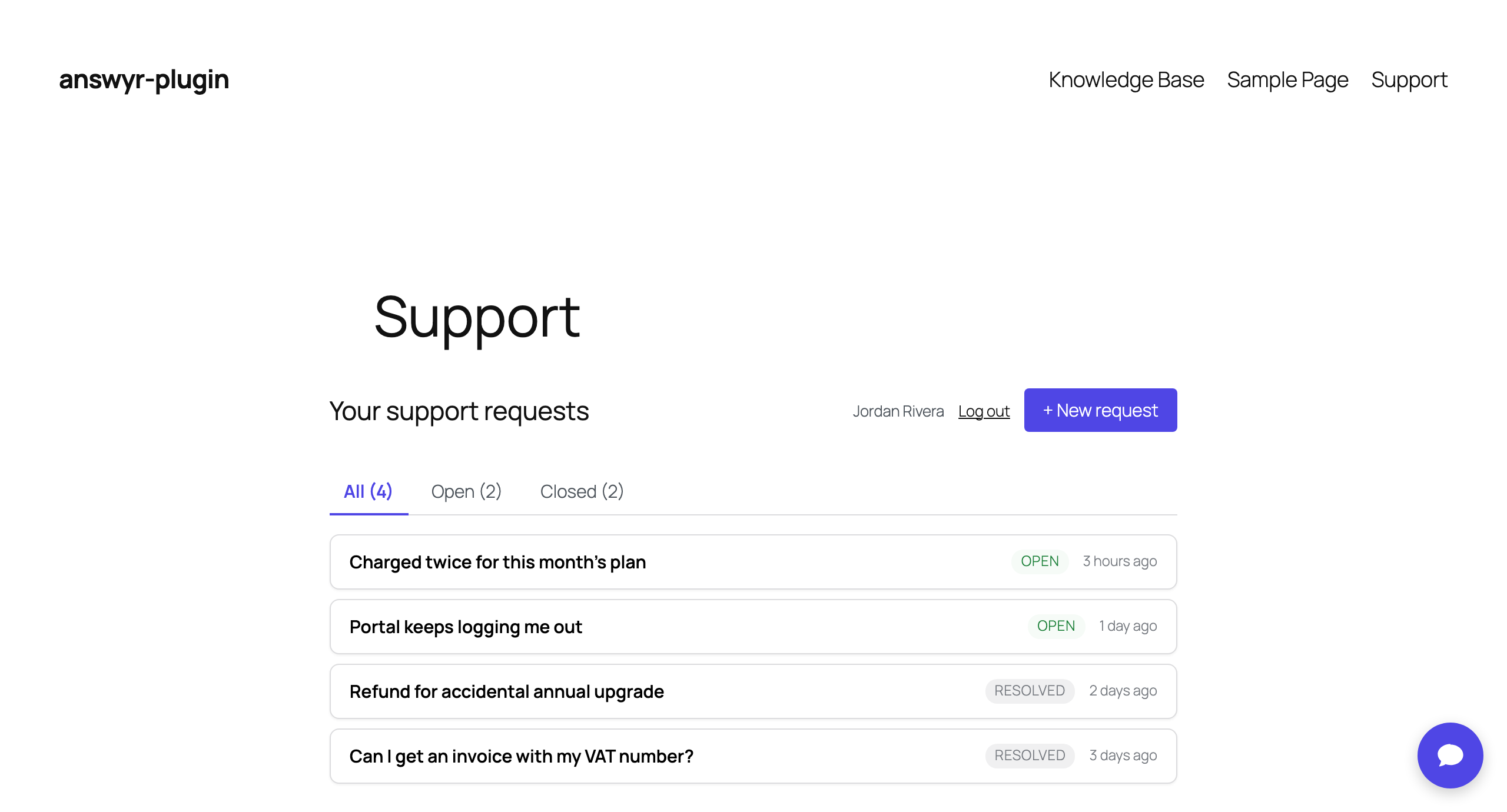
- Customer portal — inline sign-in, create/see/reply to tickets, Open/Closed filter, 👍/👎 satisfaction (CSAT) on resolved tickets.
- Chat deflection widget — answers from your knowledge base with source links, and escalates to a ticket (with transcript) when needed. Customizable title, welcome copy, placeholder, accent color, and display mode (sitewide or shortcode).
- Brand theming — an accent color themes the chat widget and the customer portal; admin screens stay native.
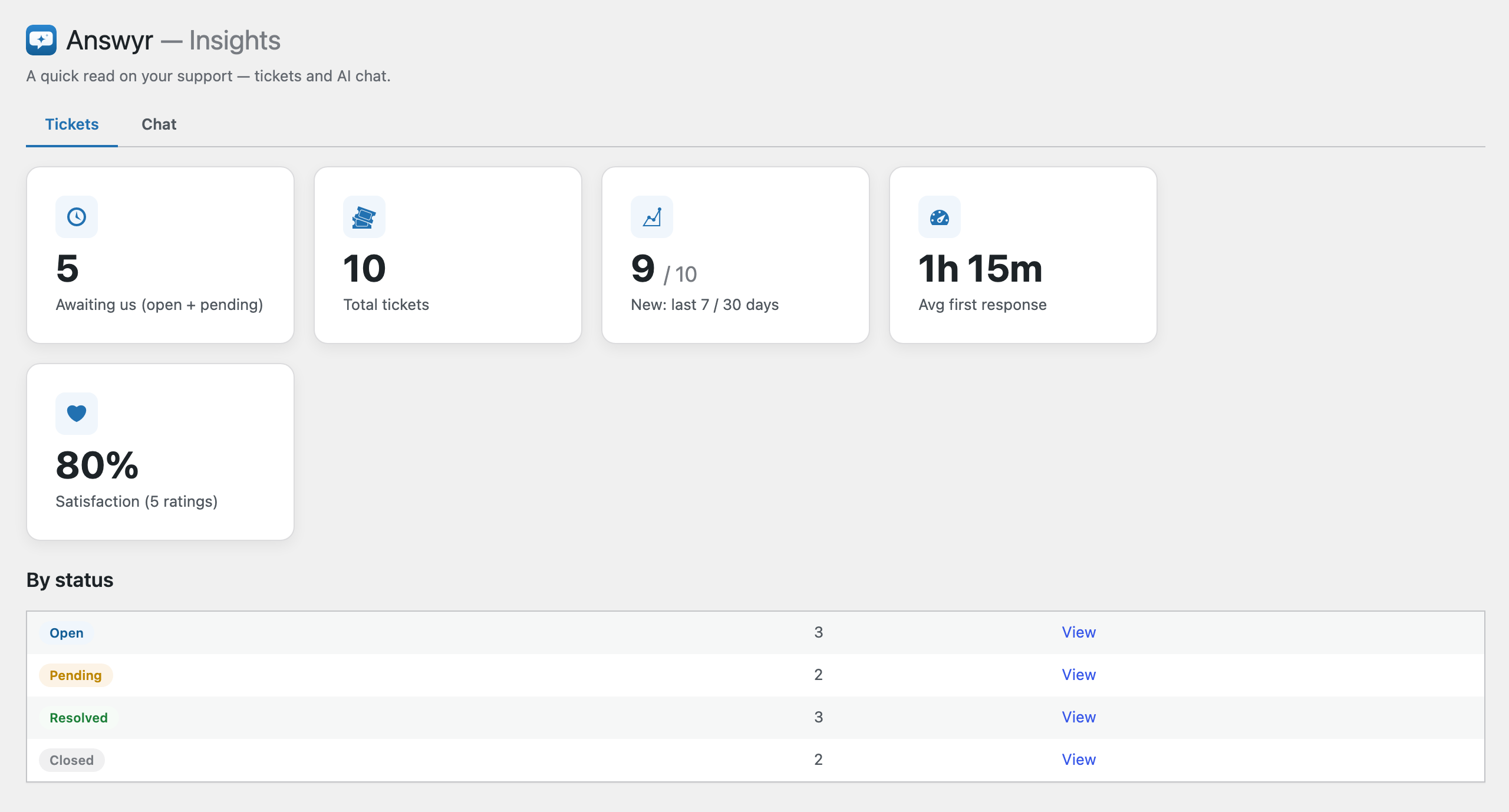
- Insights — read-only metrics: volume, new tickets (7/30 days), average first-response time, satisfaction, and a by-status breakdown.
- Customizable knowledge base — a native knowledge base grounds every AI draft and chat answer; internal by default, publishable to customers. You can also point the AI at existing content (any post types you choose).
AI providers
Anthropic and OpenAI ship built-in. You configure your own API key per provider
and choose the active provider/model in settings. The architecture is
multi-provider by design, so additional providers can be registered.
External services
Answyr sends data to a third-party AI provider only when you have
enabled an AI feature (draft-and-vet or the Chat widget) and configured that
provider’s API key. It is “bring your own key” — no AI calls are made until you
add a key, and only the provider you select as active is contacted.
What is sent, and when:
- When an agent requests an AI draft, or a visitor asks the Chat widget a question, the plugin sends the relevant ticket/conversation text and excerpts of your own published content used for grounding to the active AI provider, and receives a generated reply.
Which service: the provider you configure as active —
- Anthropic (Claude) — used when Anthropic is the active provider. Requests go to api.anthropic.com.
Terms: https://www.anthropic.com/legal/commercial-terms
Privacy policy: https://www.anthropic.com/legal/privacy - OpenAI — used when OpenAI is the active provider. Requests go to api.openai.com.
Terms: https://openai.com/policies/terms-of-use
Privacy policy: https://openai.com/policies/privacy-policy
No data is sent to these services unless you enable an AI feature and provide a key.
عکسهای صفحه
نصب
- Upload the
answyrfolder to/wp-content/plugins/, or install via the Plugins screen. - Activate the plugin. This creates the ticket tables and seeds defaults.
- Go to Answyr Settings, choose an AI provider, and paste your API key.
- Enable the surfaces you want (Desk is on by default; Chat is off until configured).
- Add the
[answyr_portal]shortcode to a page for the customer portal, and[answyr_chat]if you use shortcode display for the chat widget.
Requires WordPress 6.0+ and PHP 8.0+.
سوالات متداول
-
Does the AI send replies automatically?
-
No. Every AI-generated reply is a draft that a human reviews and sends. Nothing is sent to a customer automatically.
-
Do I need an AI provider account?
-
Yes — Answyr is bring-your-own-key. You add your own Anthropic or OpenAI API key. No AI calls are made until a key is configured.
-
Where are my API keys stored?
-
Keys are stored per-provider and encrypted at rest in your site’s database.
-
What data leaves my site?
-
Only when you use an AI feature: the ticket/conversation text and excerpts of your own published content used for grounding are sent to your chosen AI provider. See the “External services” section above.
-
Will uninstalling remove my data?
-
Deleting the plugin removes its tables, settings, and stored keys. Your authored knowledge-base posts are left intact.
نقد و بررسیها
نقد و بررسیای برای این افزونه یافت نشد.
توسعه دهندگان و همکاران

علاقه مند به توسعه هستید؟
کد را مرور کنید، مخزن SVN را بررسی کنید، یا از طریق RSS در گزارش توسعه مشترک شوید.
گزارش تغییرات
1.0.0
Initial public release.
- AI Chat — a front-end deflection widget that answers visitors from your knowledge base with source links, and escalates into a ticket (with transcript) when a human is needed. Customizable title, welcome copy, placeholder, accent color, and display mode.
- Knowledge Base — a native, customizable knowledge base that grounds every AI answer. Internal by default; publish it for customers with the
[answyr_kb]shortcode. You can also ground the AI on existing content (post types you choose). - Desk — an AI ticket inbox with AI draft-and-vet replies, a full lifecycle (open pending resolved closed), triage (priority, tags, filters, keyword search), saved replies, internal notes, and an Insights dashboard.
- Customer portal — inline sign-in; create, view, and reply to tickets; Open/Closed filter; 👍/👎 satisfaction on resolved tickets. Themed by your accent color.
- Bring your own AI provider key — Anthropic or OpenAI, encrypted at rest. No AI calls are made until you add a key.