

توضیحات
Arosis Visibility is the official companion plugin for the arosis service. It syncs your business’s structured data (JSON-LD), FAQ and business details (name, address, phone, hours, services) from your arosis account to your WordPress site. It is not a generic llms.txt generator: everything it publishes comes from the business record you manage in arosis, and it does nothing without a connected arosis account.
Setup guide: https://arosis.ai/setup-guide/wordpress
arosis helps local businesses get recommended by AI assistants such as ChatGPT, Claude, Gemini and Perplexity. The plugin itself is free, but it requires an arosis account on a paid plan. Every plan starts with a 14-day trial (card required). The AI visibility audit at arosis.ai stays free.
Once connected, it keeps the business details on your site accurate and machine-readable, and stays in sync with your arosis account automatically.
Features:
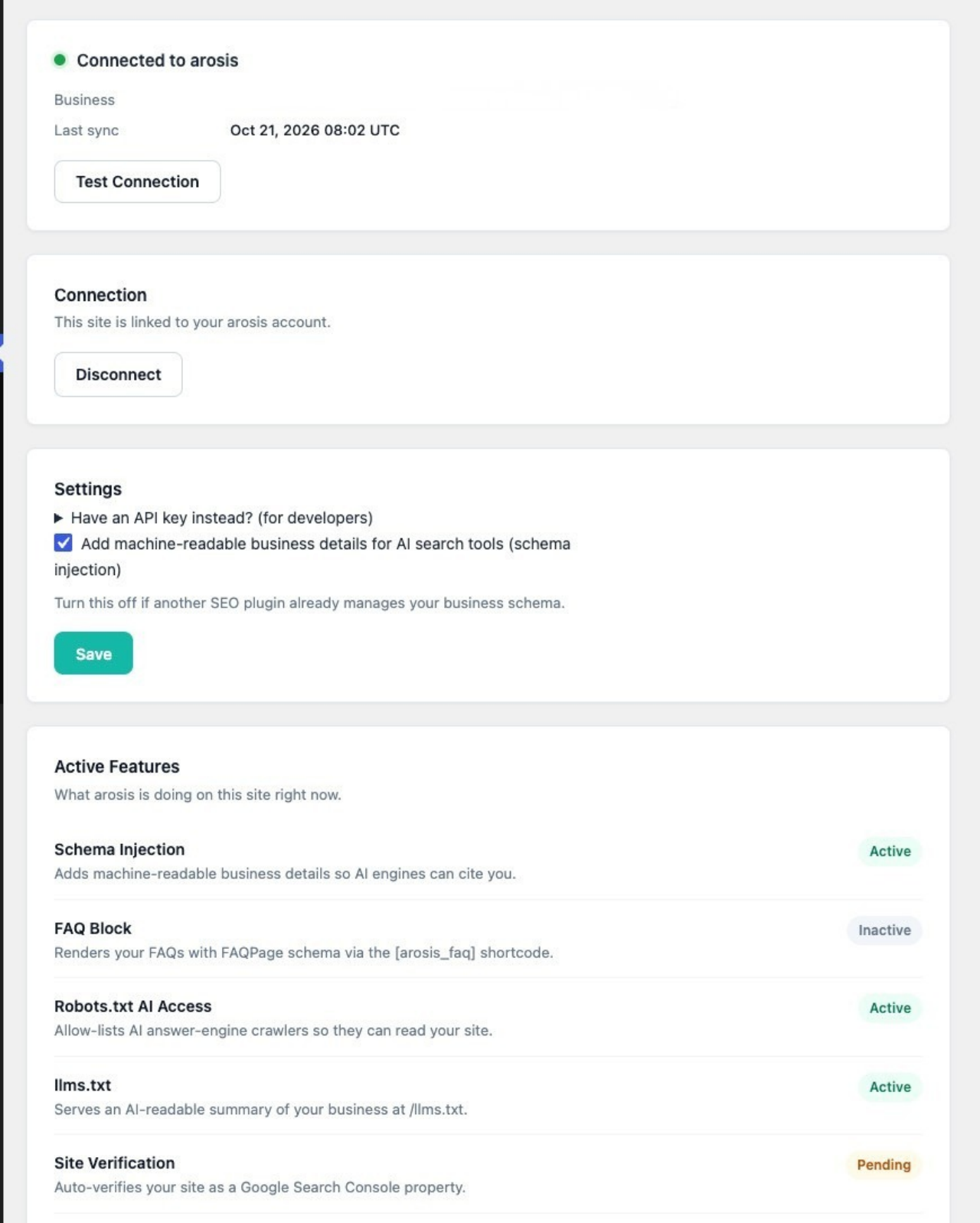
- One-click “Connect to arosis” — no key to copy
- Adds your business details as structured data (JSON-LD) for AI search tools and search engines
- Serves an AI-readable summary of your business at /llms.txt
- Allows the major AI answer-engine crawlers in your robots.txt
- Optional FAQ and quick-facts blocks via shortcodes
- Automatic daily sync, plus an on-demand “Sync Now”
- Keeps working from your last synced details if arosis is briefly unreachable
- Stops publishing your business details if your arosis plan ends, and tells you why
- Steps aside automatically if another SEO plugin already outputs your business schema
External services
This plugin connects to the arosis service (https://arosis.ai). It is required for the plugin to work: the business details the plugin publishes come from your arosis account.
Activating the plugin sends nothing and schedules nothing. Nothing is sent until a site administrator clicks “Connect to arosis”, clicks “Start syncing with arosis” (copies downloaded from the arosis dashboard), or saves an arosis API key. The daily sync is scheduled only at that point. After that:
- When you connect: your site’s home URL is sent to arosis so the connection can be tied to this site only.
- Once a day, when you click “Sync Now”, and when arosis asks the site to refresh: the plugin requests your published business details, any approved content drafts and any pending Google site-verification tag from arosis, and reports back whether each sync succeeded (a status and, on failure, the error message). Requests carry this site’s connection token.
- arosis may call this site’s REST endpoint /wp-json/arosis/v1/sync to trigger that same refresh. The request is refused unless it carries this site’s credential.
No visitor data, analytics or personal data about your site’s visitors is sent.
arosis terms of service: https://arosis.ai/terms
arosis privacy policy: https://arosis.ai/privacy
عکسهای صفحه
نصب
- In WordPress, go to Plugins Add New, search for “Arosis Visibility”, then Install and Activate.
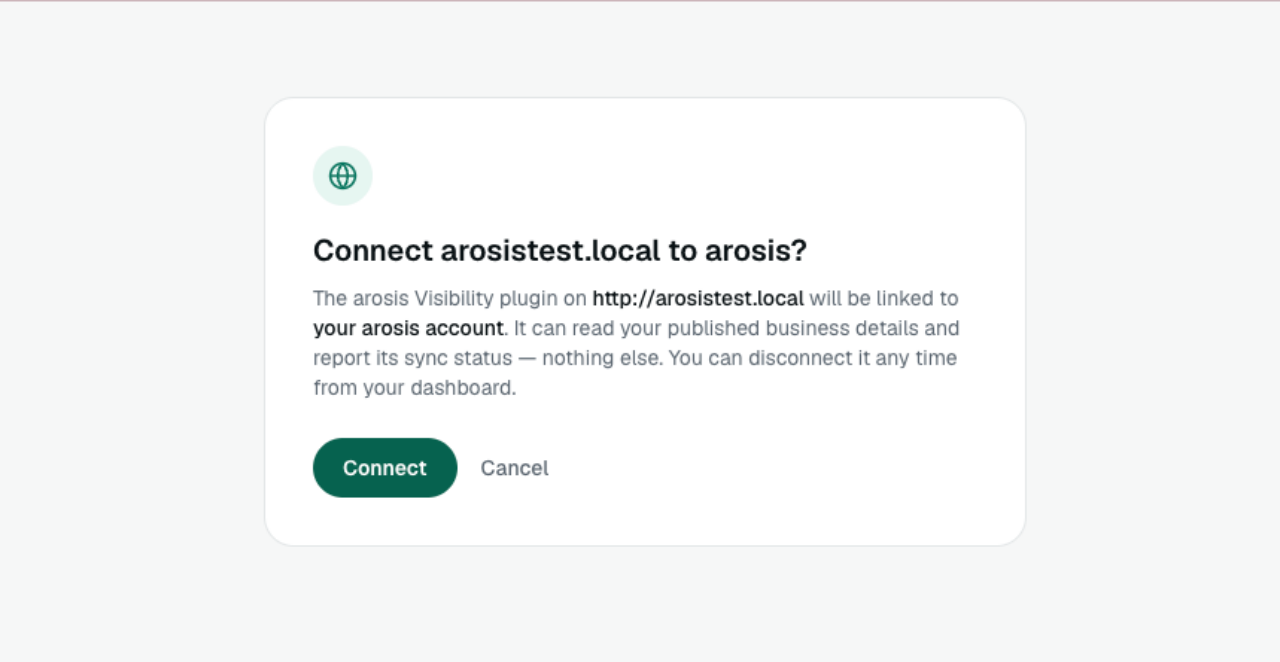
- Go to Settings Arosis Visibility and click “Connect to arosis”.
- Sign in to arosis (or create an account) and confirm the connection. You’ll come straight back to WordPress, connected.
That’s it — the first sync starts immediately. Optionally add the [arosis_faq] block to any page where you’d like your FAQs shown.
Prefer not to do it yourself? From your arosis dashboard you can email setup instructions to your web developer.
سوالات متداول
-
Do I need an arosis account?
-
Yes, on a paid plan. The plugin publishes the business details you manage in arosis. Every plan starts with a 14-day trial (card required). The AI visibility audit at https://arosis.ai is free and needs no plan.
-
What happens if my arosis account ends?
-
The plugin stops publishing your business details (structured data, the business section of llms.txt and FAQ blocks) and shows a notice in your WordPress admin. Pages it already created stay on your site. Accounts that end are kept for 90 days, then deleted.
-
How do I disconnect?
-
Click “Disconnect” in Settings Arosis Visibility. To also stop arosis accepting this site, disconnect it on the Website page of your arosis dashboard. Deleting the plugin removes all of its stored settings.
-
The plugin keeps serving the last details it successfully synced.
-
I already use another SEO plugin. Will this conflict?
-
No. If the plugin detects another SEO plugin that already manages your business details, it steps aside to avoid conflicts. You can also turn schema output off yourself in Settings Arosis Visibility.
نقد و بررسیها
نقد و بررسیای برای این افزونه یافت نشد.
توسعه دهندگان و همکاران
“Arosis Visibility” نرم افزار متن باز است. افراد زیر در این افزونه مشارکت کردهاند.
مشارکت کنندگان
“Arosis Visibility” به 1 زبان ترجمه شده است. با تشکر از مترجمین برای همکاری و کمکهایشان.
ترجمه “Arosis Visibility” به زبان شما.
علاقه مند به توسعه هستید؟
کد را مرور کنید، مخزن SVN را بررسی کنید، یا از طریق RSS در گزارش توسعه مشترک شوید.
گزارش تغییرات
1.1.8
- Security: business details are printed as plain text in the structured data block, and the block is encoded so no value can end the script tag. Older cached copies are cleaned on output too.
- Security: the site-verification tag is only ever a Google site-verification tag with a Google-shaped token.
- Security: the “reactivate” link in the no-plan notice only ever points to arosis.ai.
- Security: a non-https API address baked into the plugin is ignored in favour of the default.
- New: if arosis pauses updates, the plugin keeps your current output and changes nothing until updates resume.
- New: a dismissible notice for administrators when the site’s PHP version may be affected by the PHP2Shell security issue.
- /llms.txt is served with X-Content-Type-Options: nosniff.
1.1.7
- Fix: the status header now tells “no active plan” apart from “plan active, Knowledge Base not published yet” (“Connected — publish your Knowledge Base in arosis to go live”). A no-plan notice left over from before a plan started no longer sticks.
1.1.6
- New: pages created from approved arosis drafts carry their own structured data — FAQPage for the questions shown on the page and Service for the services it covers. It never repeats your business details; it points to the business block the plugin already prints. Output only on published pages, and dropped when the page also shows the arosis FAQ block (one FAQPage per page).
- New: those pages get their meta description, unless another SEO plugin manages it.
1.1.5
- Fixed: pages created from approved arosis drafts now show formatted headings, lists and bold text instead of raw “##” and “**” markdown. The HTML comes from arosis and is sanitized with wp_kses_post().
- Changed: the plugin now tells arosis whether each page is still a draft or published. arosis shows “Draft on your site” until you publish the page in WordPress, and only asks search engines to index it after it is live.
1.1.4
- Improved: the business address in your structured data is now split into street, city, region, postal code and country (schema.org PostalAddress) when your arosis Knowledge Base has them.
1.1.3
- Changed: activating the plugin no longer contacts arosis or schedules a sync. Syncing starts only after you click “Connect to arosis” (or “Start syncing with arosis” on a copy downloaded from your dashboard); the daily sync is scheduled then. Sites that were already connected keep syncing after the update (WordPress.org review).
- New: a clear admin notice instead of an error when PHP or WordPress is older than the plugin supports.
1.1.2
- Changed: all plugin classes, AJAX actions, nonces and admin script/style handles now use the unique AROSVI_/arosvi_ prefix (WordPress.org review). Saved settings are unaffected.
- Changed: Plugin URI is now https://arosis.ai/setup-guide/wordpress.
1.1.1
- Changed: when your arosis account has no active plan, the plugin removes its structured data, llms.txt business section, FAQ blocks and Google verification tag instead of serving an old copy, and shows a notice in WordPress admin.
- Fixed: a business without an address is described as an Organization rather than a LocalBusiness.
- Fixed: service prices are only included when they are a single amount with a currency (for example $150); text such as “from $99” is left out instead of producing invalid structured data.
1.1.0
- New: “Connect to arosis” — link your site by signing in, no API key to copy. Connections are per-site and can be revoked from the arosis dashboard.
- New: Disconnect button.
- Removed: the “API URL (advanced)” setting. Developers can still define AROSIS_API_BASE_URL in wp-config.php.
- Deleting the plugin now removes all of its stored settings.
1.0.0
- Initial release.