
توضیحات
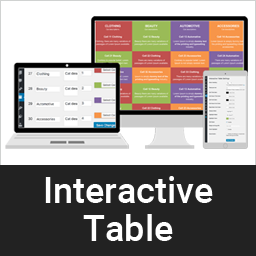
A dynamic way to display clean & responsive interactive table for your contents in a nice view.
عکسهای صفحه


نصب
This section describes how to install the plugin and get it working.
e.g.
- Upload the plugin files to the
/wp-content/plugins/interactive-tabledirectory, or install the plugin through the WordPress plugins screen directly. - Activate the plugin through the ‘Plugins’ screen in WordPress
- Add category from category page /wp-admin/edit.php?post_type=interactive_table&page=it-cell-cetegory
- Add table item here /wp-admin/edit.php?post_type=interactive_table&page=it-settings or you can import demo from plugin demo folder /plugins/interactive-table/demo-data. Data is xml format, just import using default wordpress import tools.
سوالات متداول
-
Is is support unlimited color?
-
Yes, our pro version support unlimited color and unlimited cell.
Pro version is available here -
How do I set different but fixed color table without hover?
-
It is in Settings, /wp-admin/edit.php?post_type=interactive_table&page=it-settings, Just enable “Fixed highlight”
-
Can I place table Head row left or right?
-
Yes, this is also available in our pro version. Even you can set table head to bottom.
Pro version is available here
نقد و بررسیها
نقد و بررسیای برای این افزونه یافت نشد.
توسعه دهندگان و همکاران
“Interactive Table” نرم افزار متن باز است. افراد زیر در این افزونه مشارکت کردهاند.
مشارکت کنندگان
ترجمه “Interactive Table” به زبان شما.
علاقه مند به توسعه هستید؟
کد را مرور کنید، مخزن SVN را بررسی کنید، یا از طریق RSS در گزارش توسعه مشترک شوید.
گزارش تغییرات
1.0.1
- Compatibility check
1.0
- Initial development.