

توضیحات
AI agents — tools like ChatGPT, Claude, Copilot, and the growing ecosystem of autonomous AI systems — are increasingly being pointed at websites to gather information, interact with APIs, and perform tasks on behalf of users. For a site to work well with these agents, it needs to speak the right language: publishing structured discovery files, declaring its capabilities, and responding to agent-specific requests in the right format.
KP Agent Ready handles all of that for your WordPress site. It implements the current set of agent-readiness standards and the broader AI agent ecosystem — without requiring you to manually create files, edit server configs, or touch a line of code. Everything is managed from a dedicated settings page in the WordPress admin.
What It Does
RFC 8288 Link Response Headers
Every response your site sends will include Link headers pointing agents to your API catalog, agent skills index, and MCP server card. This is how agents find your discovery documents without having to guess URLs.
API Catalog — /.well-known/api-catalog
Publishes a machine-readable catalog of your site’s APIs in the application/linkset+json format defined by RFC 9727. Each entry in the catalog can point to an OpenAPI specification, human-readable documentation, and a health/status endpoint. If you have not configured any entries yet, the plugin serves a sensible fallback automatically so the endpoint is always valid.
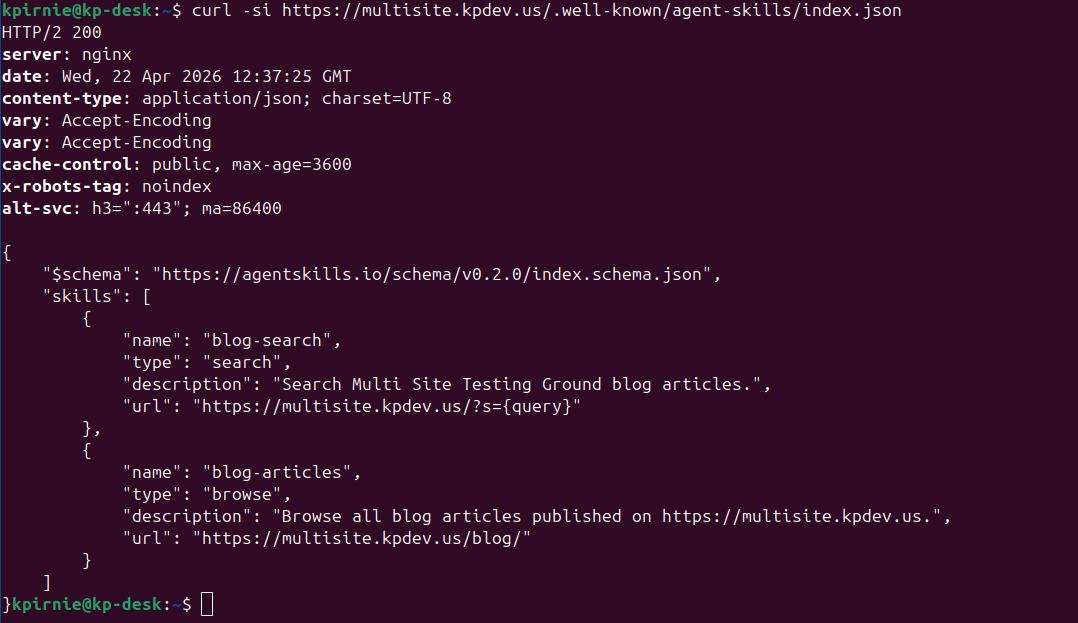
Agent Skills Index — /.well-known/agent-skills/index.json
Publishes a skills discovery index per the Agent Skills Discovery RFC v0.2.0. This tells agents what your site can do — search your blog, browse your portfolio, submit a contact form, and so on.
Skills are built from three sources:
- Blog articles — a search skill and a browse skill, toggled with a single switch
- Custom post types — any public CPT registered on your site appears as a checkbox; tick it and it gets a browse skill pointing to its archive
- Manual entries — define any additional skill with a name, type, description, URL, and an optional sha256 digest
MCP Server Card — /.well-known/mcp/server-card.json
Publishes an MCP Server Card (SEP-1649) identifying your site to Model Context Protocol clients. Configurable name, version, description, transport endpoint, and a capability list. If you do not have an MCP server running yet, just leave the transport blank — the card is still valid and useful for discovery.
OAuth / OIDC Discovery — /.well-known/openid-configuration or /.well-known/oauth-authorization-server
If your site exposes protected APIs that require authentication, this feature publishes the discovery metadata agents need to authenticate. Supports both OpenID Connect Discovery 1.0 and RFC 8414. Disabled by default — only enable it if you have the infrastructure in place.
OAuth Protected Resource Metadata — /.well-known/oauth-protected-resource
Complements the OAuth/OIDC feature by publishing RFC 9728 Protected Resource Metadata. Disabled by default.
robots.txt Content Signals
Appends Content Signals directives to your robots.txt file, declaring your preferences for how AI systems may use your content:
- ai-train — whether AI companies may use your content to train models
- search — whether search engines may index your content
- ai-input — whether AI retrieval systems (RAG) may use your content as input
Markdown Negotiation
When an AI agent sends a request with the Accept: text/markdown header, the plugin intercepts the response for singular posts and pages and returns a clean Markdown version of the content. Regular browser requests are completely unaffected.
WebMCP
Injects a small JavaScript snippet into your page footer that calls navigator.modelContext.provideContext(), exposing your site’s key actions as tools to AI agents running in the browser. Built-in tools include blog search, portfolio navigation, and contact page navigation — each individually toggleable.
llms.txt and llms-full.txt
Generates physical /llms.txt and /llms-full.txt files in your WordPress web root per the llmstxt.org specification. These files give AI systems a structured, readable index of your site’s content — who you are, what pages exist, and what your posts are about.
llms.txt contains your site header and a clean list of links by content type. `llms-full.txt` contains the same structure but expands each entry with an excerpt or truncated content block so AI systems can understand the content without fetching every URL.
Files are regenerated automatically when posts are published, unpublished, or trashed, and whenever settings are saved. A manual Regenerate button is available in the llms.txt settings tab. If your host prevents direct file writes, the generated content is displayed in the admin as a copyable textarea so you can create the files manually.
Configurable options include a custom intro block, toggling pages and posts independently, selecting additional custom post types, setting the excerpt word limit for llms-full.txt, and defining optional additional links that appear under an ## Optional section in both files.
Developer Filters
Two filters let themes and other plugins extend the plugin’s output without touching settings:
kp_agent_skills — add entries to the agent skills index:

add_filter( 'kp_agent_skills', function ( array $skills ): array {
    $skills[] = [
        'name'        => 'my-skill',
        'type'        => 'api',
        'description' => 'Does something useful.',
        'url'         => 'https://yoursite.com/api/endpoint',
    ];
    return $skills;
} );

kp_webmcp_tools — add tools to the WebMCP context:

add_filter( 'kp_webmcp_tools', function ( array $tools ): array {
    // $tools is the PHP array that becomes the JS tools array
    return $tools;
} );
عکسهای صفحه
Agent Skills Pull 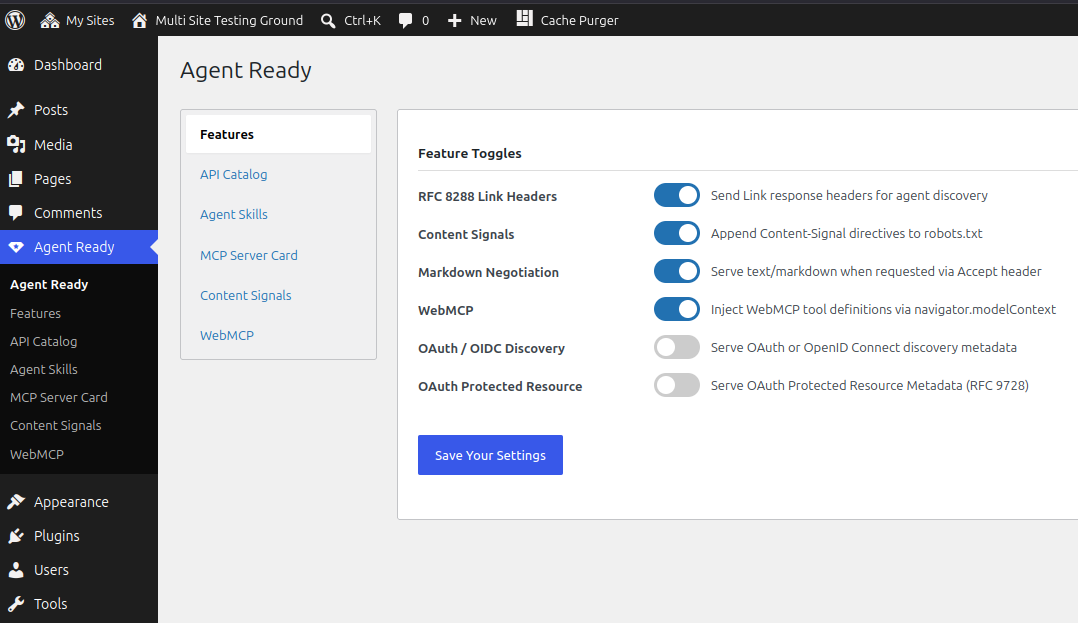
Features Settings 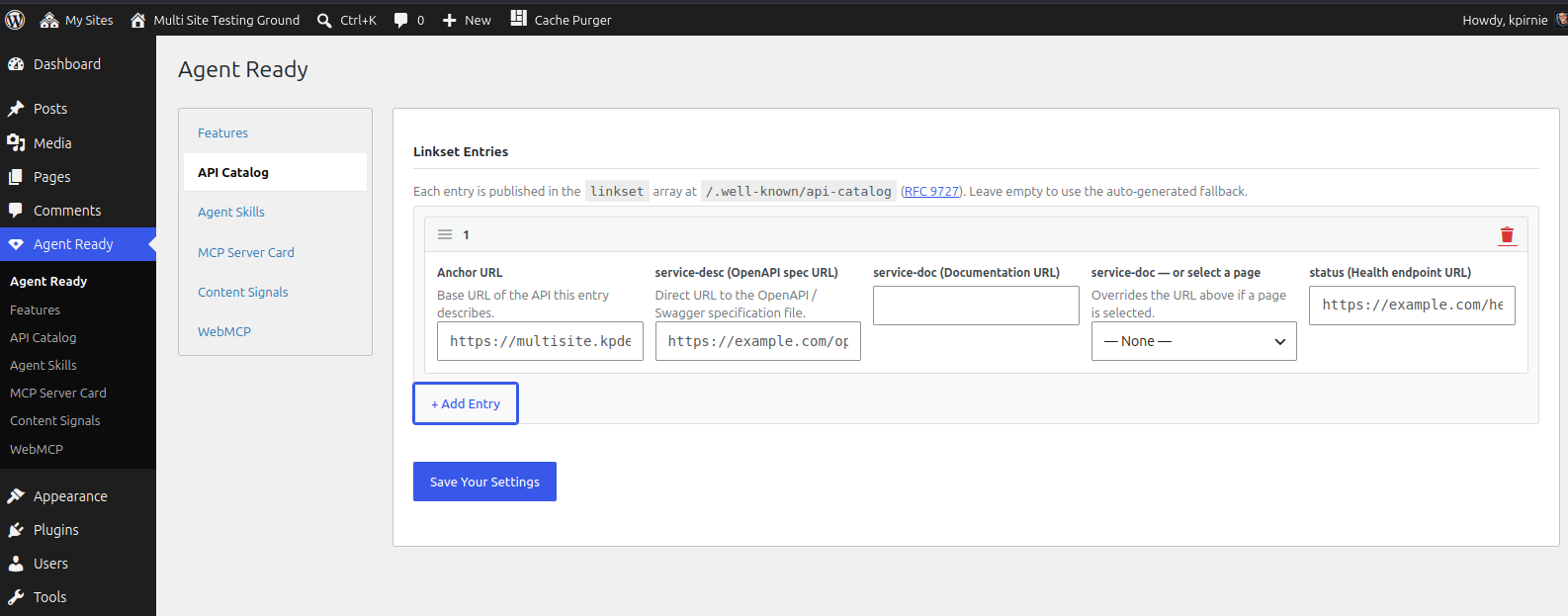
API Catalog 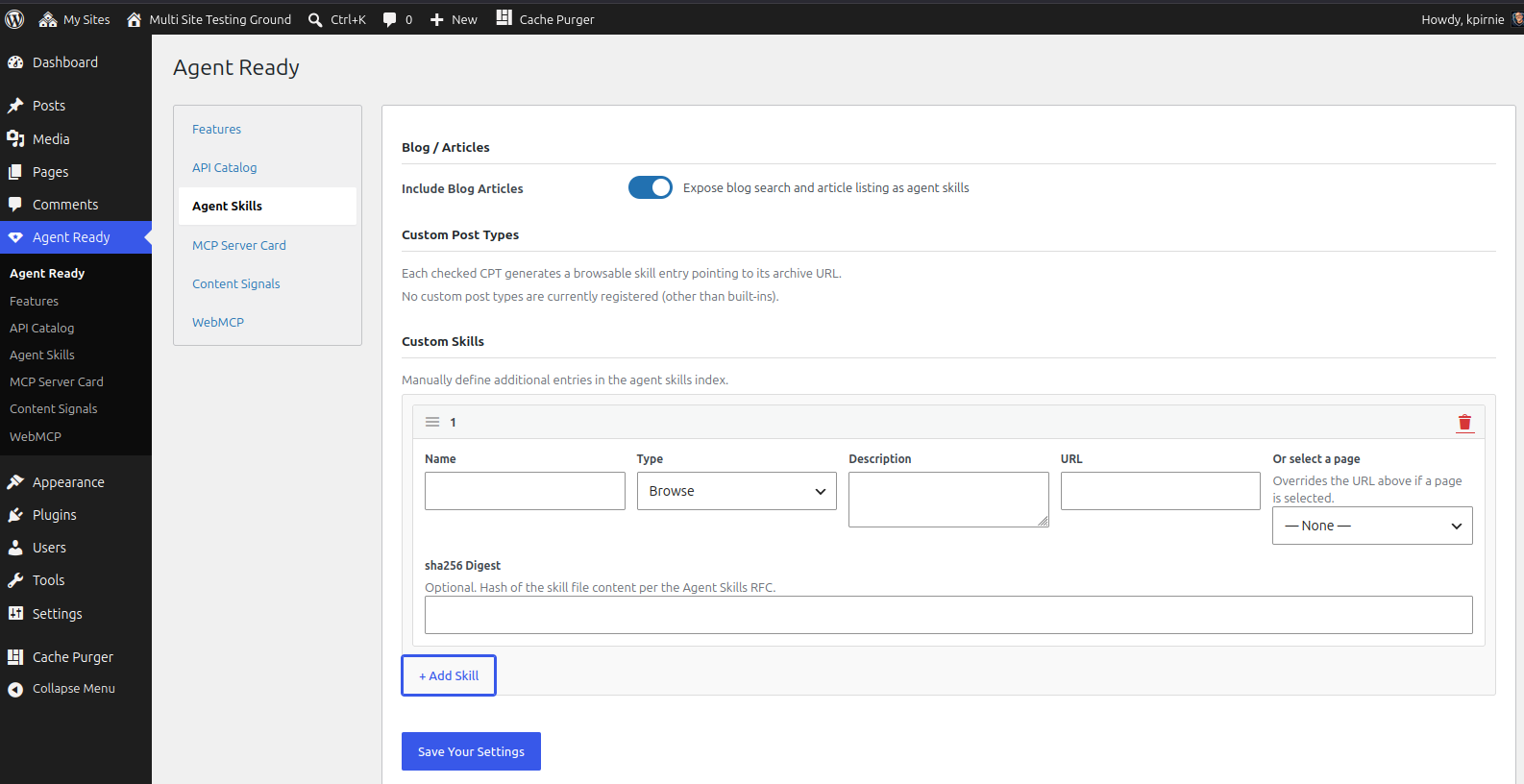
Agent Skills 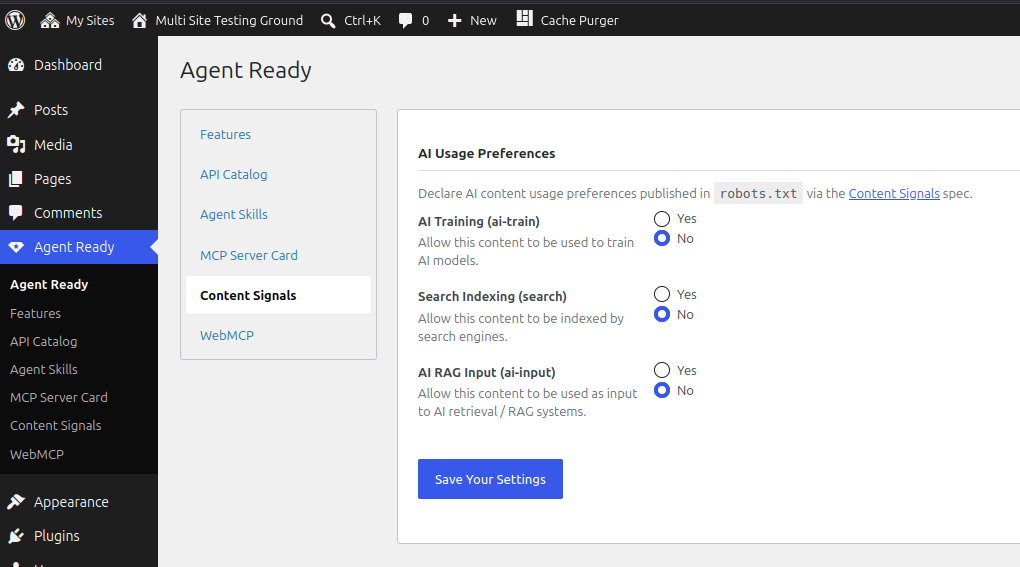
Content Signals 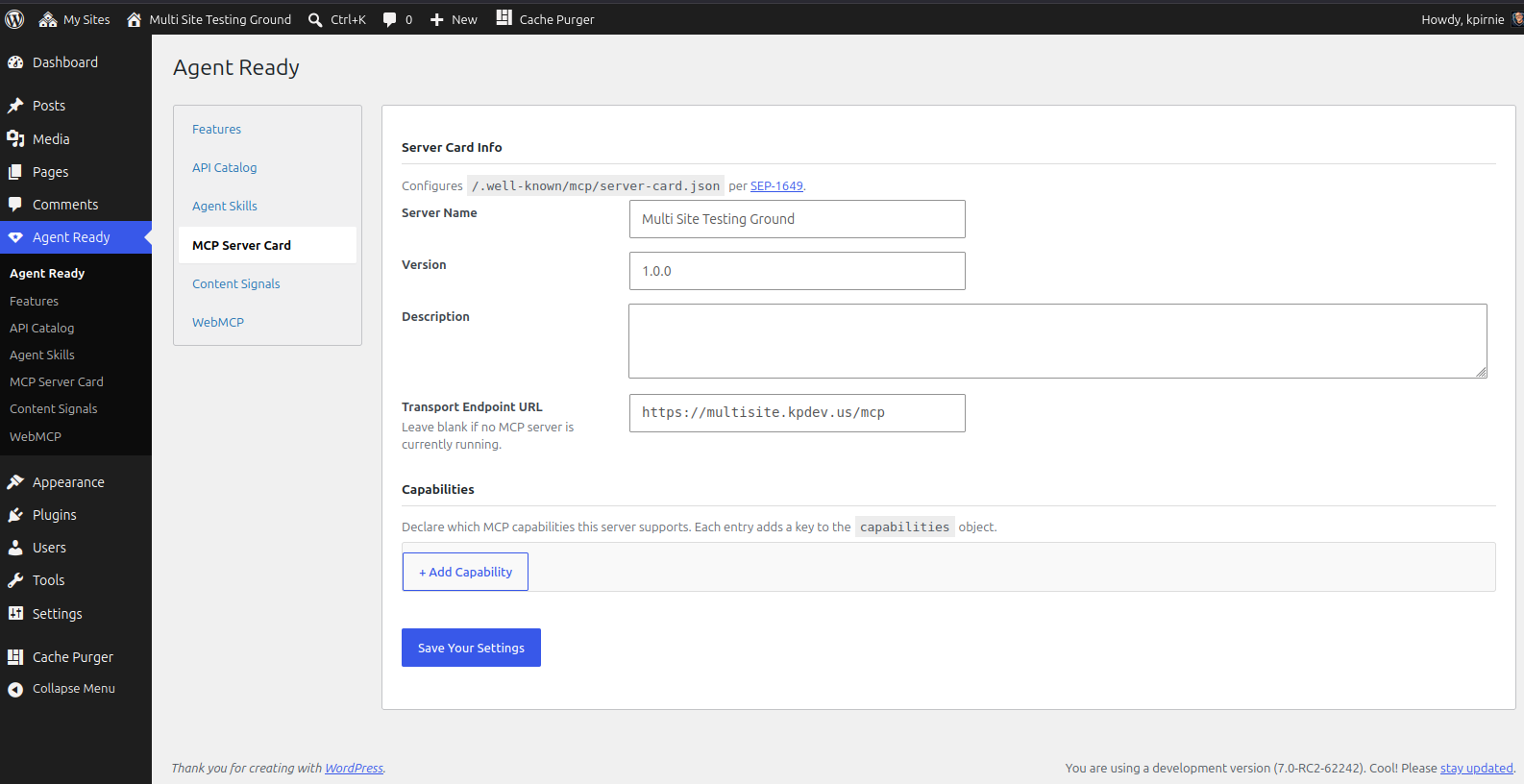
MCP Server Card 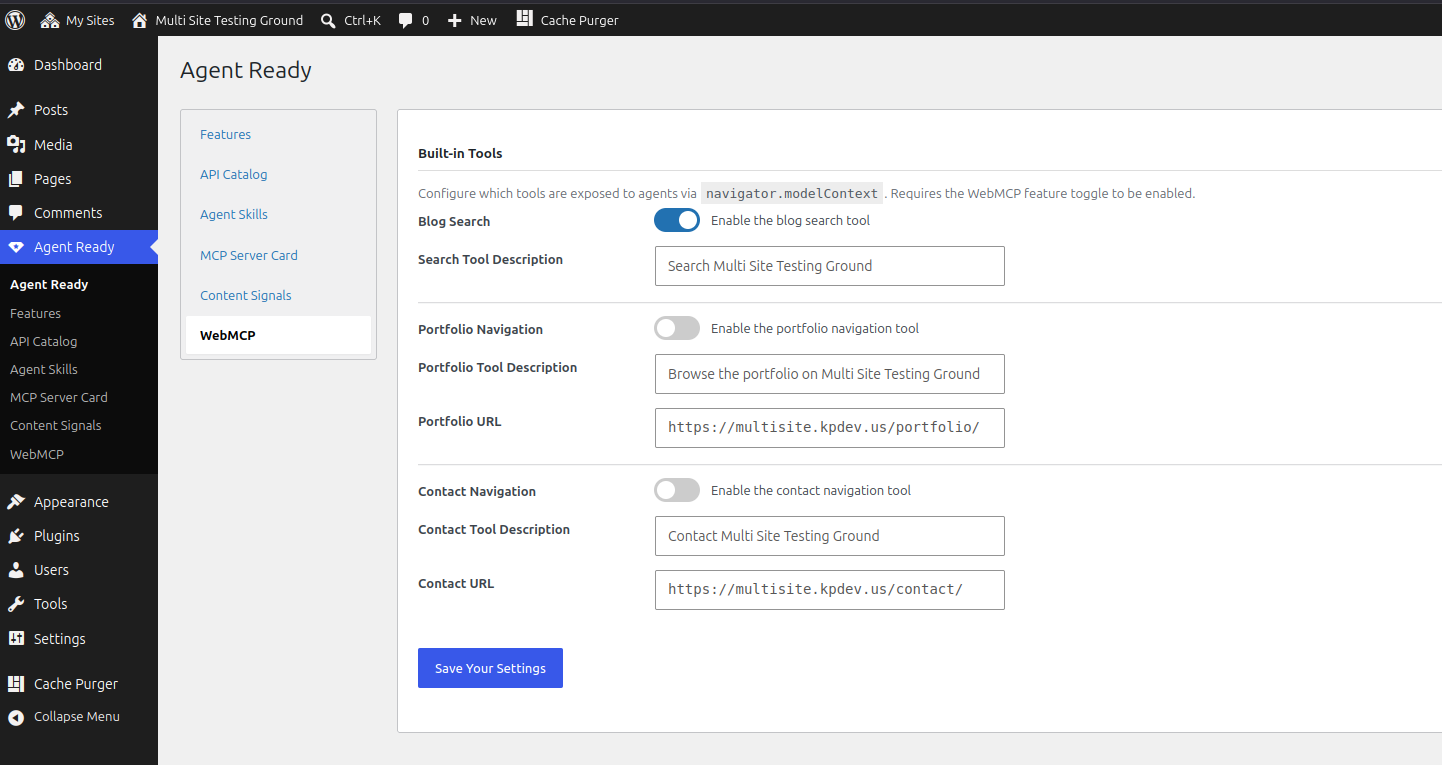
WebMCP 
LLMS
نصب
- Download the latest release zip from the GitHub releases page.
- In your WordPress admin, go to Plugins Add New Plugin Upload Plugin.
- Upload the zip and click Install Now.
- Click Activate Plugin.
- Go to Settings Permalinks and click Save Changes — this registers the
/.well-known/URL rules.
Manual (FTP / SSH)
- Unzip and upload the
kp-agent-readyfolder towp-content/plugins/. - Activate the plugin from Plugins Installed Plugins.
- Go to Settings Permalinks and click Save Changes.
Web Server Configuration
WordPress handles /.well-known/ requests through its normal rewrite pipeline. If your endpoints return 404, apply the rule below for your server.
Nginx — add inside your server {} block, above the primary location / block:
location ^~ /.well-known/ {
    auth_basic off;
    allow all;
    rewrite ^(/.*)$ /index.php?__kp_wk=$1 last;
}
Apache — standard:
<IfModule mod_rewrite.c>
    RewriteEngine On
    RewriteCond %{REQUEST_URI} ^/\.well-known/
    RewriteCond %{REQUEST_FILENAME} !-f
    RewriteRule ^ index.php [L]
</IfModule>
Apache — fallback (if standard does not work):
<IfModule mod_rewrite.c>
    RewriteEngine On
    RewriteCond %{REQUEST_URI} ^/\.well-known/
    RewriteCond %{REQUEST_FILENAME} !-f
    RewriteRule ^(/.*)$ /index.php?__kp_wk=$1 [L,QSA]
</IfModule>
IIS — standard:
<rule name="WellKnown" stopProcessing="true">
    <match url="^\.well-known/(.*)" />
    <conditions>
        <add input="{REQUEST_FILENAME}" matchType="IsFile" negate="true" />
    </conditions>
    <action type="Rewrite" url="index.php" />
</rule>
IIS — fallback (if standard does not work):
<rule name="WellKnownFallback" stopProcessing="true">
    <match url="^\.well-known/(.*)" />
    <conditions>
        <add input="{REQUEST_FILENAME}" matchType="IsFile" negate="true" />
    </conditions>
    <action type="Rewrite" url="index.php?__kp_wk=/{R:0}" />
</rule>
سوالات متداول
-
Do I need to configure everything before the plugin does anything?
-
No. The plugin works out of the box with sensible defaults. The
/.well-known/endpoints are live immediately after activation, Link headers are sent on every response, and the agent skills index auto-populates from your blog. Visit the settings only if you want to customise what is published or enable the OAuth features. -
Will this slow down my site?
-
No. The
/.well-known/endpoints only execute when an agent specifically requests them. The Link headers add a negligible number of bytes to each response. The WebMCP script only runs ifnavigator.modelContextexists in the browser — which it currently does not in standard browsers — so it has no runtime cost for regular visitors. -
What is the `/.well-known/` directory?
-
It is a reserved URL path (defined by RFC 8615) where internet standards place well-known resources — things like Let’s Encrypt challenge files and increasingly AI agent discovery documents. This plugin registers these paths through WordPress’s rewrite system so no files need to physically exist on disk.
-
Why do I need to save Permalinks after activation?
-
WordPress stores its URL rewrite rules in the database and writes them to
.htaccess. When the plugin registers its/.well-known/rules they do not take effect until the rewrite rules are regenerated, which happens when you save the Permalinks settings page. This is standard practice for any WordPress plugin that adds custom URL rules. -
I enabled OAuth/OIDC but I do not have an OAuth server — will anything break?
-
The endpoint will serve whatever data you have entered in the settings, even if incomplete. Only enable this feature if you have a working OAuth or OIDC server — otherwise the metadata it publishes will be misleading to agents.
-
Does this plugin work with WordPress multisite?
-
It has not been tested on multisite. Each site in a network would need the plugin activated individually at the site level, and the
/.well-known/paths would need to resolve correctly for each site’s domain. -
Can I add custom agent skills or WebMCP tools from my theme or another plugin?
-
Yes — see the Developer Filters section in the Description tab.

توسعه دهندگان و همکاران
“KP Agent Ready” نرم افزار متن باز است. افراد زیر در این افزونه مشارکت کردهاند.
مشارکت کنندگان
ترجمه “KP Agent Ready” به زبان شما.
علاقه مند به توسعه هستید؟
Browse the code, check out the SVN repository, or subscribe to the development log by RSS.
گزارش تغییرات
1.1.59
- Fix: Submenu Highlight
- Remove: Agent Ready from Submenu
- Fix: LLMS settings not showing
- Fix: LLMS generation
- Fix: Uninstall
1.1.47
- Fix: Markdown output
- Verified: Down to WP Core 6.2
1.1.39
- Confirm: WordPress Core 7 compliance
1.1.37
- Update: Security on some settings
- New: Screenshots
- New: LLMS Generator
1.1.24
- Fix: Renamed all plugin defines, namespaces, filters, and JS object references from short
kpprefix tokpagreto meet WordPress.org prefix length requirements - Fix: Replaced
json_encode()withwp_json_encode()in WellKnown respond() - Fix: Replaced phpcs:ignore suppression in fieldRow() with proper
wp_kses()escaping for constructed form HTML - Fix: Externalized inline admin CSS and JS to physical asset files to resolve output escaping review flags
- Fix: Wrapped missing
sprintf()description strings in__()for i18n compliance in WellKnown buildSkills() - Fix: Added
esc_url_raw()to MCP server card contact field output in WellKnown serveMcpCard() - Fix: Removed stale
delete_option()calls in uninstall.php for options that no longer exist
1.1.22
- Initial public release.
- RFC 8288 Link headers, API catalog, agent skills index, MCP server card, OAuth/OIDC discovery, OAuth protected resource, Content Signals robots.txt directives, Markdown negotiation, and WebMCP built-in tools.