
توضیحات
Omea Tools bundles small, useful admin helpers into a single plugin.
Current features:
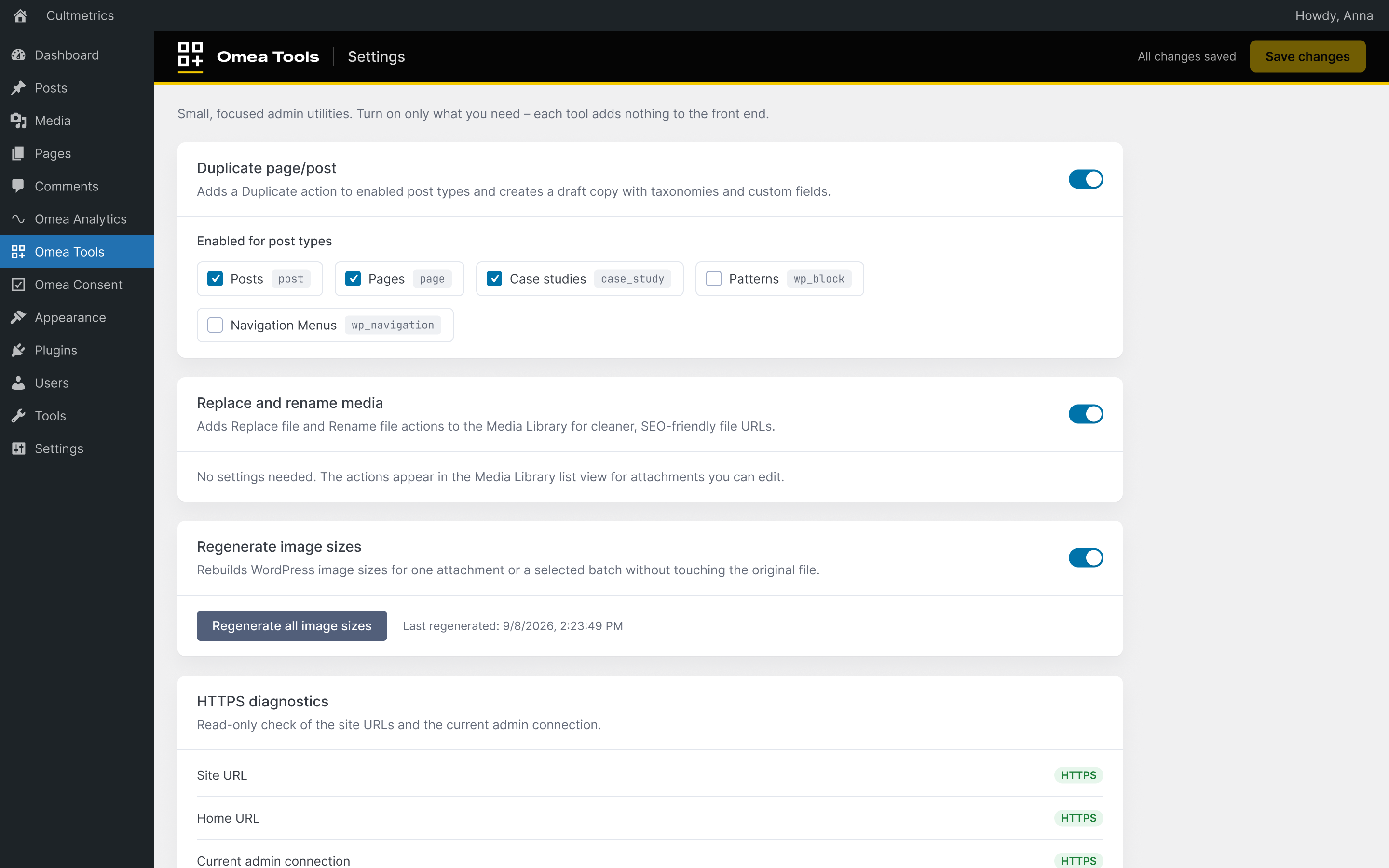
- Toggleable feature cards in the Omea Tools admin page.
- Duplicate posts and pages, with selectable post type support.
- Replace attachment files from the Media Library.
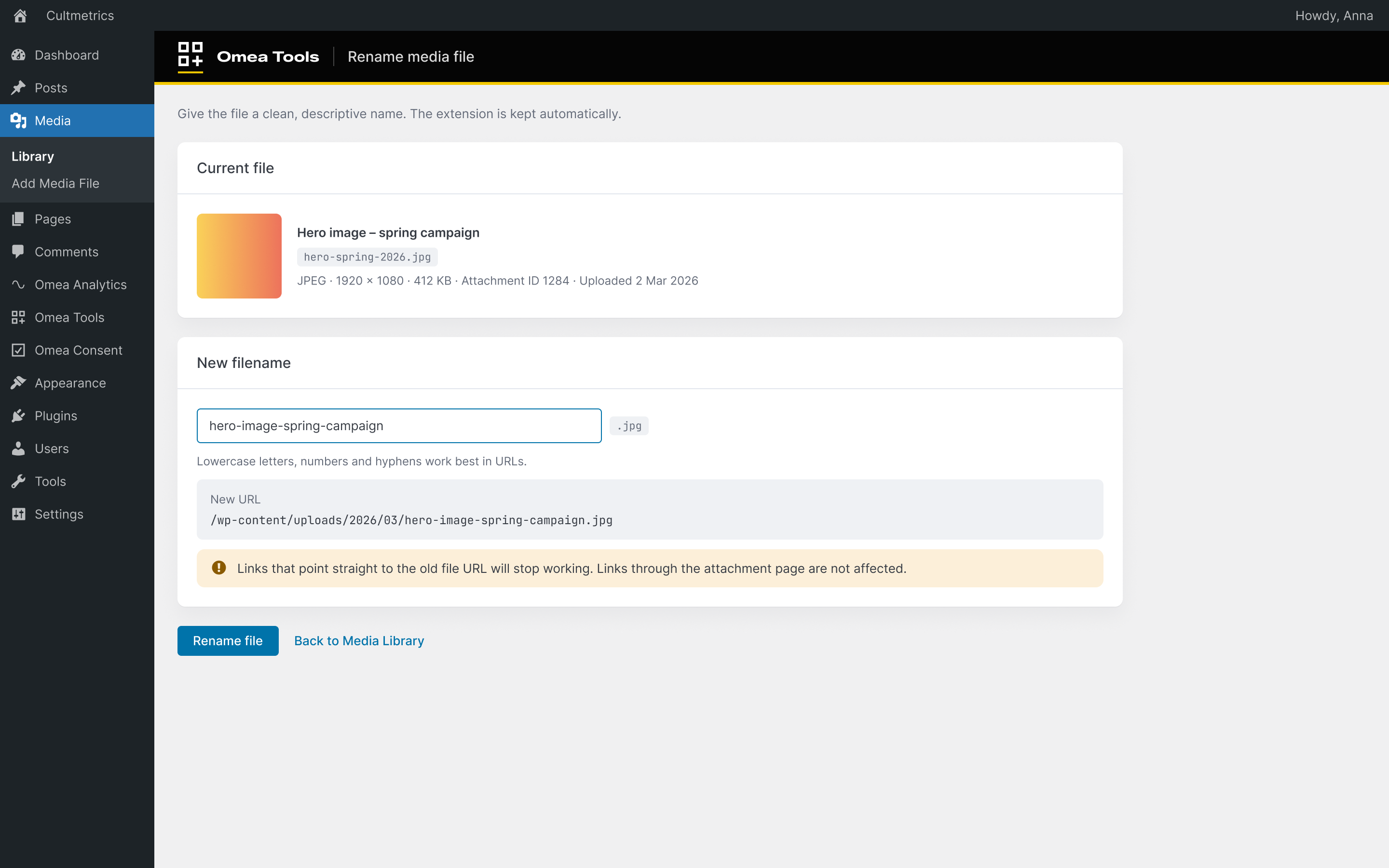
- Rename attachment files for cleaner SEO-friendly filenames.
- Regenerate WordPress image sizes for individual images or selected Media Library batches.
- Read-only HTTPS diagnostics with a link to WordPress Site Health.
عکسهای صفحه
نصب
- Upload the
omea-toolsfolder to/wp-content/plugins/. - Activate the plugin through the ‘Plugins’ menu in WordPress.
نقد و بررسیها
نقد و بررسیای برای این افزونه یافت نشد.
توسعه دهندگان و همکاران
“Omea Tools” نرم افزار متن باز است. افراد زیر در این افزونه مشارکت کردهاند.
مشارکت کنندگان
ترجمه “Omea Tools” به زبان شما.
علاقه مند به توسعه هستید؟
کد را مرور کنید، مخزن SVN را بررسی کنید، یا از طریق RSS در گزارش توسعه مشترک شوید.
گزارش تغییرات
0.1.0
- Initial release with duplicate content and media file tools.
0.2.0
- Added image size regeneration for individual attachments and Media Library bulk actions.
- Added read-only HTTPS diagnostics without changing WordPress URL or SSL settings.
0.3.0
- Added a background “Regenerate all image sizes” job with progress and a completion summary.
- HTTPS diagnostics are always available (read-only).
- Replace and Rename media keep Media › Library highlighted in the admin menu.
- Security hardening: nonce-checked media tool links and safer inline script data.
- Declared WP Consent API compliance – Omea Tools sets no cookies and does not track visitors.
- Refreshed admin styles: 36 px fields, no sideways scroll on mobile.