

توضیحات
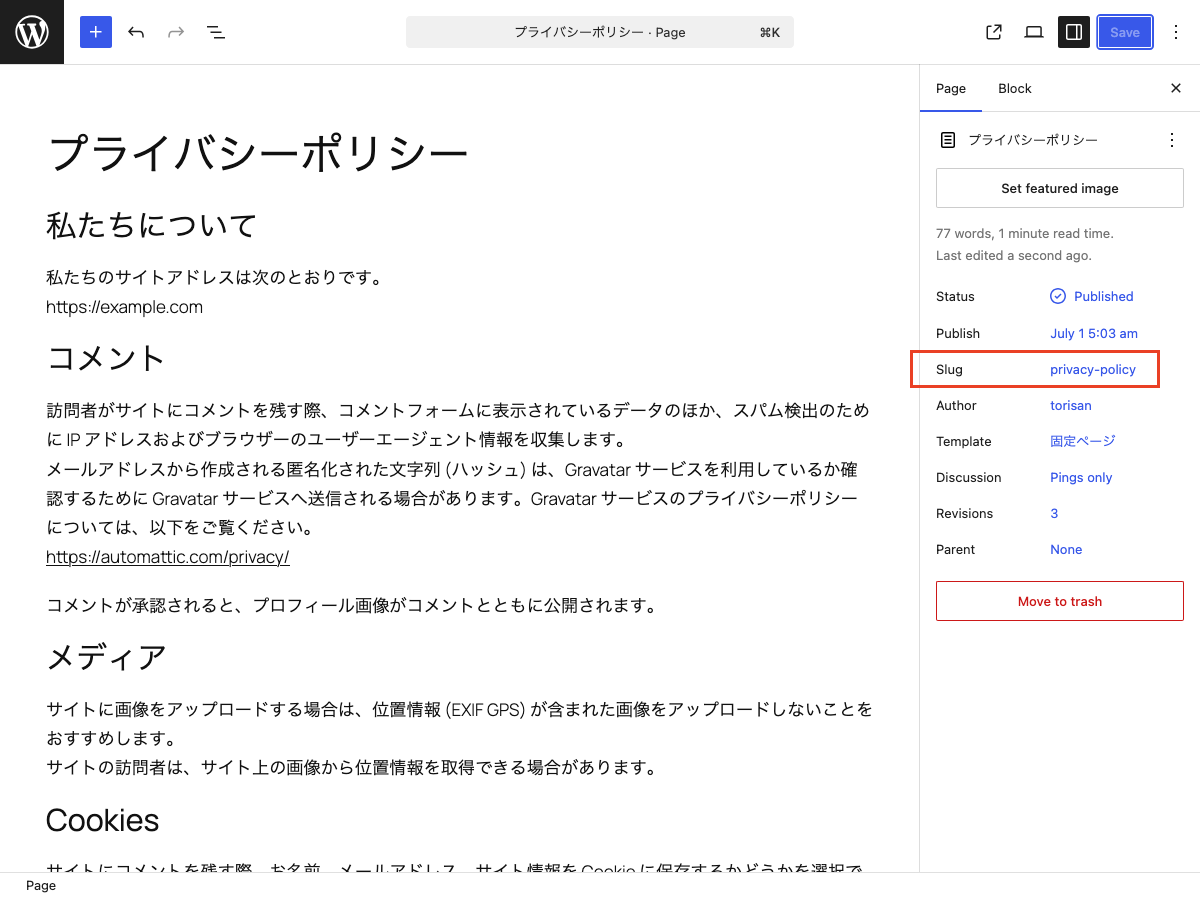
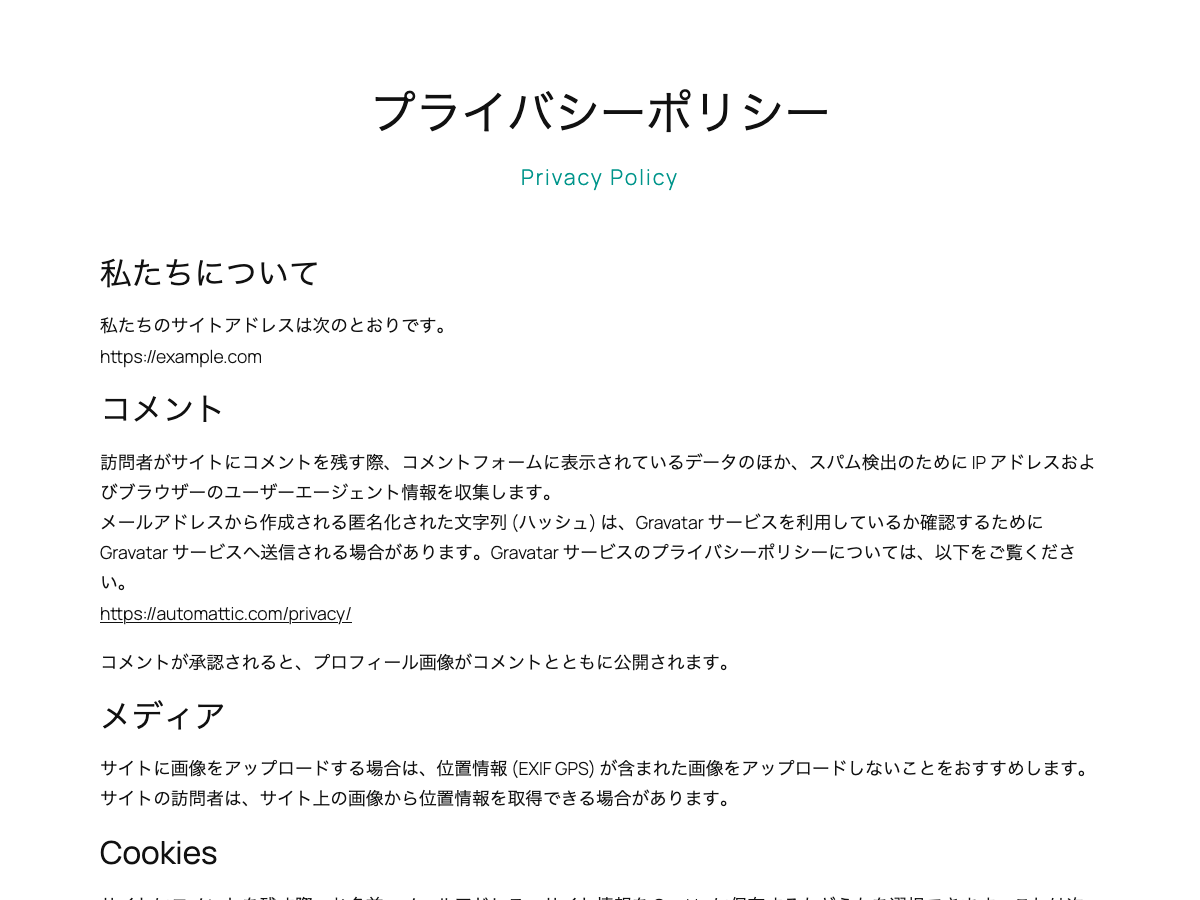
This block is designed for use in templates in the Site Editor. It displays the current post’s slug on single posts and pages. On archive pages, it displays the slug of the current category or custom post type.
Hyphens in slugs are displayed as spaces.
You can use the displayed slug as supporting text for the page title or as a design accent.
It extends the core Paragraph block, so you can use the same styling options available to Paragraph blocks.
Usage
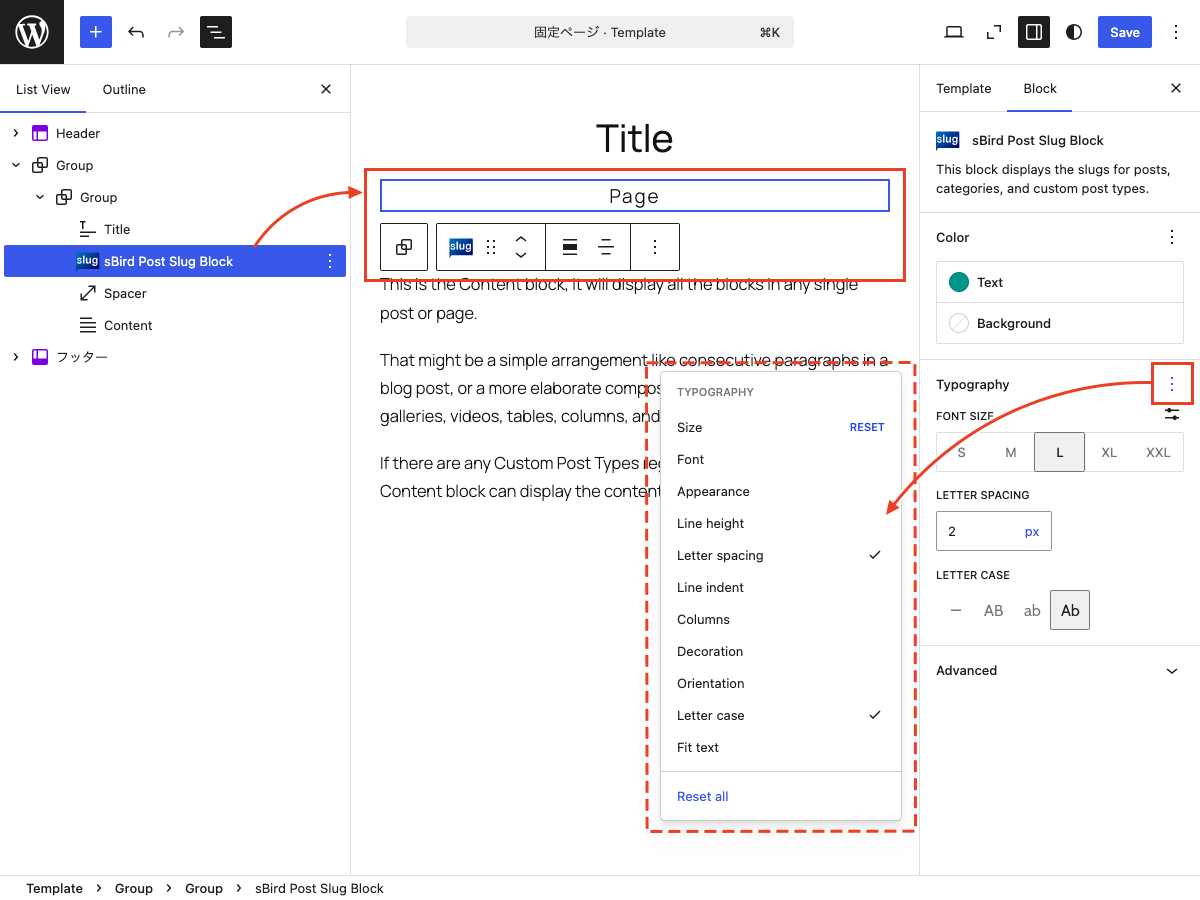
- Add the “sBird Post Slug Block” to a template in the Site Editor.
- You can use the block on single posts, pages, and archive pages.
- As with the Paragraph block, you can customize the text color, background color, font size, and typography.
عکسهای صفحه
بلوکها
این افزونه 1 بلوک ارائه میدهد.
- sBird Post Slug Block This is a block for the Site Editor that displays the slugs of posts, categories, and custom post types.
نصب
- Upload the plugin files to the /wp-content/plugins/sbird-post-slug-block directory, or install the plugin through the WordPress plugins screen directly.
- Activate the plugin through the ‘Plugins’ menu in WordPress.
- Use the site editor to add “sBird Post Slug Block” to your template.
نقد و بررسیها
نقد و بررسیای برای این افزونه یافت نشد.
توسعه دهندگان و همکاران
“sBird Post Slug Block” نرم افزار متن باز است. افراد زیر در این افزونه مشارکت کردهاند.
مشارکت کنندگان
“sBird Post Slug Block” به 1 زبان ترجمه شده است. با تشکر از مترجمین برای همکاری و کمکهایشان.
ترجمه “sBird Post Slug Block” به زبان شما.
علاقه مند به توسعه هستید؟
کد را مرور کنید، مخزن SVN را بررسی کنید، یا از طریق RSS در گزارش توسعه مشترک شوید.
گزارش تغییرات
1.1.2
- Tested with WordPress 7.1.
1.1.1
- Added nowrap styling.
1.1
- Added margin and padding controls.
1.0
- Hello, world!