
توضیحات
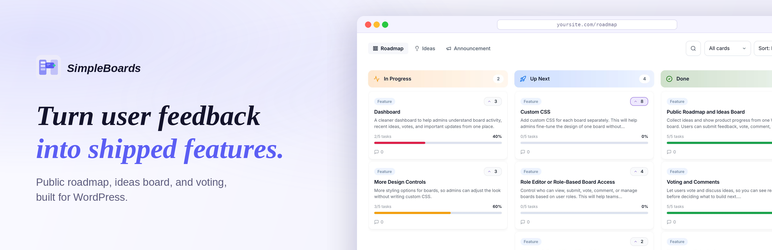
SimpleBoards is the WordPress roadmap and feedback plugin that puts your public roadmap, ideas board, and feature voting on your own domain instead of a separate SaaS subdomain. Visitors submit feature requests, vote on what they want most, and watch roadmap items move from Up Next through In Progress to Released. Every idea, vote, comment, and notification email lives in your own WordPress database, indexable by search engines, with no monthly subscription and no third party reading your customer feedback. If you have wanted a product roadmap and feature request board that actually belongs to you, this is the roadmap and feedback plugin for WordPress that gives you one.
Try the live demo | Documentation | Get Pro | Contact | Roadmap
SimpleBoards is a self-hosted LoopedIn and Frill alternative, built as a WordPress plugin so your roadmap and feedback board run inside the site you already own. There is no separate login, no SSO to configure, and no data leaving your server.
A public roadmap and feedback board on your own domain
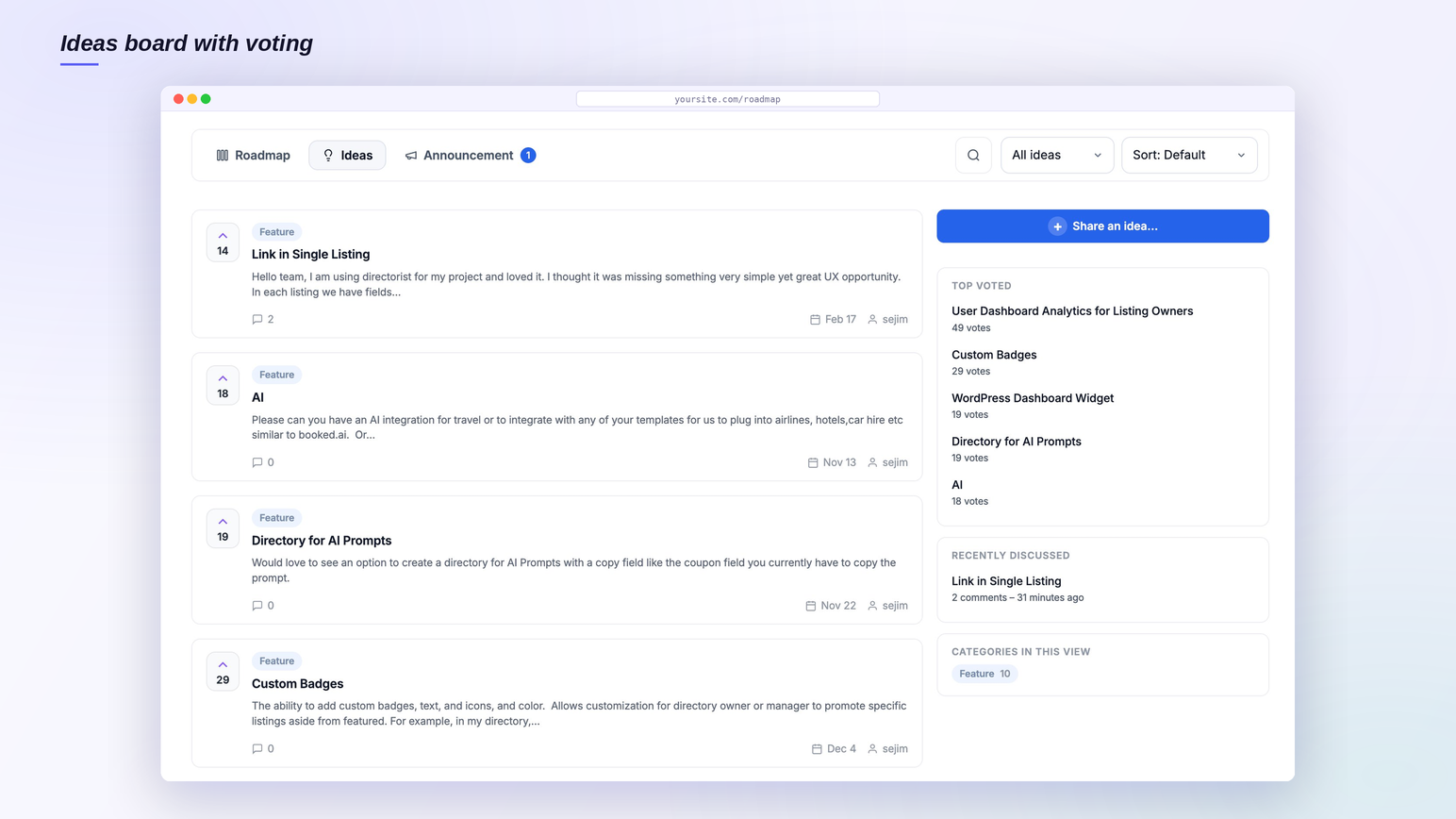
Most product feedback tools host your public roadmap on their subdomain, on their infrastructure, behind their branding. SimpleBoards flips that. Your public roadmap, your ideas board, and your feature voting all render natively inside your WordPress theme, on a /roadmap page or any page you choose. Because the board is real content on your own domain, search engines can index every feature request and roadmap item, which brings organic traffic that a SaaS subdomain never sends to you. Your customer feedback stays in your WordPress database where you can query it, export it, and back it up like any other content.
Collect feature requests without forcing signups
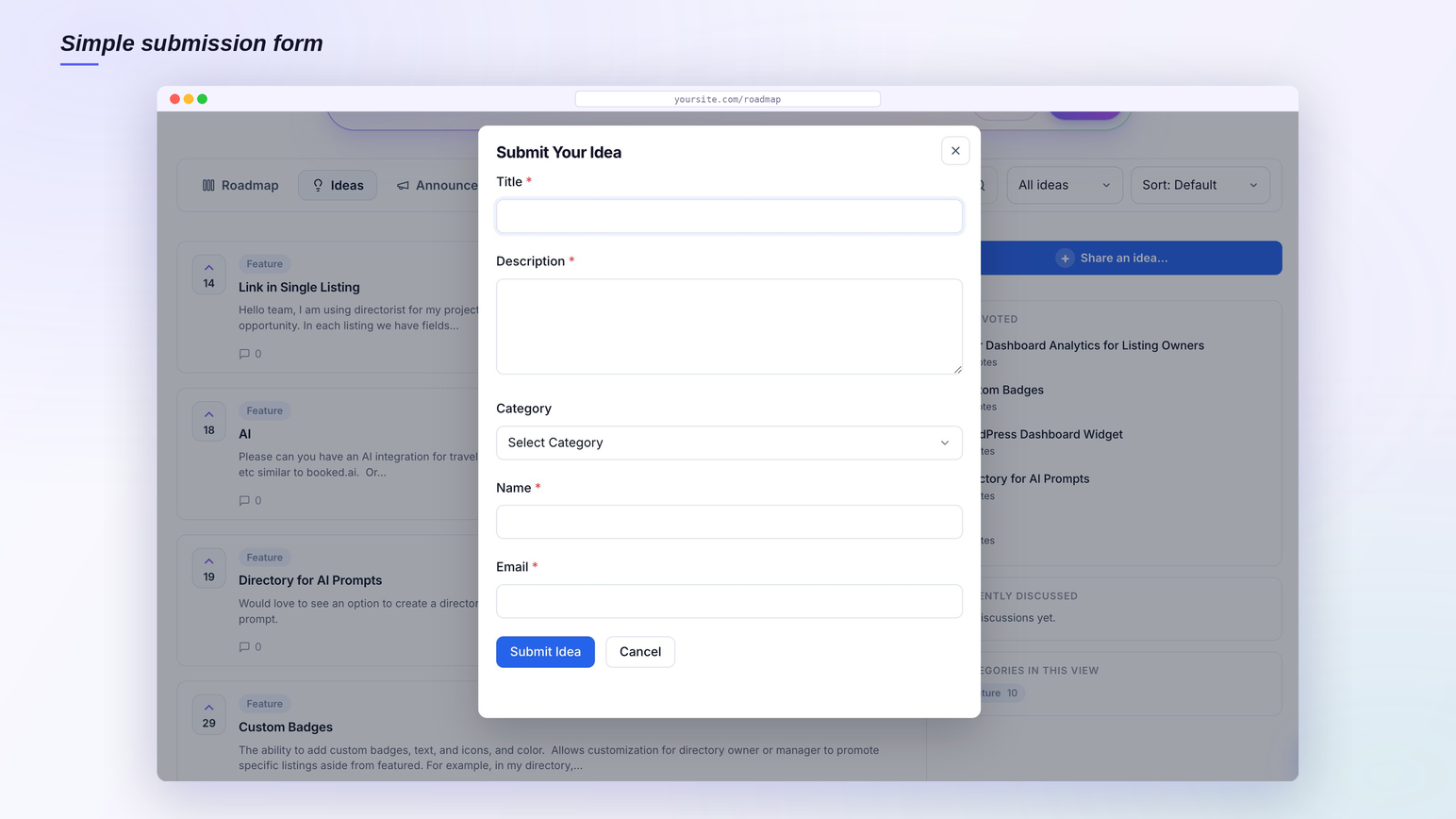
The fastest way to kill feedback is to make people create an account first. SimpleBoards lets guests submit feature requests with nothing more than a name and email, so you capture ideas from the people who would never bother registering. Logged-in users submit too, and every submission, guest or member, lands in the same moderation queue so you approve, edit, or reject feature requests from the WordPress admin before they go public. Built-in spam protection keeps that queue clean with a hidden honeypot, a timing check, and a per-visitor hourly limit, all without showing your visitors a captcha.
Feature voting that drives real decisions
Every idea and roadmap item gets feature voting, so you build what people actually want instead of guessing. Sort by most voted, filter by category or status, and put your effort where the demand is loudest. Feature voting works for both logged-in users and guests, with one vote per identifier enforced at the database level, so the numbers you act on are real. Threaded comments on every item turn a flat request list into a conversation, and the top voted sidebar surfaces your highest-demand feature requests at a glance.
A kanban product roadmap your users can follow
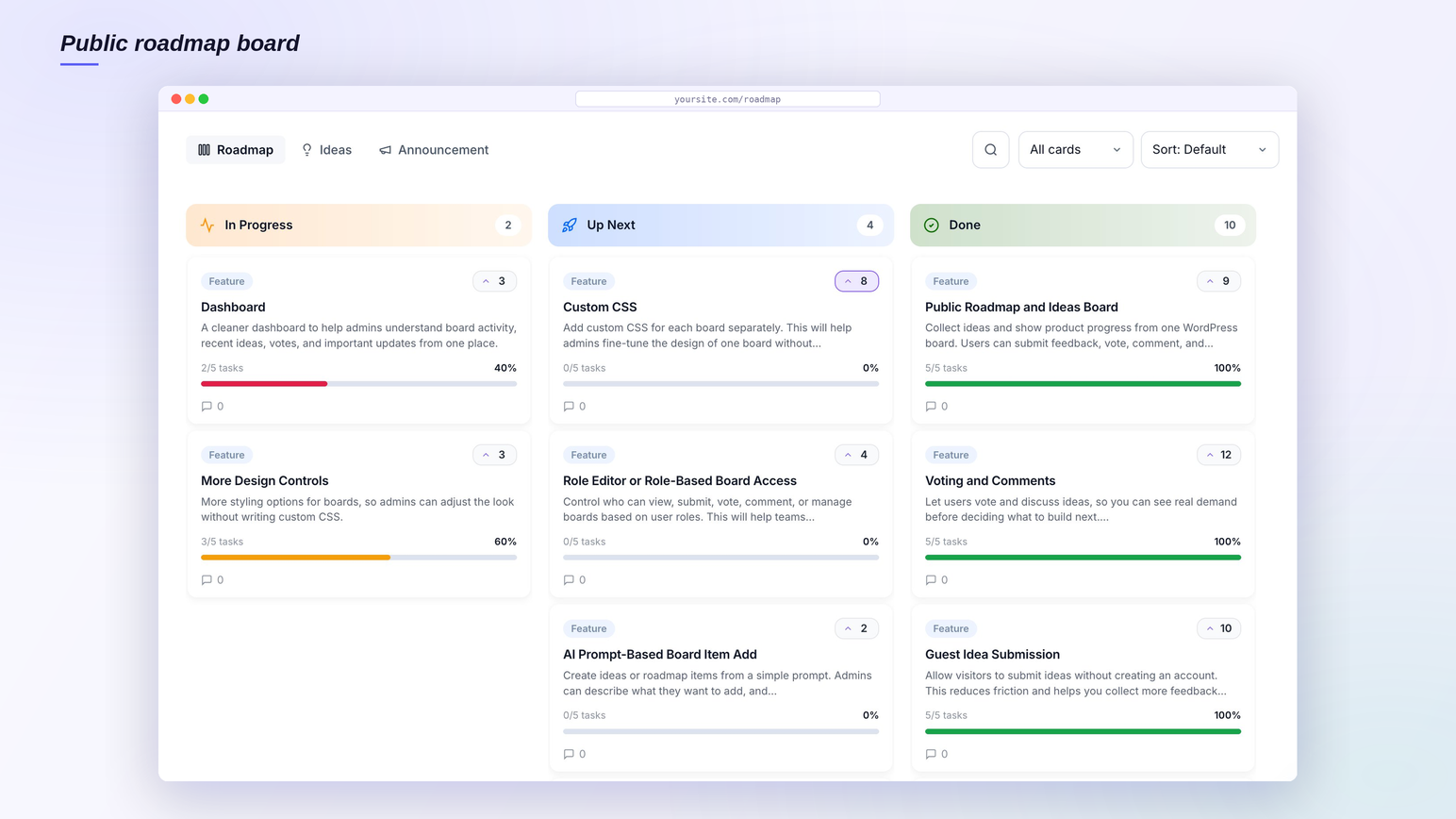
The roadmap is a kanban board. Status columns such as Up Next, In Progress, and Released, or any columns you name, show progress so users stop emailing to ask what is happening. Drag and drop reordering, color coded statuses, and a Release stage flag for shipped work keep the product roadmap readable at a glance. Because the kanban roadmap is public, it doubles as an expectation-setting tool: customers see what is planned, what is being built, and what already shipped, which cuts support load and duplicate feature requests.
Rename the Roadmap and Ideas tabs to match your site
Not every team calls it a “roadmap” and an “ideas board.” SimpleBoards lets you rename the Roadmap and Ideas tabs, per board, to anything that fits your site, for example Tasks, Scheduled, Suggestions, or Requests. The new name shows everywhere on the board: the tabs, the search box, the filters, and the item view, plus the WordPress admin, so the board speaks your language instead of the plugin’s. The page URL follows the name too. Rename Roadmap to Tasks and the page becomes /tasks/ automatically, while your old /roadmap/ links keep working and redirect to the new address, so nothing you have shared or that Google has indexed ever breaks. It is a per-board setting, so different boards on the same site can use different names.
Turn your ideas board into a public changelog
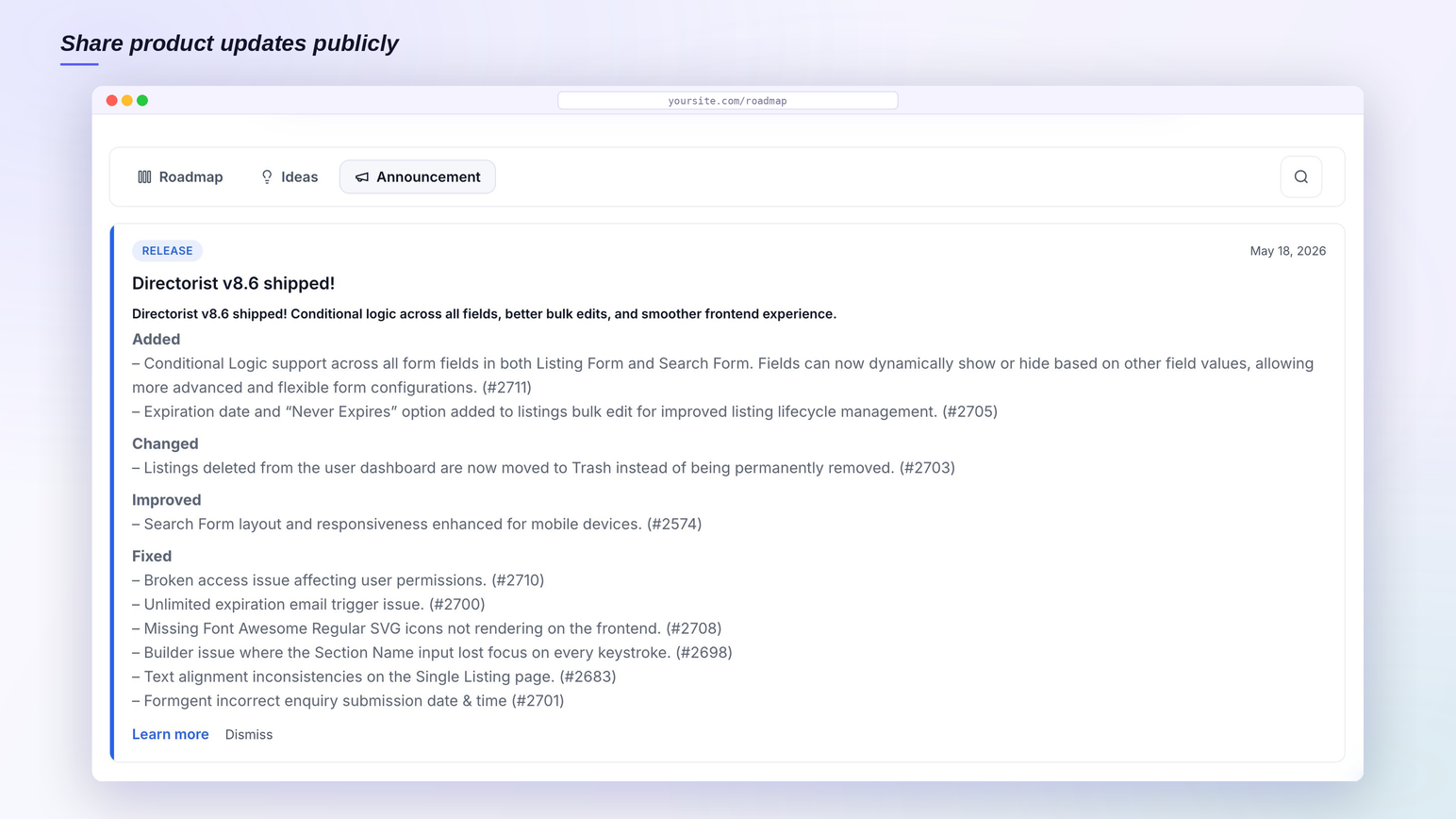
Shipping is only half the value. SimpleBoards lets you move a roadmap item to Released and show it as done, so your ideas board becomes a living changelog your users can follow. With the Pro add-on you can add a dedicated Announcements tab and widget that publishes release notes as a proper changelog, complete with unread badges and dismissible cards, so the people who requested a feature find out the moment it ships.
A self-hosted LoopedIn and Frill alternative
If you are paying a monthly subscription for LoopedIn, Frill, or a similar SaaS feedback tool, SimpleBoards runs the same workflow, public roadmap, ideas board, feature requests, and feature voting, inside your own WordPress site with no recurring fee. You already pay for hosting and you already have an audience, so paying $30 to $400 a month to host your public roadmap on someone else’s subdomain is money you can keep. SimpleBoards ships a LoopedIn CSV importer so you can migrate your existing feedback, titles, descriptions, statuses, dates, and vote counts, without starting over. The plugin is GPL licensed, so you can modify, extend, or audit it whenever you want.
Who SimpleBoards is built for
- WordPress plugin and theme authors collecting feature requests from real users.
- Service providers and freelancers who want a roadmap and feedback board clients can follow.
- Agencies sharing roadmap visibility with clients in a portal they already own.
- Education sites and course platforms turning student and member ideas into shipped features.
- Membership and community sites collecting customer feedback in one place.
- Internal product teams running roadmap planning inside the WordPress admin.
Free features
- Public roadmap and ideas board, on the same page or split across two pages.
- Rename the Roadmap and Ideas tabs per board to any label, such as Tasks or Suggestions, with the page URL updating to match and old links redirecting.
- Feature voting and threaded comments on every roadmap item and feature request.
- Guest submissions and guest voting without forcing visitors to register.
- Built-in spam protection with a honeypot, a timing check, and a per-visitor hourly limit, and no captcha.
- Search, filter, and sort on both the ideas board and the roadmap views, toggleable per board.
- Custom statuses and categories with colors, plus a Release stage flag for shipped work.
- Moderation tools to bulk edit, reject, or publish feature requests from the WordPress admin.
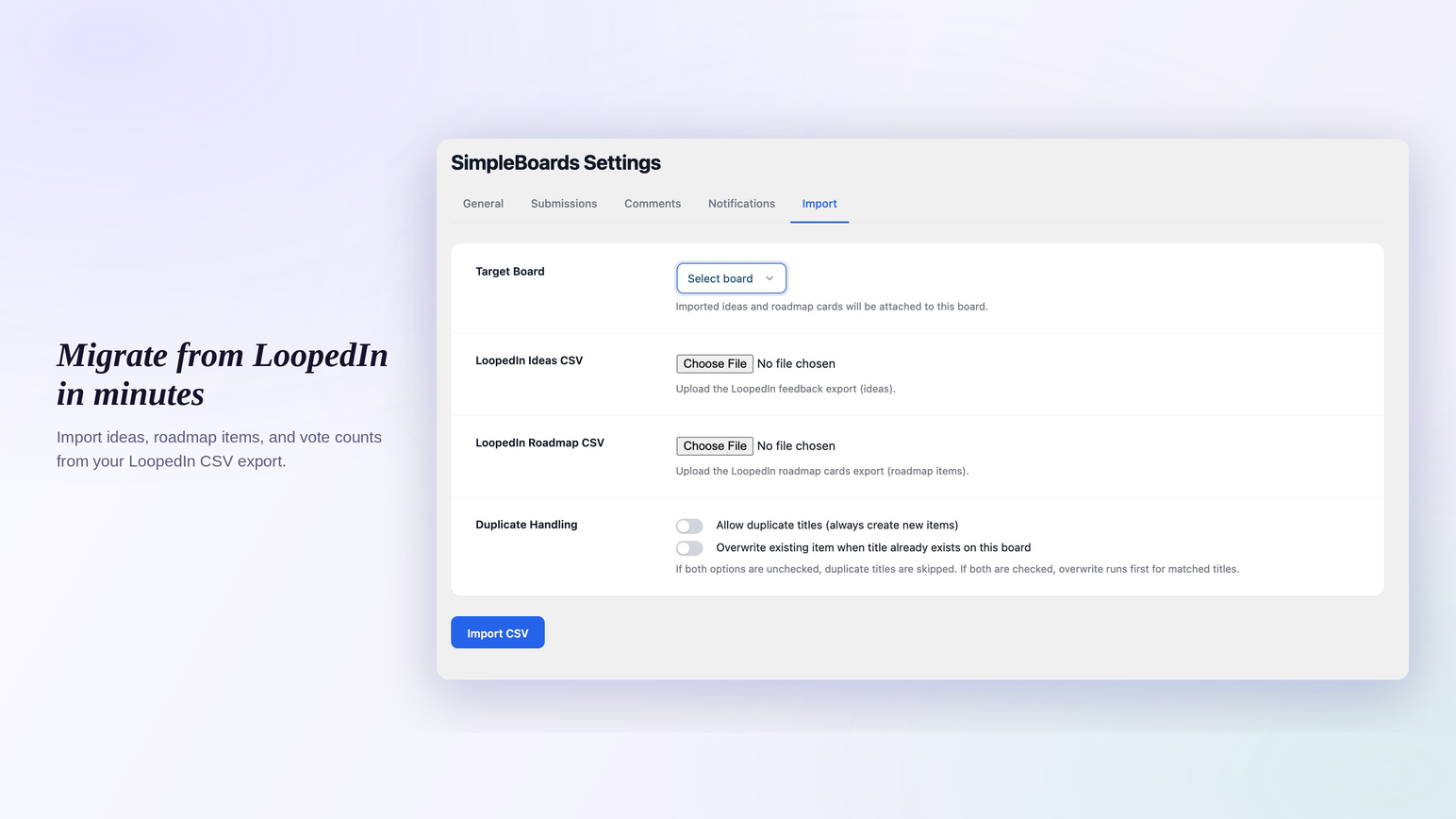
- LoopedIn CSV importer with vote counts and duplicate handling.
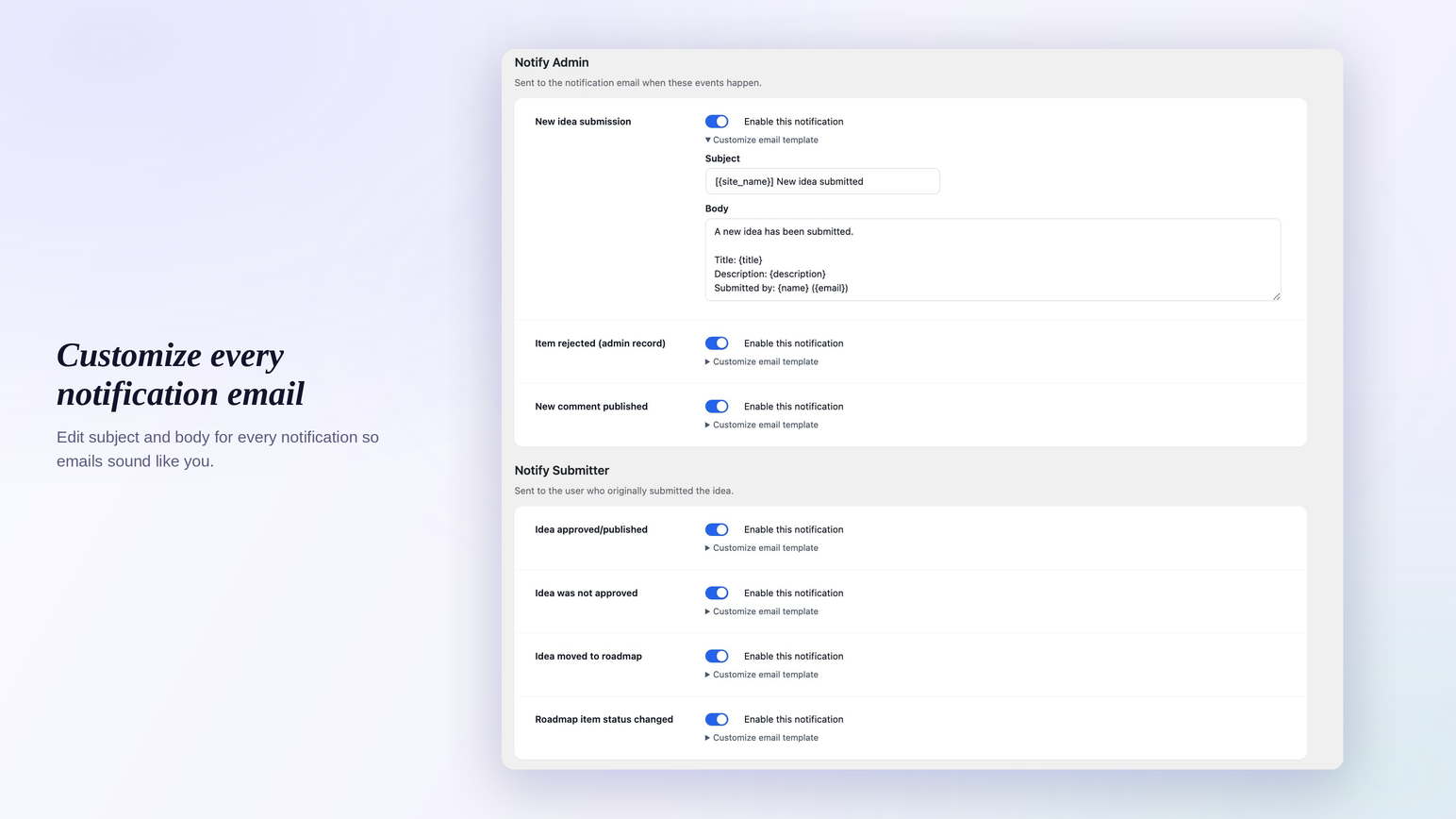
- Editable email notification templates and submission button text to match your brand.
- Per-item subscriptions with one-click unsubscribe links.
- Pretty permalinks and a
[sbir_board product="board-slug"]shortcode for any page or post. - Theme-resilient public CSS so the roadmap and feedback board stays predictable across themes.
Pro add-on
SimpleBoards Pro adds the things teams ask for after their first month of running a public roadmap:
- Private boards. Restrict a board by role so internal roadmap planning stays internal.
- Announcements and changelog. Publish release notes as a changelog with unread badges and dismissible cards.
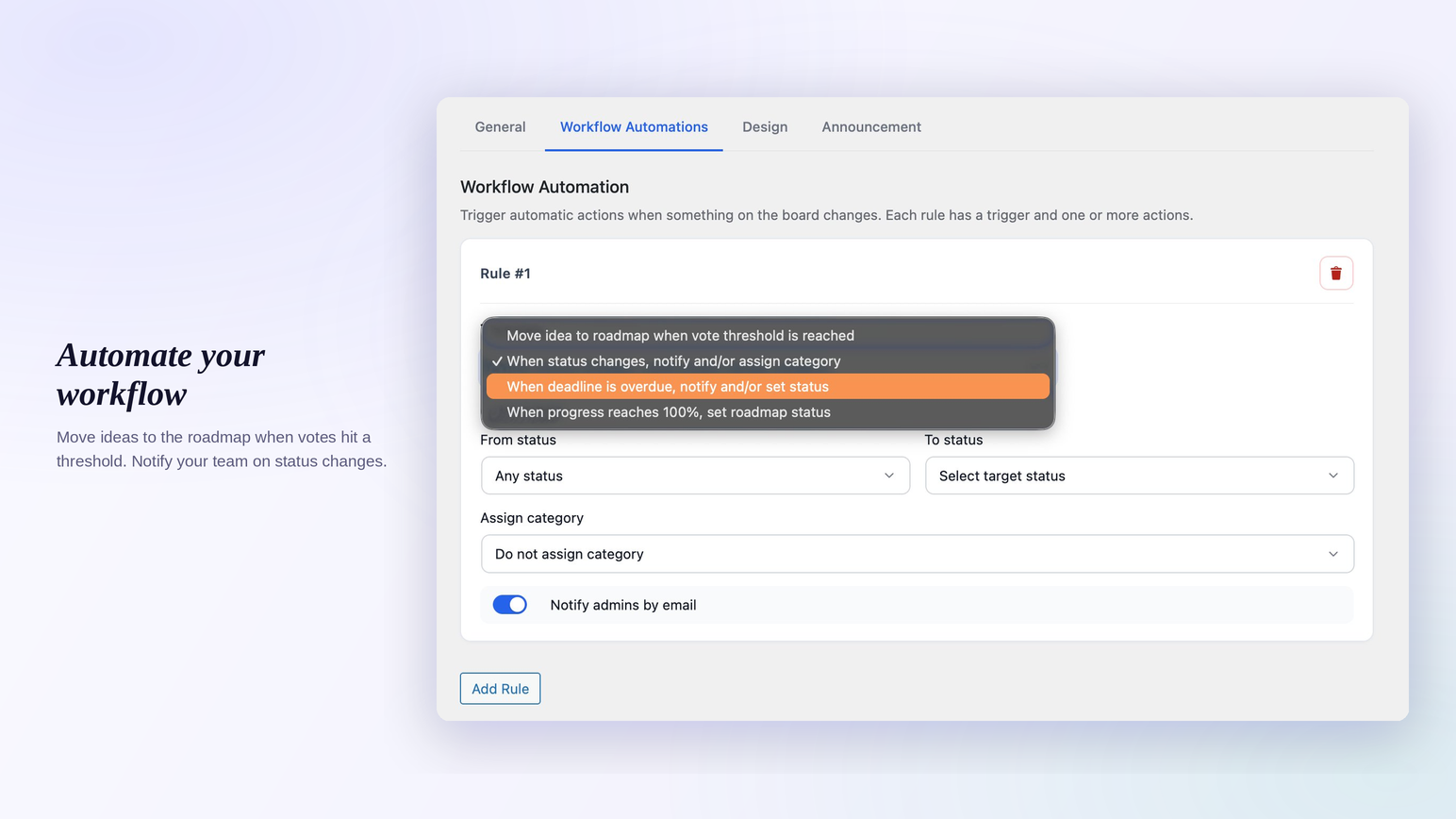
- Workflow automation. Auto-promote a feature request when a vote threshold is hit, auto-change status when a checklist finishes, and notify by email when a roadmap item goes overdue.
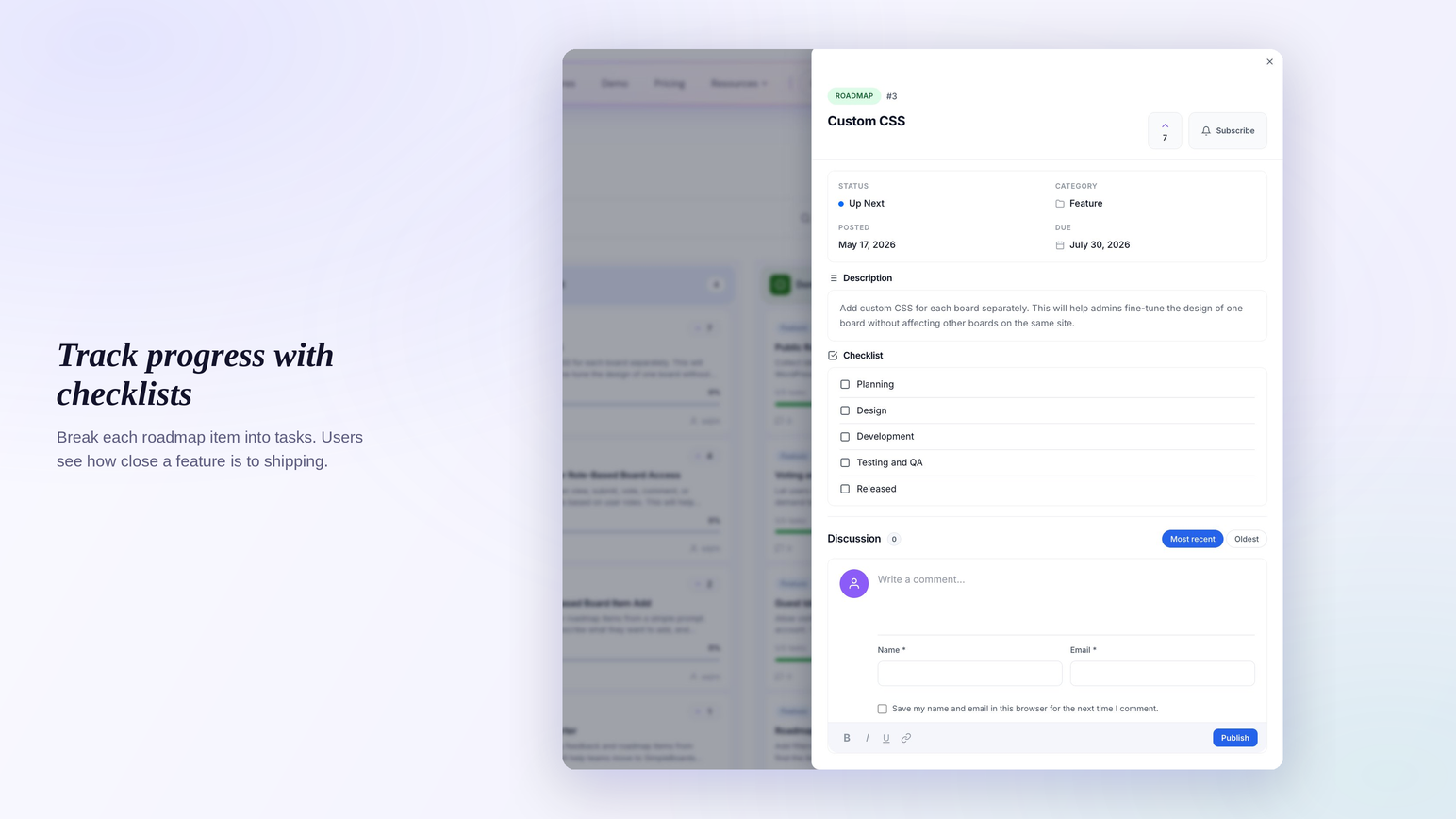
- Checklist progress on cards. Track sub-tasks on roadmap items with a visible progress bar.
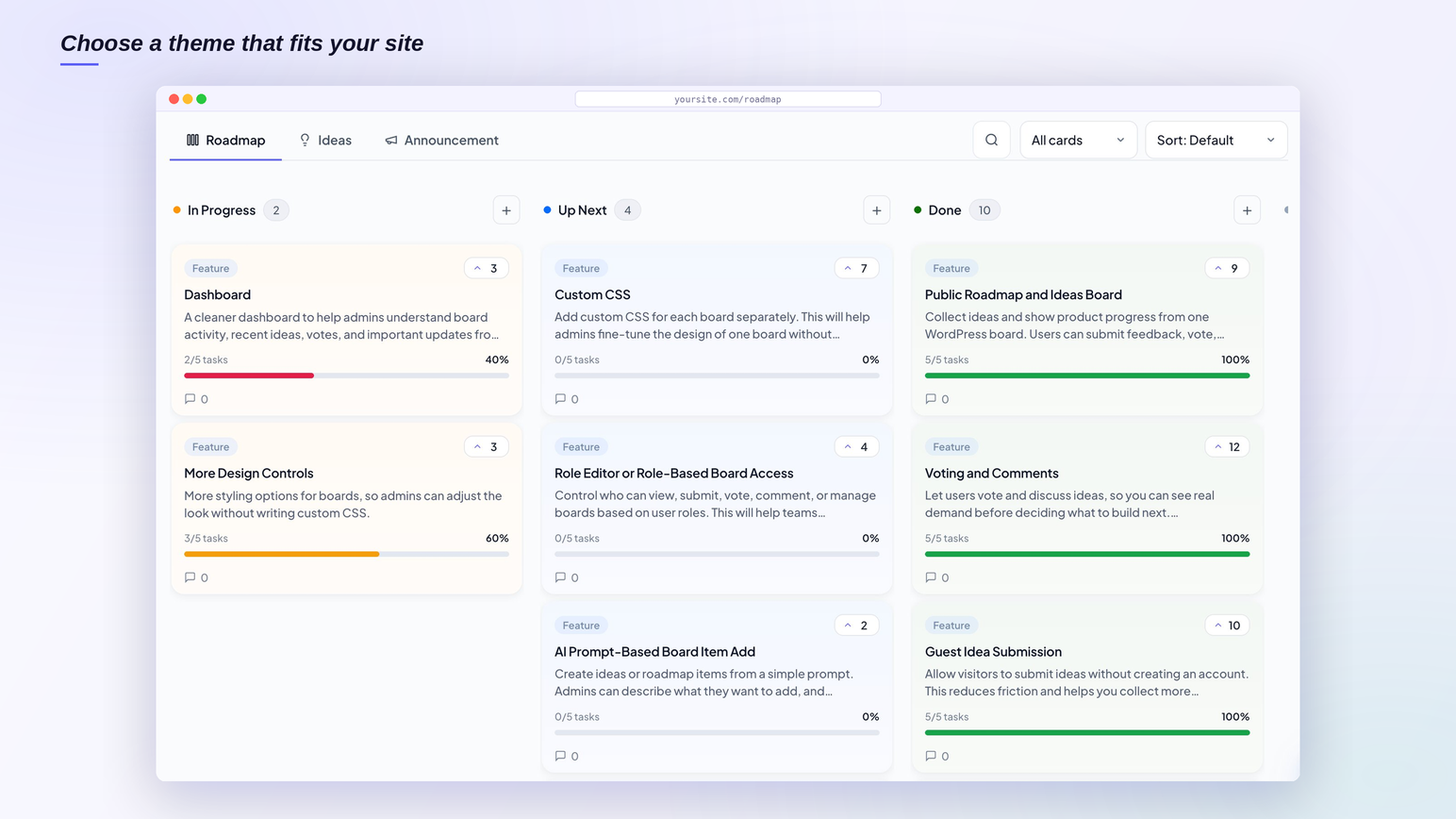
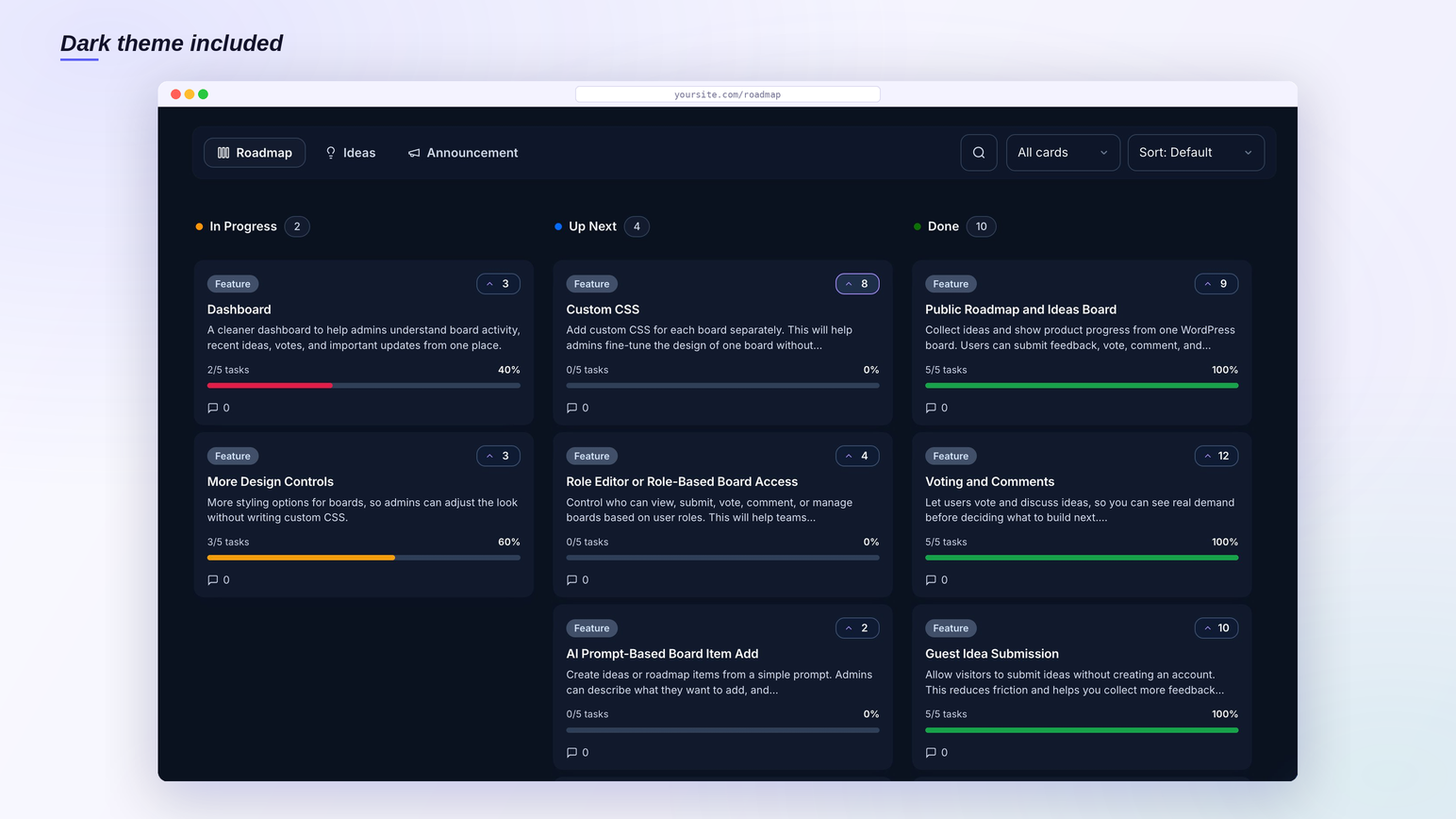
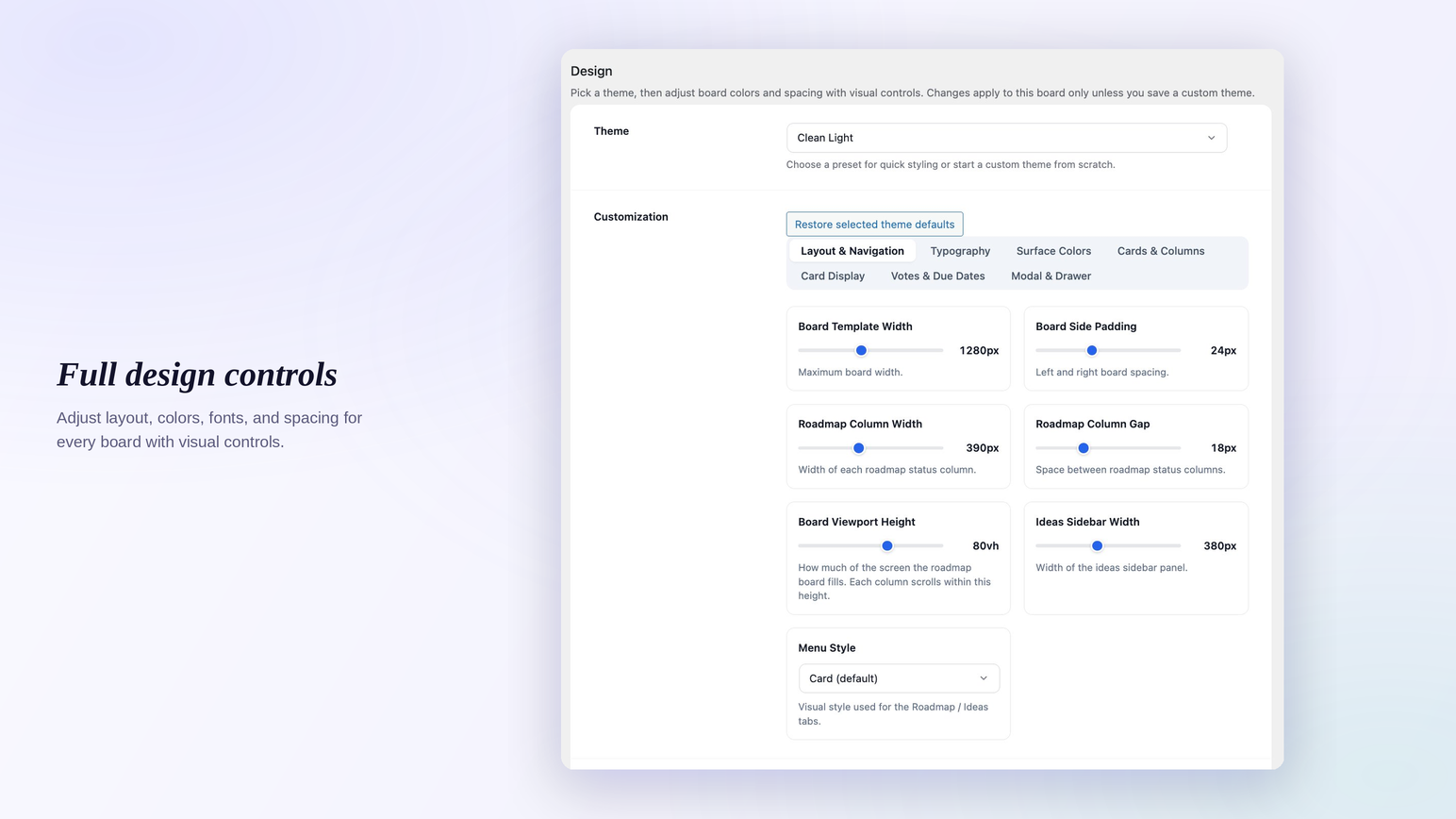
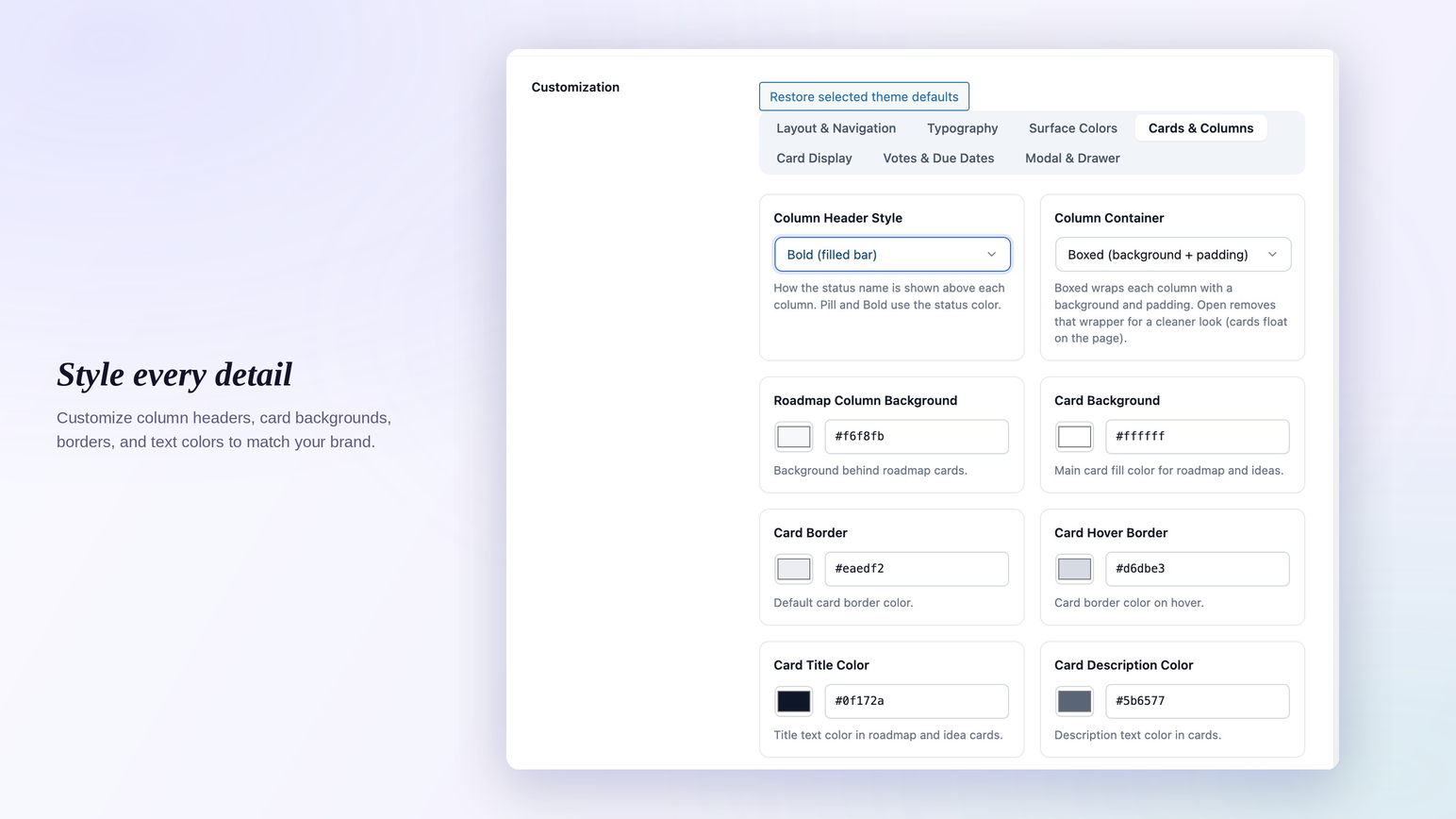
- Design controls. Layout, colors, typography, and preset themes (Clean Light, Midnight Glass, Pulse) without writing CSS. Saved presets reuse a design across boards.
- Custom CSS. Style any board with your own CSS from the Design tab. It is scoped safely to the board, so your rules never leak into the rest of your site. Write per-board CSS or global CSS that applies everywhere.
- Outgoing webhooks. Send board activity to Discord, Slack, Microsoft Teams, make.com, Zapier, or any URL when an item ships, a status changes, or a new idea comes in. Post straight into a chat channel or feed an automation tool, with signed delivery, retries, and a delivery log.
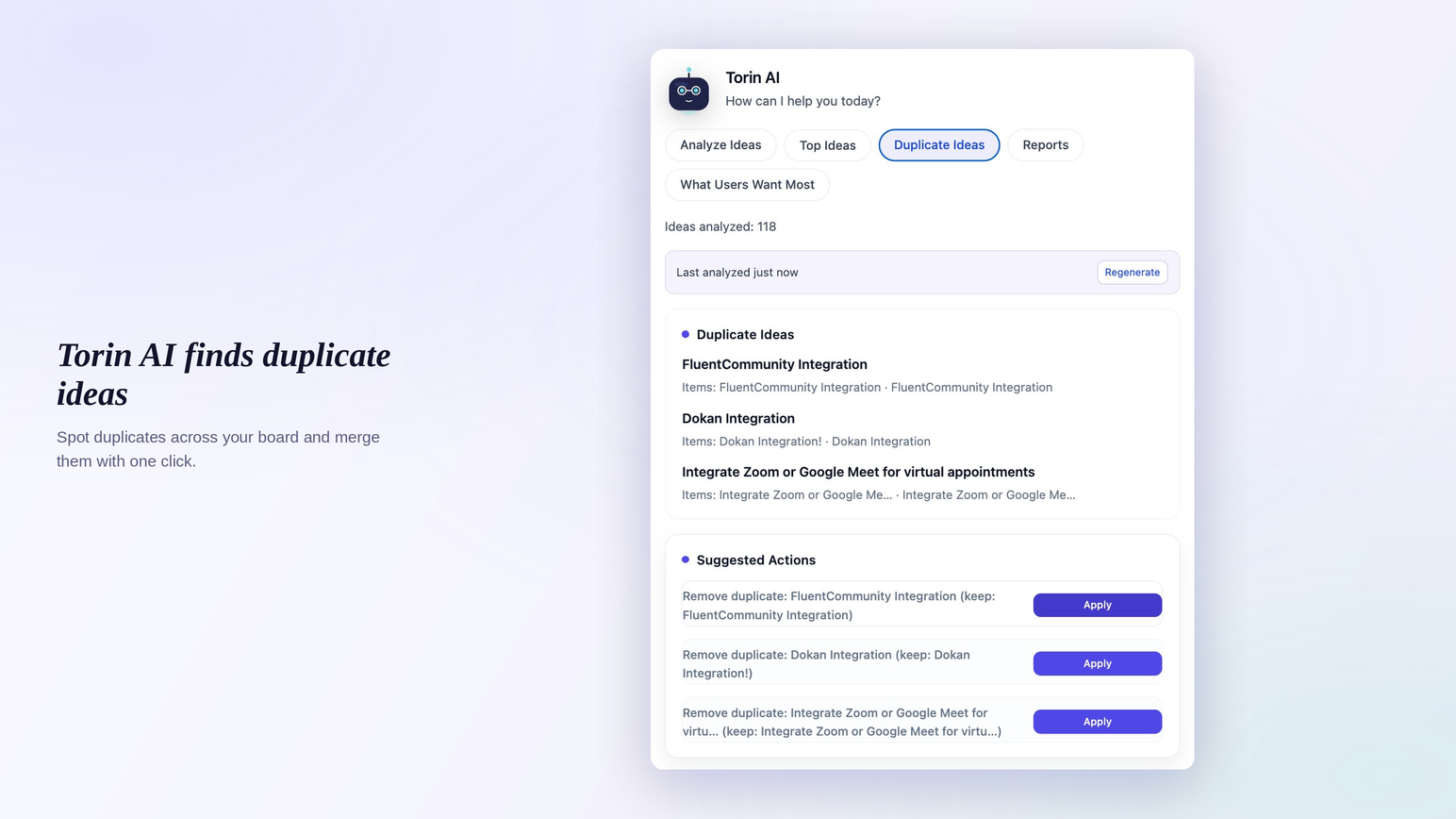
- Torin AI assistant. Analyze incoming feature requests by intent, find duplicate ideas, and suggest the next action.
Common use cases
- Replacing a paid LoopedIn or Frill subscription with a self-hosted feature request board you fully control.
- Adding a public roadmap to a WordPress plugin or theme’s own site on a
/roadmappage. - Running a feature requests portal on a product or service marketing site.
- Sharing roadmap visibility with agency clients without giving them admin access.
- Collecting customer feedback on a membership site, course platform, or education site.
Privacy Policy
Roadmap and Feedback Plugin for WordPress – SimpleBoards uses the Appsero SDK to collect some telemetry data upon the user’s confirmation. This helps us to troubleshoot problems faster and make product improvements.
Appsero SDK does not gather any data by default. The SDK only starts gathering basic telemetry data when a user allows it via the admin notice. We collect the data to ensure a great user experience for all our users.
Integrating Appsero SDK DOES NOT IMMEDIATELY start gathering data, without confirmation from users in any case.
Learn more about how Appsero collects and uses this data.
More info, live demo, and support: simpleboardswp.com. Email: contact@simpleboardswp.com
عکسهای صفحه

نصب
- Upload the
simpleboards-roadmapfolder to/wp-content/plugins/, or install via Plugins > Add New > Upload Plugin. - Activate SimpleBoards in your Plugins list.
- Go to SimpleBoards > Boards and create your first roadmap and feedback board.
- Add
[sbir_board product="your-board-slug"]to any page or post. - Publish the page. Visitors can submit feature requests and vote right away.
For step-by-step setup with screenshots, see the SimpleBoards documentation.
سوالات متداول
-
How do I add a public roadmap to my WordPress site?
-
Create a board in SimpleBoards > Boards, then place
[sbir_board product="board-slug"]on any page or post, replacingboard-slugwith your board’s slug. That renders the full public roadmap and ideas board inside your theme. You can run separate boards for different products and reuse a board on multiple pages. -
Is SimpleBoards a self-hosted LoopedIn and Frill alternative?
-
Yes. SimpleBoards is a self-hosted LoopedIn and Frill alternative that runs as a WordPress plugin. The free plugin covers a public ideas board, feature voting, threaded comments, and a kanban roadmap. The Pro add-on covers announcements, workflow automation, and design controls that competing SaaS feedback tools charge $30 to $300 a month for. If you need enterprise SSO or multi-team workspaces, those tools still have an edge; for everyone else, SimpleBoards replaces the subscription cleanly.
-
Can people submit feature requests without logging in?
-
Yes. Enable Allow guest submissions in SimpleBoards > Settings. Guests provide a name and email, and their feature requests land in the same moderation queue as logged-in submissions for you to approve or reject. Built-in spam protection keeps the queue clean without showing visitors a captcha.
-
Can users filter, sort, and vote on ideas?
-
Yes. Filter the ideas board by category or status, and sort by newest, oldest, or most voted. Feature voting works for logged-in users and guests, with one vote per identifier enforced at the database level. Filter and sort controls can be shown or hidden per board.
-
Can one board show both a roadmap and an ideas board?
-
Yes. Each board can show the roadmap tab, the ideas board tab, or both. Per-board settings control which view appears by default and whether filter and sort controls show on each tab, so one board can act as a public roadmap, a feature request board, or both at once.
-
Can I rename the Roadmap and Ideas tabs?
-
Yes. Each board has a setting to rename the Roadmap tab and the Ideas tab to anything you want, for example Tasks, Scheduled, Suggestions, or Requests. The new label appears on the tabs, the search box, the filters, the item view, and the WordPress admin. The page URL updates to match the new name, and the old /roadmap/ and /ideas/ addresses keep working and redirect to it, so shared and indexed links never break. It is a per-board setting, so different boards can use different names.
-
Can I import existing feedback from LoopedIn?
-
Yes. The Settings > Import screen accepts LoopedIn CSV exports and preserves titles, descriptions, statuses, dates, and vote counts, so migrating your feature requests does not mean starting over. Choose whether to allow duplicate titles or overwrite existing items by title. You can also set a total vote count directly on the item edit screen when you are migrating aggregate numbers.
-
Are there email notifications for new feature requests and status changes?
-
Yes. Admins can be notified of new feature requests, and submitters can subscribe to per-item status updates with one-click unsubscribe. Email subject lines and bodies are editable in Settings > Emails, so your notifications match your brand voice and language.
-
Will it conflict with my theme?
-
The public CSS is scoped and uses CSS custom properties, so theme styles cannot override the board’s layout or contrast by accident. The roadmap and feedback board is tested on Twenty Twenty-X, Astra, Kadence, GeneratePress, and Blocksy. If you hit a theme conflict, contact support and we will look at it.
-
Will it slow down my site?
-
No. The plugin uses prepared SQL with proper indexes, batched meta priming, and an object-cache layer for vote counts. Boards with thousands of feature requests stay responsive, and no external HTTP requests happen during page render.
-
Is there a Pro version with workflow automation?
-
Yes. Pro adds private boards, announcements, workflow automation, design controls, custom CSS, outgoing webhooks, checklist progress, and the Torin AI assistant. Workflow automation auto-promotes a feature request when a vote threshold is hit, changes status when a checklist finishes, and sends overdue notifications by email. Outgoing webhooks post board activity to Discord, Slack, Microsoft Teams, make.com, or Zapier when an item ships or a status changes. See the pricing page for details.
نقد و بررسیها

توسعه دهندگان و همکاران
“Roadmap and Feedback Plugin for WordPress – SimpleBoards” نرم افزار متن باز است. افراد زیر در این افزونه مشارکت کردهاند.
مشارکت کنندگان
ترجمه “Roadmap and Feedback Plugin for WordPress – SimpleBoards” به زبان شما.
علاقه مند به توسعه هستید؟
کد را مرور کنید، مخزن SVN را بررسی کنید، یا از طریق RSS در گزارش توسعه مشترک شوید.
گزارش تغییرات
1.1.3
- Fixed: card and idea links no longer pick up a theme’s underline-on-hover, so board links stay clean and consistent. In Inherit Theme Styles mode the theme still governs link styling as intended.
- Added: the Inherit Theme Styles setting now explains what it does. It hands the board’s fonts, colors, and link styles to your theme and turns off the Pro design controls, so it is clear when to use it.
1.1.2
- Tested and confirmed compatible with WordPress 7.1.
1.1.1
- Fixed: unassigned roadmap items no longer show to visitors. The Unassigned column is a staging area for putting items together before they are ready, so it now appears only to editors, never on the public board.
1.1.0
- Added: rename the Roadmap and Ideas tabs per board. Call them “Tasks”, “Suggestions”, “Requests”, or anything that suits your site, from the board settings. The names show on the tabs, the search box, the item drawer, and in the admin.
- Added: renaming a tab also updates its URL. A board renamed to “Tasks” now uses /tasks/ in its links and item deep-links, and old /roadmap/ and /ideas/ links keep working and redirect to the new address so shared and indexed links never break.
- Fixed: on themes with a floating or detached nav that sits below the top of the page, the board no longer crowds the menu or leaves an odd gap at the top. It now starts cleanly below the nav with consistent spacing.
1.0.10
- Fixed: boards embedded with the shortcode through a page builder (Breakdance, Elementor, Bricks, Oxygen) now load their stylesheet, on the front end and inside the builder editor, so the board is styled everywhere instead of only on its own page.
- Fixed: theme and page-builder styles no longer leak into the board. Card and idea titles, tabs, sidebar widget titles, modal titles, and card text keep their intended size, weight, color, and spacing.
- Added: shortcode-embedded boards now deep-link on their own page. Opening an item or switching tabs updates the URL on the current page (for example /your-page/roadmap/item-slug/), and refresh or share reopens it, instead of jumping to the board’s own page. Degrades cleanly on Plain permalinks.
1.0.9
- Fix: on themes and page builders that run the auto-paragraph filter on shortcode output, the board no longer shows empty clickable boxes at the top of each column, and the column count badge no longer floats above the title. The board markup is now held back from wpautop so it renders exactly as intended.
1.0.8
- Added: spam protection for the public idea form. A hidden honeypot field, a timing check, and a limit of 5 submissions per hour per visitor block automated junk. Real visitors see no captcha and have nothing extra to fill in.
1.0.7
- Fix: dragging a roadmap card to a new position now sticks after you reload the page. The order is saved to the board instead of resetting.
- Fix: moving a card from one status column to another now updates the item counters on both columns right away.
- Fix: board styling no longer leaks under some themes. Links inside cards are no longer underlined or recolored, and card backgrounds are preserved.
- Added: a Dashboard overview screen is now the SimpleBoards menu landing page, showing board totals, recent ideas, top voted ideas, and items waiting for review.
1.0.6
- Added: opt-in usage telemetry via Appsero. No data is collected unless the admin clicks Allow on the in-plugin notice. Helps us troubleshoot faster and make product improvements. See the Privacy Policy in the Description for full details.
1.0.5
- Fix: deleting the plugin from WP Admin no longer shows a misleading “Deletion failed:” message. Server-side deletion was already succeeding, but trailing whitespace in
uninstall.phpcorrupted the AJAX response. Cleaned the file per WordPress coding standards.
1.0.4
- Compatibility: tested up to WordPress 7.0.
- Roadmap board: bold column-header style uses a borderless soft gradient tint; header height tightened from 56px to ~48px.
- Drag-and-drop: kanban placeholder is now consistent in size across every column.
- Search-icon button matches the border token of adjacent dropdowns for one consistent toolbar row.
1.0.3
- Settings screen: tabs switch instantly with no page reload, and a single Save Changes button commits every tab at once.
1.0.2
- Free install: “Workflow Automation” and “Design” tabs no longer appear on the board setup screen unless the Pro add-on is active (previously rendered as empty tabs).
1.0.1
- Theme compatibility: board forces its configured width without modifying theme wrappers, with specific Twenty Twenty-Five, Twenty Twenty-Four, and Astra fixes.
- Ideas sidebar is shielded from block-theme styling. Comment edit buttons inline with formatting; guest comment submission shows a dismissible confirmation banner.
1.0.0
First stable release of the SimpleBoards public roadmap, ideas board, and feature voting plugin. Includes shortcode embedding, threaded comments, per-item subscriptions, guest submissions, custom statuses and categories with colors, LoopedIn CSV import with vote counts, and theme-resilient styling.