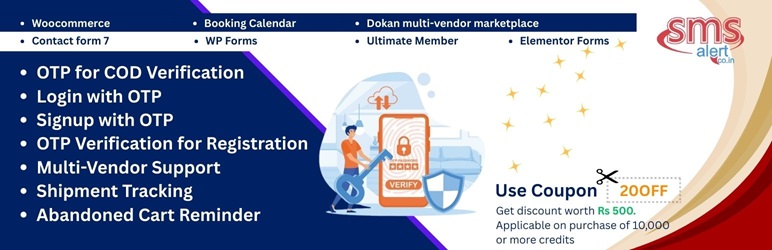

توضیحات
SMS Alert is an all-in-one SMS and OTP plugin for WooCommerce. Send automatic order status SMS to customers and admins, verify buyers with a one-time password (including OTP for Cash on Delivery orders only), let customers log in or register with OTP, recover abandoned carts by SMS, and tell shoppers when a product is back in stock.
It also works without WooCommerce: add SMS notifications and mobile number OTP verification to popular form builders, booking plugins, membership and LMS plugins.
What store owners use it for
- Reduce fake COD orders – ask for OTP verification only on Cash on Delivery orders.
- Recover lost sales – send automated abandoned cart reminder SMS.
- Keep customers informed – SMS for every order status, from new order to delivered.
- Secure logins and signups – Login with OTP, Registration with OTP and Reset Password with OTP.
- Stay on top of stock – low stock alerts for admins and back-in-stock alerts for customers.
- Run multivendor stores – notify vendors and verify their numbers at signup.
An SMS Alert account is required
This plugin sends messages through the SMS Alert SMS gateway, and it works only with that gateway. The plugin is free. SMS credits are purchased from SMS Alert. New accounts include free demo credits so you can test before buying. See the “External Services” section below for what data is sent.
Setup video
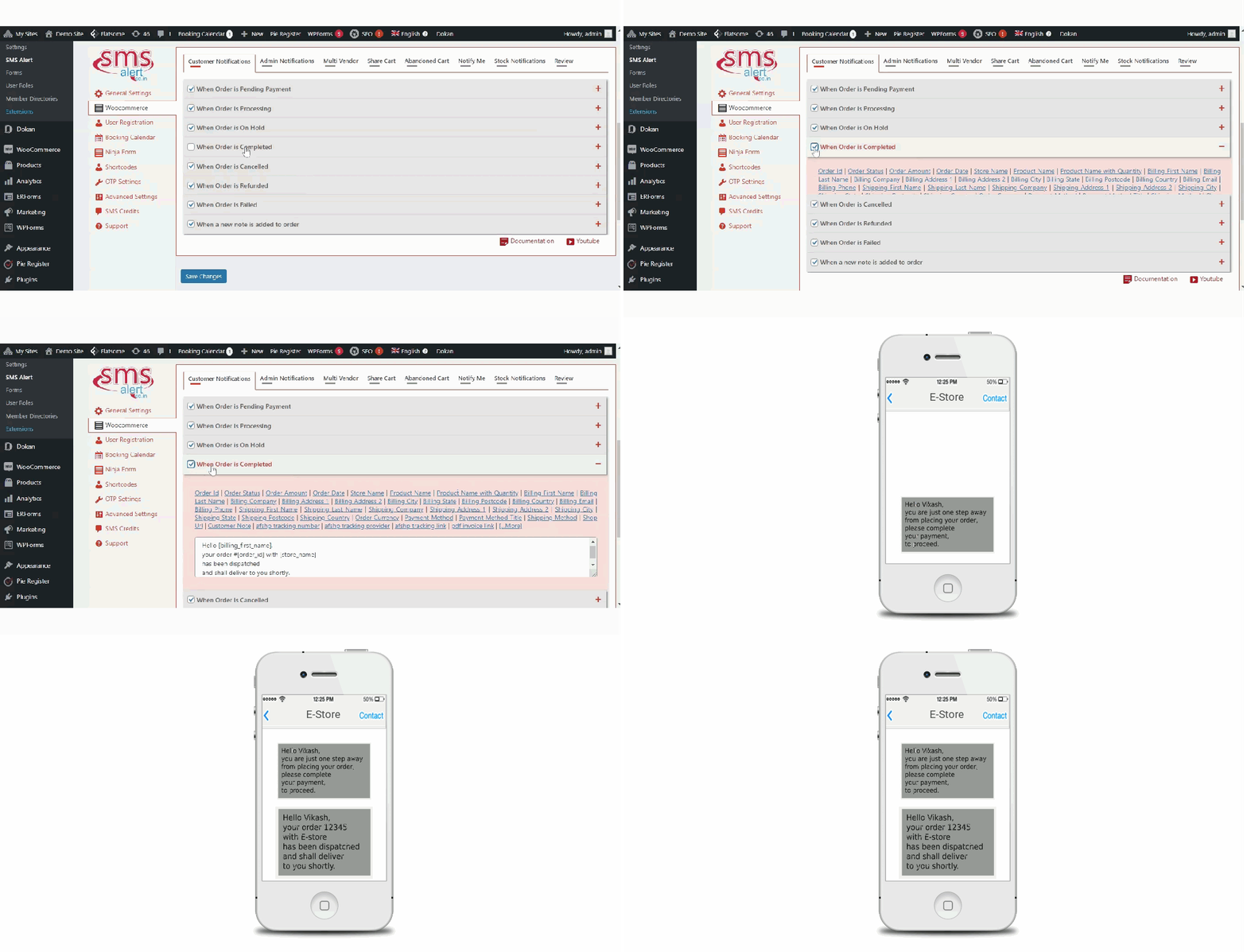
WooCommerce Order SMS Notifications
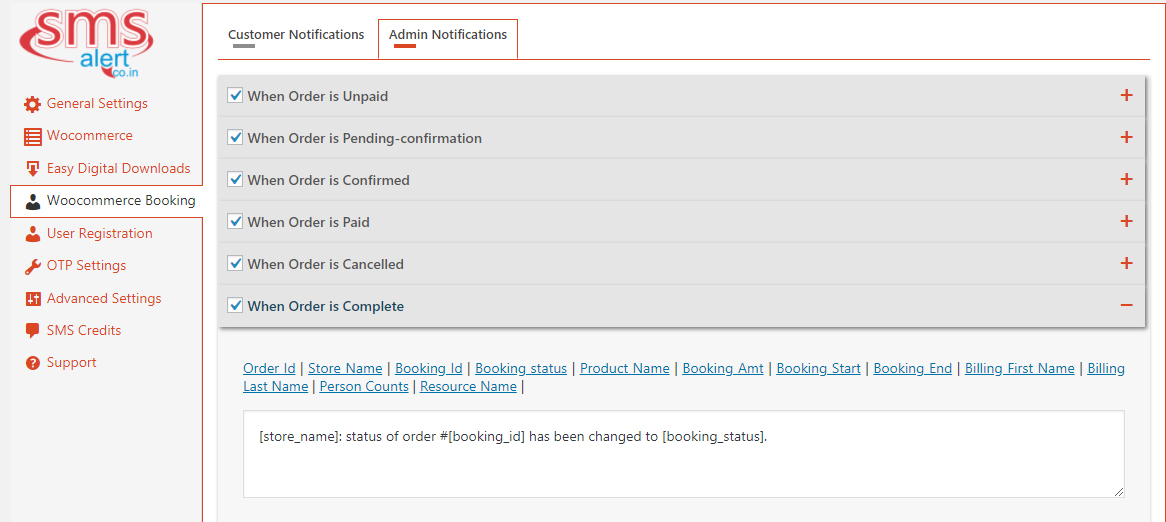
- SMS alerts for new orders and every order status
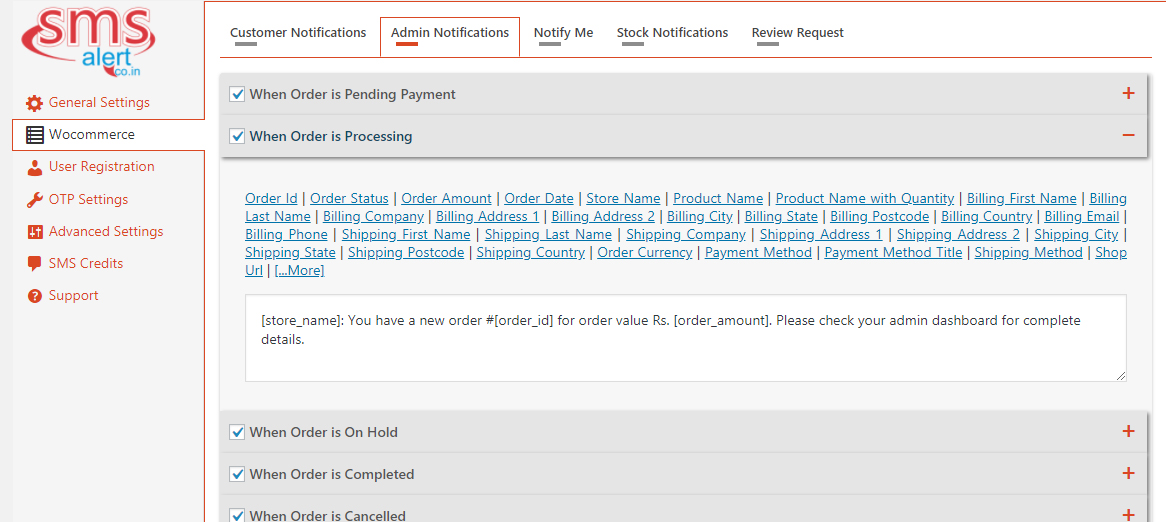
- Separate templates for customers and admins
- Custom SMS templates with dynamic order variables and custom order meta
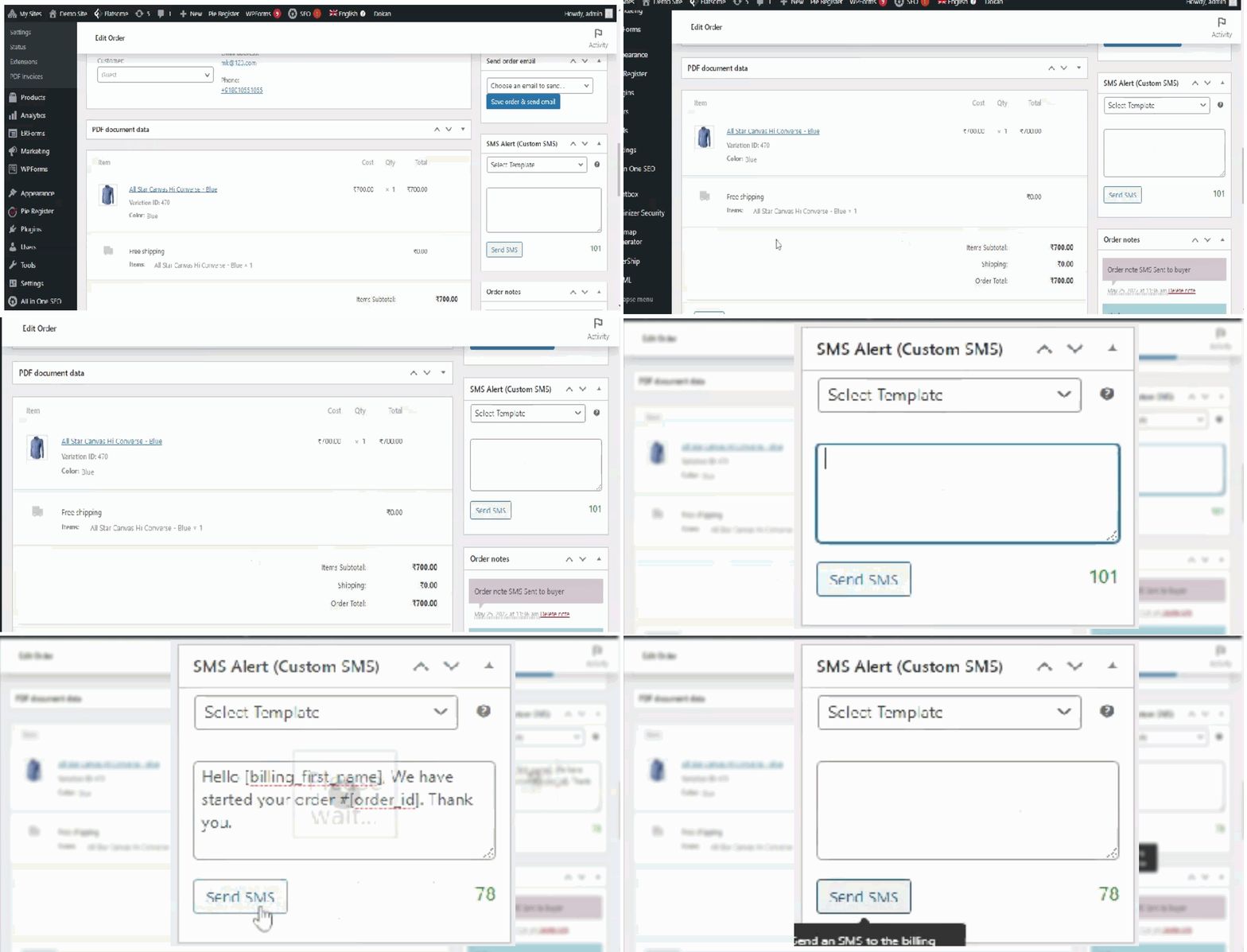
- Send a custom SMS to a customer directly from the order page (useful for delays, disputes or claims)
- Notifications for refunds and partial refunds
- Works with shipment tracking plugins to send delivery updates
WooCommerce OTP Verification (Checkout, COD, Login, Registration)
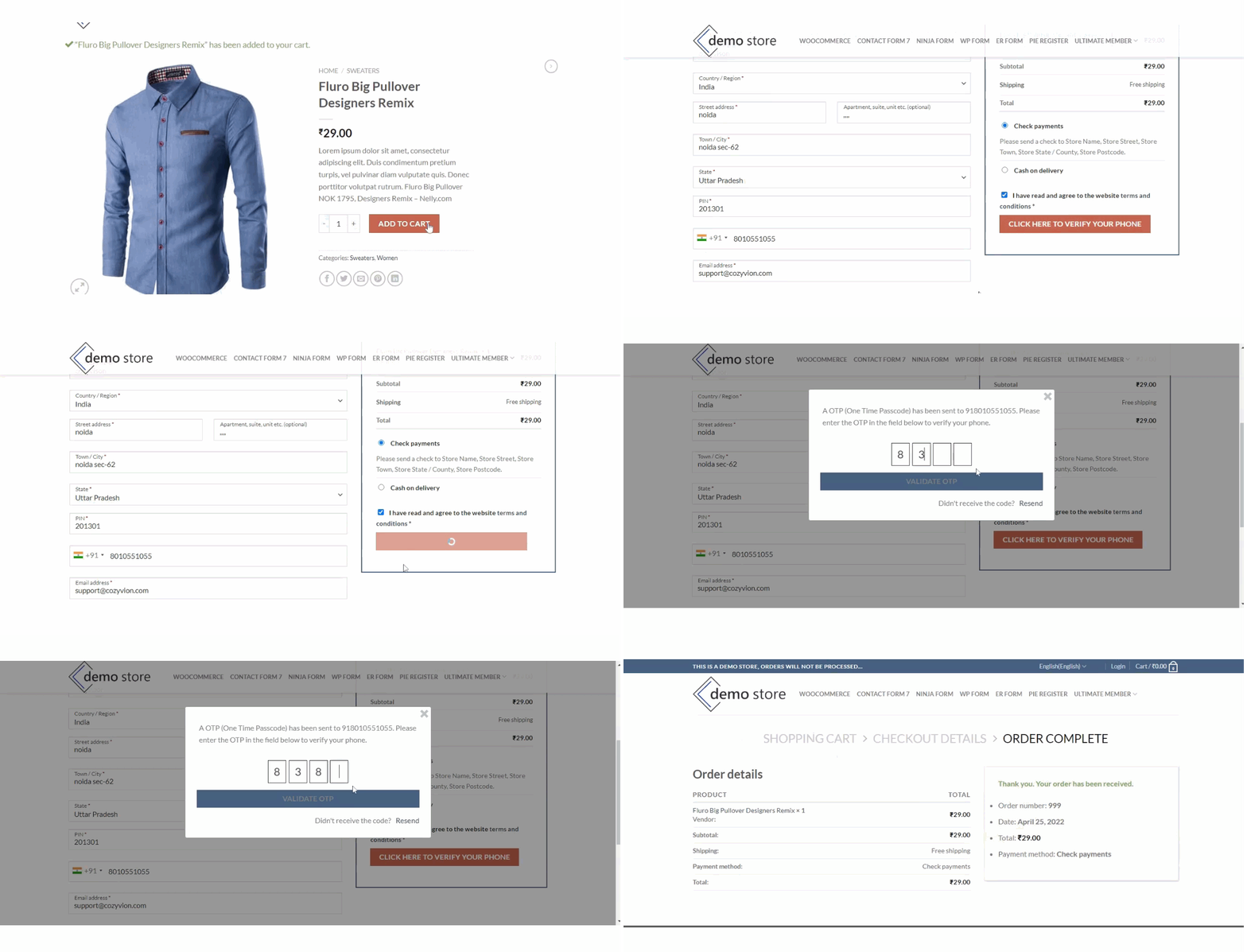
- OTP to confirm orders at checkout
- OTP only for selected payment methods, such as Cash on Delivery
- OTP verification after the order is placed
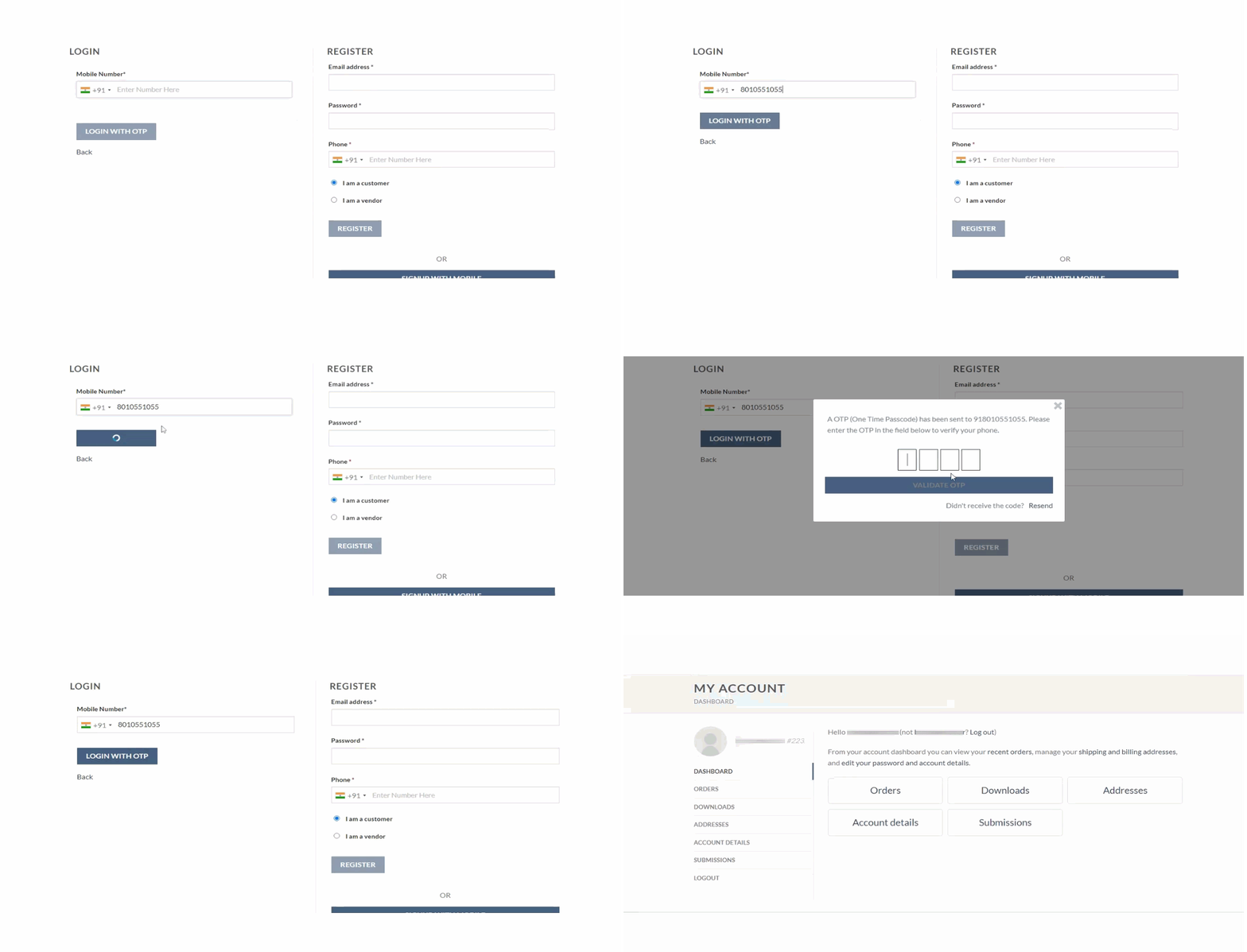
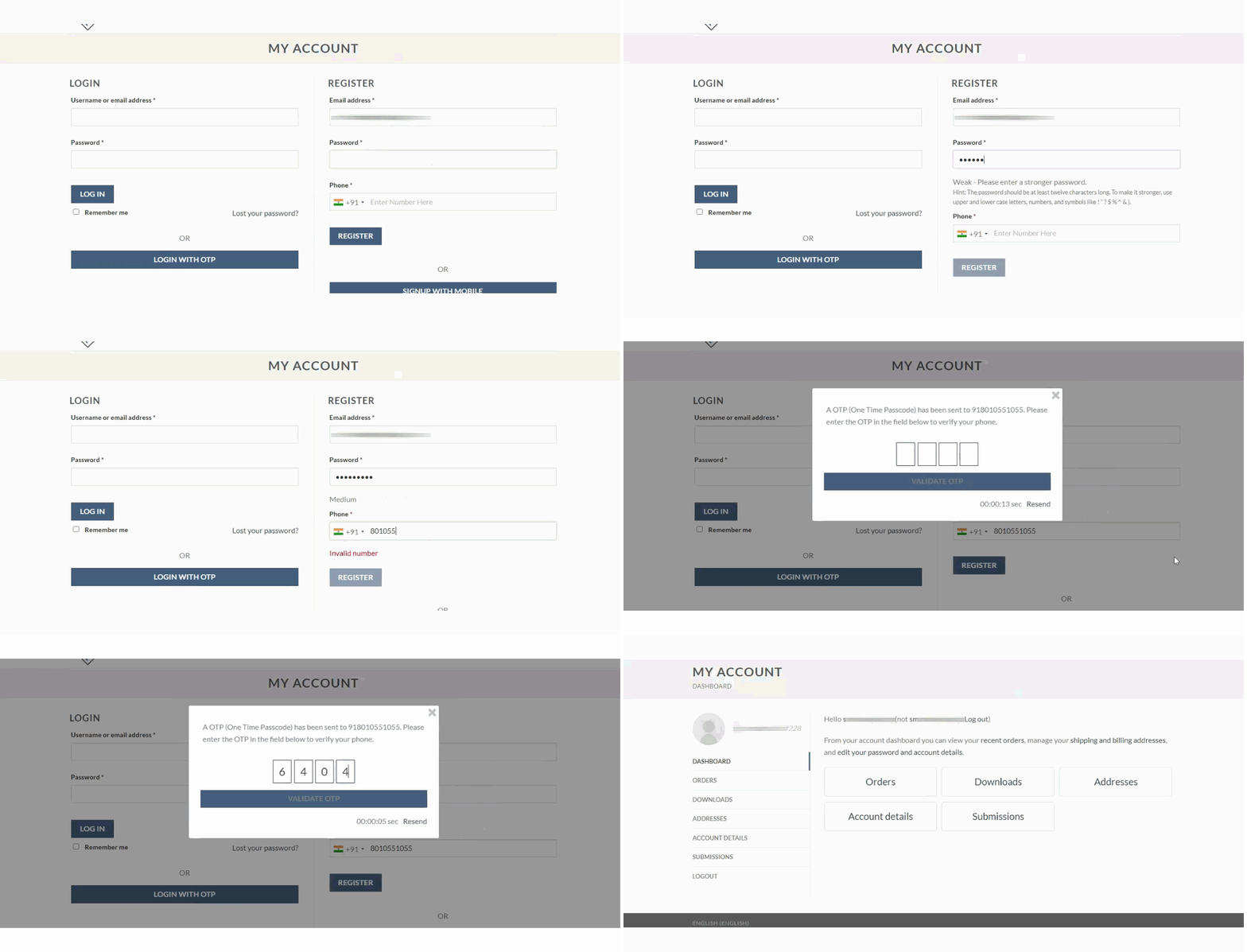
- Login with OTP (including optional admin login with OTP)
- Registration with OTP and Signup with Mobile
- Reset password with OTP
- Role-based OTP verification
- Limit OTP resend attempts
- Restrict OTP verification to selected countries
- Country code selector, configurable OTP popup styles, or OTP on the page instead of a popup
- Delivery OTP: verify the order with an OTP at delivery (with Delivery Drivers for WooCommerce)
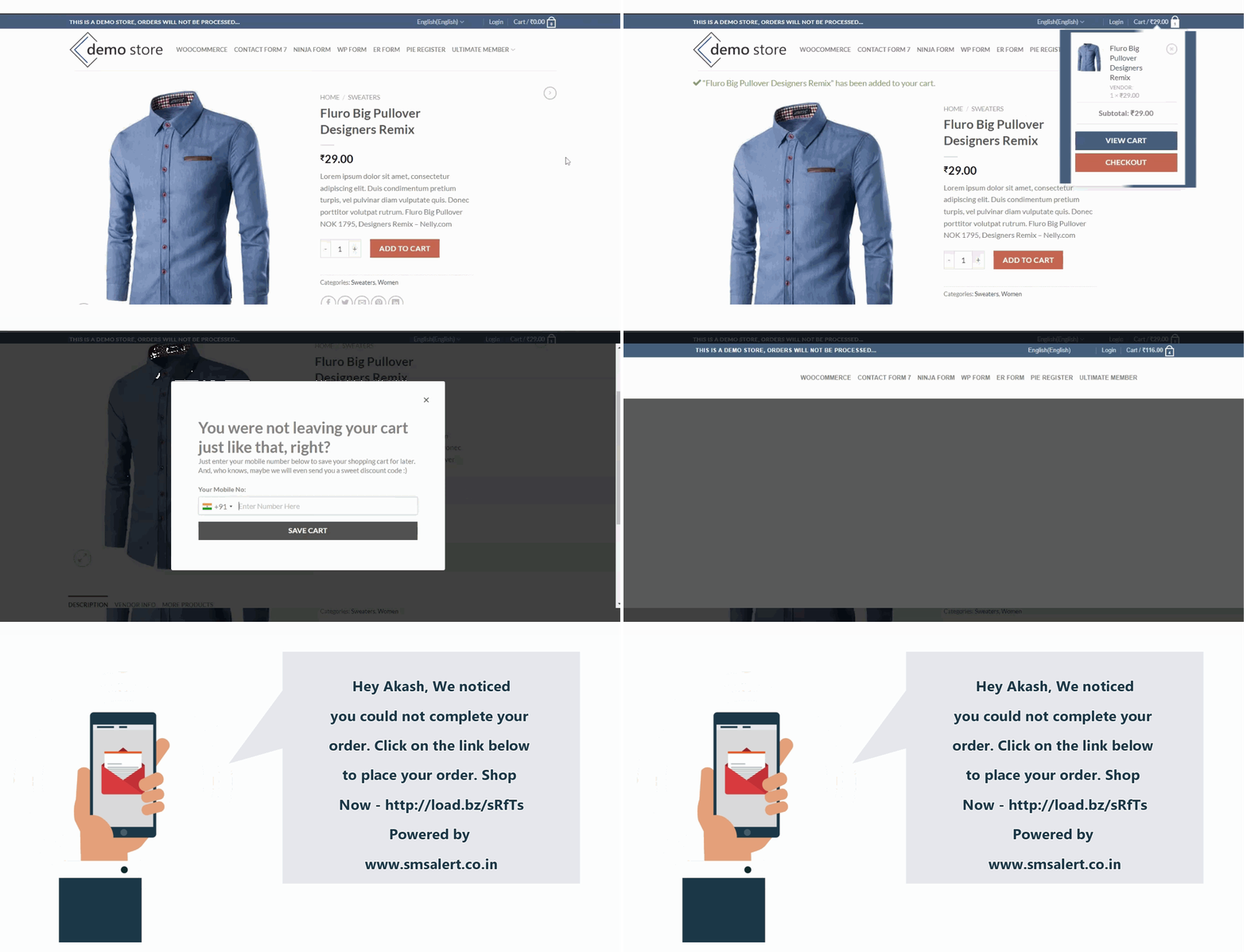
Abandoned Cart Recovery SMS
- Capture abandoned carts automatically
- Send reminder SMS with a link back to the cart
- Track recovery performance
- Compatible with block-based WooCommerce checkout
- No server cron setup required
Stock & Inventory Alerts
- Low stock and out of stock alerts to admins (and to vendors in multivendor stores)
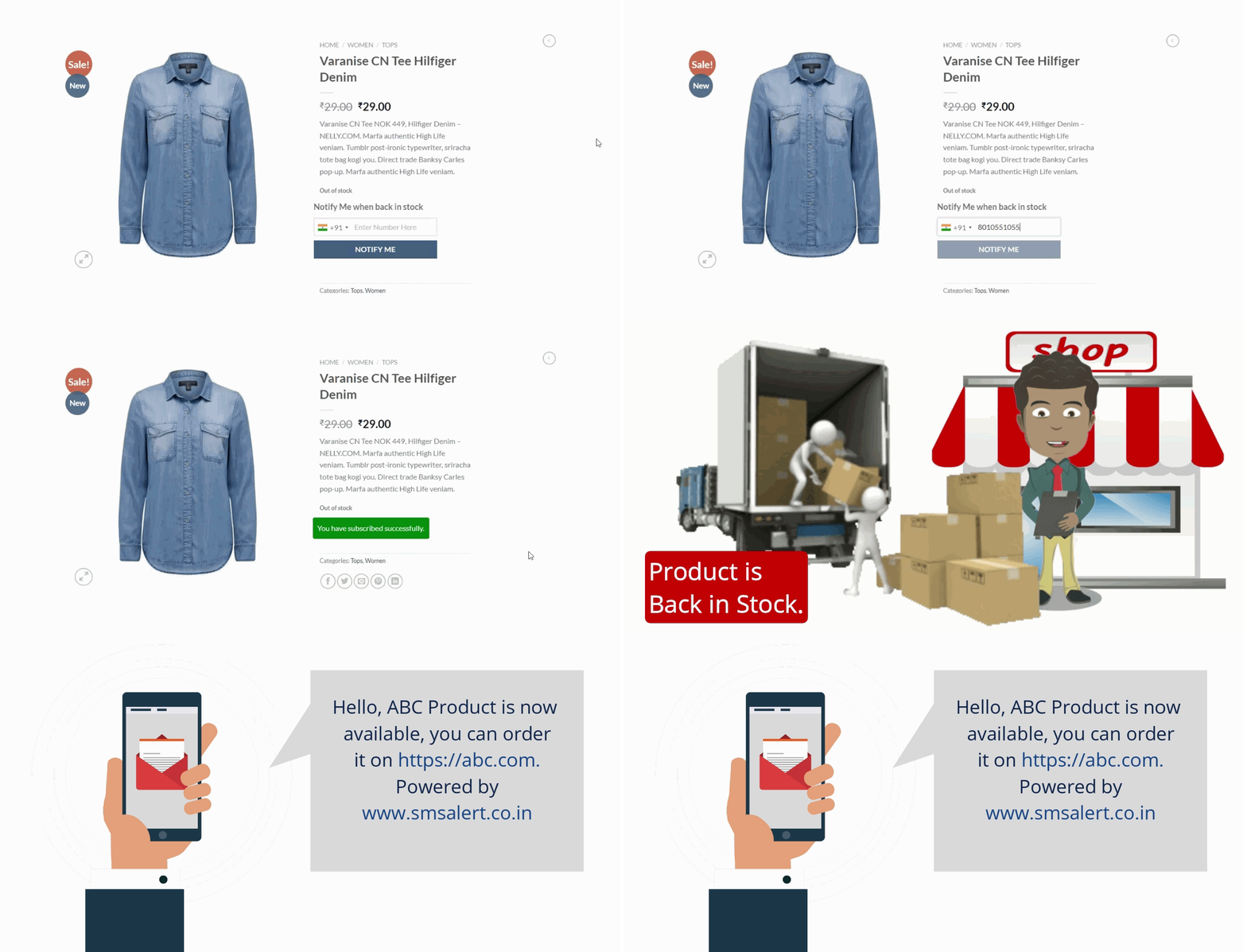
- Back-in-stock “Notify Me” form for customers, with customizable design
Campaigns & Customer Sync
- Sync customers to groups in your SMS Alert dashboard
- Send SMS campaigns to users, orders, abandoned carts and Notify Me subscribers
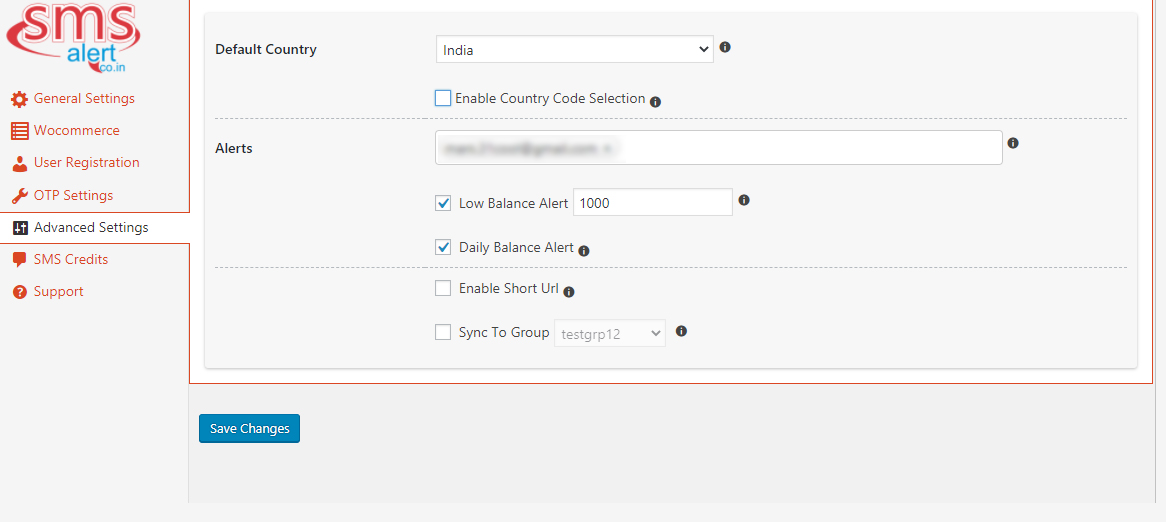
- Daily SMS balance report and low balance alert
Blocks, Shortcodes & Elementor Widgets
- Blocks: Signup With Mobile, Share Cart, Login With OTP
- Shortcodes for Login with OTP, Signup with OTP, Share Cart and OTP verification on any form
- Elementor widgets
- Works with Gutenberg, Divi and Beaver Builder
Who it is for
- WooCommerce stores that want order SMS and COD verification
- Multivendor marketplaces
- Booking, appointment and restaurant reservation websites
- LMS, membership and community websites
- Indian stores that need DLT compliant transactional SMS (the plugin also supports sending to multiple countries)
Integrations
SMS Alert integrates with 50+ plugins. Full setup guides for each are in the SMS Alert documentation. Highlights:
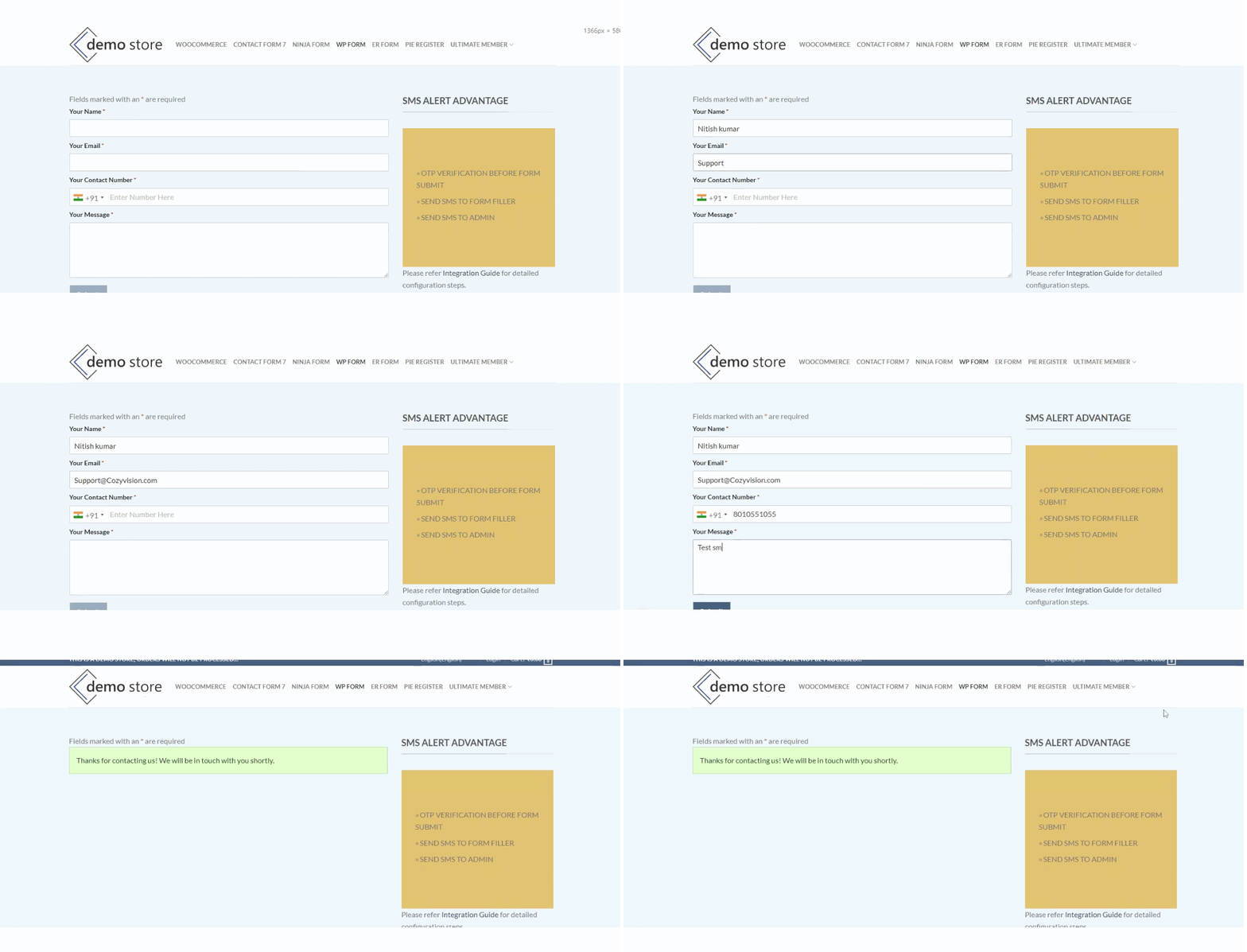
Form builders (notifications and OTP verification): Contact Form 7, WPForms, Fluent Forms, Gravity Forms, Ninja Forms, Elementor Forms, Formidable Forms, Forminator, Everest Forms, WS Form, Form Maker. Notifications only: MetForm, JetFormBuilder.
Membership, LMS and registration: UsersWP, LearnPress, ARMember, Paid Memberships Pro, MemberMouse, Ultimate Member, Profile Builder, Pie Register, User Registration, RegistrationMagic, BuddyPress, New User Approve, WP-Members.
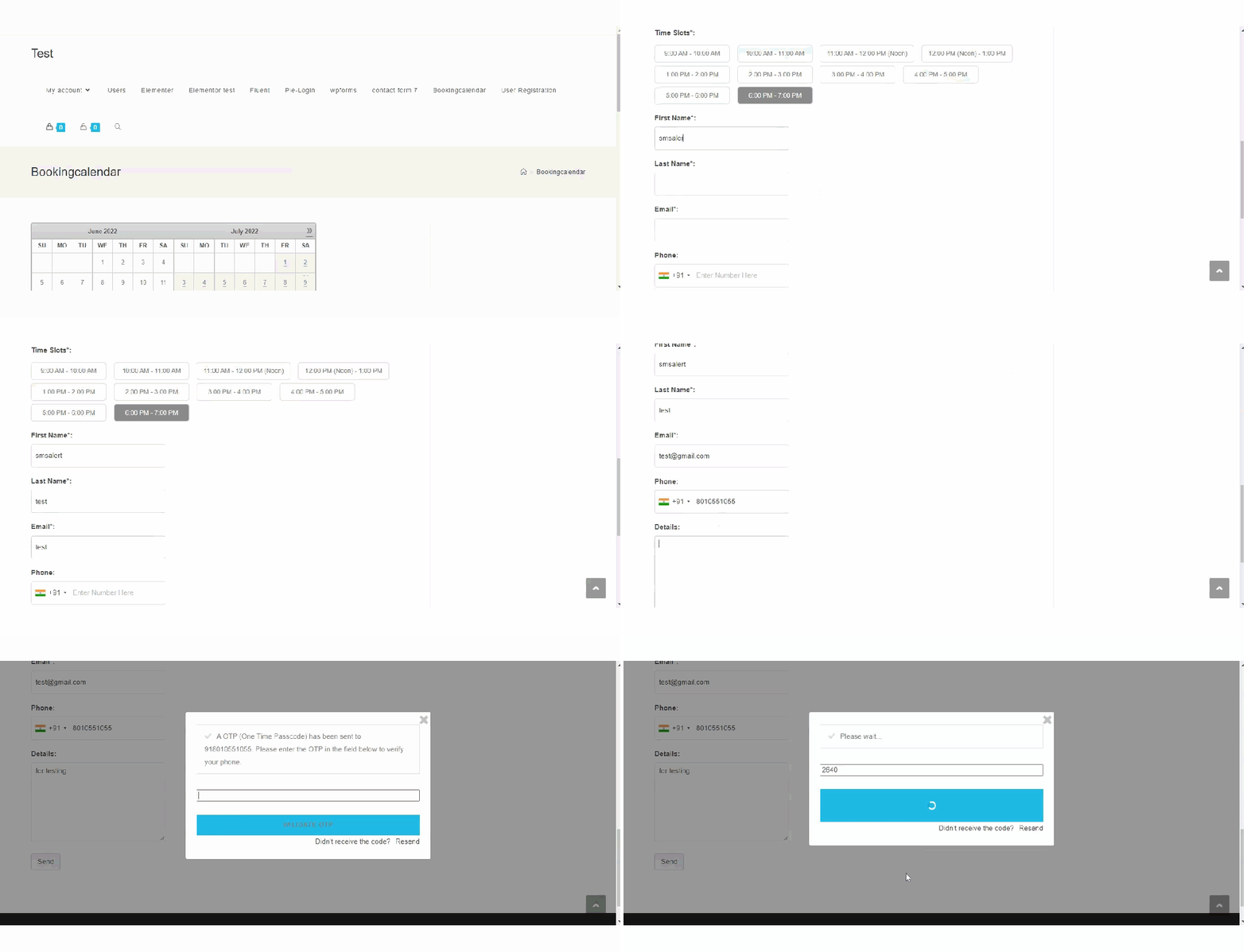
Booking and appointments: WooCommerce Bookings, Booking Calendar, Bookit, Easy Appointments, Amelia, Simply Schedule Appointments, Salon Booking System, Booknetic, gAppointments, Quick Restaurant Reservation, Five Star Restaurant Reservations.
CRM and automation: FluentCRM, WP ERP, Jetpack CRM, Uncanny Automator, Groundhogg, WP Fusion.
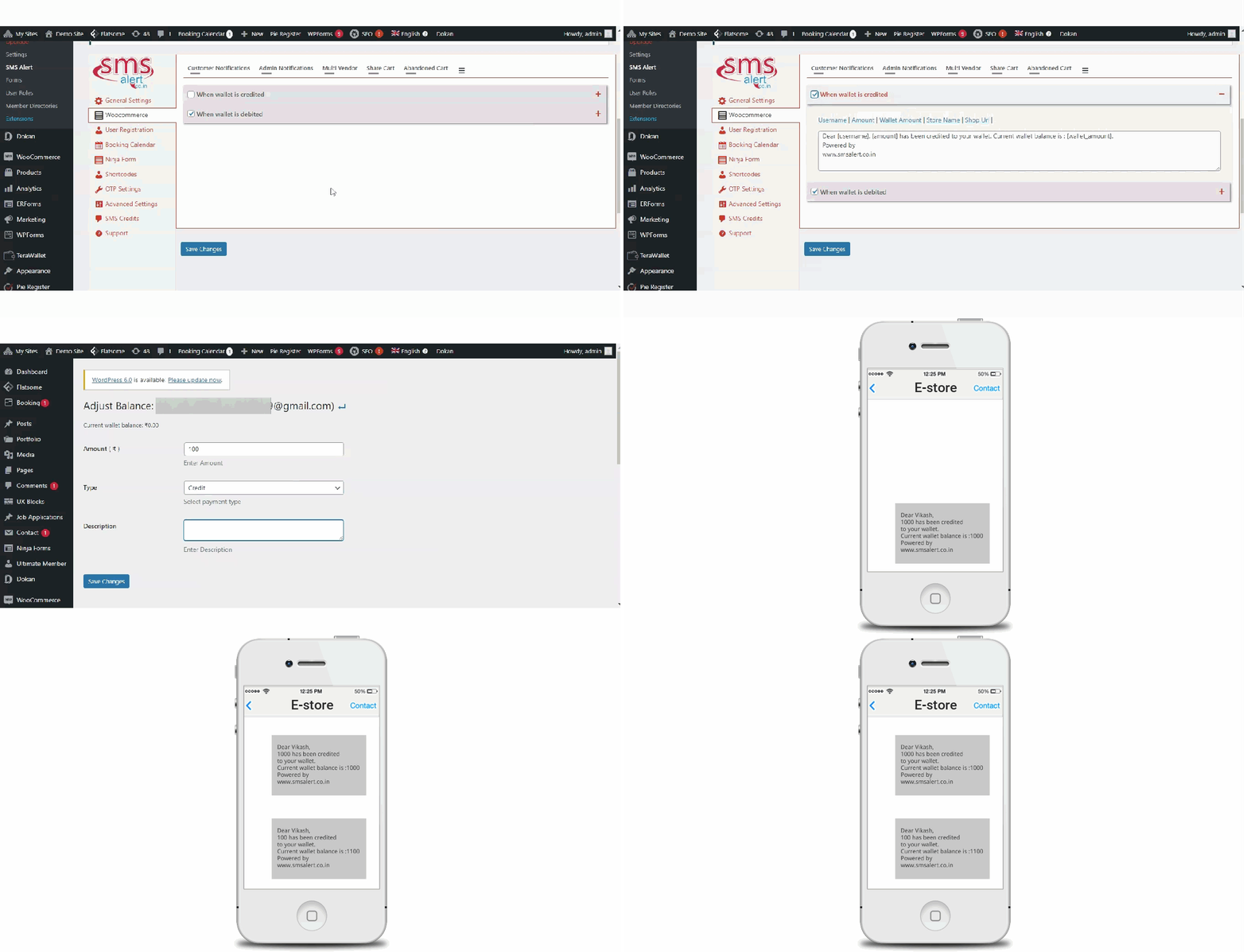
Multivendor, marketplace and WooCommerce extensions: Dokan, MultiVendorX, WooCommerce Product Vendors, WooCommerce Subscriptions, Delivery Drivers for WooCommerce, WP Loyalty, TeraWallet, Returns and Warranty Requests, Return Refund and Exchange for WooCommerce, Local Pickup Plus, WooCommerce Simple Auctions, WooCommerce Serial Numbers, Order Delivery Date, PDF Invoices & Packing Slips.
Shipment tracking: WooCommerce Shipment Tracking, Advanced Shipment Tracking, AfterShip.
Other: Easy Digital Downloads, Events Manager, WP Travel Engine, Awesome Support, Affiliates Manager, WPAdverts, WPCafe, Sequential Order Numbers Pro, WooCommerce Order Status Manager, Admin Custom Order Fields, WooCommerce Multi-Step Checkout, Claim GST for WooCommerce, Raffle Ticket Generator.
Developer friendly
Hooks let you send SMS programmatically, modify SMS content before sending, read the SMS Alert API response and extend WooCommerce SMS triggers. See the FAQ for examples.
Translations
Compatible with WPML and Loco Translate. Help translate the plugin at translate.wordpress.org.
Support
- Email: support@cozyvision.com
- WordPress support forum
- Documentation
External Services
This plugin connects to the SMS Alert service (https://www.smsalert.co.in), operated by Cozy Vision Technologies Pvt. Ltd., to send SMS and OTP messages. The plugin cannot send messages without an SMS Alert account.
Data sent to SMS Alert and when:
* When you save or verify your settings: your SMS Alert account credentials, to authenticate with the service.
* Each time an SMS or OTP is triggered (order status change, OTP request, abandoned cart reminder, back-in-stock alert, form submission, and so on): the recipient mobile number, message text and sender ID.
* When campaigns or customer sync are enabled: customer name and mobile number, sent to groups in your SMS Alert dashboard.
* When viewing account information in settings: requests for your SMS balance and the list of countries available to your account.
- Terms of Service: https://kb.smsalert.co.in/tos/
- Privacy Policy: https://kb.smsalert.co.in/privacy/
عکسهای صفحه

بلوکها
این افزونه 3 بلوک ارائه میدهد.
- Share Cart Displaying the share cart button
- Login With OTP Displaying the login with otp form
- Signup With Mobile Displaying the signup with mobile form
نصب
Install the plugin
- Go to Plugins Add New in your WordPress admin.
- Search for “SMS Alert”.
- Click Install Now, then Activate.
Connect your SMS Alert account
- Create a free account at www.smsalert.co.in if you are a new user.
- Check your email for your SMS Alert account credentials.
- Enter your SMS Alert username and password in the plugin settings.
- Click Verify and Continue.
- Enable OTP verification and the notifications you need.
You are now ready to send WooCommerce SMS notifications.
سوالات متداول
-
Is this a free WooCommerce SMS plugin?
-
The plugin is free. Sending SMS requires credits from the SMS Alert gateway. New accounts get free demo credits for testing.
-
How do I reduce fake COD orders with OTP verification?
-
Enable OTP verification for checkout, then select only the Cash on Delivery payment method in the plugin settings. Customers must then enter an OTP before a COD order is placed.
-
Can I use this plugin just for COD verification?
-
Yes. Select the COD payment gateway from the list of available payment gateways in the plugin settings.
-
How does WooCommerce SMS notification work?
-
When an order is placed or its status changes, the plugin sends your template automatically to the customer and/or admin through the SMS Alert gateway. Templates can include order variables such as order number, items, total and tracking details.
-
Can order SMS be sent to both customers and admins?
-
Yes. Customer and admin notifications have separate settings and templates.
-
Does it work with WooCommerce block checkout and HPOS?
-
Yes. The plugin supports block-based checkout (including abandoned cart capture) and WooCommerce High-Performance Order Storage.
-
Does abandoned cart SMS need a server cron job?
-
No. Abandoned cart automation uses the plugin’s built-in scheduling and does not require manual cron setup.
-
Does Login with OTP work with WooCommerce account login?
-
Yes. Customers can sign in with a one-time password instead of a password. You can also restrict Login with OTP to specific user roles.
-
Can I use it as a WordPress SMS plugin without WooCommerce?
-
Yes. It works with many form builders, booking plugins and membership systems. See the Integrations list above.
-
Is it DLT compliant for Indian SMS regulations?
-
Yes. SMS Alert supports DLT compliant transactional SMS delivery for Indian businesses.
-
Which countries can I send SMS to?
-
See the complete list of supported countries on the SMS Alert website. By default your account sends to one country. To send to additional countries, email support@cozyvision.com.
-
Can it handle high-volume messaging?
-
Yes. It is designed for high-volume transactional messaging.
-
How do I change the Sender ID?
-
Request a Sender ID after logging in to your SMS Alert account, from Manage Sender ID. Sender IDs are available only for transactional accounts.
-
I signed up for a demo account but did not receive any test SMS
-
Under TRAI guidelines, promotional SMS can be sent only between 9 am and 9 pm, so please test during that window. Also check that your number is not registered in the NDNC registry. If you still have issues, contact our team on the support forum.
-
What happens when my demo credits are over?
-
The plugin stops sending messages until you purchase credits. If you do not want to purchase, disable all OTP options in the plugin so your website keeps working normally.
-
I am unable to log in to my WordPress admin
-
This happens if your SMS Alert account has no credits or if your admin profile has a different mobile number registered, while OTP login is enabled. Rename the plugin folder in
wp-content/pluginsvia FTP to deactivate it, then log in. -
Can I use my own SMS gateway?
-
No. The plugin supports only the SMS Alert gateway.
-
Can I send SMS to multiple countries from one account?
-
Yes, once additional countries are enabled for your account (see “Which countries can I send SMS to?”).
-
How can I use custom variables in SMS templates?
-
The plugin supports custom order meta. If your meta key is
my_custom_key, use it in templates as[my_custom_key]. -
Can I extend the plugin?
-
Yes. Use these hooks.
Send an SMS
do_action( 'sa_send_sms', '919876543210', 'Here is the sms.' );Modify parameters before any SMS is sent
function modify_sms_text( $params ) {
    // Do your stuff here.
    return $params;
}
add_filter( 'sa_before_send_sms', 'modify_sms_text' );
Get the SMS Alert service response after sending
function get_smsalert_response( $params ) {
    // Do your stuff here.
    return $params;
}
add_filter( 'sa_after_send_sms', 'get_smsalert_response' );
Modify WooCommerce order SMS content before sending
function modify_wc_order_sms( $content, $wc_order_id ) { // Do your stuff here. return $content; } add_filter( 'sa_wc_order_sms_before_send', 'modify_wc_order_sms', 1, 2 ); -
Can you customize the plugin for me?
-
Please post feature requests on the support forum and our team may consider them for future updates. We do not plan integrations with paid third-party plugins unless the update is sponsored.
-
Where can I find the documentation?
-
See the plugin usage guide.
-
How can I report security bugs?
-
Report security bugs through the Patchstack Vulnerability Disclosure Program. The Patchstack team helps validate, triage and handle security vulnerabilities.
نقد و بررسیها


توسعه دهندگان و همکاران
“SMS Alert – SMS Notifications & OTP Login, COD Verification, Abandoned Cart Recovery” نرم افزار متن باز است. افراد زیر در این افزونه مشارکت کردهاند.
مشارکت کنندگان
“SMS Alert – SMS Notifications & OTP Login, COD Verification, Abandoned Cart Recovery” به 5 زبان ترجمه شده است. با تشکر از مترجمین برای همکاری و کمکهایشان.
علاقه مند به توسعه هستید؟
کد را مرور کنید، مخزن SVN را بررسی کنید، یا از طریق RSS در گزارش توسعه مشترک شوید.
گزارش تغییرات
For earlier versions, see changelog.txt.
4.0.1
- Enhancement: Security fixes.
- Added session_cache_limiter before session_start.
- Bugfix: Prevented Contact Form 7 from submitting when the SMS Alert phone number is not added.
- Tested with the latest WordPress and WooCommerce versions.
4.0.0
- Enhancement: Security fixes for handling the Login with OTP process.
- Compatibility changes for the latest Amelia version.
- Added support for the same form multiple times on a page for Fluent Forms.
- Back in stock compatibility for the Ray theme.
- Tested with the latest WordPress and WooCommerce versions.
3.9.9
- Bugfix: Resolved the issue with conversational forms in the latest version of Fluent Forms.
- Bugfix: Resolved the Site Health session issue.
- Tested with the latest WordPress and WooCommerce versions.
3.9.8
- Enhancement: Security fixes.
- Tested with the latest WordPress and WooCommerce versions.
3.9.7
- Enhancement: Security fixes for handling the admin settings update.
- Tested with the latest WordPress and WooCommerce versions.
3.9.6
- Enhancement: Security fixes for handling the reset password process.
- Tested with the latest WordPress and WooCommerce versions.
3.9.5
- Enhancement: Security fixes for handling the login process.
- Tested with the latest WordPress and WooCommerce versions.
3.9.4
- Enhancement: Security fixes for GET variables.
- Tested with the latest WordPress and WooCommerce versions.
3.9.3
- Enhancement: Compatibility fixes for Divi 5.
- Tested with the latest WordPress and WooCommerce versions.
3.9.2
- Enhancement: Compatibility fixes for block checkout.
3.9.1
- Enhancement: Security fixes.
- Tested with the latest WordPress and WooCommerce versions.
3.9.0
- Bugfix: The Forminator form was not submitted after OTP validation.
- Bugfix: Abandoned carts were not captured in block-based checkout.
- Tested with the latest WooCommerce version.