
توضیحات
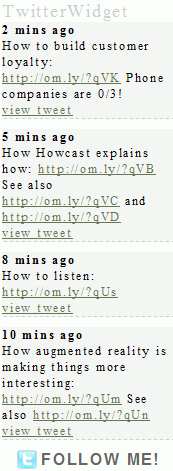
Displays your Twitter timeline in the sidebar of your blog. The plugin is widget ready and comes with many configuration options! Because every theme brings their very special style, Twitterwidget has very little preset css. Please see the css file twitterwidget.css to set collors, borders etc.
Check out more WordPress Plugins and lustige videos brought to you by Grobekelle.
عکسهای صفحه


نصب
- Unpack the zipfile twitterwidget-X.y.zip
- Upload folder
twitterwidgetto the/wp-content/plugins/directory - Activate the plugin through the ‘Plugins’ menu in WordPress
- Go to settings -> TwitterWidget and type in your username etc.
- Make sure that the
cachedirectory inside the plugin folder is writeable - Place
<?php if(function_exists('twitterwidget_display')) twitterwidget_display(); ?>in your template or use the sidebar widgets.
سوالات متداول
- Does this plugin comes with a “follow me” button?
-
Yes it does. Please go to settings -> Twitterwidget to enable/disable this feature
- Does this plugin caches the tweets?
-
Yes, a Tweet gets cached for 2 minutes!
نقد و بررسیها
نقد و بررسیای برای این افزونه یافت نشد.
توسعه دهندگان و همکاران
“TwitterWidget” نرم افزار متن باز است. افراد زیر در این افزونه مشارکت کردهاند.
مشارکت کنندگان
ترجمه “TwitterWidget” به زبان شما.
علاقه مند به توسعه هستید؟
کد را مرور کنید، مخزن SVN را بررسی کنید، یا از طریق RSS در گزارش توسعه مشترک شوید.
گزارش تغییرات
- v0.2 24.06.2010 minor xhmtl fixes
- v0.1 13.07.2009 initial release