

توضیحات
WebAbility Accessibility Widget is a powerful yet simple plugin that adds a comprehensive accessibility toolbar to your WordPress website. Our widget helps make your site compliant with WCAG 2.2 AA, ADA, AODA and EAA standards, ensuring equal access for all users.
- Fix compliance issues in minutes
- WebAbility.io helps you meet accessibility standards without manual coding or expensive audits.
- Auto-detect accessibility barriers across text, navigation, media, and forms
- Apply AI-powered real-time fixes to alt text, structure, and keyboard navigation
- Adapt to new standards like WCAG 2.2 with continuous updates
Key Features
- Easy Setup: One-click installation with automatic script generation
- Customizable Position: Choose from 6 positions (4 corners, plus center-left and center-right)
- Pixel-Perfect Positioning: Fine-tune widget placement with offset controls
- Domain Verification: Built-in verification system to ensure proper setup
- Lightweight: Minimal impact on your site’s performance
- Responsive Design: Works seamlessly on all devices
- Privacy Focused: No visitor tracking or data collection. The plugin does send an anonymous diagnostic report to WebAbility if the Accessibility Statement fails to save, so we can fix the problem proactively — see External Services below.
Accessibility Features
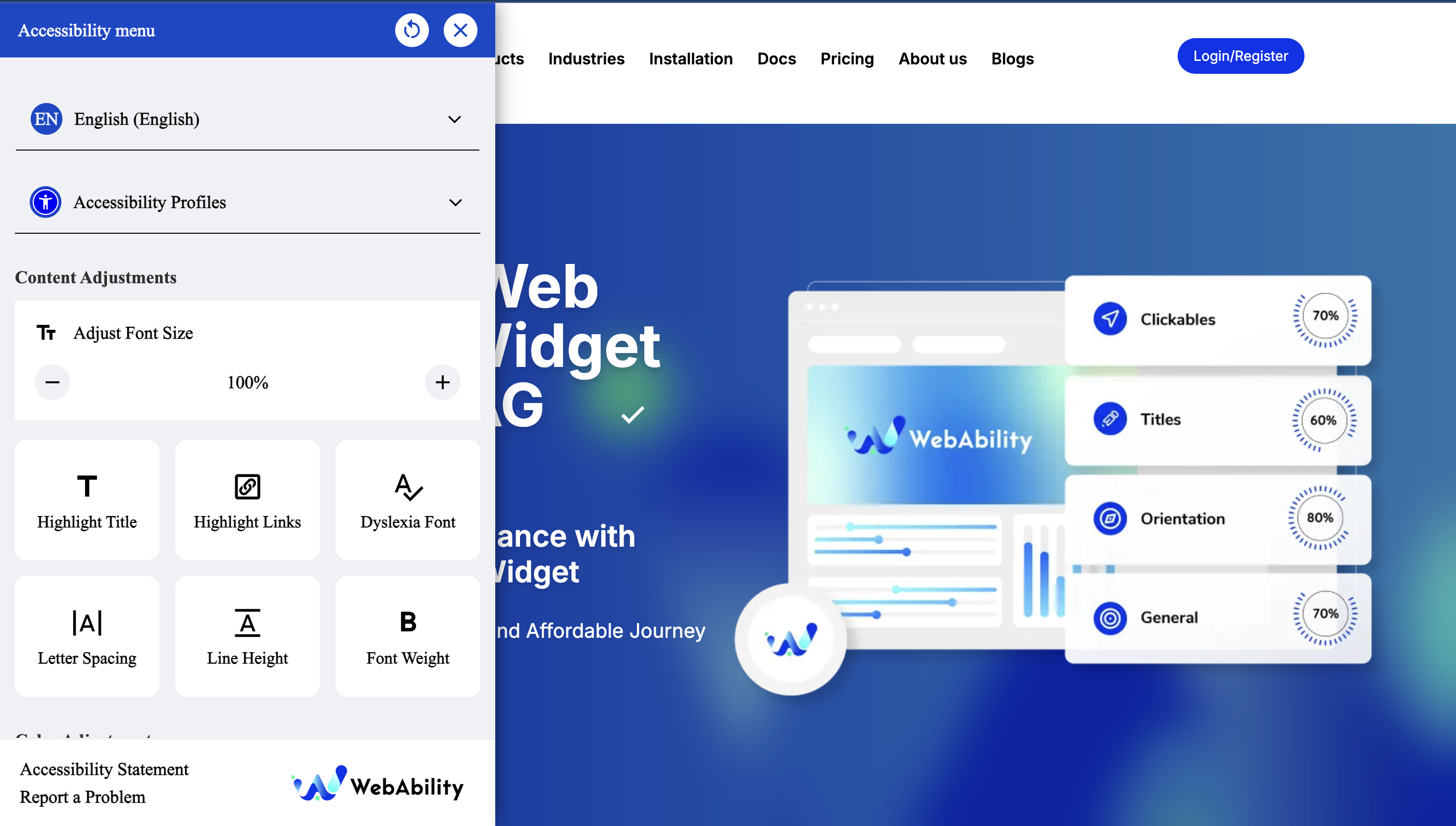
- Webability Accessibility Widget lets users adjust text size, color contrast, and cursor settings
- Screen reader compatibility
- Keyboard navigation support
- Offer text-to-voice options for users who need auditory support
- The widget is fully customizable to match your brand while giving users the accessibility tools they need.
Champion a more inclusive internet
- Meet key compliance guidelines while staying welcoming to all users
- Show customers your brand values inclusivity and accessibility
- Create a safer, more respectful online space for every visitor
- Making your website accessible shouldn’t be complicated–or expensive.
With WebAbility.io, you can meet global standards, protect your brand, and welcome every visitor confidently.
Learn More: How to Make My WordPress Website Accessible in 2025: A Complete Guide
Support
Contact the Webability support team at support@webability.io
Privacy Policy
The WebAbility widget does not collect or track personal data from your site visitors. See External Services below for the one diagnostic report the plugin itself can send to WebAbility.
External Services
This plugin connects to the following third-party services:
WebAbility.io (required) — the widget script is loaded from webability.io’s CDN so it can render the accessibility toolbar and apply your configured fixes. Your site’s domain is sent so WebAbility can serve the correct configuration. See WebAbility’s Terms of Service and Privacy Policy.
GlitchTip (error diagnostics, self-hosted at server.techywebsolutions.com) — when the Accessibility Statement fails to save in wp-admin, the plugin sends one anonymous diagnostic report so WebAbility can detect and fix problems proactively. The report contains only: the failure type, the HTTP status, a short snippet of the server response, your site’s domain, and the plugin/WordPress/PHP versions. It never includes your statement content, login details, nonces, or any site-visitor data. This runs only in the admin area, only on a save failure. To disable it, define WEBABILITY_ACWG_DISABLE_REPORTING as true in wp-config.php, or use the webability_acwg_error_reporting_enabled filter.
عکسهای صفحه


نصب
- Sign up for Webability. If you already have an account, select Log in.
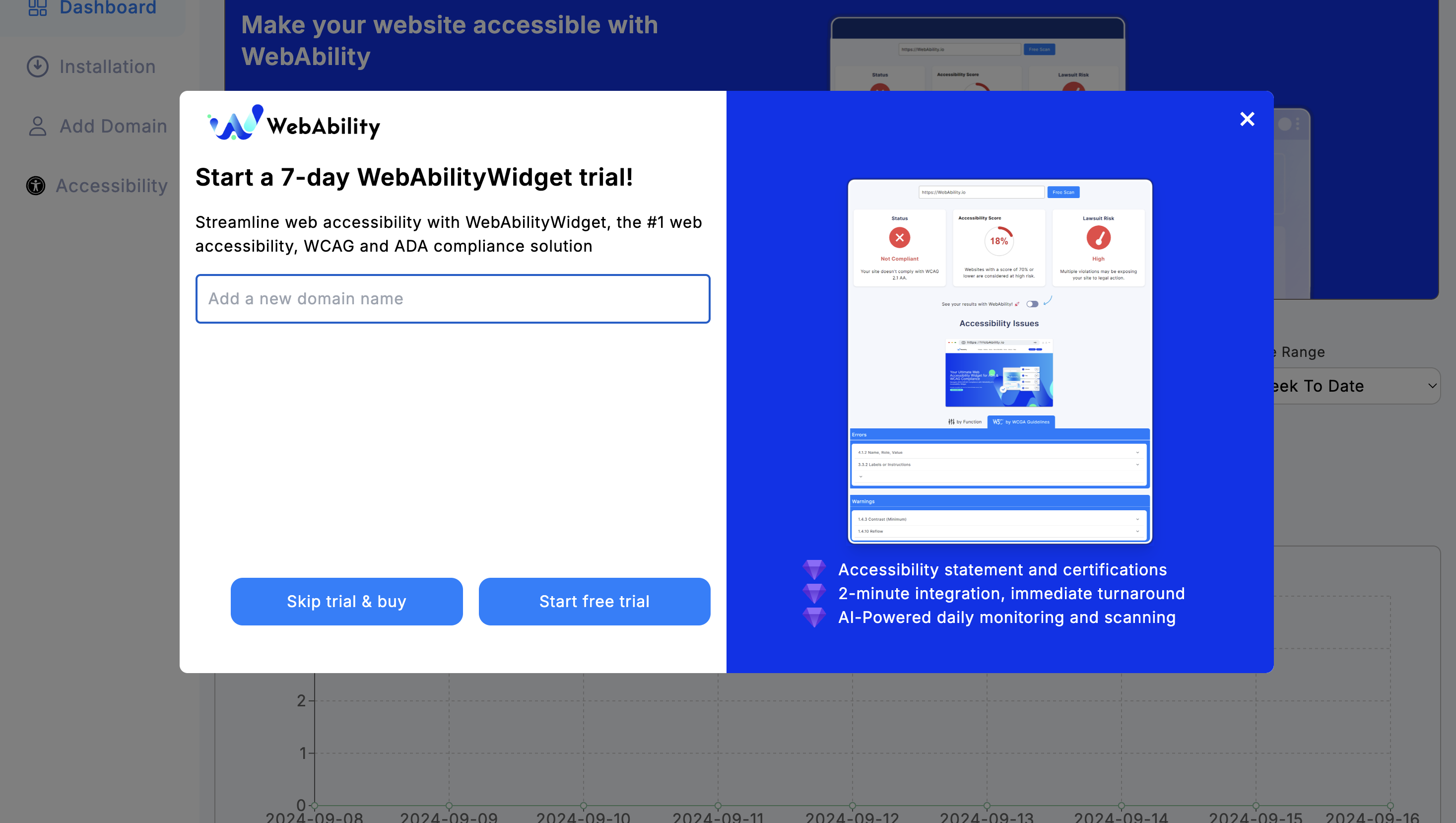
- Add your domain in the Add Domain tab. Start your 30 or 15 day free trial.
- In your WordPress dashboard, go to Plugins > Add Plugins. Search for WebAbility Accessibility Widget.
- Select Install Now. Once it’s installed, the Install Now button will change to Activate.
- Select Activate.
- Go to Settings > WebAbility to configure the widget.
- Enable the widget and customize the position to your preference.
- Use the verify button to ensure your domain is properly configured.
Service Provider Information
Service Provider: WebAbility.io Terms of Service: https://www.webability.io/terms-of-use Privacy Policy: https://www.webability.io/privacy-policy
By using this plugin, you acknowledge that your website will connect to WebAbility.io services as described above. We recommend reviewing WebAbility’s terms of service and privacy policy to understand how they handle data.
Note: This plugin is developed to work with WebAbility.io services. You must have an active account with WebAbility.io for the widget to function properly.
سوالات متداول
-
Do I need a WebAbility account?
-
Yes, you need to register your domain at WebAbility.io to use this widget. The plugin includes a verification system to check if your domain is properly registered.
-
Is the widget customizable?
-
Yes! You can choose from 6 positions (4 corners plus center-left/center-right) and fine-tune the placement with pixel-perfect offset controls.
-
Does this affect my site’s performance?
-
No, the WebAbility widget is designed to be lightweight and loads asynchronously to minimize any impact on your site’s speed.
-
Is it compatible with my theme?
-
Yes, the WebAbility widget is designed to work with any WordPress theme as it’s positioned absolutely on the page.
-
Can I hide the widget for logged-in users?
-
No — as of 2.3.5 the widget always shows for everyone, including logged-in users, so accessibility isn’t lost for people who need it at checkout or in a members area.
-
Is this GDPR compliant?
-
The widget itself does not track or collect visitor data. The plugin does send one anonymous diagnostic report to WebAbility’s error-tracking service if the Accessibility Statement fails to save in wp-admin (failure type, HTTP status, your site’s domain, and plugin/WordPress/PHP versions — never statement content, login details, or visitor data). See External Services below; you can disable it there.
نقد و بررسیها
نقد و بررسیای برای این افزونه یافت نشد.
توسعه دهندگان و همکاران
“WebAbility Accessibility Widget” نرم افزار متن باز است. افراد زیر در این افزونه مشارکت کردهاند.
مشارکت کنندگان
ترجمه “WebAbility Accessibility Widget” به زبان شما.
علاقه مند به توسعه هستید؟
کد را مرور کنید، مخزن SVN را بررسی کنید، یا از طریق RSS در گزارش توسعه مشترک شوید.
گزارش تغییرات
2.3.11
- DOCS: Removed listing claims that didn’t match shipped code (Accessibility Scanner / Native WordPress Fixes — that feature is not currently active), fixed the privacy/GDPR wording to match the plugin’s existing diagnostic-report disclosure, fixed the position count (6, not 8) and the “hide for logged-in users” FAQ answer (that option was removed in 2.3.5). Added a top-level External Services section. No functional changes.
2.3.10
- NEW: “Load timing” option on the Widget Design tab. Choose Immediate (default, unchanged output), After the page is idle, or On first interaction. The lazy options add data-asw-init to the widget script tag and reduce the widget’s share of your page load score; they delay the accessibility fixes by the same amount. Custom Trigger mode always loads immediately.
- FIX: The Widget Design tab no longer resets a saved Compact Widget or Custom Trigger icon to Full Widget when the page is opened and saved again. The icon-type check ran before its list of valid values was defined, so every stored value looked invalid.
2.3.9
- FIX: “Publish as Page” no longer gets blocked by hosting firewalls (ModSecurity/WAF). Some hosts inspected the save request, saw raw HTML in it, and rejected it with a 403 error before it ever reached WordPress. The statement is now sent in an encoded envelope (with identical WordPress-side sanitization), and if a firewall still blocks the save, the error message now names the firewall page and tells you exactly what to ask your host. Reported via fleet diagnostics (statement_save_failed: http_403).
2.3.8
- FIX: “Publish as Page” on the Accessibility Statement now recovers automatically from an expired/cached security token. Previously, sites with a caching or security plugin could serve a stale token and the save kept failing even after reloading; the plugin now fetches a fresh token and retries the save once, transparently. Reported via fleet diagnostics (statement_save_failed: bad_nonce).
2.3.7
- NEW: Anonymous error diagnostics — when the Accessibility Statement fails to save, the plugin reports the failure type (e.g. expired session, security/cache plugin blocking the request) to WebAbility so we can fix issues proactively. No statement content or personal data is sent. Disable with the WEBABILITY_ACWG_DISABLE_REPORTING constant or the webability_acwg_error_reporting_enabled filter.
2.3.6
- FIX: “Publish as Page” on the Accessibility Statement now shows the real reason a save failed (expired session, or a security/firewall plugin blocking the request) instead of a generic “Error saving”
- FIX: Expired security token on statement save now returns a clear “session expired — please reload” message
- FIX: Republishing a statement whose page was deleted/trashed now creates a fresh page instead of failing
2.3.5
- Removed the “Hide for logged-in / admin users” option — it hid the widget from ALL logged-in users (including logged-in customers on WooCommerce shops), undermining accessibility for the people who need it at checkout. The widget now always shows for everyone.
2.3.4
- Widget is now enabled by default on fresh installs — activating the plugin shows the widget immediately, no settings visit required
- Existing installs keep their saved Widget Status setting
2.3.3
- FIX: Trigger Size dropdown (small / medium / large) now actually resizes the launcher icon — was a silent no-op in 2.3.x because the size selection wasn’t being projected into the widget’s icon-type attribute. Reported by a customer on a German keratoconus-specialist site.
2.3.2
- Improved AI accessibility
- Bug fixes
2.3.1
- FIX: Resolve all WCAG AA violations across admin tabs (axe-core 4.9.1 clean)
- FIX: Add aria-labels to color swatches, color picker, language select
- FIX: Link offset inputs to labels on Settings tab
- FIX: Color contrast on offset units, preview URL, verify message
- FIX: Add underline to statement output links
- FIX: Extend focus-visible styles to Design and Statement tabs
- FIX: Bump touch targets to 44px minimum (WCAG 2.5.8)
2.3.0
- CHORE: Remove dead code from scanner
- CHORE: Clean up uninstall script
2.2.0
- NEW: Built-in Accessibility Scanner — scan your site for WCAG issues directly from WP admin
- NEW: Native WordPress Fixes — fix image alt text, heading hierarchy, empty links at the WordPress level
- NEW: Theme-level fixes — auto-inject skip navigation, focus indicators, and lang attribute
- NEW: Tabbed admin interface — Widget Settings and Scanner tabs
- NEW: Fix All button for batch auto-fixing
- NEW: Scan history and progress tracking
2.1.0
- NEW: Language selector — choose widget language or auto-detect from site locale
- NEW: Icon type selector — 7 icon styles to match your brand
- NEW: 8 widget positions — added center-right, center-left, top-center, bottom-center
- NEW: Analyzer integration — optional data-asw-analyzer attribute for AI-powered fix suggestions
- IMPROVED: Script loading rewritten for cleaner attribute handling and better compatibility
2.0.0
- MAJOR UPDATE: Moved plugin to top-level admin menu for better accessibility
- Updated to WebAbility Widget v2 with enhanced features
- Added accessibility icon (universal access) to admin menu
- Improved user experience with prominent menu placement
- Better integration with WordPress admin interface
1.0.0
- Initial release
- Automatic script generation
- Customizable widget positioning
- Domain verification system
- Offset controls for precise placement
- Multi-language support preparation
- WordPress 6.8 compatibility