

توضیحات
Maximize convenience and savings for your customers with کیف پول برای ووکامرس (TeraWallet). This all-in-one digital wallet and store credit system is specifically designed to streamline the checkout process and boost customer loyalty.
TeraWallet empowers your customers to deposit funds into their personal accounts, transfer money to other users, and make purchases effortlessly using their wallet balance. By reducing the need for repeated payment detail entries, you provide a frictionless shopping experience that encourages repeat business.
Beyond core wallet functionality, TeraWallet features a robust Cashback Rewards System. Incentivize purchases by offering rewards based on cart totals, specific products, or categories. You can even convert WooCommerce coupons into wallet rewards, providing a unique way to drive engagement.
👉 Try the live demo: https://demo.standalonetech.com/
👉 Read full documentation: https://docs.standalonetech.com/
👉 Upgrade to Pro — unlock withdrawals, expiry, coupons, importer & AffiliateWP integration.
✨ Why choose Wallet for WooCommerce?
- 🚀 Frictionless Checkout: One-click payments via wallet balance reduce cart abandonment.
- 💰 Automated Cashback: Automated rewards keep customers coming back for more.
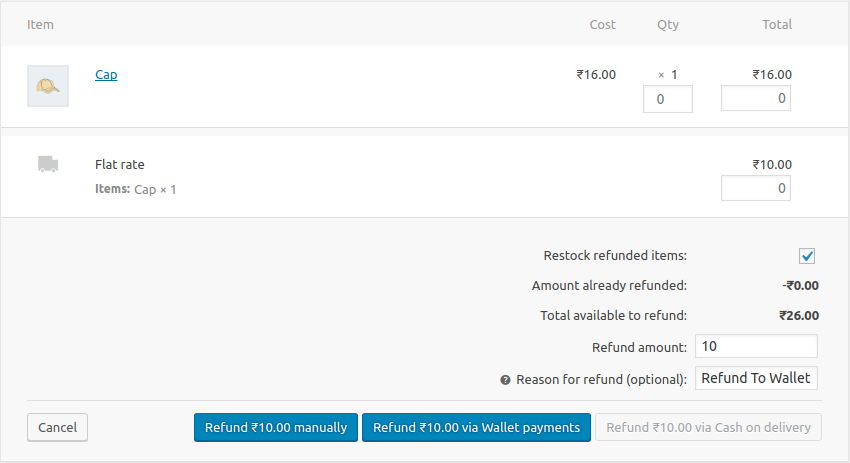
- 🏦 Store Credit System: Easily handle refunds by crediting the user’s wallet instantly.
- 🔄 Wallet Transfers: Allow customers to share funds with friends and family.
🛠 Features
- 🏦 Core Wallet Management: A centralized ledger system that tracks every credit and debit with 100% accuracy using SQL-level locking to prevent race conditions.
- 💰 Dynamic Cashback System:
- Cart-Wise: Rewards based on the total order value.
- Product-Wise: Granular control over rewards for individual items.
- Category-Wise: Rewards based on product taxonomies.
- 💳 Smart Checkout Options:
- Full Payment: Pay for the entire order using the wallet gateway.
- Partial Payment: Use wallet balance for part of the total and pay the rest via other gateways (Stripe, PayPal, etc.).
- Auto-Deduct: Automatically apply available balance as a discount at checkout.
- 🔄 User Empowerment:
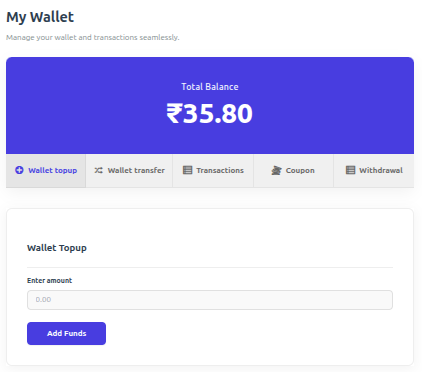
- Wallet Top-ups: Customers can add funds via their dashboard using any supported payment method.
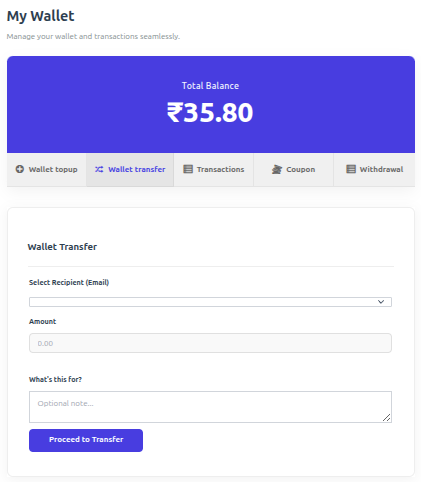
- Peer-to-Peer Transfers: Securely send wallet balance to other registered users via email.
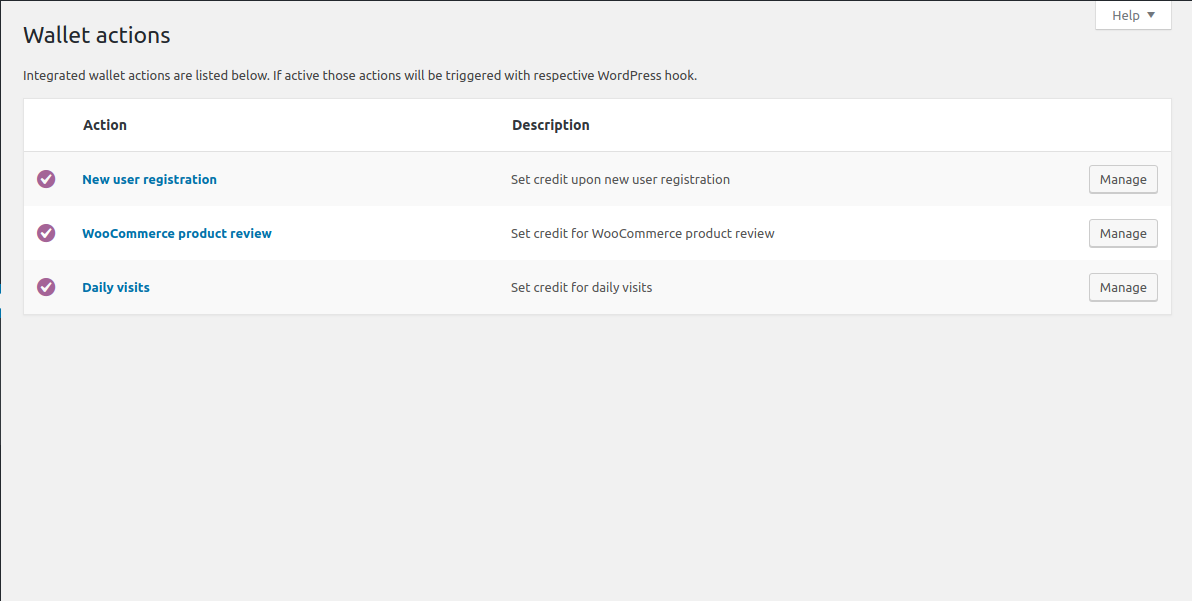
- 🎁 Engagement Rewards: Credit users for specific actions:
- New user registration bonus.
- Daily visit rewards (once per calendar day, with optional first-purchase requirement and monthly cap).
- Product review rewards.
- 🛠 Admin Control Center:
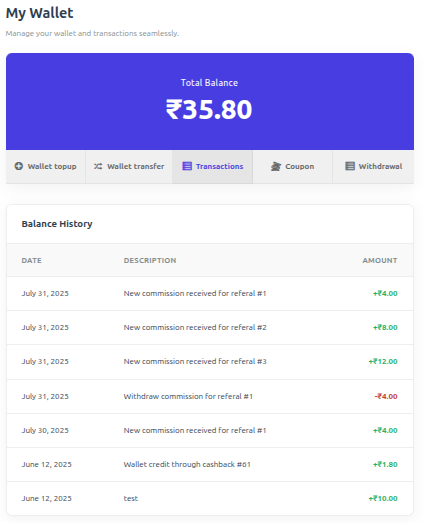
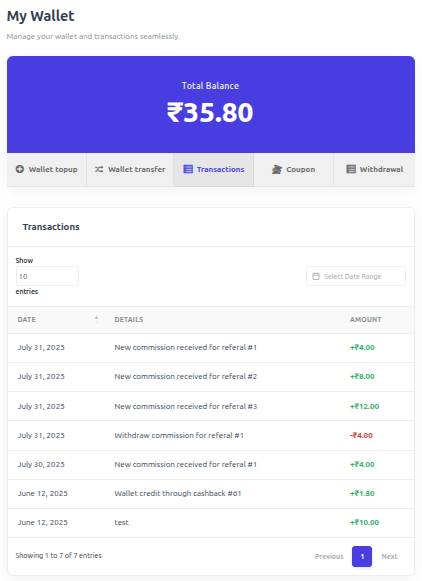
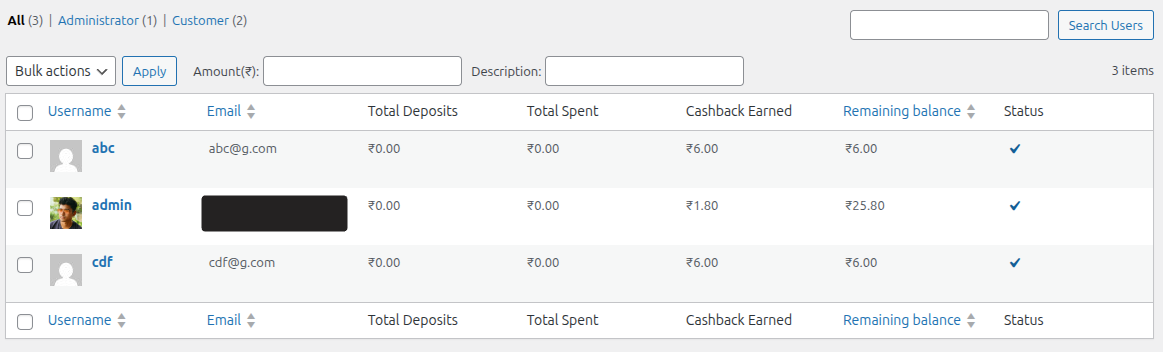
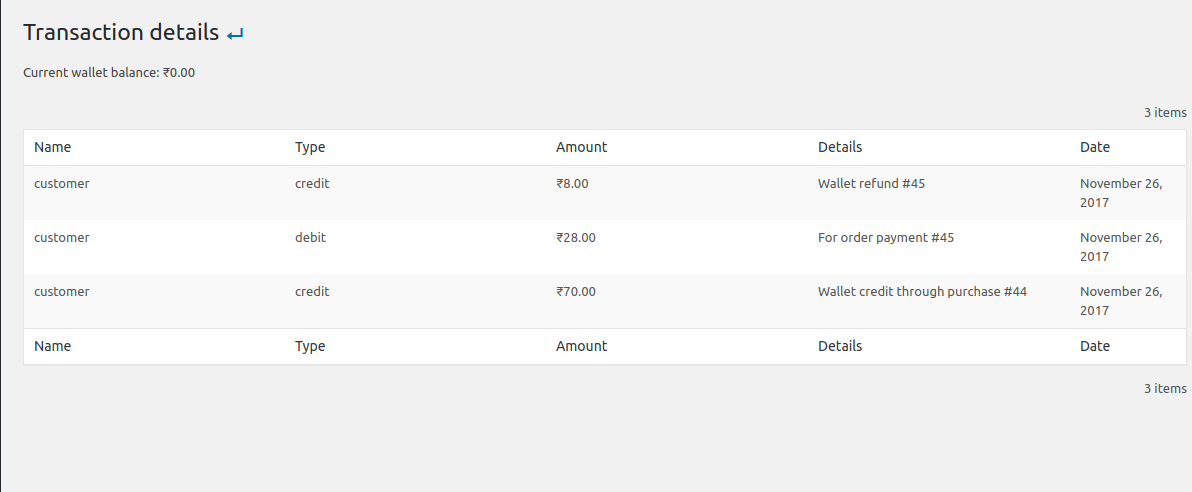
- View all user balances and transaction history.
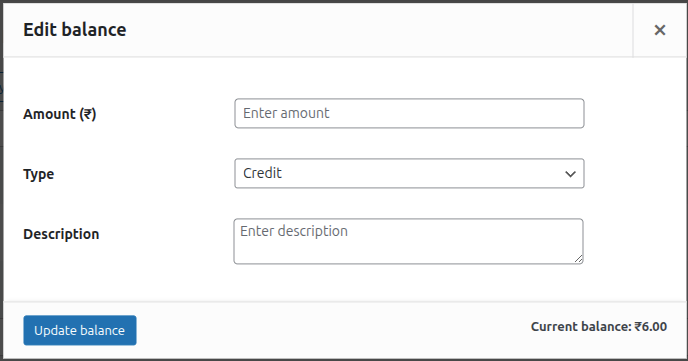
- Manually adjust (credit/debit) any user’s balance with detailed notes.
- Lock/Unlock user wallets for security and fraud prevention.
-
🔗 Seamless Integrations:
- Full support for WooCommerce Blocks checkout.
- Compatible with WPML and WooCommerce Subscriptions.
- Built-in support for Dokan, WCFM, and WCMarketplace.
-
🌍 Multi-Currency Support: First-class integrations with the most-used WooCommerce currency switchers. Wallet balances, top-ups, transfers, and cashback are all converted through the active provider’s live rates.
- YayCurrency – Multi-Currency Switcher
- WOOCS – WooCommerce Currency Switcher (FOX)
- WPML Multilingual & Multi-Currency (WCML)
- CURCY – Multi Currency for WooCommerce (VillaTheme)
- Aelia Currency Switcher
- Generic fallback for any other plugin that filters
woocommerce_currency— active-currency detection still works, conversion falls open to the stored amount with an audit-log warning.
🚀 Pro Features
⭐ Upgrade to Pro to unlock advanced wallet features and specialized integrations:
- 💸 Wallet Withdrawal: Allow customers to request withdrawals from their wallet balance to their bank or other payment methods.
- ⌛ Wallet Expiry: Set expiration dates for wallet balance or cashback to encourage timely spending.
- 🎟️ Wallet Coupons: Create exclusive coupons that can only be redeemed into the user’s wallet.
- 📥 Wallet Importer: Easily bulk import wallet balances and transaction history from CSV files.
- 🤝 AffiliateWP Integration: Automatically credit affiliate commissions directly to the user’s wallet.
- 🎂 Milestone & Birthday Bonuses: Credit the wallet when a customer’s lifetime spend crosses a threshold you set, and once a year on their birthday.
- 📊 Breakage & Aging Reports: See how much wallet credit is about to expire, how much never will be spent, plus withdrawal and coupon reporting on the Wallet Dashboard.
External services
TeraWallet shows a dismissible admin notice inviting the administrator to join the StandaloneTech mailing list (release, security and compatibility news, tips, and occasional product news).
Nothing is sent unless the administrator ticks the consent box (unticked by default) and submits the form. Only then, once, the plugin sends the entered email address, the site URL, the TeraWallet version and the time consent was given to https://standalonetech.com. No store, customer, order or wallet data is ever sent. Unsubscribe from any email.
عکسهای صفحه
بلوکها
این افزونه 1 بلوک ارائه میدهد.
- Mini-Wallet Display the current user's wallet balance with a customizable icon.
نصب
حداقل نیازمندیهای نرمافزاری
- PHP 7.4 یا بالاتر مورد نیاز است (PHP 8.0 یا بالاتر پیشنهاد میشود)
- MySQL ۵.۶ یا بالاتر، یا MariaDB نسخه ۱۰.۱ یا بالاتر، مورد نیاز است
- WordPress 6.4 or greater is required
- ووکامرس ۷.۲ یا بالاتر مورد نیاز است
نصب خودکار
In your WordPress dashboard go to Plugins > Add New, search for “Wallet for WooCommerce” and click Install Now.
نصب دستی
Upload the plugin folder to /wp-content/plugins/ via FTP, then activate it from the Plugins menu.
در حال بهروزرسانی
به روز رسانی خودکار باید مانند یک جادو عمل کند. مثل همیشه، مطمئن شوید که از سایت خود نسخه پشتیبان تهیه می کنید.
اگر بعد از بهروزرسانی بهطور غیرمنتظرهای با صفحات انتهایی کیف پول با مشکلاتی مواجه شدید، فقط کافی است پیوندهای ثابت را با رفتن به تنظیمات وردپرس بازسازی کنید > تنظیمات > پیوندهای ثابت و زدن “ذخیره”. که باید همه چیز را به حالت عادی برگرداند.
Important
A hidden “Wallet Topup” product is automatically created upon activation. Ensure it remains Published and Private.
سوالات متداول
-
How does wallet payment work?
-
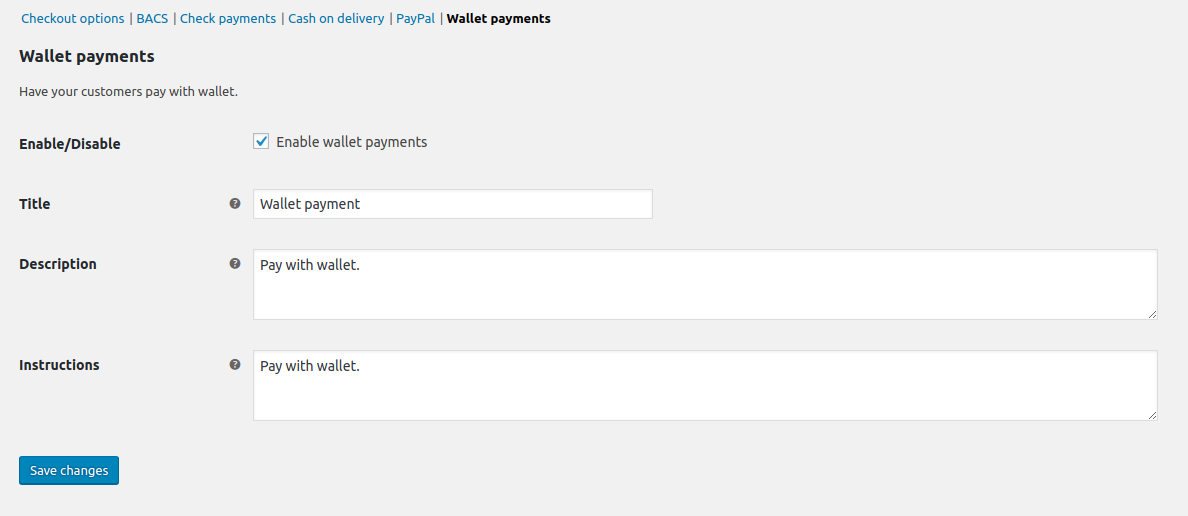
Wallet payment acts as a native WooCommerce gateway. Customers with sufficient balance can select “Wallet” at checkout to pay for their order instantly.
-
Does it support partial payment?
-
Yes! If enabled in settings, customers can use their wallet balance to pay for a portion of the order and cover the remainder with another gateway like Stripe or PayPal.
-
When is cashback applied?
-
Cashback is triggered by order status changes. You can configure which status (e.g., ‘Completed’ or ‘Processing’) triggers the reward in the plugin settings.
-
Why is the wallet not visible at checkout?
-
The Wallet payment option only appears when all of these are true:
* The Wallet gateway is enabled in WooCommerce > Settings > Payments.
* The customer is logged in.
* Their wallet balance covers the full order total. If the balance is lower, use Partial Payment instead.
* Partial payment is not being applied to this cart. If “Auto deduct wallet balance” is on and the balance is lower than the total, the wallet is used as a partial payment instead.
* The customer’s wallet is not locked by an admin. -
Where can I get support?
-
You can ask for help in the WordPress Plugin Forum or email us at support@standalonetech.com.
-
Where is the REST API documentation?
-
You can find the documentation for our Wallet REST API here.
نقد و بررسیها


توسعه دهندگان و همکاران
“کیف پول برای ووکامرس” نرم افزار متن باز است. افراد زیر در این افزونه مشارکت کردهاند.
مشارکت کنندگان


“کیف پول برای ووکامرس” به 12 زبان ترجمه شده است. با تشکر از مترجمین برای همکاری و کمکهایشان.
ترجمه “کیف پول برای ووکامرس” به زبان شما.
علاقه مند به توسعه هستید؟
کد را مرور کنید، مخزن SVN را بررسی کنید، یا از طریق RSS در گزارش توسعه مشترک شوید.
گزارش تغییرات
v1.7.1 (October 5, 2026)
- Security – The order “Via wallet” Refund button requires a security token; custom code calling
woo_wallet_refund_partial_paymentmust send theorder-itemnonce assecurity. - Security – Wallet refunds from the order screen require the “Manage WooCommerce” capability, so marketplace vendors cannot refund orders they don’t own.
- New – Daily visit rewards: optional “paid order required” setting, a per-customer reward cap, and a “You earned … for visiting today” message.
- New – Daily visit, registration and product review rewards appear as “Engagement reward” in transactions and the dashboard. Older transactions keep their category.
- Fix – Wallet Dashboard totals and category breakdown are converted to your base currency on multi-currency stores and update when exchange rates change.
- Fix – On multi-currency stores, settings, Edit Balance, bulk Credit/Debit, user profile and the Users “Wallet Balance” column use your base currency.
- Fix – On multi-currency stores, order cashback and the wallet refund button use the order currency, and refunds return the exact amount paid from the wallet.
- Fix – Single Edit Balance changes are recorded as “Adjustment”, and over-balance debits show a clear insufficient-balance error.
- Fix – Settings reject negative amounts, a minimum above the maximum, and percentage charges above 100 with a clear error.
- Fix – Delete logs “Keep current balance” keeps each currency’s balance in its own currency, all-or-nothing; the dialog is clearer and shows affected users.
- Fix – Daily visit rewards are paid once per calendar day in your store’s timezone, including on the day you update.
- Fix – Converted minimum/maximum top-up and minimum transfer limits no longer have long decimal tails that browsers reject.
- Fix – Splitting a refund across several partial refunds no longer returns a cent more or less than was paid from the wallet.
- Tweak – The daily visit Amount is empty by default on new installs. Existing amounts are unchanged.
- Tweak – “Allow Minimum cashback” is now “Use lowest category cashback”; clearer reward cap help; settings errors wrap and stay visible longer.
- Tweak – Locked Pro report cards show neutral placeholders, the Upgrade comparison table fits phones, and the Transactions and Export pages have proper tab titles.