
توضیحات
LingoToggle allows you to display multiple language versions of the same text using a custom separator. No duplicate pages, custom post types, or language-specific content management is required. Simply write all language versions in the same content block.
Example:
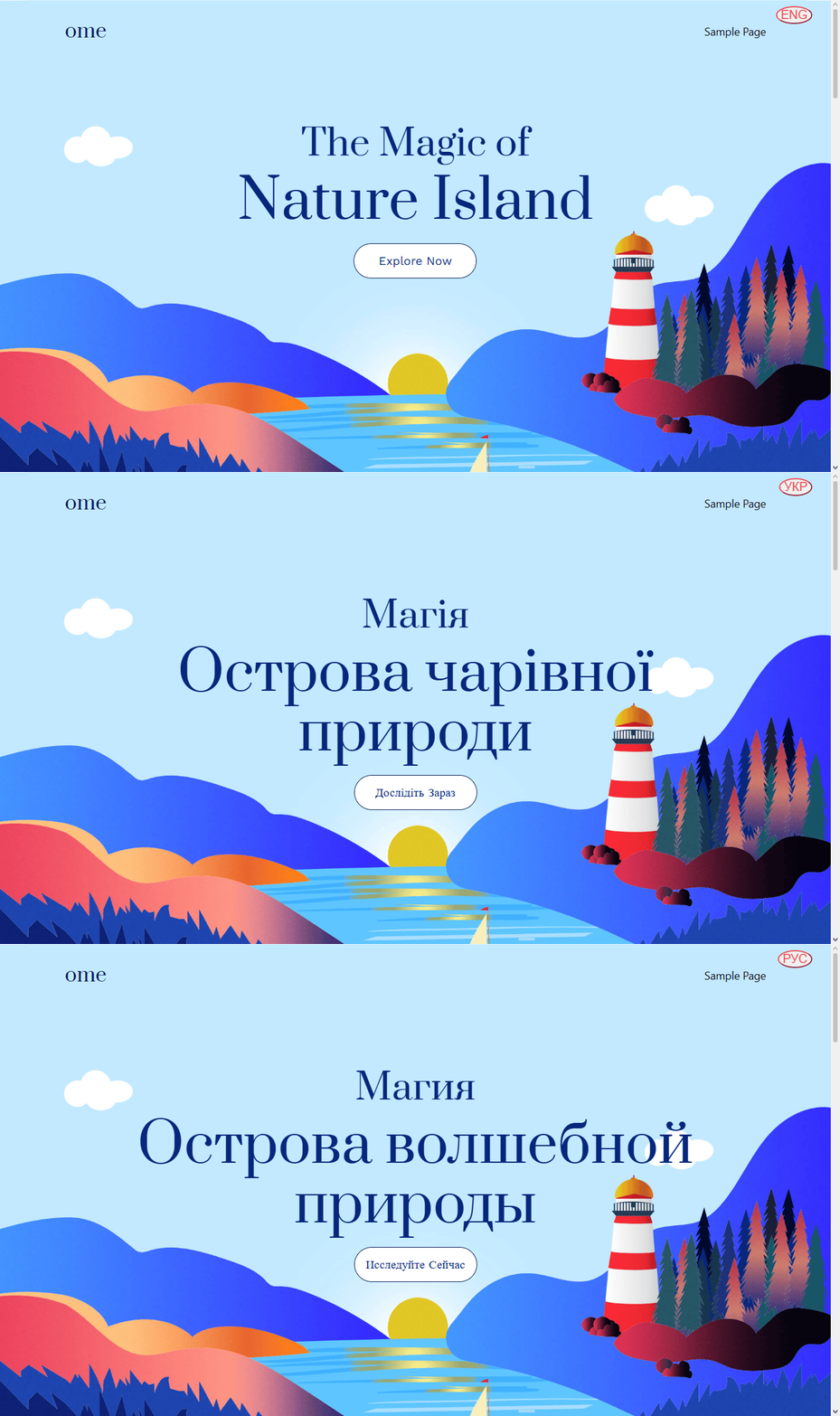
The plugin automatically detects such text, shows only the selected language, and adds a fixed language switch button in the upper-right corner of the page.
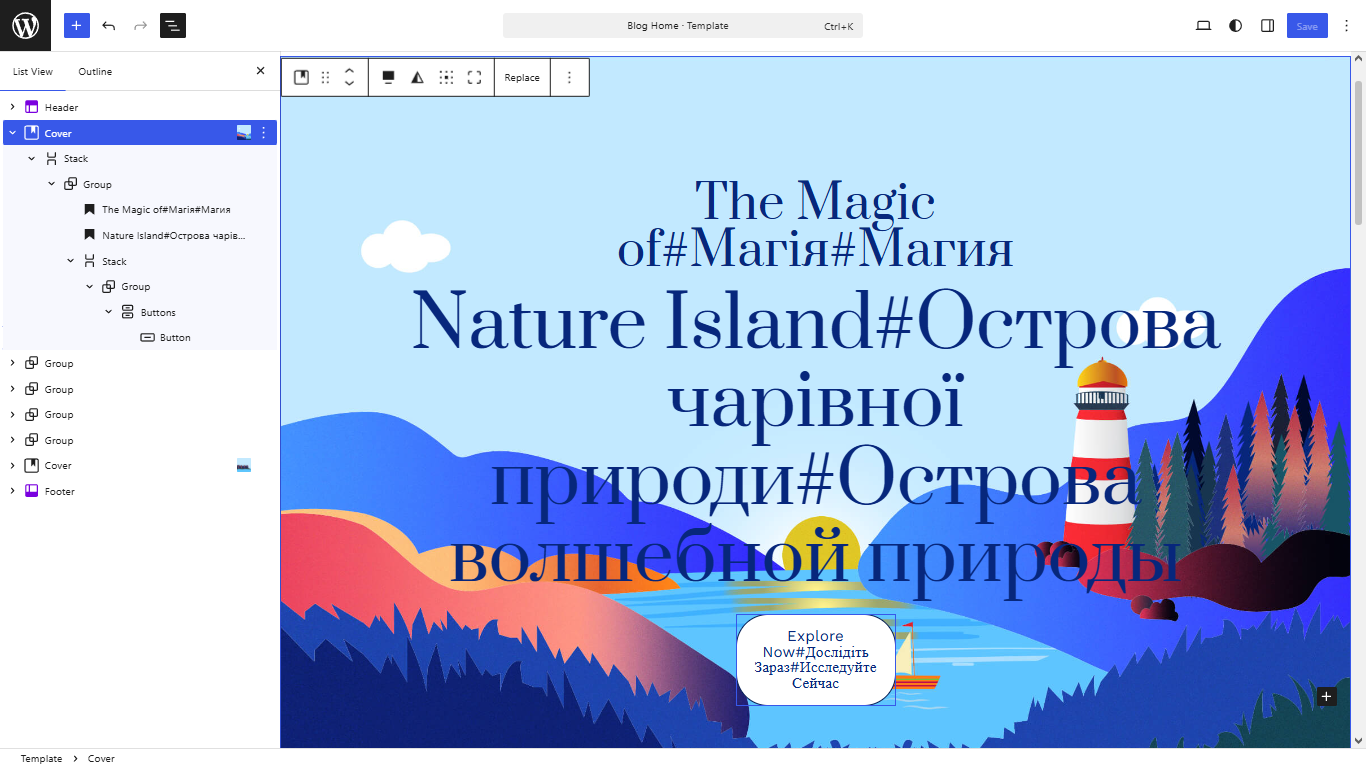
In the WordPress editor:
Heading

Hello everyone! # Привіт усім! # Привет всем!

Paragraph

Welcome. # Ласкаво просимо. # Добро пожаловать.
In HTML:
<h1>
    Hello everyone! # Привіт усім! # Привет всем!
</h1>

<p>
    Welcome. # Ласкаво просимо. # Добро пожаловать.
</p>
Features:
- Lightweight and fast.
- No external translation services.
- No API keys required.
- Does not create additional pages.
- Does not create custom database tables.
- Compatible with most WordPress themes.
- Supports any number of languages.
- Works directly with standard WordPress Heading and Paragraph blocks.
- No custom blocks or shortcodes required.
- Custom language labels (RU, EN, UA, etc.).
- Custom separator (## $$ @#@ etc.).
- Optional text animation.
- Falls back to the first language if a translation is missing.
Why LingoToggle?
Unlike automatic translation plugins, LingoToggle lets you write your own translations directly in the content.
This gives you complete control over wording, style and accuracy while keeping the plugin lightweight and easy to use.
عکسهای صفحه

نصب
- Upload the plugin folder to the /wp-content/plugins/ directory.
- Activate the plugin.
- Open Settings LingoToggle.
- Enter language labels separated by spaces.
- Choose the separator (default: #).
- Enable or disable animation if desired.
- Write your multilingual content using the selected separator.
Example:
Enter your multilingual text using the selected separator.
Welcome # Ласкаво просимо # Добро пожаловать
In the languages label, write the names of the languages separated by spaces. Each language label is automatically shortened to a maximum of three characters and displayed in uppercase on the switch button.
english ukrainian russian
↓
ENG UKR RUS
Plugin Settings:
- Languages: names of languages separated by spaces(default: EN).
- Separator: any custom separator (default: #).
- Animation: enable or disable text animation (default: Enabled).
سوالات متداول
-
Does the plugin translate my website automatically?
-
No. You write and manage all translations yourself.
-
How many languages are supported?
-
As many as you define in the plugin settings.
-
What happens if a translation is missing?
-
The plugin displays the first available language.
-
Does it work with special characters?
-
Yes, the script handles standard and most UTF-8 characters without issues.
-
Can I write multilingual text directly in the WordPress editor?
-
Yes. Simply enter your translations directly into any Heading, Paragraph, or other supported text block using the configured separator.
نقد و بررسیها
نقد و بررسیای برای این افزونه یافت نشد.
توسعه دهندگان و همکاران
“LingoToggle” نرم افزار متن باز است. افراد زیر در این افزونه مشارکت کردهاند.
مشارکت کنندگان
“LingoToggle” به 1 زبان ترجمه شده است. با تشکر از مترجمین برای همکاری و کمکهایشان.
ترجمه “LingoToggle” به زبان شما.
علاقه مند به توسعه هستید؟
کد را مرور کنید، مخزن SVN را بررسی کنید، یا از طریق RSS در گزارش توسعه مشترک شوید.
گزارش تغییرات
1.0.0
- Initial release.