
توضیحات
Easy I18n is a lightweight inline translation plugin that lets you add multilingual content directly in your HTML, templates, or Elementor blocks — without duplicating pages or dealing with complex UI.
It focuses on a simple and modern workflow:
– Use HTML normally
– Mark text with data-i18n
– Add translations in a clean admin interface
– Show a minimal frontend language switcher
– Done.
This makes it ideal for:
– Landing pages
– SaaS sites
– Marketing funnels
– Elementor layouts
– Static content
– Headless-style frontends
– Low-maintenance multilingual sites
No page duplication.
No heavy UI.
No lock-in.
Just fast, simple multilingual content.
Features
- Inline translations with
data-i18n - No page duplication
- Works with Elementor and static HTML
- Lightweight language switcher (via shortcode)
- Designer-friendly admin UI
- Supports HTML inside translations
- Automatic language fallback
- Multi-language support in admin UI
Admin available in:
– Arabic
– Chinese (Simplified)
– Dutch
– English
– French
– German
– Italian
– Japanese
– Korean
– Polish
– Portuguese (Brazil)
– Spanish
Usage
-
Add language switcher using the shortcode:
[easyi18n_switcher] -
Mark text:
Fallback text
-
Add translations in the admin UI
-
Save and refresh page
The plugin loads translations automatically based on current language.
Support
This is a community project, but development is supported by donations.
If this plugin helps your work, please consider supporting its maintenance and development on Ko-fi: https://ko-fi.com/micheldosanjos
Support may be limited or delayed.
Contributing
Pull requests and translations are welcome.
License
GPLv2 or later
https://www.gnu.org/licenses/gpl-2.0.html
عکسهای صفحه
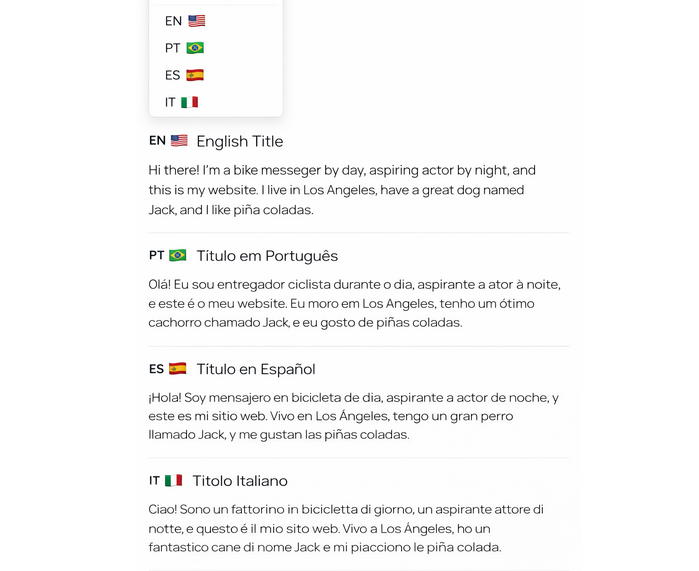
Language switcher 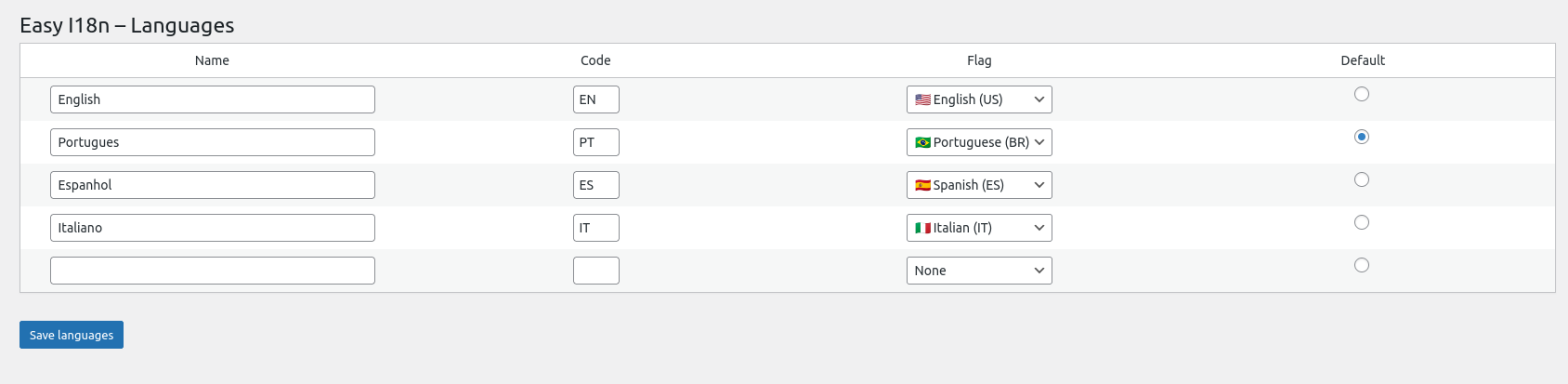
Admin: Languages 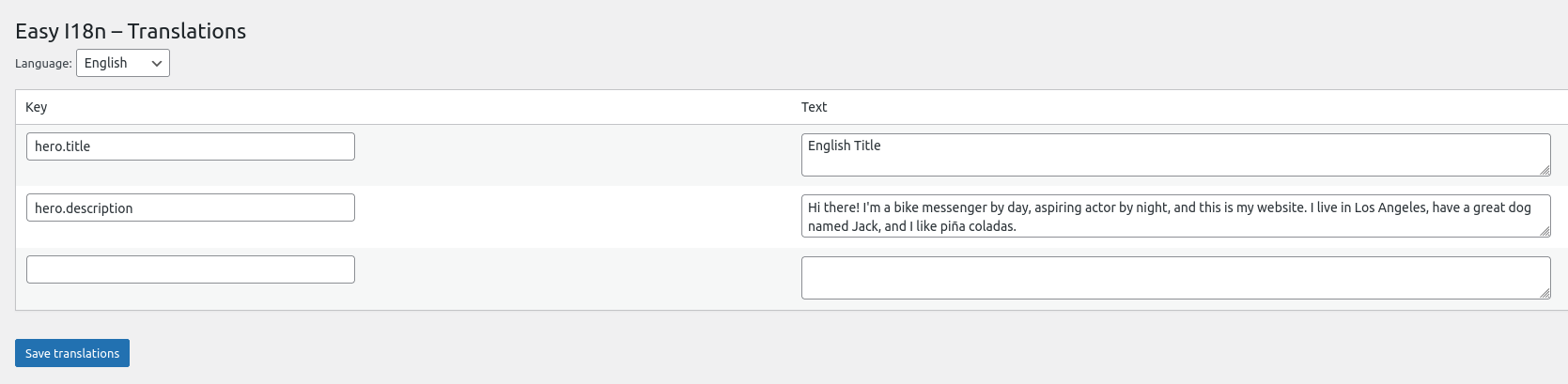
Admin: Translations 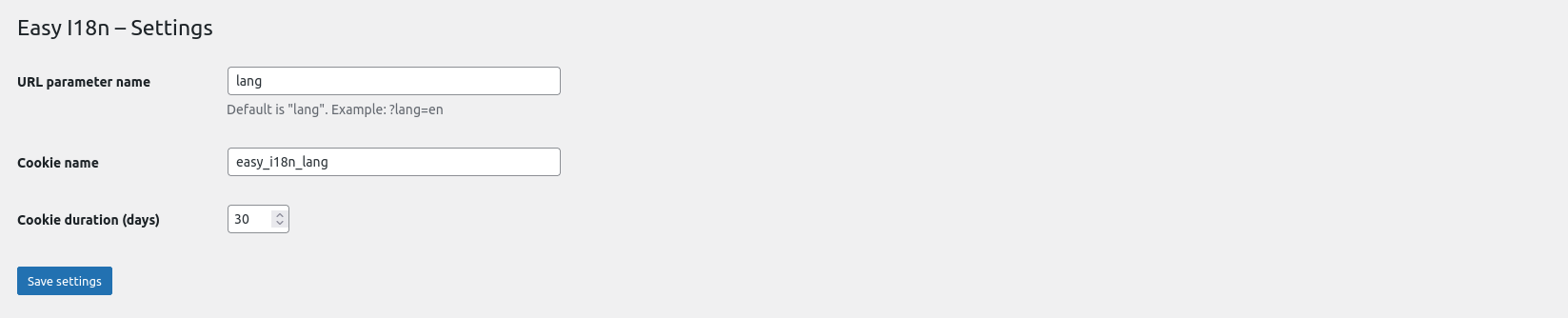
Admin: Settings
نصب
- Upload the plugin files to
/wp-content/plugins/easy-i18n - Activate the plugin through the “Plugins” screen in WordPress
- Add the language switcher:
[easyi18n_switcher] - Add translation keys in admin
- Use
data-i18ntags in your HTML or Elementor
سوالات متداول
-
Does this duplicate pages?
-
No. Easy I18n is inline. Everything happens in the same page.
-
Does this work with Elementor?
-
Yes. Just use HTML blocks or custom templates.
-
Can I use HTML inside translations?
-
Yes, including tags and links.
-
Does it support right-to-left languages?
-
Yes.
-
Will this slow down my site?
-
No. The plugin loads a small JSON file per language.
نقد و بررسیها
نقد و بررسیای برای این افزونه یافت نشد.
توسعه دهندگان و همکاران
“Easy I18n” نرم افزار متن باز است. افراد زیر در این افزونه مشارکت کردهاند.
مشارکت کنندگان
“Easy I18n” به 2 زبان ترجمه شده است. با تشکر از مترجمین برای همکاری و کمکهایشان.
ترجمه “Easy I18n” به زبان شما.
علاقه مند به توسعه هستید؟
Browse the code, check out the SVN repository, or subscribe to the development log by RSS.
گزارش تغییرات
1.0.0
- First public release
- Added admin interface translations
- Added multiple language support in admin UI
- Improved UX and accessibility