
توضیحات
ShapeTranslate helps you create and manage a multilingual WordPress website without changing your usual content editing workflow.
Add the languages your website needs, create translations for posts and pages, manage translated taxonomies and menus, and organize language-specific content from your WordPress dashboard. Each language can have its own URL structure, helping visitors and search engines access the appropriate version of your content.
When you create a translation, ShapeTranslate copies the original content into a new draft in the target language. You can then edit the copied content without starting from an empty editor.
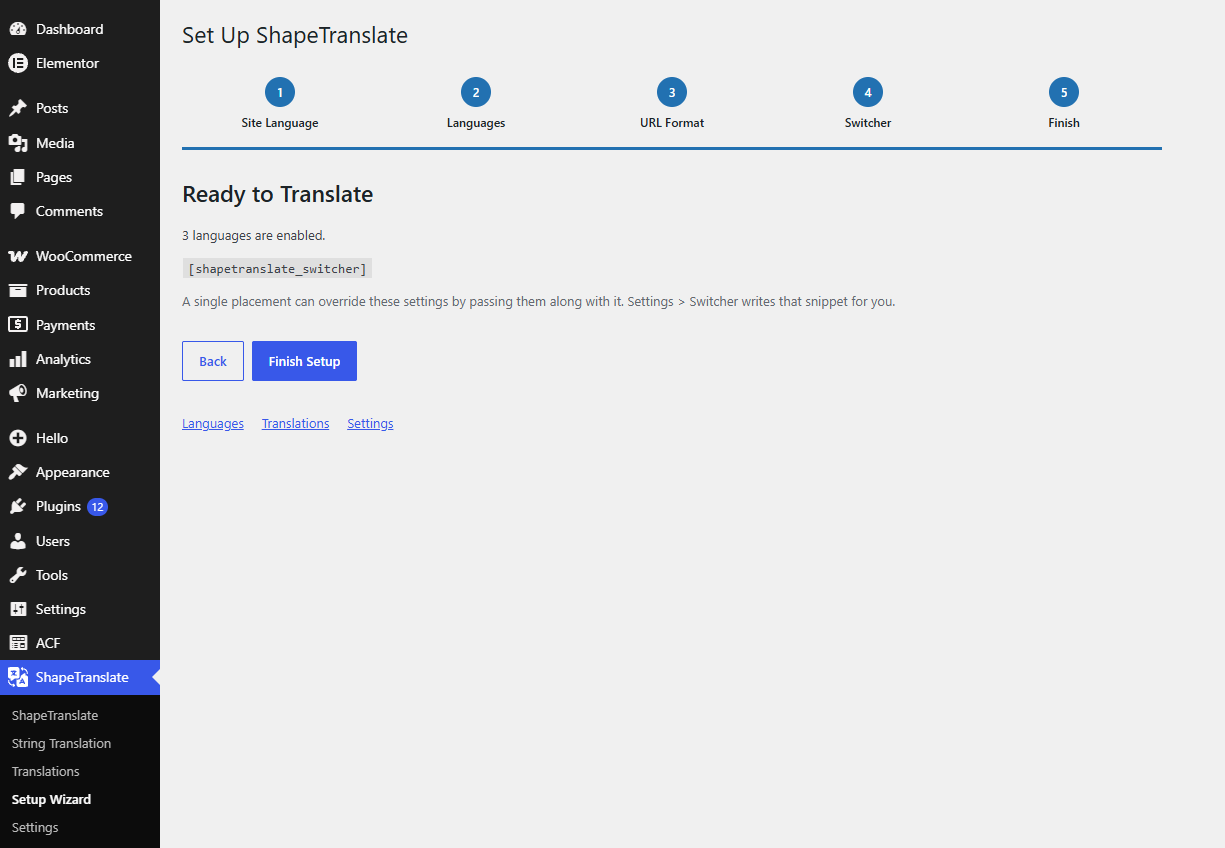
The built-in setup wizard helps you configure your languages, choose a URL format, and add a language switcher after activation.
ShapeTranslate supports classic themes, block themes, Elementor, and several popular header and footer builders.
👉 Demo | Documentation | RoadMaps | Get Pro 👈
Overview and features
Video tutorial
Learn how to set up languages, create translations, and add a language switcher:
Key features
- Unlimited languages: Add languages from the WordPress language catalog or configure custom languages.
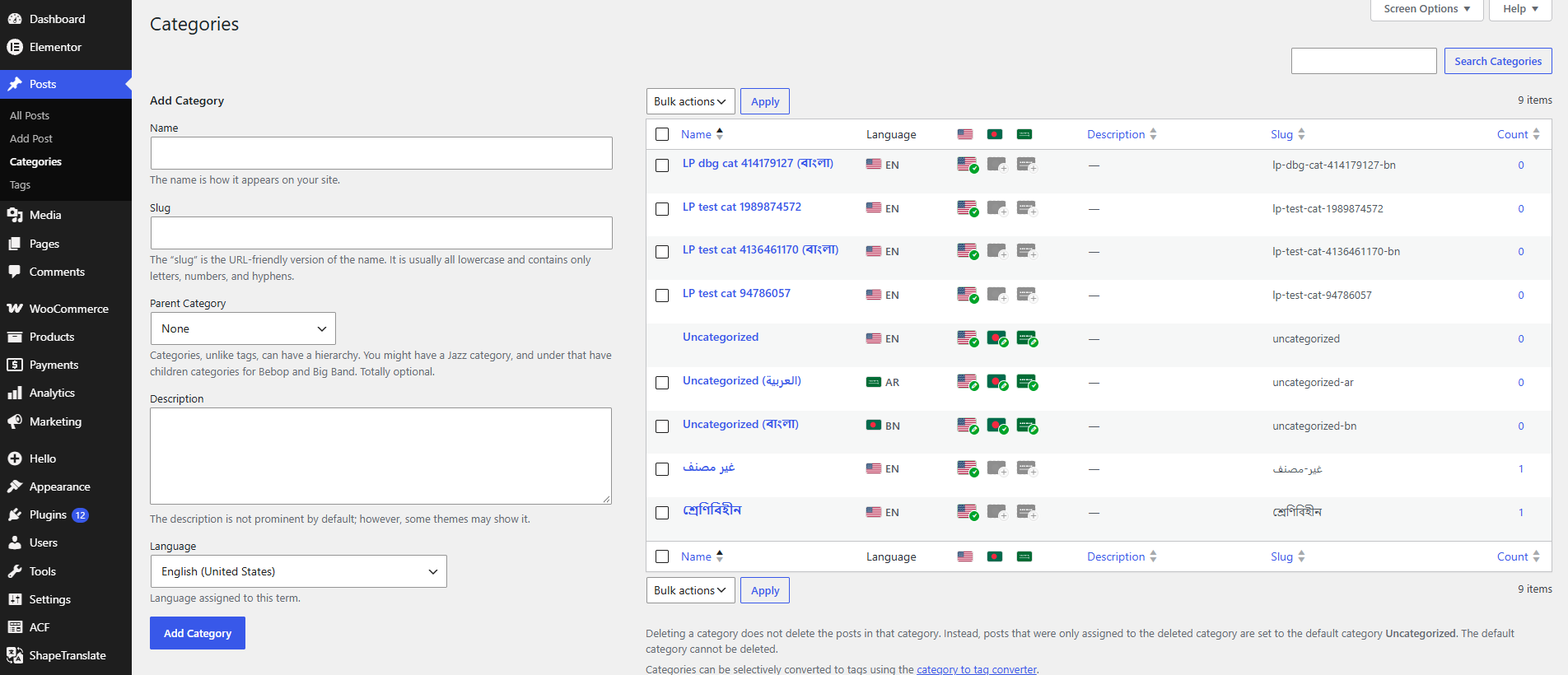
- Content translation: Translate posts, pages, public custom post types, categories, tags, and custom taxonomies.
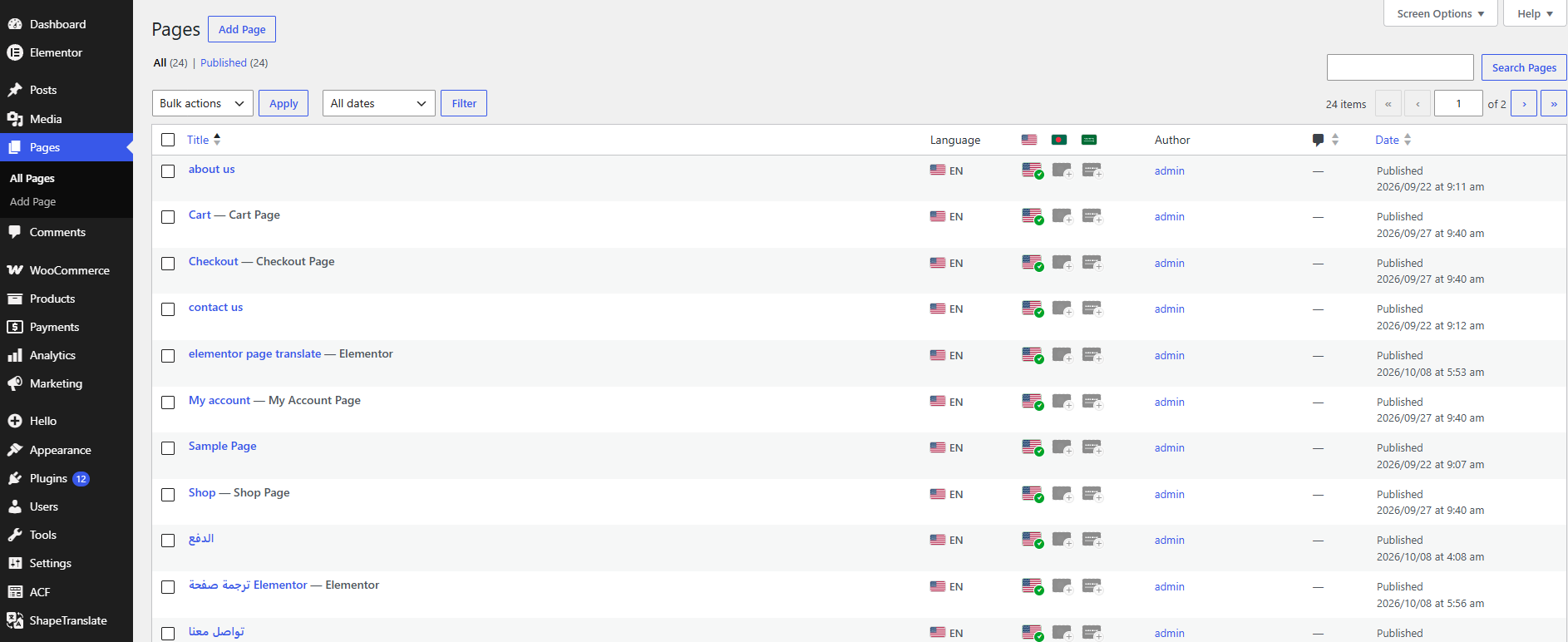
- Translation management: Find and manage translations from a central dashboard with search and filters.
- Language-specific URLs: Choose directories, subdomains, separate domains, or query parameters.
- Language switchers: Add language selection to menus, blocks, widgets, Elementor layouts, or a floating switcher.
- Translation synchronization: Choose which supported fields and content properties stay synchronized across translations.
- String translation: Translate the site title, tagline, and supported strings registered by themes and plugins.
- Multilingual SEO: Generate language-specific URLs,
hreflanglinks, and translated sitemap entries. - Right-to-left support: Support RTL languages in the frontend and translation editor.
- Developer API: Access language information and post or term translations through ShapeTranslate functions.
Languages and localization
- Add as many languages as your website needs.
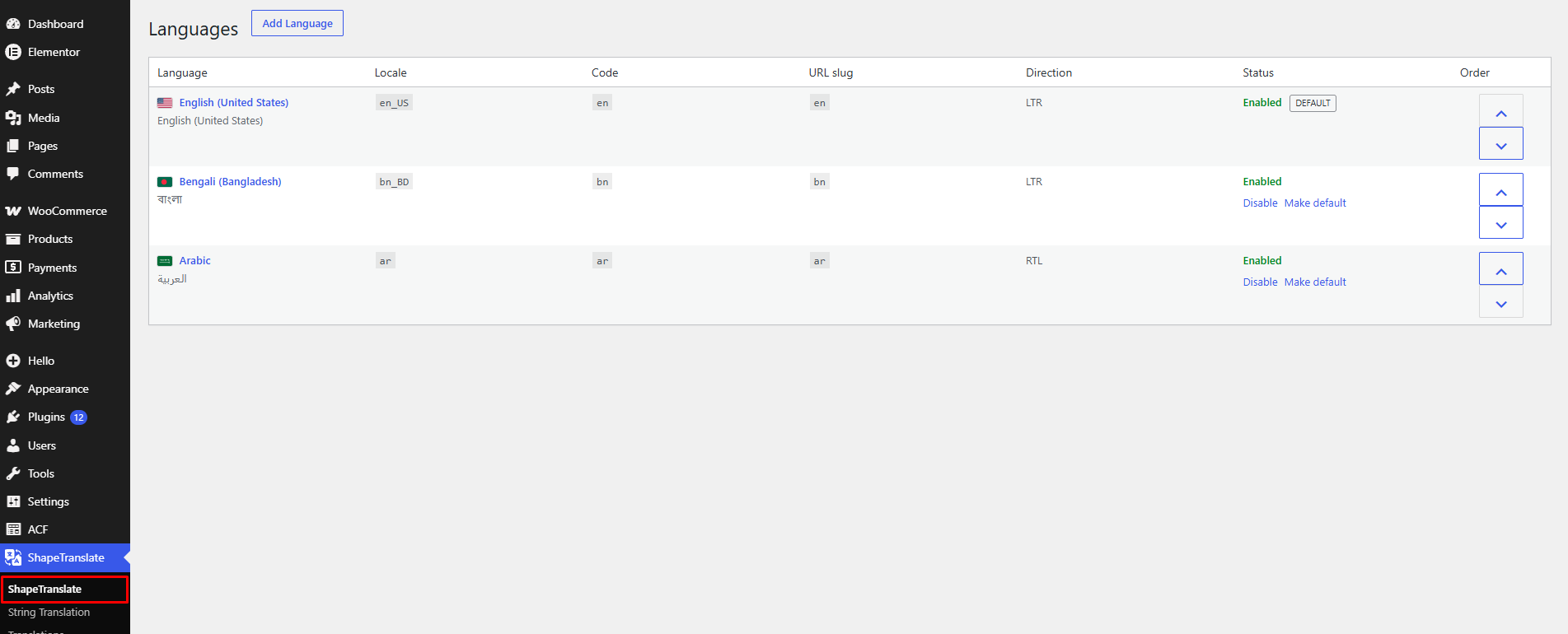
- Select languages from the WordPress language catalog or create custom languages with their own locale, display name, and text direction.
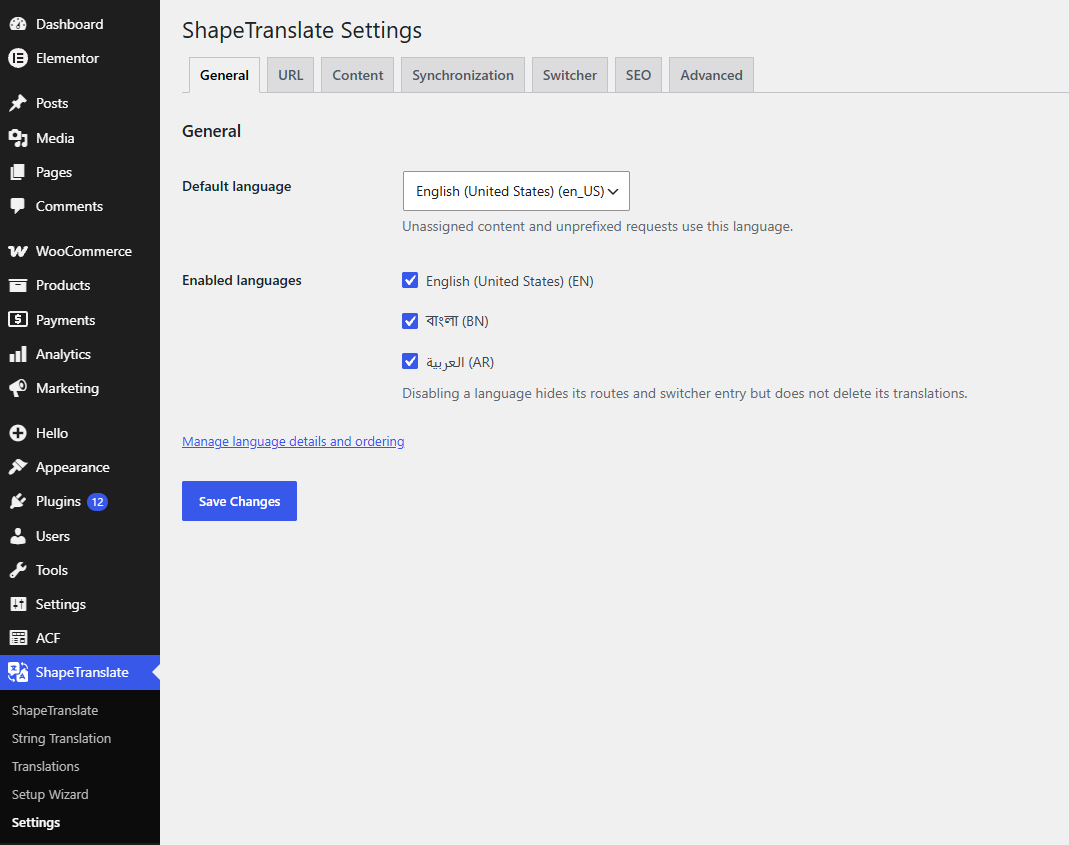
- Enable, disable, and reorder languages.
- Choose the default language for your website.
- Use more than 100 bundled flags in supported language switchers. Flags are assigned automatically from the language locale.
- Replace a flag by placing your own image (SVG, PNG, WebP, JPG, or GIF) named after the locale, such as
fr_FR.svg, inwp-content/uploads/shapetranslate/flags/. - Support right-to-left languages, including Arabic and Hebrew.
Content translation
- Translate posts, pages, public custom post types, categories, tags, and custom taxonomies.
- Create translations from existing content instead of starting with an empty editor.
- Copy supported source content, taxonomies, public custom fields, featured images, and page templates into a new draft in the target language.
- Link translations together so visitors and administrators can navigate between language versions.
- View available translations and create or edit them from the content editing screen.
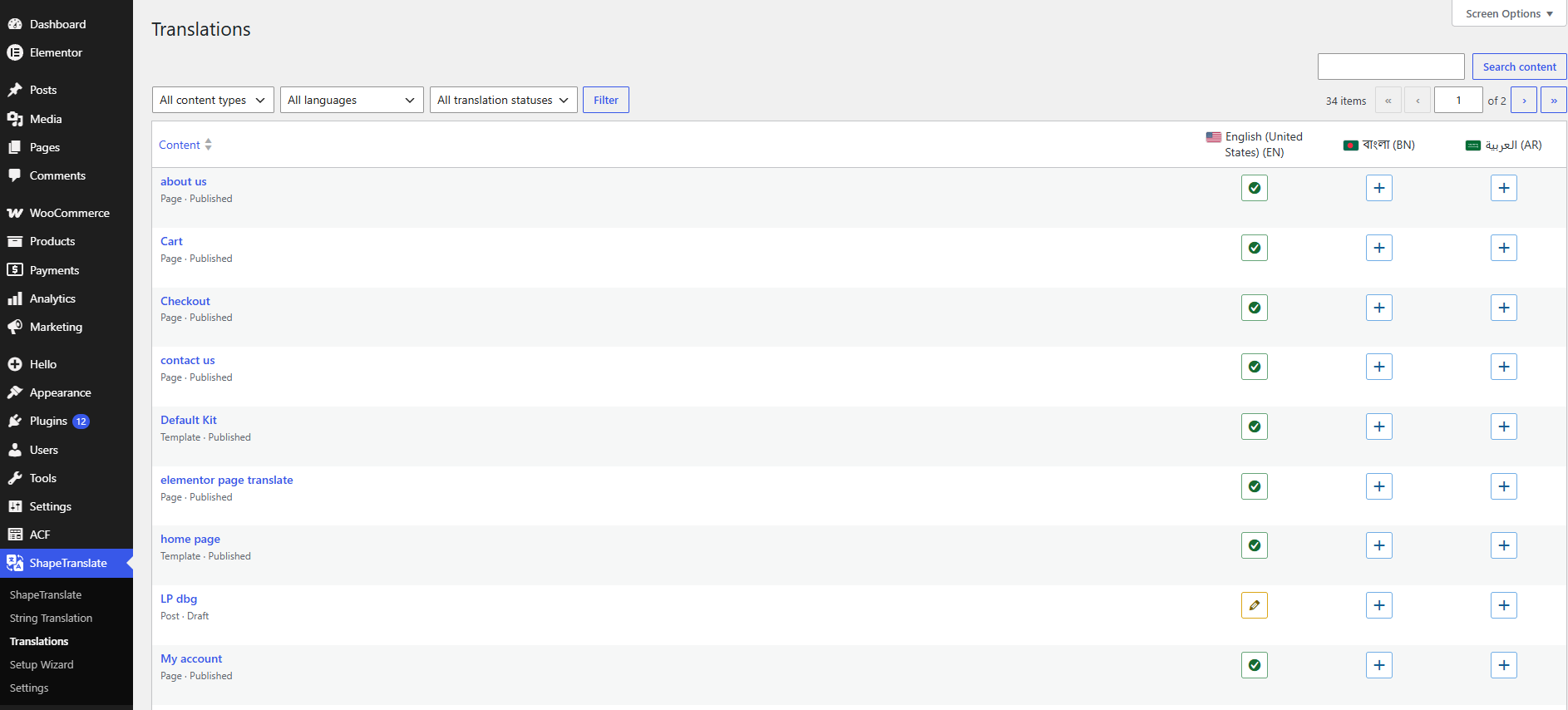
- Manage translation status from a central Translations dashboard with search and filtering options.
- Filter post and term lists by language in the WordPress admin.
- Translate media metadata, including alt text, captions, and descriptions, separately for each language while sharing the original media file.
- Filter comment listings, recent comments, and comment feeds by the current language.
- Keep relevant content in the selected language when choosing parent pages, categories, tags, and linked content in the block editor.
Translation synchronization
Choose which supported properties should stay synchronized across translations of a post.
Available synchronization options include:
- Taxonomies, with terms mapped to their corresponding translations.
- Public custom fields.
- Featured images.
- Publication dates, post formats, and sticky status.
- Parent pages, page templates, and page order.
- Comment and ping status.
Synchronization settings let you control which supported data is shared across language versions.
String translation
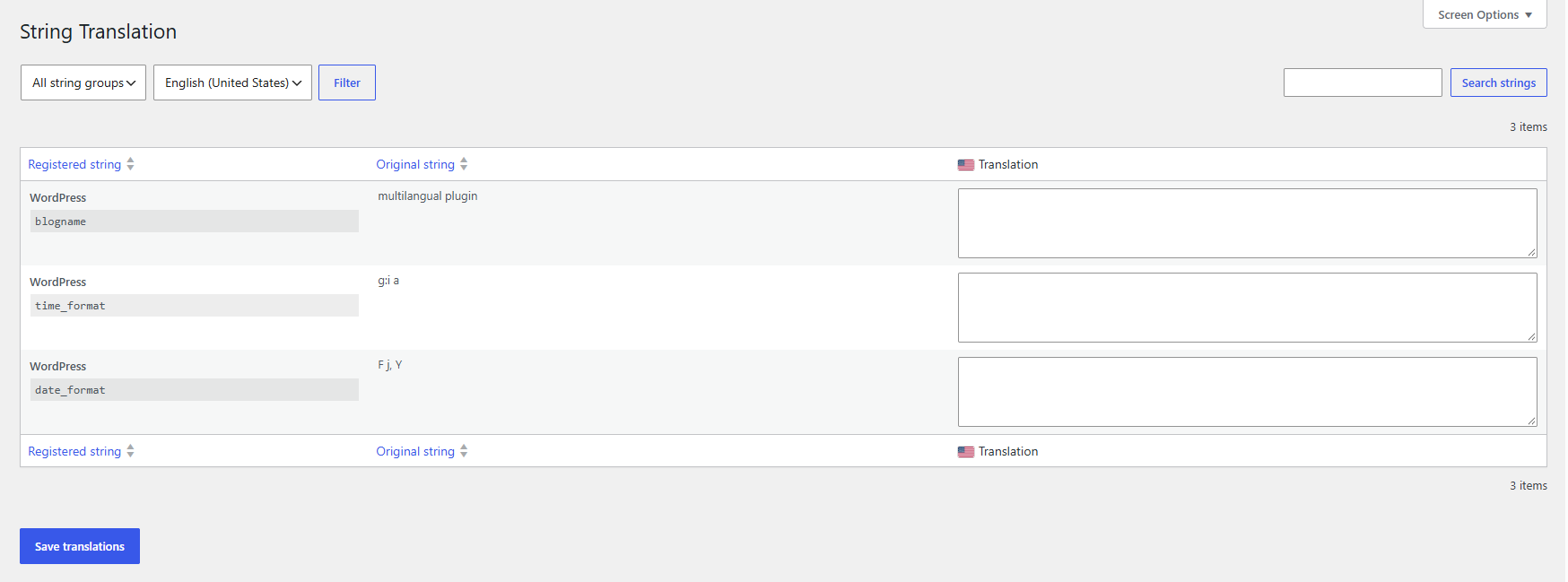
Manage supported website strings from the ShapeTranslate String Translation screen.
- Translate the site title, tagline, and supported WordPress options.
- Discover strings declared by compatible themes and plugins through their
wpml-config.xmlconfiguration. - Register custom strings with the
shapetranslate_register_string()developer function.
The available strings depend on the configuration and integration provided by each theme or plugin.
Language URLs
Choose how visitors access each language:
- Directories:
example.com/fr/ - Subdomains:
fr.example.com - Separate domains: Use a different domain for each language.
- Query parameters:
example.com/?lang=fr
Additional options include:
- Hide the language prefix from URLs for the default language.
- Enable optional browser language detection for first-time visitors. This feature is disabled by default.
- Keep search forms within the visitor’s current language.
Menus and navigation
Create language-specific navigation while using WordPress’s existing menu management tools.
- Assign different menus to theme locations for each language from Appearance > Menus.
- Translate Navigation block menus in block themes through the Site Editor.
- Automatically link navigation items to the corresponding translated page when a translation is available.
Language switchers
Give visitors several ways to change the language of your website.
Available options include:
- Language Switcher block.
- Language Switcher item in the Navigation block.
- Classic WordPress widget.
- Classic menu item.
- Elementor language switcher widget.
- Floating language switcher positioned in a screen corner.
- Horizontal lists, vertical lists, and dropdown layouts.
- Optional flags and current-language visibility settings.
- Option to hide languages without an available translation.
Theme developers can also display a language switcher using:
shapetranslate_language_switcher()
Multilingual SEO
ShapeTranslate provides language-specific URLs and multilingual SEO signals to help search engines discover translated content.
- Generate separate URLs for language versions.
- Output
hreflanglinks, includingx-default. - Set the appropriate HTML
langattribute. - Include translated content in WordPress sitemaps.
- Integrate with Yoast SEO, Rank Math, and SEOPress.
SEO behavior may depend on the active URL configuration, available translations, and other plugins installed on the website.
Theme and page builder compatibility
ShapeTranslate supports classic WordPress themes and block themes.
Block themes
- Translate block theme templates and template parts through the Site Editor.
- Manage language-specific headers, footers, and other supported template content.
Elementor
- Translate Elementor pages.
- Support Elementor Pro Theme Builder templates and popups.
- Use the Elementor language switcher widget.
Header and footer builders
Compatibility includes supported header and footer builders from:
- Elementor Header & Footer Builder
- Essential Addons
- ElementsKit
- Element Pack
- Happy Addons
Compatibility applies to the supported integrations and workflows provided by ShapeTranslate; it does not imply that every third-party widget or dynamic feature can be translated.
Performance and developer tools
- Use WordPress core functionality for content and translation management.
- Avoid additional page-output parsing for multilingual page rendering.
- Support full-page caching by serving languages through their configured URLs.
- Set the language cookie in the browser on cached pages.
- Export and import ShapeTranslate settings as JSON to transfer configuration between websites.
- Access language and translation information through the developer API.
Available developer functions include:
shapetranslate_get_post()shapetranslate_get_post_translations()shapetranslate_current_language()
What ShapeTranslate does not include
ShapeTranslate focuses on manually creating and managing translations. The following features are not included:
- Automatic or machine translation.
- WooCommerce-specific multilingual handling.
- General translation of arbitrary custom-field values.
- Translation of URL slugs.
- Advanced translated schema management.
- Translation of Elementor widget settings.
- Translation of dynamic tag values.
- Form translation.
- Specialized translation integrations for unsupported third-party add-ons.
Review the supported features and integrations before choosing ShapeTranslate for a website that relies on these workflows.
Privacy Policy
ShapeTranslate – Translate Multilingual Sites with AI uses Appsero SDK to collect some telemetry data upon user’s confirmation. This helps us to troubleshoot problems faster & make product improvements.
Appsero SDK does not gather any data by default. The SDK only starts gathering basic telemetry data when a user allows it via the admin notice. We collect the data to ensure a great user experience for all our users.
Integrating Appsero SDK DOES NOT IMMEDIATELY start gathering data, without confirmation from users in any case.
Learn more about how Appsero collects and uses this data.
عکسهای صفحه
بلوکها
این افزونه 2 بلوک ارائه میدهد.
- Language Switcher Display links to available ShapeTranslate languages.
- Language Switcher Add language links to a Navigation block.
نصب
- Make sure your website runs WordPress 6.4 or later and PHP 7.4 or later.
- If you are switching from another multilingual plugin, deactivate it before activating ShapeTranslate.
- Install ShapeTranslate through Plugins > Add New, or upload the
shapetranslatefolder to/wp-content/plugins/. - Activate ShapeTranslate from the Plugins screen.
- Follow the setup wizard to add languages, select a URL format, and configure a language switcher.
سوالات متداول
-
Is ShapeTranslate free?
-
Check the ShapeTranslate product page for current product and licensing information.
-
Does ShapeTranslate translate content automatically?
-
No. ShapeTranslate uses a manual translation workflow. Creating a translation copies the supported source content into a new draft in the target language. You can then edit and translate that content yourself.
-
How many languages can I add?
-
ShapeTranslate supports unlimited languages. You can add languages from the WordPress language catalog or configure custom languages.
-
Can I translate custom post types and taxonomies?
-
Yes. ShapeTranslate supports public custom post types and custom taxonomies, in addition to standard posts, pages, categories, and tags.
-
How do I configure language URLs?
-
Choose your preferred URL format in the ShapeTranslate settings. Supported formats include directories, subdomains, separate domains, and query parameters. You can also hide the language prefix for the default language.
-
Does ShapeTranslate detect a visitor’s browser language?
-
Optional browser language detection is available and disabled by default. You can enable it in the plugin settings if your website needs this behavior.
-
For classic themes, create a menu for each language and assign it to the appropriate theme location under Appearance > Menus. For block themes, manage translated Navigation block menus through the Site Editor.
-
How do I translate the site title and tagline?
-
Open ShapeTranslate > String Translation, select a language, and enter the corresponding translations. Additional strings may be available when compatible themes or plugins declare them through
wpml-config.xml. -
Can I synchronize selected data across translations?
-
Yes. Use the synchronization settings to choose which supported properties remain synchronized, including taxonomies, public custom fields, featured images, publication dates, and page hierarchy settings.
-
Does ShapeTranslate support RTL languages?
-
Yes. ShapeTranslate supports right-to-left languages on the frontend and provides right-to-left text direction when editing translations in the admin.
-
Does ShapeTranslate work with Elementor?
-
ShapeTranslate supports Elementor pages, Elementor Pro Theme Builder templates and popups, and its language switcher widget. Compatibility with individual third-party widgets and dynamic features depends on the available integration.
-
Is ShapeTranslate compatible with SEO plugins?
-
ShapeTranslate integrates with Yoast SEO, Rank Math, and SEOPress. It provides language-specific URLs,
hreflanglinks, the appropriate HTML language attribute, and translated sitemap entries. -
Does ShapeTranslate work with caching plugins?
-
ShapeTranslate is designed to work with full-page caching by serving each language through its configured URL. On cached pages, the language cookie is set in the browser. Actual behavior may depend on the cache configuration and other plugins.
-
Can I transfer my settings to another website?
-
Yes. Open the Advanced settings tab to export your ShapeTranslate configuration as a JSON file. You can import the file on another website.
-
Where can I see a demo?
-
Visit the ShapeTranslate product page to explore the demo and product details.
نقد و بررسیها
نقد و بررسیای برای این افزونه یافت نشد.
توسعه دهندگان و همکاران
“ShapeTranslate – Translate Multilingual Sites with AI” نرم افزار متن باز است. افراد زیر در این افزونه مشارکت کردهاند.
مشارکت کنندگان
ترجمه “ShapeTranslate – Translate Multilingual Sites with AI” به زبان شما.
علاقه مند به توسعه هستید؟
کد را مرور کنید، مخزن SVN را بررسی کنید، یا از طریق RSS در گزارش توسعه مشترک شوید.
گزارش تغییرات
1.0.2
- Video Added readme
1.0.1
- Updated the plugin description, feature list, and FAQ.
1.0.0
- Initial release.